
Hi everyone,
Thank you to everyone who came to Alan's office in Paris on November 12 for Agents in production. The recap of the talk, Who gives the agent production access?, is on the blog. Two more dates are coming: the AI Health Hack #2 with Alan and AWS on November 28 in Paris, and Agents in production, live online on December 1.
The biggest news in this release is a free plan that runs on a Kubernetes cluster you already have.
🆓 Qovery Free: run Qovery on your own cluster at no cost
Coding agents now open more pull requests than reviewers can run locally, and reading a diff doesn't tell you whether the checkout flow still works against a real database. A running environment per pull request answers that, but until now it meant paying for Qovery or building the pipeline yourself.
Qovery Free connects to a Kubernetes cluster you already run, version 1.31 or later: EKS, GKE, AKS, k3s or on-premise. It includes 3 users, unlimited AI agents (agents use their own API tokens and don't take a seat), 1 cluster and 1,000 deployment minutes a month, with preview environments and environment cloning. There is no credit card and no time limit. At 1,000 minutes, deployments stop until the next month, so nothing is billed by surprise.
Before you connect a cluster, check that it's ready:
qovery cluster preflight
The command runs read-only checks (Kubernetes version, permissions, nodes, storage, DNS, load balancers and existing cert-manager, ExternalDNS or Envoy Gateway installs), needs no Qovery account, and tells you which install path fits your cluster. To try Qovery without a cluster at all, ask your coding agent: the Qovery agent skills now offer to start a local cluster on your laptop with qovery demo up and deploy your project to it. See Qovery Free, the pricing page and try Qovery with an agent.
⚡ Faster Builds: the median build went from 3 minutes to under 1.5
Many of you compared our builds with GitHub Actions, and in September we were slower. Over the last two months, builders moved to 16 GB of memory and local NVMe disks, images and the build cache switched to zstd compression, and Qovery stopped cloning the repository again when the image already exists. Since November 12, Qovery also runs buildx v0.39, which removes a wait of about 26 seconds at the start of every build.
Across all customer builds, the median build went from about 3 minutes at the end of September to under 1.5 minutes in November. On our public benchmark, Python, Next.js and large image builds now take 0.86x to 0.90x of GitHub Actions' time. You don't need to change anything. Antoine led the work, and the full numbers are in Making Qovery builds as fast as GitHub Actions.
We are also previewing new deployment logs with a first group of customers. They show how long each build step took, with the builder's CPU and memory use, and a Build Optimizer reads your Dockerfile, build logs and cache history and proposes a corrected Dockerfile. Ask us in your Slack channel if you want to join the preview. See the Build Optimizer.
🔔 Slack Alerts: know when a deployment breaks
Until now, you found out a deployment had failed when you opened the Console, and a CI job retrying a broken deployment could fail dozens of times before anyone noticed.
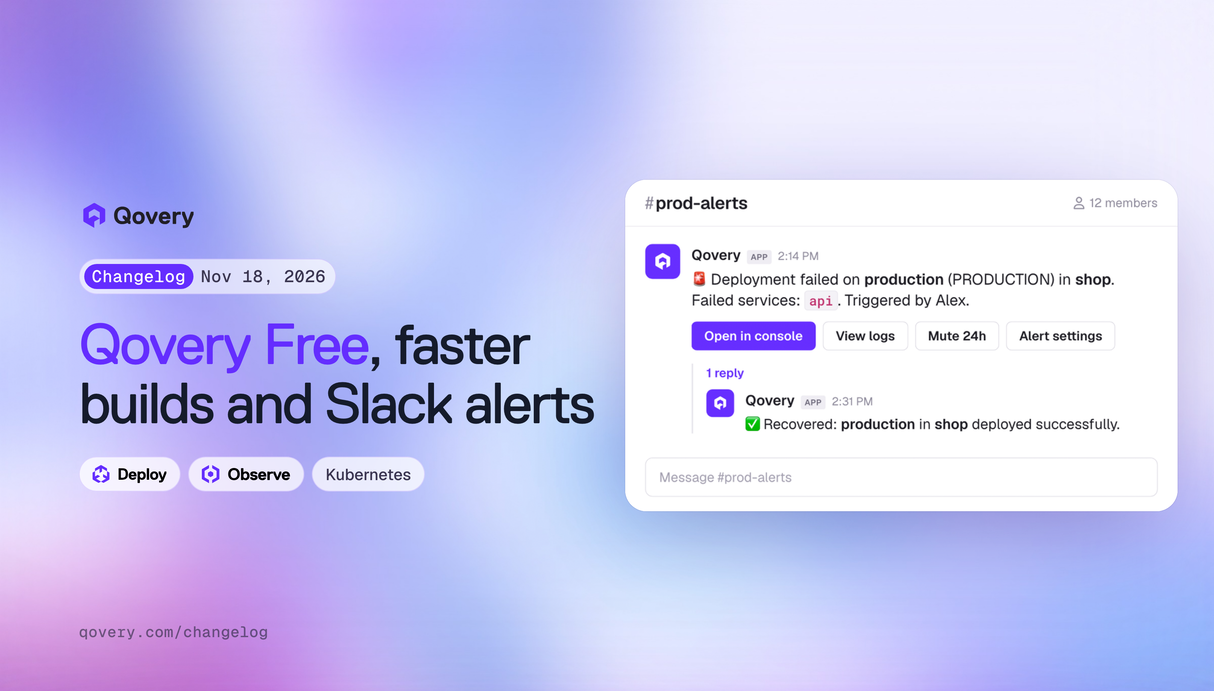
The Qovery Slack app sends deployment alerts to the channels you choose. Go to Organization settings > Notifications > Slack, click Connect Slack, and create an alert rule: pick a channel, then narrow it by project, environment or environment type. A rule can send three alerts: Deployment failed, Failure loop (the same environment failed 5, 10, 20 or 50 times in a row) and Recovered, posted as a reply in the thread of the first alert. Each alert has buttons to open the Console, view the logs, mute the environment for 24 hours or change the rule, and you can write your own message with variables such as {{environment_name}} and {{failed_services}}. Killian built it.
See Slack alerts. Existing Slack webhooks keep working.
🩺 Startup Probes: stop restarting services that boot slowly
A service that takes a while to start (a JVM app, or one that warms a cache) could be killed by its liveness probe before it finished booting. The usual workaround was a long initial delay on the liveness probe, which also delays detecting a real crash later.
Applications, containers and jobs now accept a startup probe. Kubernetes runs it first, and the liveness and readiness probes only start once it passes. For applications and containers, go to the service's Settings > Health checks in the Console and set the new Startup column (HTTP, TCP, gRPC or exec). For jobs, use the API or Terraform. With the defaults, a 10-second period and a failure threshold of 30, a service has about 5 minutes to start. It's also in Terraform, from provider v1.6.0:
healthchecks = {
  startup_probe = {
    type = {
      http = { port = 8080, scheme = "HTTP", path = "/health" }
    }
    initial_delay_seconds = 10
    period_seconds        = 10
    timeout_seconds       = 5
    success_threshold     = 1
    failure_threshold     = 30
  }
}
Saving the health checks page also no longer removes a startup probe you set through the API or Terraform. Romain Gerard built it and Romain Billard reviewed the Console part.
🛠️ Minor updates
- KEDA autoscaling has three new settings in the Console, Terraform (v1.7.1) and the API: an initial cooldown period, scale to 0 when idle, and an advanced YAML block for HPA scale-up and scale-down behavior. KEDA scalers are also no longer recreated on every save or Terraform apply. See applications.
- You can pick one key from a JSON secret in the Console too, from the External secrets tab of a service.
- Terraform export no longer includes secret values. Secrets become empty input variables, and cloud, Git, registry and cluster credentials are passed as input variables.
- New Helm services no longer use
--debugby default, so deployment logs don't show chart values, and more secret formats are masked in deployment logs. - Agent Tasks webhooks can require a secret header, set in the task's Governance settings. The domain allowlist is now enforced by a proxy, and an empty allowlist blocks all outbound traffic. The LLM provider host is added to the allowlist automatically. See Agent Tasks.
- The ECR pull-through cache now works on a cluster deployed in your own VPC. See ECR pull-through cache on an existing VPC.
- New Terraform starter modules for AWS, GCP, Azure and Scaleway create a cluster, staging and production environments, a database and an app in one module. See Terraform from scratch.
qovery demo upnow runs on the Qovery Operator and explains each failure with an error code and the fix. The--chart-pathand--engine-imageflags were removed.- New AWS region: Asia Pacific (Malaysia),
ap-southeast-5. - Builds that mount a secret no longer share their build cache across environments.
- cert-manager now restarts when its configuration changes, which fixes custom domains that got no certificate after the move to Envoy Gateway.
- The Karpenter GPU node pool now applies the GPU limit you set, and Helm keeps the last 10 revisions of each release.
- Load balancer source ranges must be canonical CIDRs. A value such as
10.0.0.5/24is rejected with the corrected range. - The documentation has a page for each catalog blueprint, agent policy examples, and a guide to isolating environments with network policies.
As always, let us know what you think and what you would like to see next.
Talk soon, The Qovery Team 🚀