


Deny by default
A policy token can do nothing until one of its rules allows it.
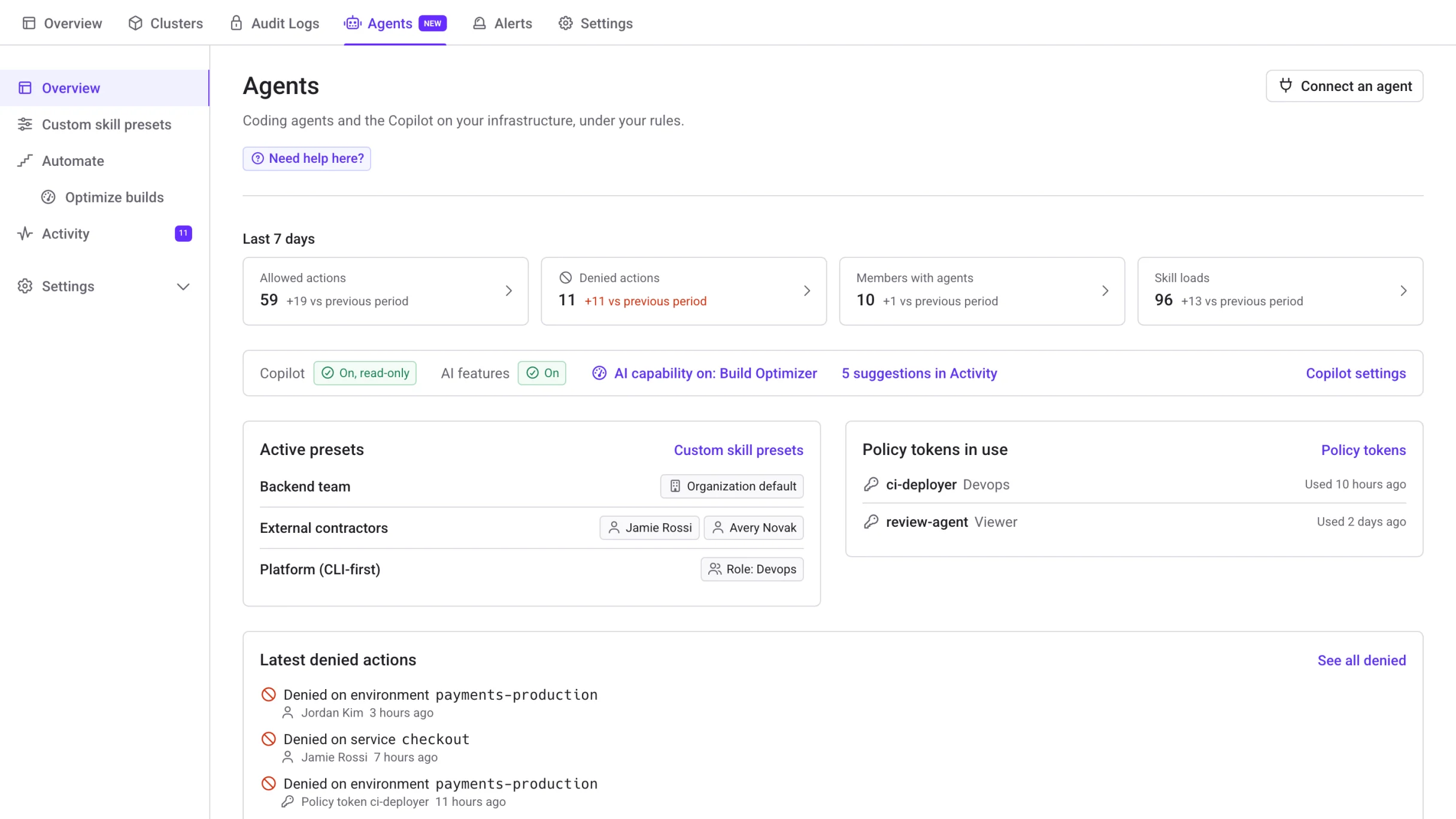
Qovery runs your apps and deployments. The Agents tab does the same for the coding agents that work on them: what they know, what they can do, and what they did
Free for 3 users and unlimited agents on your own cluster. See how every agent PR gets an environment
Trusted by 200+ companies to simplify their infrastructure burden








How it works
Agents can do real infrastructure work on their own when every operation is checked at the API. Roles were made for humans. An agent should get a policy that allows exactly its job.
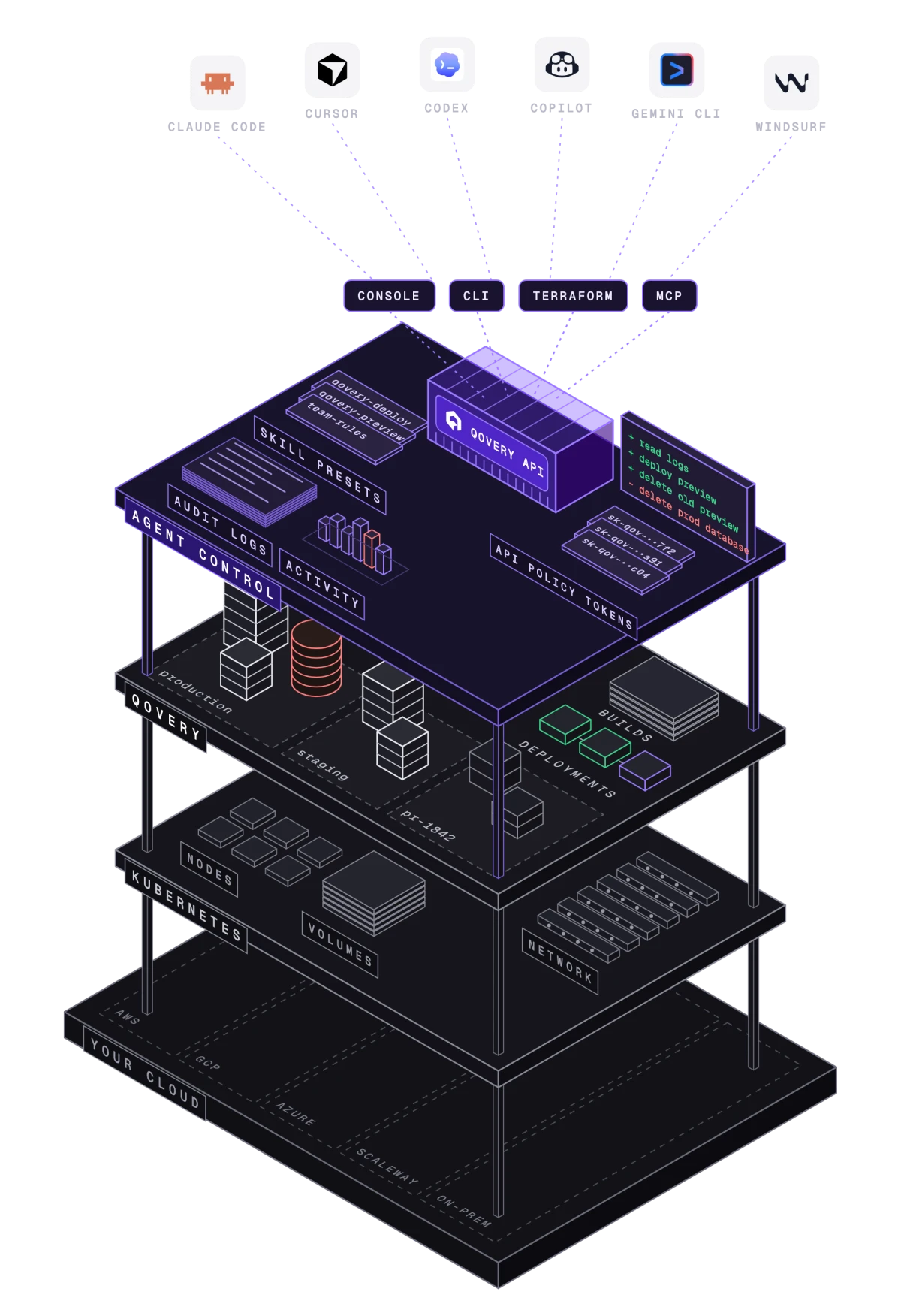
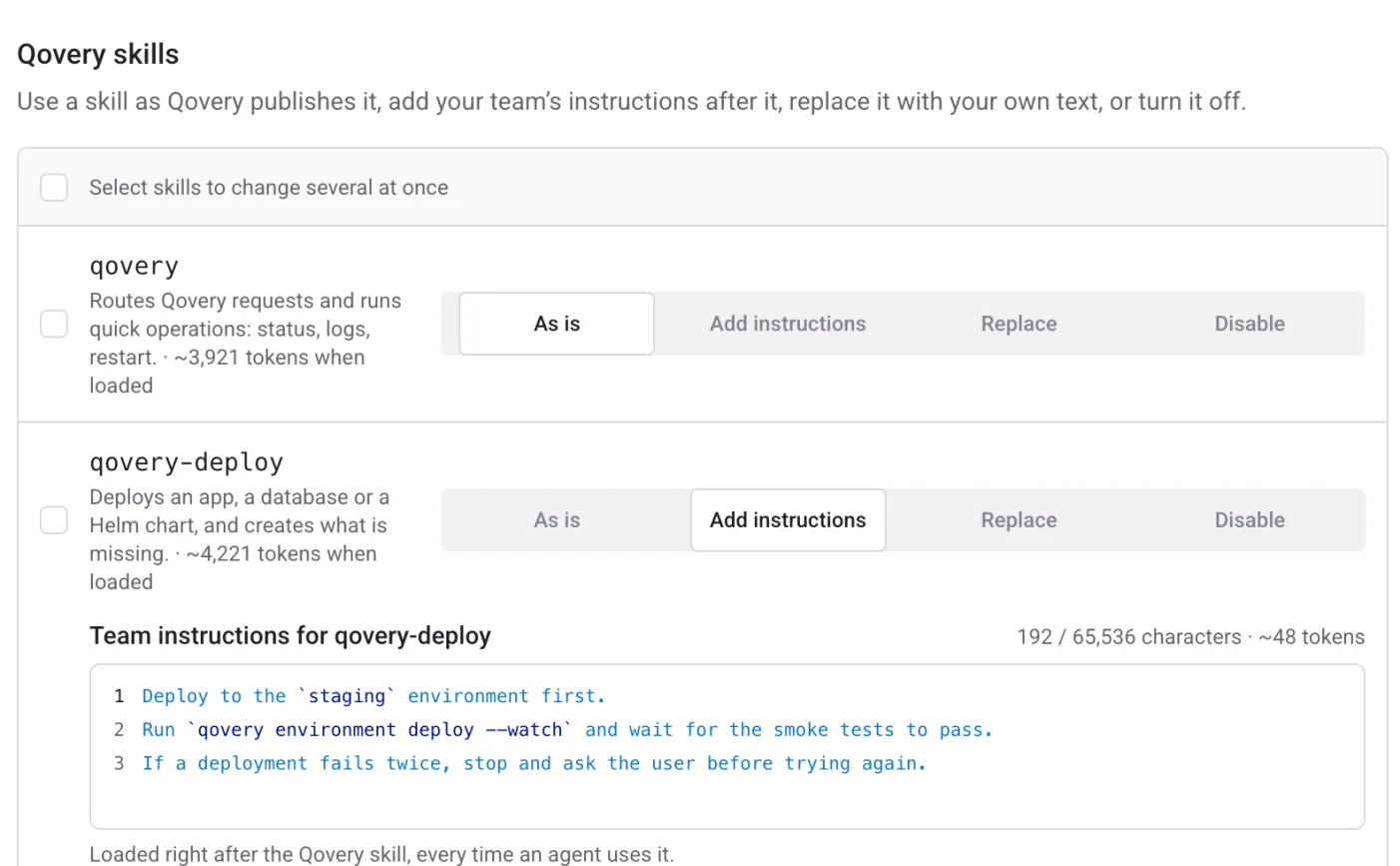
A custom skill preset sets which Qovery skills your members’ agents load, and what your team adds on top. Make one per team or per person, or start from a template for their profile. Agents read a short list first and load only the skill a task needs.
# Read everything. Deploy one application. Nothing else.default allow := false allow if read_only_accessallow if deploy_access app := "5bf547f9-b445-44bc-aab8-7f341187d362"read_only_access if input.request.method in {"GET", "HEAD"}deploy_access if input.request.path == ["api", "application", app, "deploy"]An API Policy Token carries a policy written in Rego instead of a role. Qovery checks it on every API request, from the Console, the CLI, Terraform and MCP. Allowed actions run through the same pipeline as a human click. Everything else is refused.
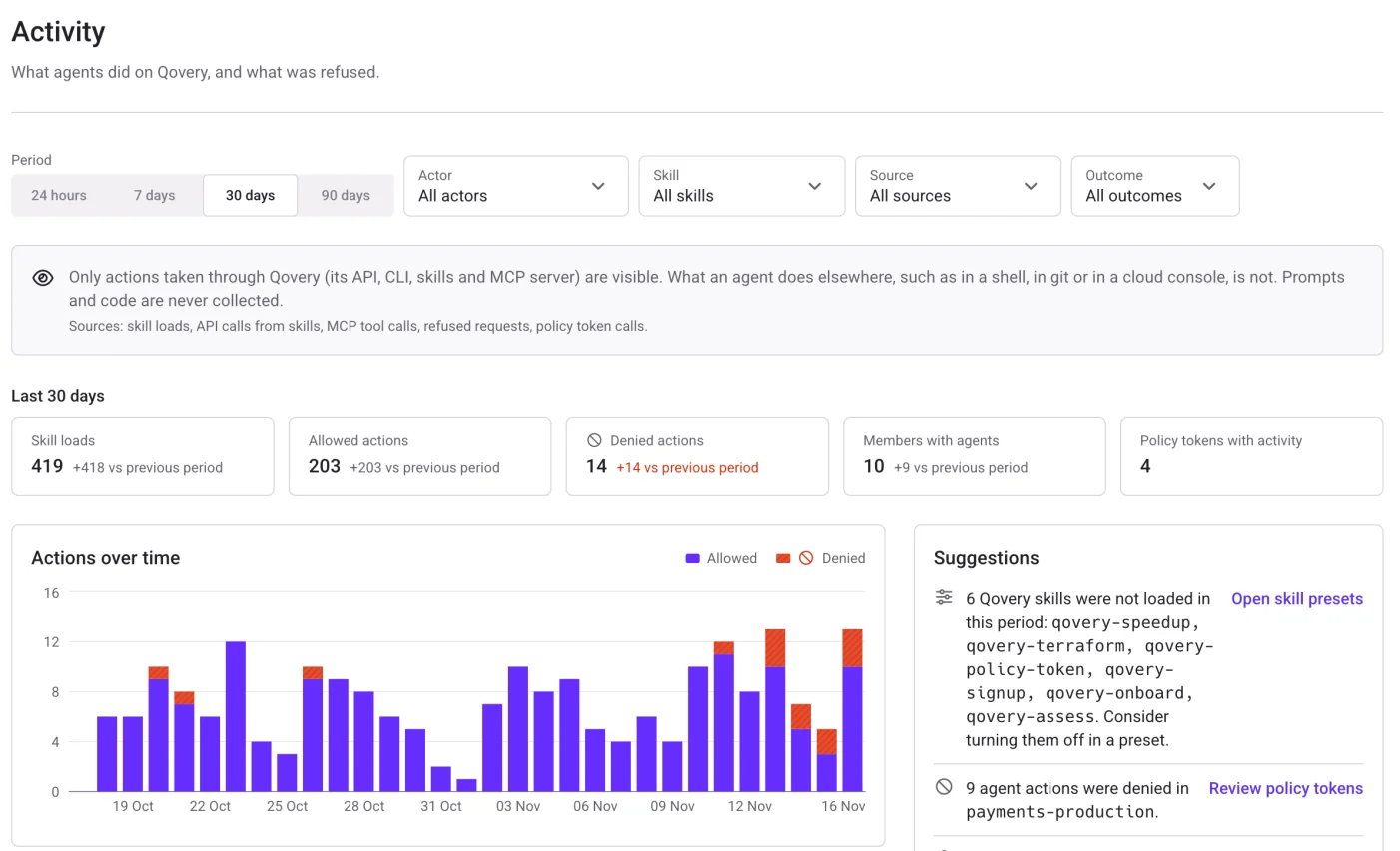
Activity shows what your members’ agents did through the skills and the MCP server, and what each policy token did, allowed and denied, in one view. Only actions taken through Qovery are visible. Prompts and code are never collected.
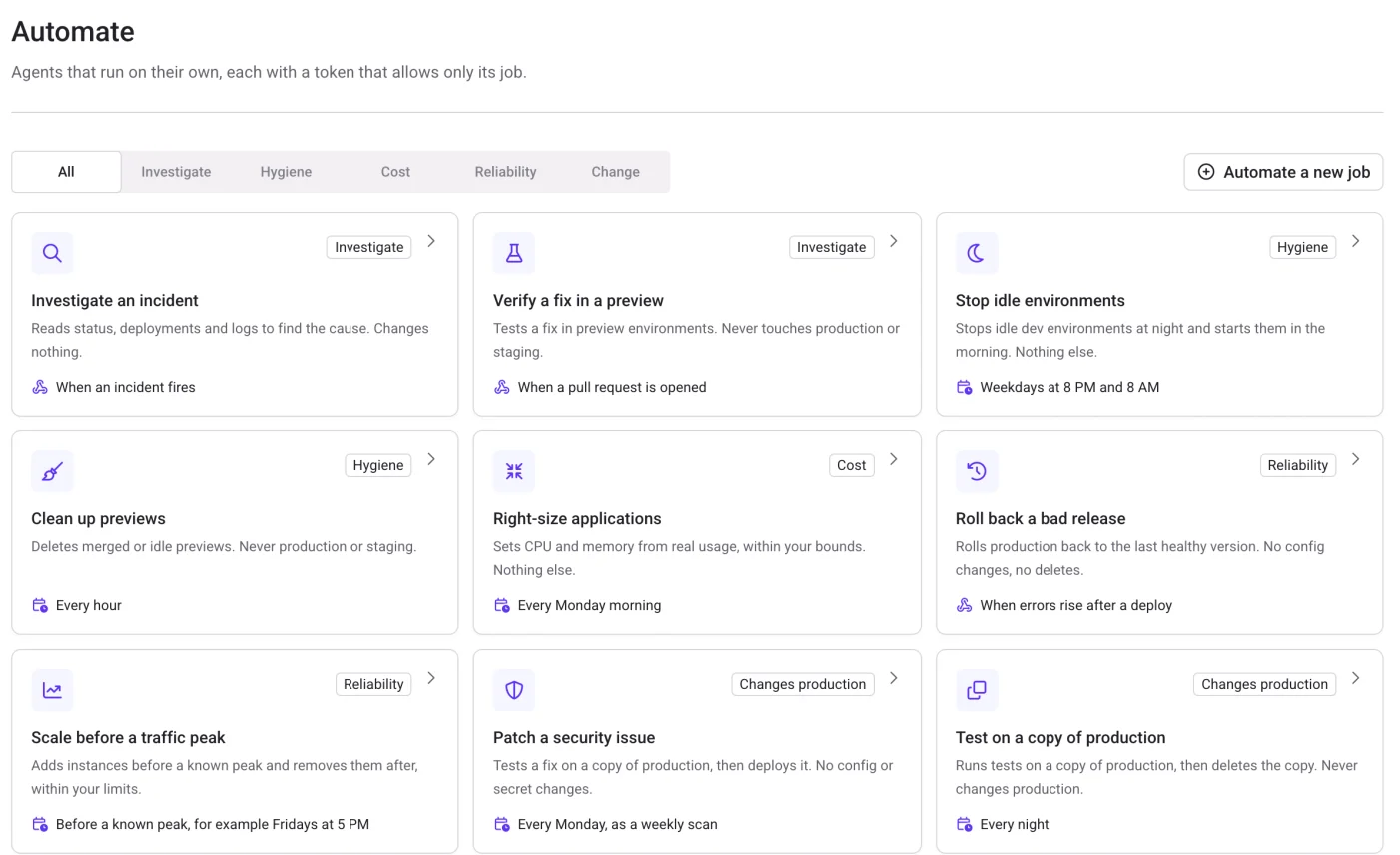
Pick a recurring job and give it a policy token that allows only that job. It runs on a schedule or on an event, as an Agent Task on Qovery or from the coding agent you already use: Claude Code, Codex, Cursor, OpenCode, Gemini CLI or VS Code Copilot. Start with the safest jobs, then move up.
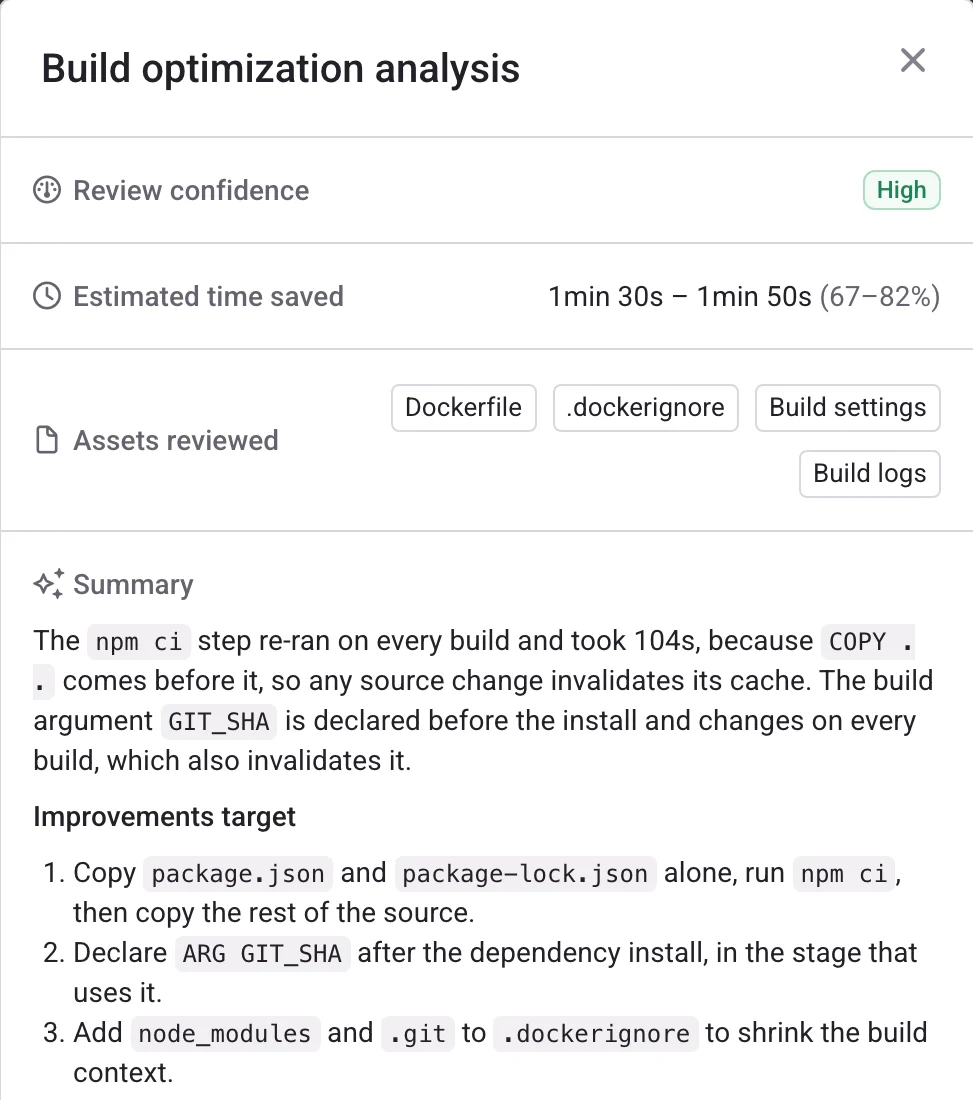
The Build Optimizer reads the latest Docker build of a service and finds why it is slow, most often layers that miss the cache. It returns the fixes, a reworked Dockerfile when one applies, and a prompt for your coding agent.
Install the Qovery skills, the CLI or the MCP server on a laptop or a CI runner. The agent then loads your organization’s preset. Anything that speaks MCP can operate Qovery.
Free plan
Every pull request your agent opens gets its own live environment on your Kubernetes cluster. Free for 3 users and unlimited agents, with 1,000 deployment minutes a month. No time limit, no credit card.
Kubernetes 1.31 or later: EKS, GKE, AKS, k3s or on-premise. Qovery installs on the cluster you already run, and your workloads stay in your account.
One command for Claude Code, Cursor, Codex or any MCP client. Each agent gets its own token, scoped by your roles.
Turn on preview environments once. Each pull request your agent opens gets its own copy of the environment, with its own URL, and it is deleted when the PR closes.
What holds when agents work on your infrastructure
A policy token can do nothing until one of its rules allows it.
The same policy applies to calls from the Console, the CLI, Terraform and MCP.
Rule checks and a model review run on every preset save. Nothing is saved until both pass.
Agents tell members which preset and skills they loaded, and members can read all of it.
Each preset edit is a revision you can compare and restore. Each skill load is in the audit logs.
Activity records actions taken through Qovery. It never collects prompts or code.