
Hey Team,
If any of your clusters still run the community ingress-nginx controller, this is the last call. 94% of Qovery-managed clusters already run on Envoy Gateway, and we plan to remove ingress-nginx and its load balancers from every cluster by mid-November. Benjamin wrote up how the migration went across hundreds of clusters, and the migration guide has the steps.
We also launched DevOps Team Extension, a recurring service where a named Qovery engineer reviews your infrastructure every month and works through the fixes with your team. It starts with a free, read-only assessment of your organization.
This release helps new people get going on Qovery faster, and gives you more control over what you deploy and which database version you run.
🎓 Qovery Training: learn the Console without touching production
New engineers usually learn Qovery on the only Console they have, the one running production, so they hesitate to click anything and the questions pile up on whoever knows Qovery best.
Qovery Training is a copy of the real Console running on fake data. You can deploy, roll back, delete an environment or create a cluster, and nothing reaches your cloud account. Lessons open in a panel next to the Console and tick themselves off as you complete the tasks. There are 18 tracks and 68 lessons for developers, DevOps, platform and security teams, including migration tracks from Heroku, Vercel and Cloudflare. Admins can create a training space, pick the tracks for their organization, add their own lessons and follow their team's progress.
Qovery Training is available to every Qovery customer. Read the launch post for the full list of tracks.
🚀 Deploy by Version: pick the exact version for each service
Deploying an environment used to mean "deploy the latest version" of each service. When you needed to roll one service forward and pin another, you had to go service by service.
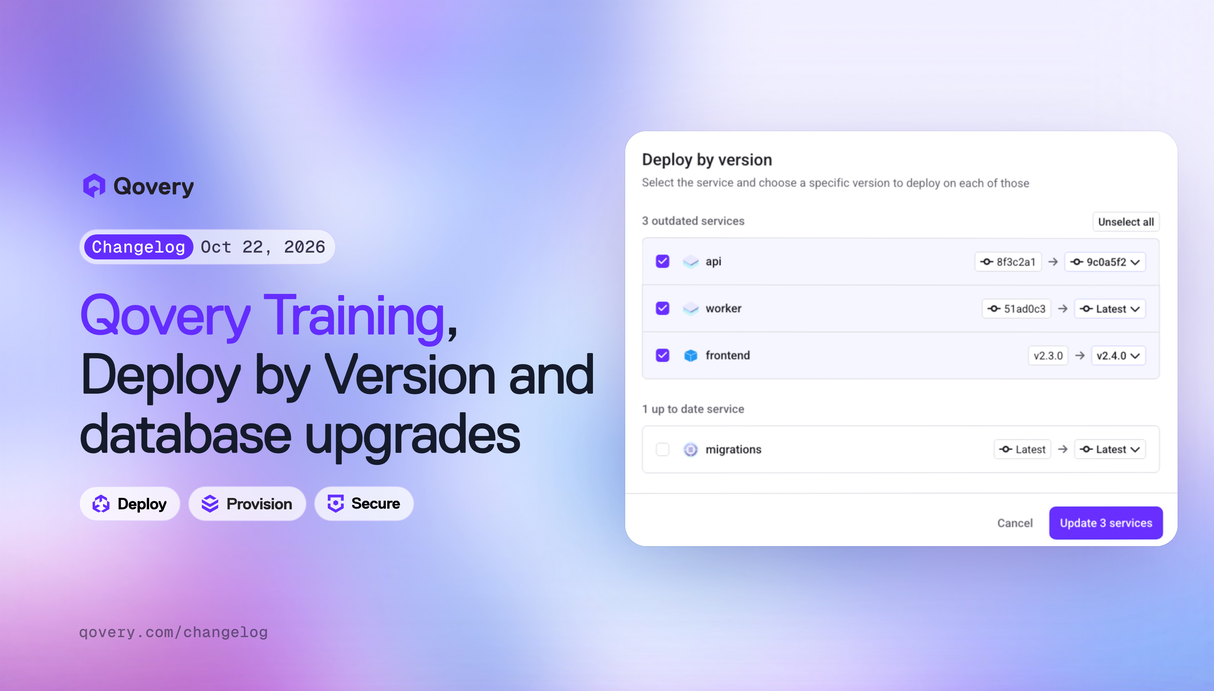
The environment action menu now has Deploy by version. It opens a list of the services in the environment, where you choose a commit, image tag or chart version for each one, then update them all in a single deployment. It covers applications, containers, jobs, Helm charts and Terraform services. Mutable latest image tags can't be picked, so what you deploy is what you selected. Once the deployment starts, See pipeline takes you straight to it. Built by Théo.
See deployment actions in the documentation.
🧱 Blueprint Databases: upgrade major versions in place
Two weeks ago blueprints became the default way to run a managed database. The next question was how to move a database from PostgreSQL 14 to 18 without recreating it.
The CLI now has qovery blueprint upgrade-major. Run it on a blueprint service to see the newer major versions and what each move involves, then pick one:
qovery blueprint upgrade-major -n my-postgres --major 18 --watch
Qovery upgrades the instance in place, keeping your variables and overrides. Expect downtime while AWS runs the upgrade. If you already upgraded the database on AWS, for example with a Blue/Green deployment, Qovery relabels the service instead of touching the instance, and a database upgraded outside Qovery is relabelled on its next deploy. Antoine built this.
Blueprint databases also picked up a few more capabilities:
- Stopping an environment now pauses its RDS blueprint databases, and starting it resumes them.
- RDS PostgreSQL read replicas accept a CIDR allow-list, so you can expose a replica to a BI tool while the primary stays private.
- Blueprint and Terraform variables can reference a secret from your secret manager, resolved inside your cluster when the job starts.
- Legacy managed PostgreSQL 18 databases can now be migrated to a blueprint.
See moving to a newer major version and the RDS upgrade guide.
👋 Sign-up and Onboarding: one form, then a cluster
Creating a Qovery account used to walk you through several onboarding steps (plan, use case, first project) before you reached the Console.
The new sign-up page supports Google, GitHub, GitLab, Bitbucket, Microsoft and SAML SSO. Onboarding is now a single profile form that creates your organization and first project for you. The next step asks whether you have a cloud admin account. If you do, you create a cluster on AWS, GCP or Scaleway. If you don't, the Console walks you through qovery demo up, which starts a local Kubernetes cluster with Qovery installed so you can deploy right away. Built by Julien and Rémi.
If you want to look around before signing up, the Console demo is open to everyone at console-demo.qovery.com, with sample data and seven short product tours.
🛠️ Minor updates
- API tokens and policy tokens show when they were last used, so unused tokens are easy to spot and revoke. See API tokens.
- Custom roles can grant Shell and Port-forward separately from deploy rights, so a role can deploy to production without opening a shell there. This is available through the API today. See members and roles.
- On EKS, you can set a daily window when Karpenter does not replace drifted stable nodes, from the stable node pool settings.
- Two new EKS cluster advanced settings:
aws.cloudwatch.eks_logs_typesto choose which control-plane logs go to CloudWatch, andaws.eks.node_iam_policy_arnsto attach your own IAM policies to node roles. See cluster advanced settings. - Builders now default to 16 GiB of memory, and when a build runs out of memory the deployment log tells you which setting to raise.
- Secret Manager is out of beta.
- Enterprise SSO users land on their SSO login with their domain remembered, including when they arrive from a direct link.
- The Terraform provider (v1.0.3 and v1.1.0) supports self-hosted git through an explicit
provideron git repositories (GitLab self-managed, GitHub Enterprise), retries transient API errors, and no longer shows phantom diffs on advanced settings that match your cluster defaults. - Long dropdowns in blueprint configuration, such as RDS instance classes, are searchable.
- Container databases are no longer offered in Create new service. Use a database blueprint, or a database template if you need a container database for development.
- Scaleway PostgreSQL and MySQL blueprints now attach to your Kapsule private network.
- Variable aliases now resolve within the service being deployed, and a deployment fails with a clear error when an alias has no target.
- New guide: HPA vs KEDA, which autoscaler fits each workload.
As always, let us know what you think and what you would like to see next.
Talk soon, The Qovery Team 🚀