
Update 17/06/2026
We initially planned to remove NGINX in June 2026, but we intentionally decided not to enforce that deadline to avoid introducing risk for customers who had not yet validated their applications on the new stack.
As a reminder, the NGINX Ingress project was archived by the community in March 2026 and is no longer actively maintained upstream. Envoy / Gateway API is now the long-term supported path forward.
Action required: NGINX support on Qovery clusters will be discontinued on August 31, 2026.
If you have not migrated yet, we strongly recommend planning and completing your migration within the next two months to reduce risk and avoid last-minute migration pressure.
Update 24/03/2026
The timeline has been updated and delayed to give you more time to validate and migrate your services to the new Envoy Gateway system. Check the Rollout plan section below.
Following NGINX Ingress Controller End of Maintenance by March 2026, Qovery is migrating from the NGINX Ingress Controller (Kubernetes Ingress) to Envoy Gateway (Kubernetes Gateway API).
This page is a customer-facing migration guide. It explains what will change, when it will change, and what we need you to do to ensure your services keep working as expected.
If you want the full technical background, read: Migration from Nginx to Envoy Gateway: behind the scene.
TL;DR
- Qovery is rolling out Envoy Gateway (Gateway API) on all clusters.
- During the transition, clusters will run a dual stack (NGINX + Envoy) to enable a no-downtime migration.
- Action required: once dual stack is enabled on your cluster, redeploy all exposed services so the routing configuration is generated for Gateway API.
- You can then test using the new dedicated service link and validate in Envoy logs.
- Target: Envoy / Gateway API is the long-term supported path, and NGINX support ends on August 31, 2026.
Rollout plan
Please pay attention to the points where your intervention is needed.
17/06/2026 - Final deprecation timeline
Based on the migration progress so far:
- The June 2026 removal dates were intentionally not enforced
- NGINX remains available temporarily to give you additional migration time
- NGINX support will be discontinued on August 31, 2026 across Qovery clusters
If you have not migrated yet, plan and validate your applications on Envoy / Gateway API before the end of August.
24/03/2026 - Previous timeline update
Based on your feedback:
- Migration is now flexible -- you can move at your own pace
- The initial plan was to remove NGINX in early June
This timeline was later extended by the 17/06/2026 update above to reduce customer migration risk.
Rollout phases
1) Availability (dual stack)
- Since Feb, 2026: Dual stack can be activated on clusters
- Since End of Feb, 2026: New NON production clusters are using Envoy / Gateway-api stack only by default
- Mar 25, 2026: New PRODUCTION clusters are using Envoy / Gateway-api stack only by default
You can test Envoy alongside NGINX with no impact.
2) Default switch
- May 4, 2026: Envoy becomes default on non-production clusters
- May 18, 2026: Envoy becomes default on production clusters
Traffic moves to Envoy.
3) Removal (hard deadline)
Jun 1, 2026: NGINX removed from non-production clustersJun 8, 2026: NGINX removed from production clusters- Updated 17/06/2026: NGINX support is discontinued on Qovery clusters on August 31, 2026
After these dates, only Envoy / Gateway API will be available.
How to test the new Gateway API stack on your clusters
1) Enable the dual stack (Gateway API) on your cluster
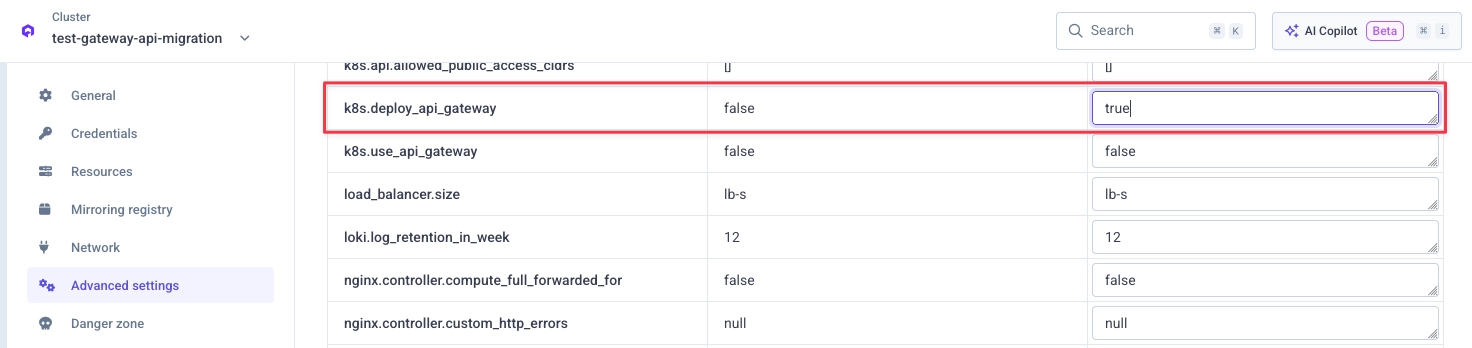
Go to your cluster advanced settings in the Qovery Console and set k8s.deploy_api_gateway to true:
Then redeploy your cluster.
2) Redeploy your exposed services
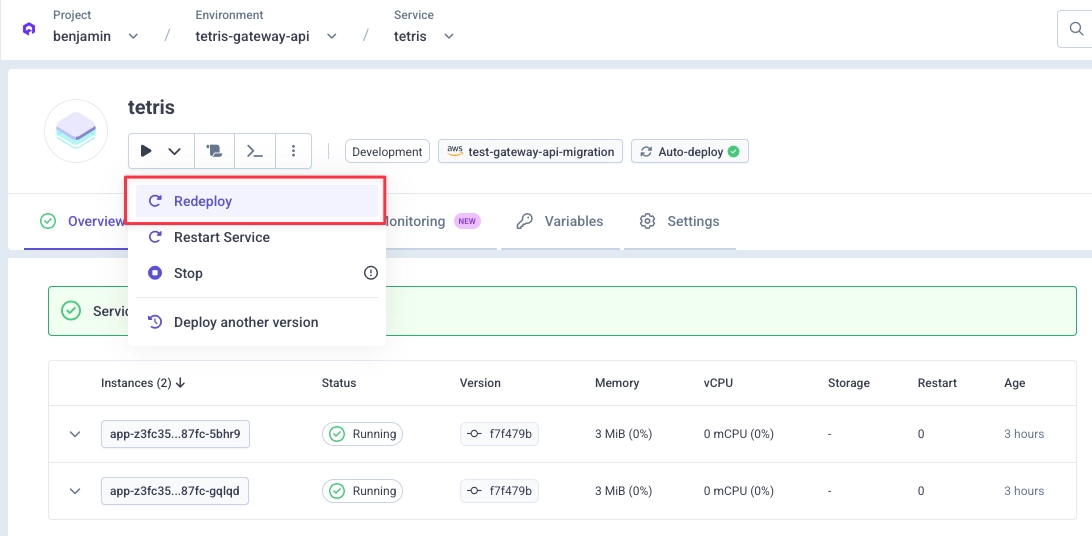
Once the Gateway API stack is deployed on your cluster, you must redeploy your existing exposed services.
This redeploy ensures your service is deployed with the Gateway API routing configuration so it can receive traffic coming from the new stack.
3) Test using the new dedicated service link
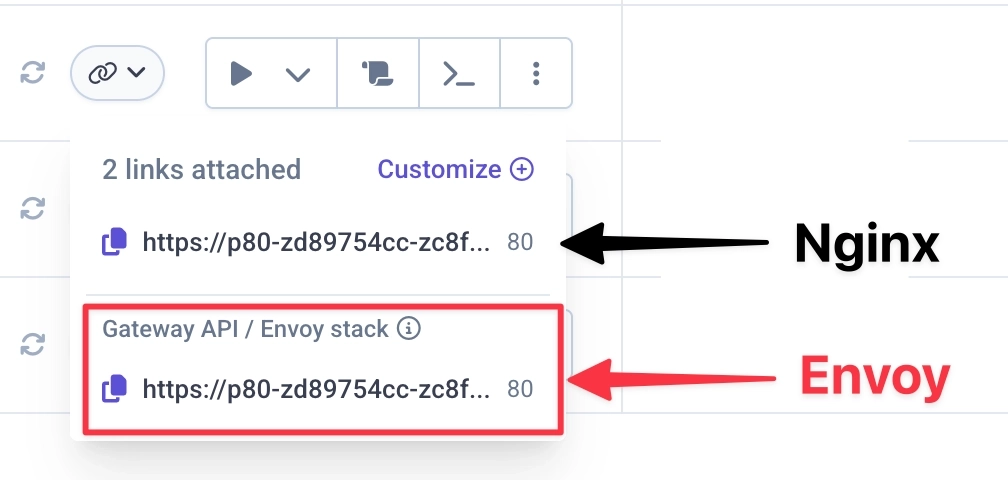
After redeploying, your service is ready to receive traffic from the new stack.
Start testing using the dedicated service link shown in the Qovery Console.
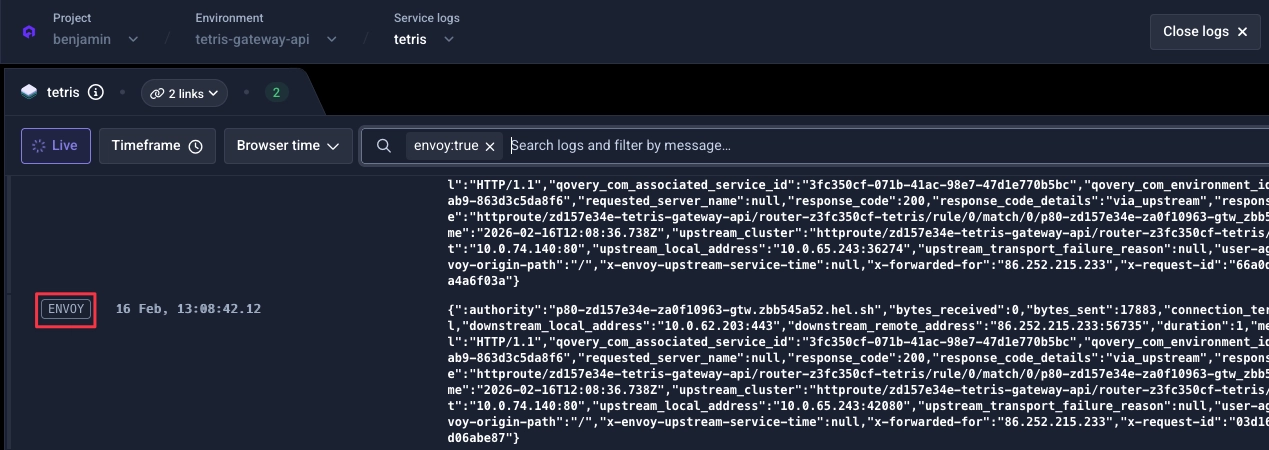
4) Validate via Envoy logs
Send a few requests to your service using the new service link.
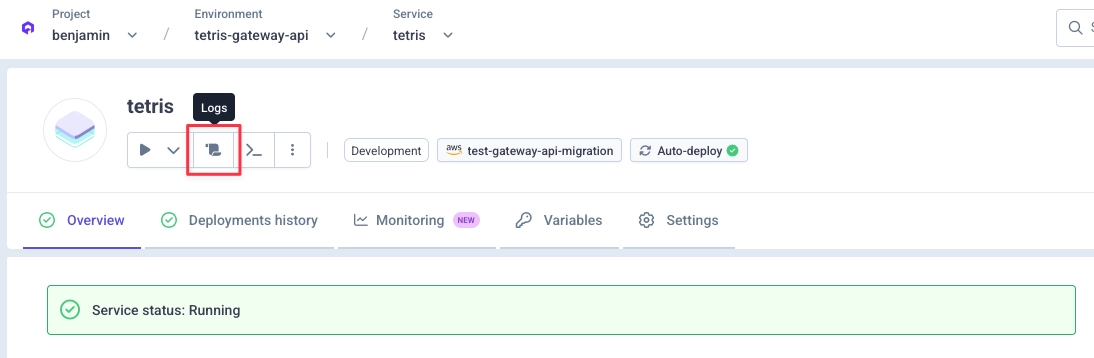
Then go to your service logs panel:
By default, you should only see your service logs:
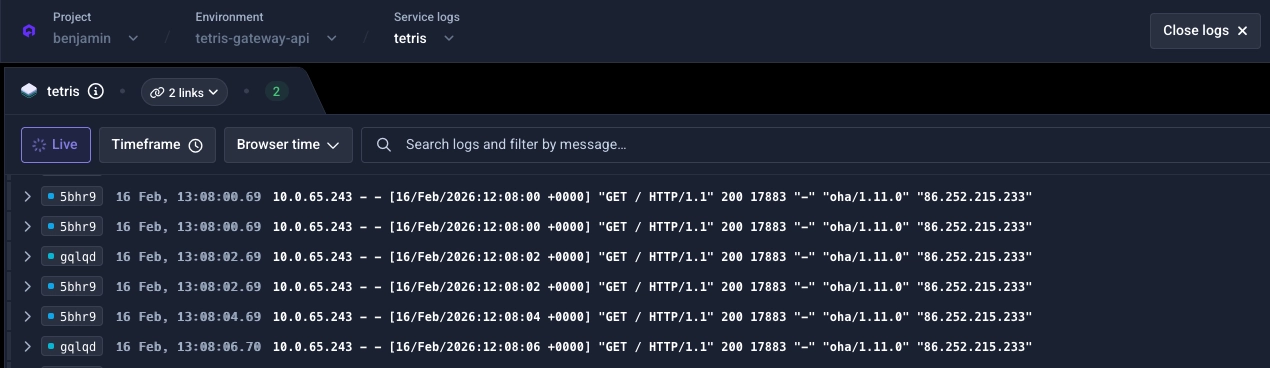
Select Envoy logs from the filters:
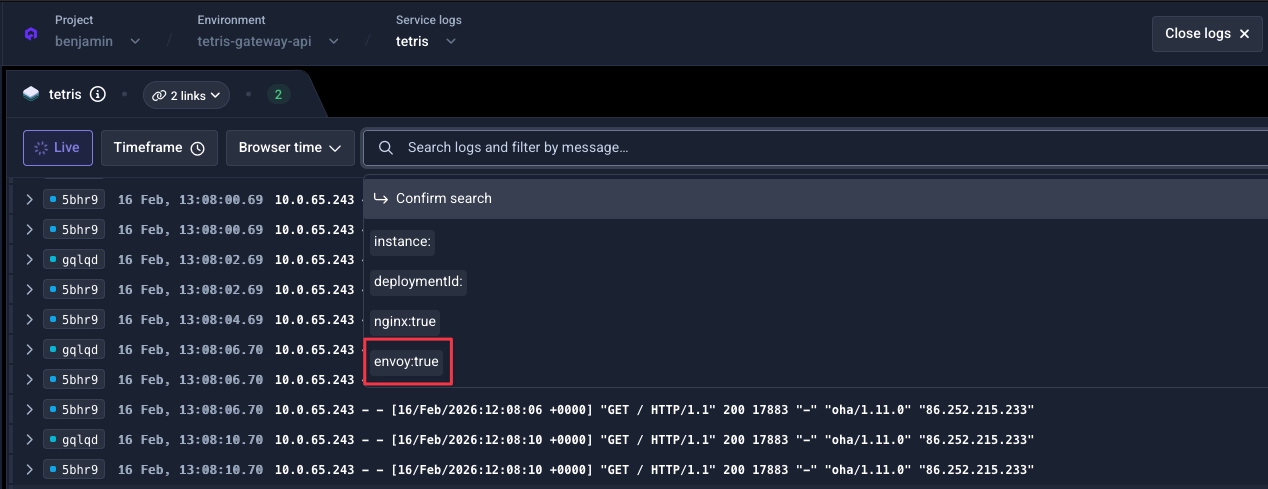
Validate the filter. You should now see Envoy logs for your service:
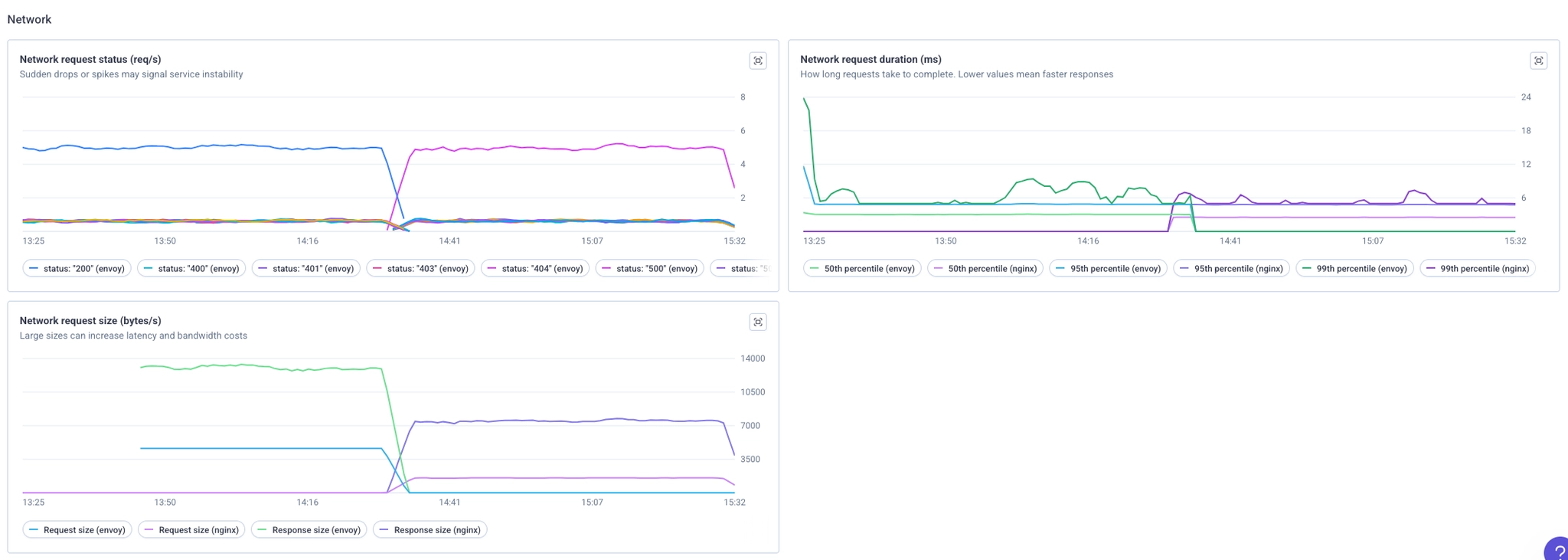
5) Bonus: Qovery Observability
If you have the Qovery Observability stack, you can also see requests reaching Envoy and compare with NGINX.
Configuration: mapping from NGINX to Envoy
Where to configure
- Cluster level settings: Cluster advanced settings (Envoy section)
- Service level settings: Service advanced settings (prefixed with
network.gateway_api)
Most of the time there is an equivalence between NGINX and Envoy settings. For some settings there is no direct equivalent because they work differently.
Below are settings that behave differently, so you can review and tune them if needed.
Cluster-level settings
-
nginx.controller.enable_client_ip → envoy.client_ip_detection.x_forwarded_for.number_trusted_hops
Number of trusted hops in the X-Forwarded-For header for client IP detection. Default:
null. See Envoy Gateway documentation. -
nginx.controller.compute_full_forwarded_for → envoy.client_ip_detection.x_forwarded_for.number_trusted_hops
Same concept -- Envoy relies on trusted hops to extract the original client IP. Default:
null. -
nginx.controller.use_forwarded_headers → envoy.client_ip_detection.x_forwarded_for.number_trusted_hops
Forwarded header behavior is handled through Envoy's client IP detection configuration. Default:
null. -
nginx.controller.http_snippet → No direct equivalent.
NGINX snippets enable broad custom configuration. Common uses like rate limiting should be mapped to dedicated Envoy settings.
-
nginx.controller.server_snippet → No direct equivalent.
Same as above -- no Envoy equivalent for arbitrary NGINX snippets.
-
nginx.controller.limit_request_status_code → No direct equivalent.
Envoy Gateway does not support customizing the rate-limit response status code.
429is hardcoded. -
nginx.controller.log_format_escaping → Not relevant in the Envoy Gateway model.
Service-level settings
-
network.ingress.proxy_body_size_mb → No direct equivalent.
Envoy manages buffering and streaming through built-in flow control.
-
network.ingress.proxy_buffer_size_kb → No direct equivalent.
Same as above.
-
network.ingress.proxy_buffering → No direct equivalent.
Same as above.
-
network.ingress.nginx_controller_configuration_snippet → No direct equivalent.
This is a NGINX-specific escape hatch.
-
network.ingress.nginx_controller_server_snippet → No direct equivalent.
Same as above.
If everything looks good, what next?
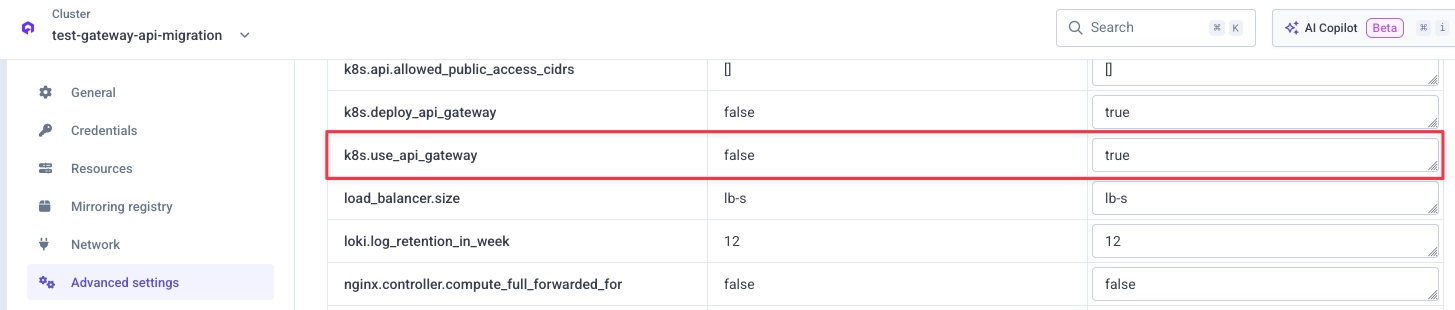
Once you have validated that your workloads behave correctly on the new stack, you can switch your cluster to use Gateway API by default.
Go to your cluster advanced settings in the Qovery Console and set k8s.use_api_gateway to true:
Then redeploy your cluster.
FAQ
Will my services be impacted during the NGINX to Envoy transition?
No downtime is expected.
During the transition period, both stacks can remain available on your clusters. If DNS propagation is slow, it usually completes in less than 30 minutes, but this can vary depending on how HTTP clients are configured. If some traffic still reaches the old load balancer during the transition, it will continue to be handled by NGINX.
Why is the NGINX controller still on my cluster?
NGINX remains temporarily available on some clusters to give customers additional migration time and reduce rollout risk. This transition period ends on August 31, 2026, after which Envoy / Gateway API will be the only supported path.