Introducing Qovery Training: Learn the Console by Doing, Before You Touch Production
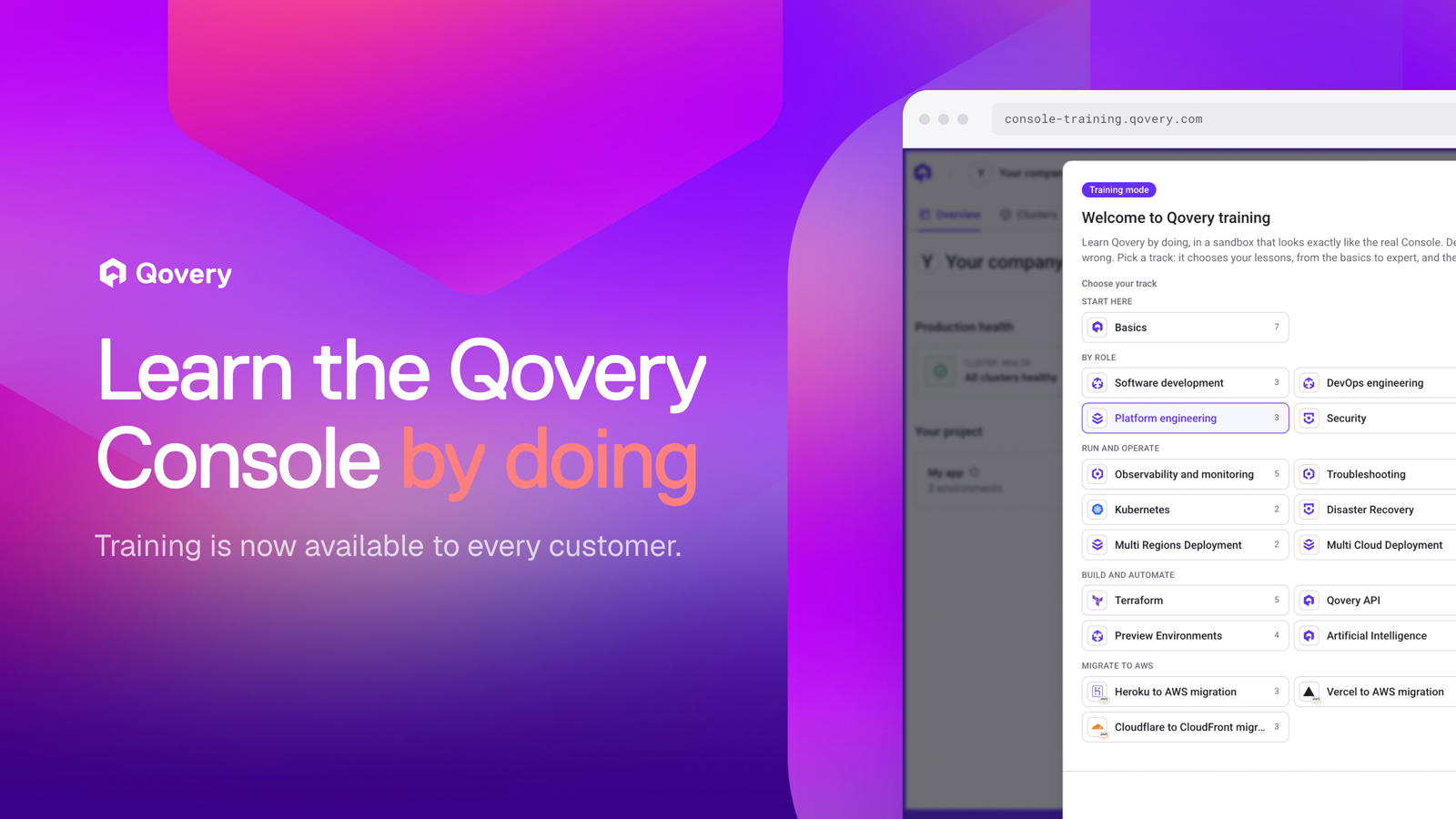
Qovery Training is now generally available to every Qovery customer. It is a sandbox copy of the Console on fake data, with 18 tracks for software engineers, DevOps, platform and security teams, a simulated terminal and AI agent, and training spaces where admins pick the lessons and follow their team's progress.
A sandbox copy of the real Console on fake data. Deploy, roll back, delete, break things: nothing reaches your cloud account.
18 tracks and 68 lessons for software engineers, DevOps, platform and security teams, from basics to expert, plus migration tracks from Heroku, Vercel and Cloudflare.
It looks like your setup. Pick your cloud accounts, frameworks, databases and queues, and the sandbox is generated from them.
Training spaces let admins choose the tracks for their organization, add their own lessons and follow team progress.
Every new engineer who joins one of our customers goes through the same first weeks. They get access to the Console, someone shows them around on a call, and then they are afraid to click anything because the only Console they have is the one running production.
The questions that come after are predictable too. Where are the logs? How do I roll back? Why is my deployment stuck? Who can change this variable? Most of them land in a Slack thread with the one person on the team who knows Qovery well, and that person becomes the onboarding bottleneck.
We wanted new users to learn the way people learn a tool best: by using it, with no way to break anything. So we built Qovery Training, and today it is generally available to all Qovery customers.
A Console you can't break
Qovery Training is the real Console, running on fake data. Same screens, same buttons, same flows. You can deploy a service, change its variables, roll it back, delete an environment or create a cluster, and nothing happens outside your browser. A bar at the bottom of the screen reminds you that you are in training mode, and one click takes you back to the real Console when you are ready.
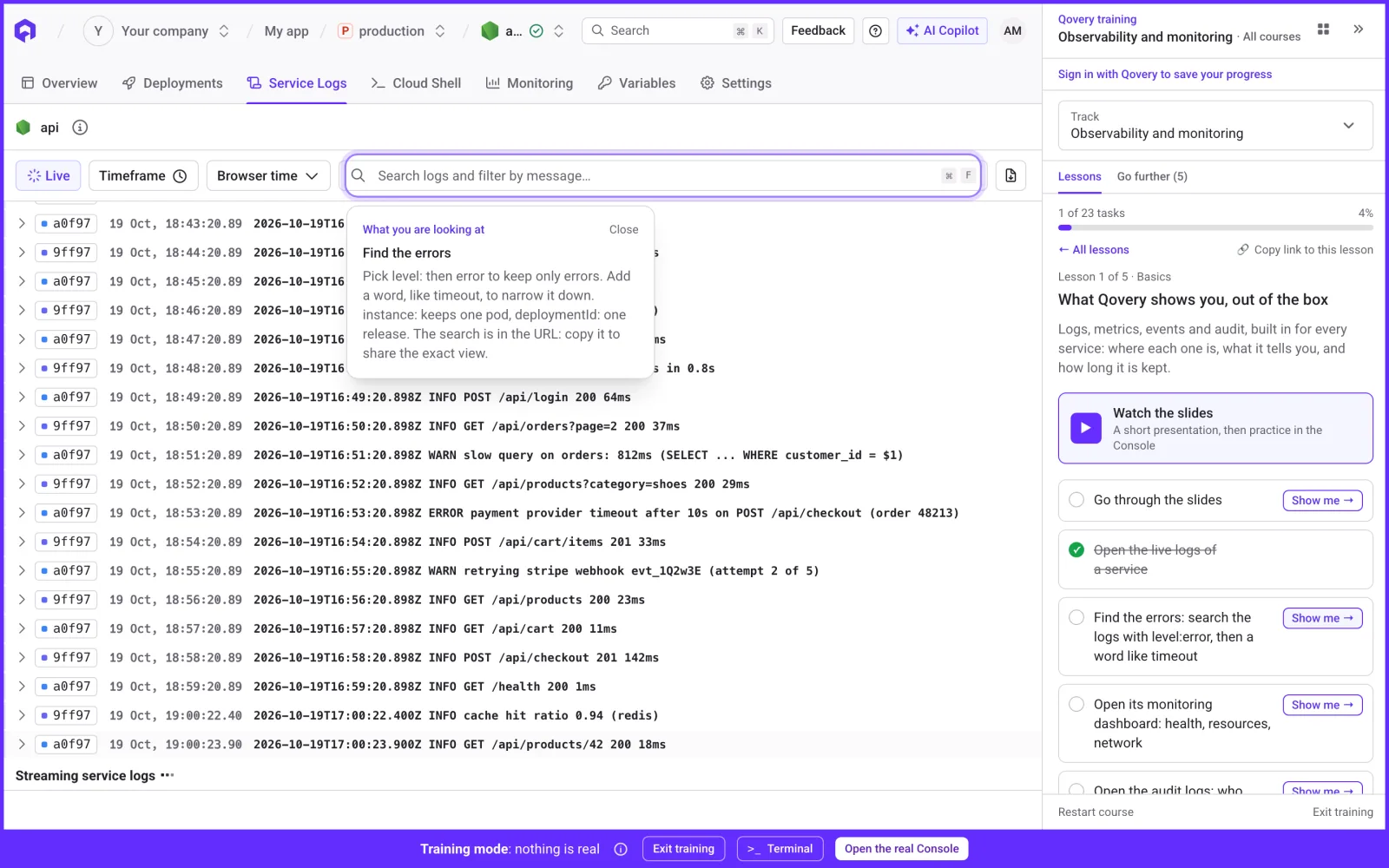
Each lesson opens in a panel next to the Console. It starts with a short set of slides, then gives you tasks to do in the Console. Tasks tick themselves when you do them, so there is nothing to validate by hand. If you are lost, the "Show me" button on a task highlights the exact place to click and tells you what you are looking at.
A lesson from the Observability track: the "Show me" guide points at the log search and explains how to filter errors, while the lesson panel on the right tracks the tasks.
Tracks for every role
You start by picking a track. The track decides your lessons, ordered from Basics to Advanced to Expert, and the reading to go further.
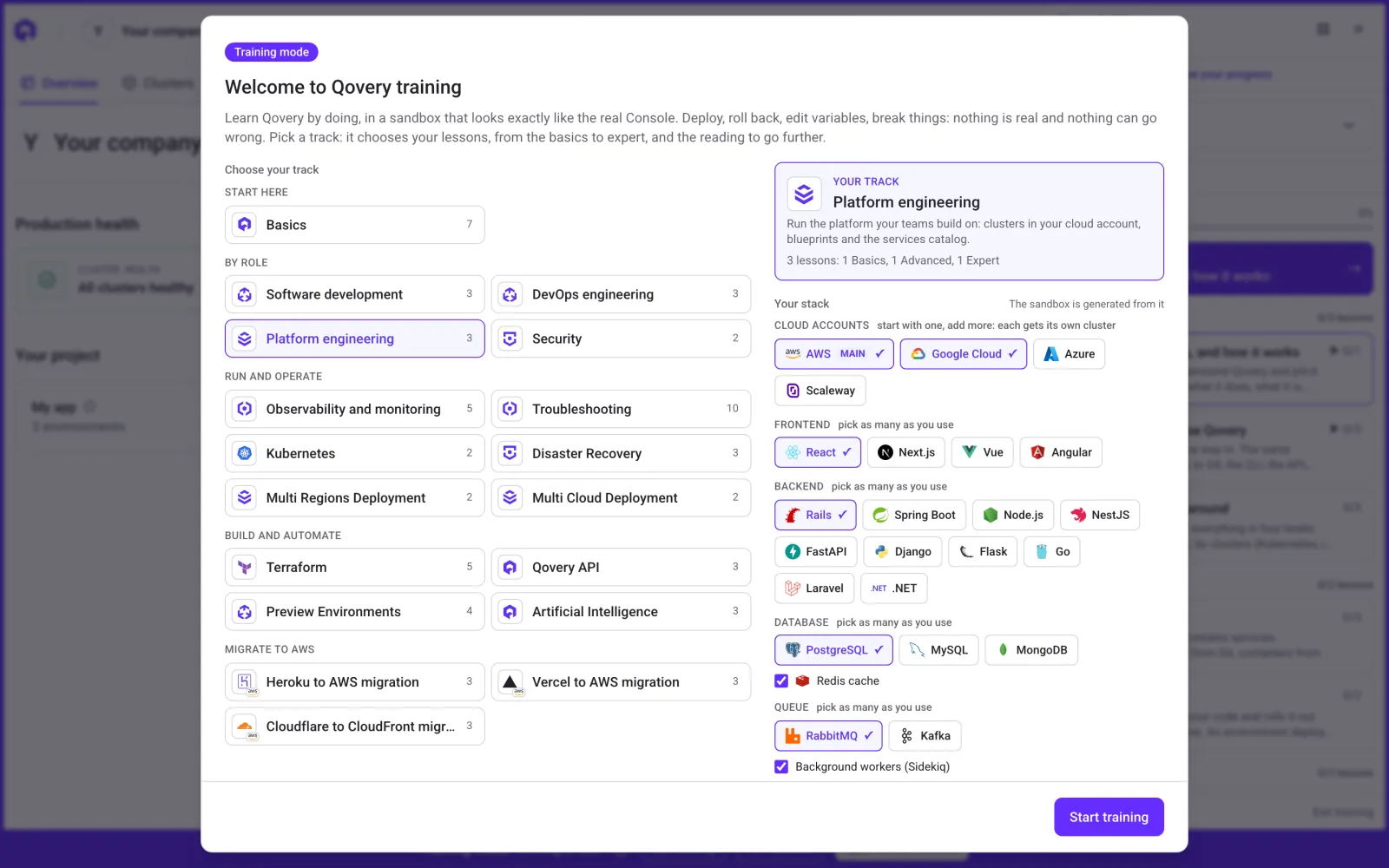
The welcome screen: pick a track on the left, describe your stack on the right (here AWS and Google Cloud, Rails and PostgreSQL), and the sandbox is generated from it.
There are 18 tracks today, in five groups:
Start here. Basics, for anyone who opens the Console for the first time.
By role. Software development, DevOps engineering, Platform engineering and Security. A developer learns to deploy, read logs and use preview environments. A platform engineer learns clusters, blueprints and the services catalog. Security learns roles, audit logs and secret managers.
Run and operate. Observability and monitoring, Troubleshooting, Kubernetes, Disaster Recovery, Multi Regions Deployment and Multi Cloud Deployment.
Build and automate. Terraform, the Qovery API, Preview Environments and Artificial Intelligence.
Migrate to AWS. Heroku to AWS, Vercel to AWS, and Cloudflare to CloudFront.
The training dashboard: tracks on the left, the lessons of the selected track on the right, grouped by level.
Some tracks go further than a tour of the screens. In Disaster Recovery, you create a second cluster in another region, clone your production environment onto it, and deploy it, which is the fallback plan some organizations are required to have. In Multi Cloud Deployment, you do the same across two cloud providers.
Onboard your next engineer in the sandbox.
Qovery Training is available to every Qovery customer. Pick a track, describe your stack, and practice on a Console that looks like yours, with nothing real behind it.
A sandbox only helps if it looks like what you will see on day one. Before you start, you tell the training what you run: your cloud accounts (AWS, Google Cloud, Azure, Scaleway), your frontends, your backends (from Rails, Spring Boot and Node.js to Laravel and .NET), your databases, Redis, your queues, your background workers and services like Elasticsearch or Airbyte. You can pick several of each, and add services from the blueprint catalog, like S3 buckets, managed databases or monitoring agents.
The sandbox is then generated from that stack. A Rails team practices on Rails services with Sidekiq workers. A team on Google Cloud sees GKE clusters in a Google Cloud region. A team with several cloud accounts gets one cluster per account, with production running on each. If you are signed in, the stack is saved to your Qovery account and follows you across devices, and you can edit or delete it from the training settings.
Teams that want an even closer match can import their own setup instead. Only the shape of it comes in. Every secret and variable value is replaced with a fake one, so there is nothing sensitive in the sandbox.
A terminal and an AI agent, both simulated
A lot of daily Qovery work happens outside the Console. The training includes a simulated terminal with the qovery CLI, kubectl, helm, terraform and a few other tools, all running in your browser against the training data. There is nothing to install.
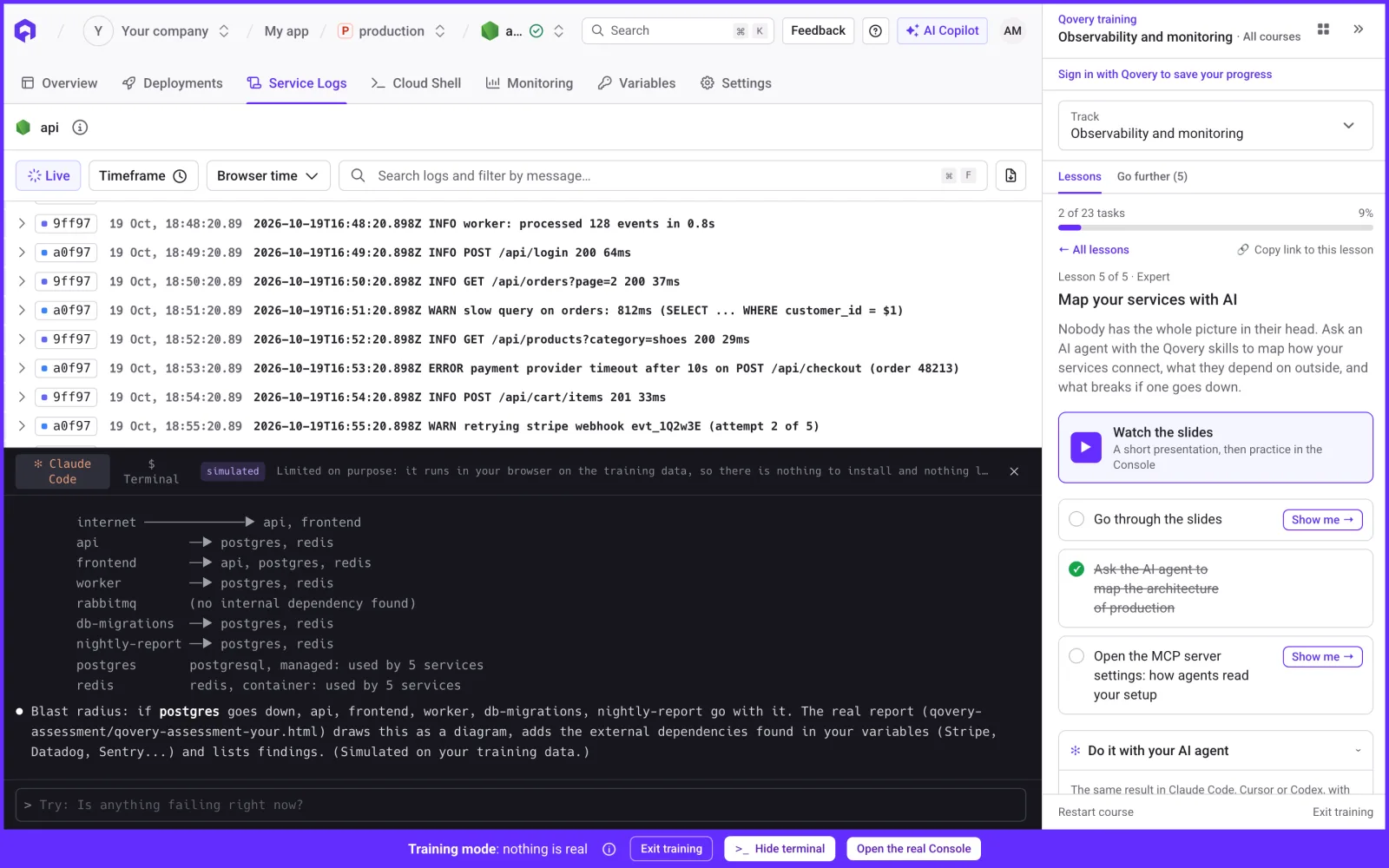
Next to it sits a simulated AI agent with the Qovery skills. In the Artificial Intelligence and Observability tracks, you ask it to explain a failed deployment or to map how your services connect and what goes down if your database does. Every lesson also has a "Do it with your AI agent" section with the prompt to reuse in Claude Code, Cursor or Codex on your real setup.
The simulated AI agent maps the services of the sandbox and their dependencies, as part of the "Map your services with AI" lesson.
Troubleshooting, broken on purpose
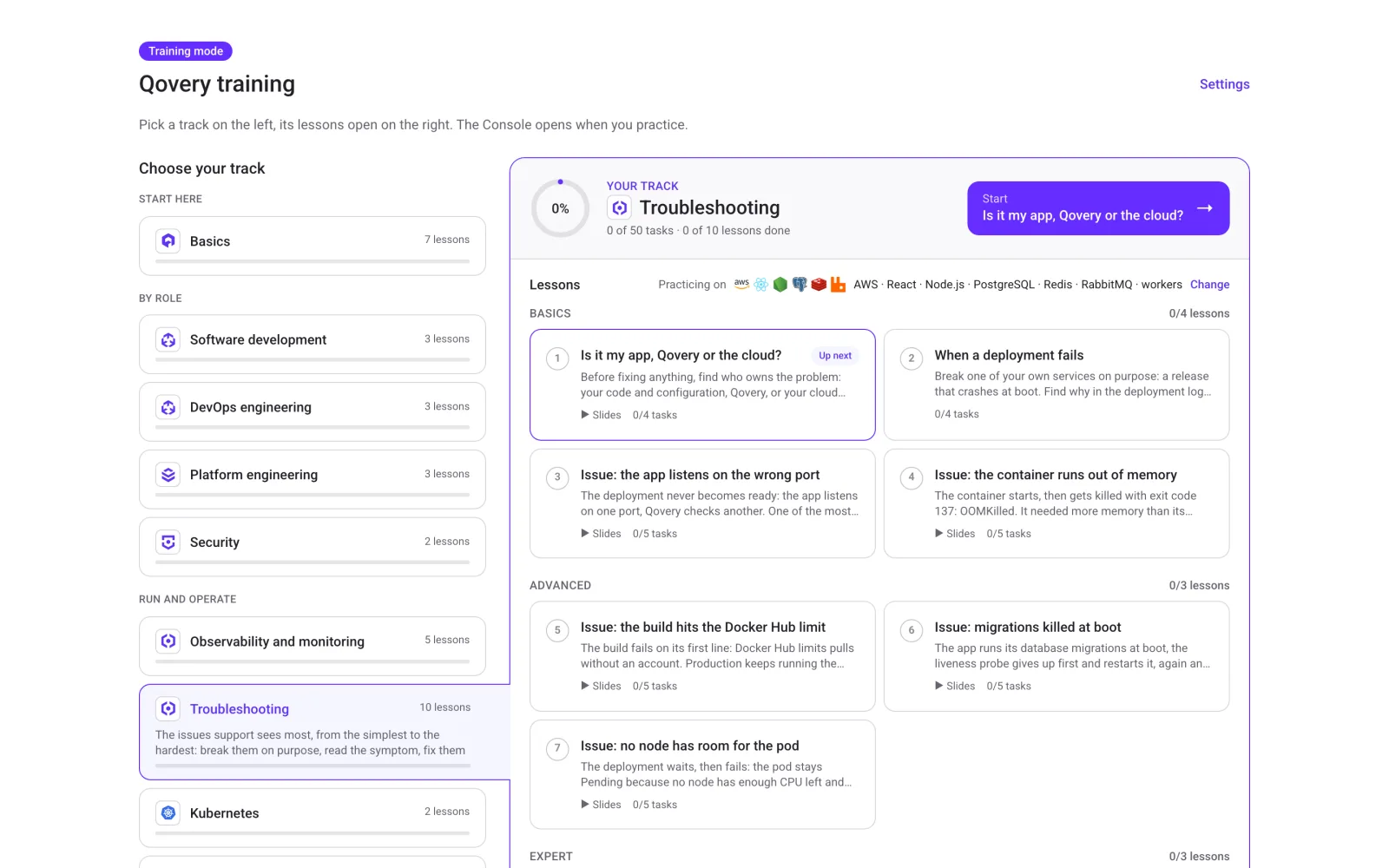
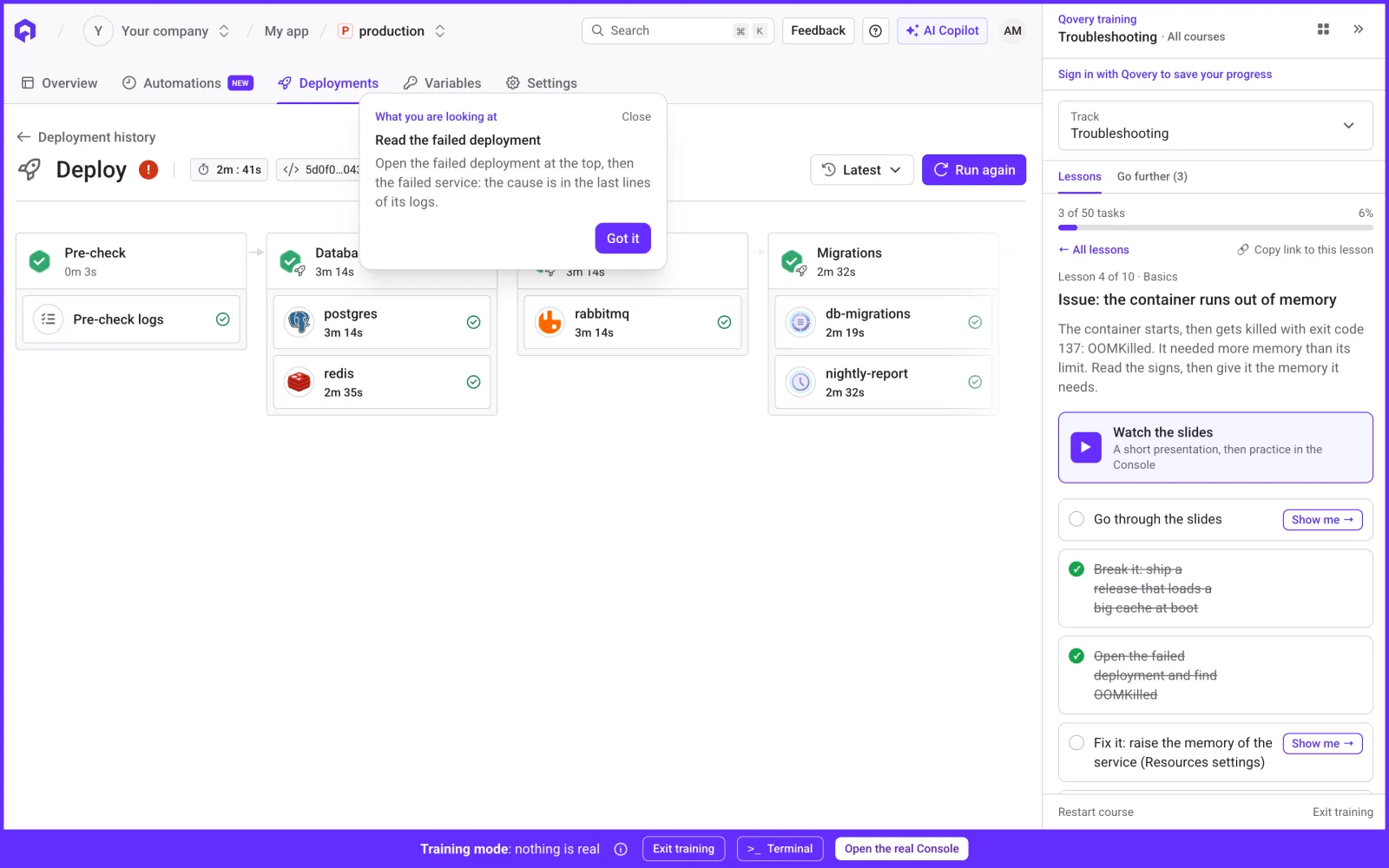
The Troubleshooting track covers the issues our support team sees most, from the simplest to the hardest: the app listens on the wrong port, the container runs out of memory, the build hits the Docker Hub limit, migrations get killed at boot, no node has room for the pod. Each lesson breaks one of your sandbox services on purpose. You read the symptom, find the cause in the deployment logs or the events, and fix it.
The first lesson of the track is the question that saves the most time in a real incident: is the problem in my app, in Qovery, or in my cloud?
The Troubleshooting track: seven common issues, each broken on purpose in the sandbox, from Basics to Expert.
Training spaces for your team
Admins can create a training space for their organization. In it, they choose which tracks and lessons their team sees, add custom tracks for their own conventions, and share an invite link with new hires.
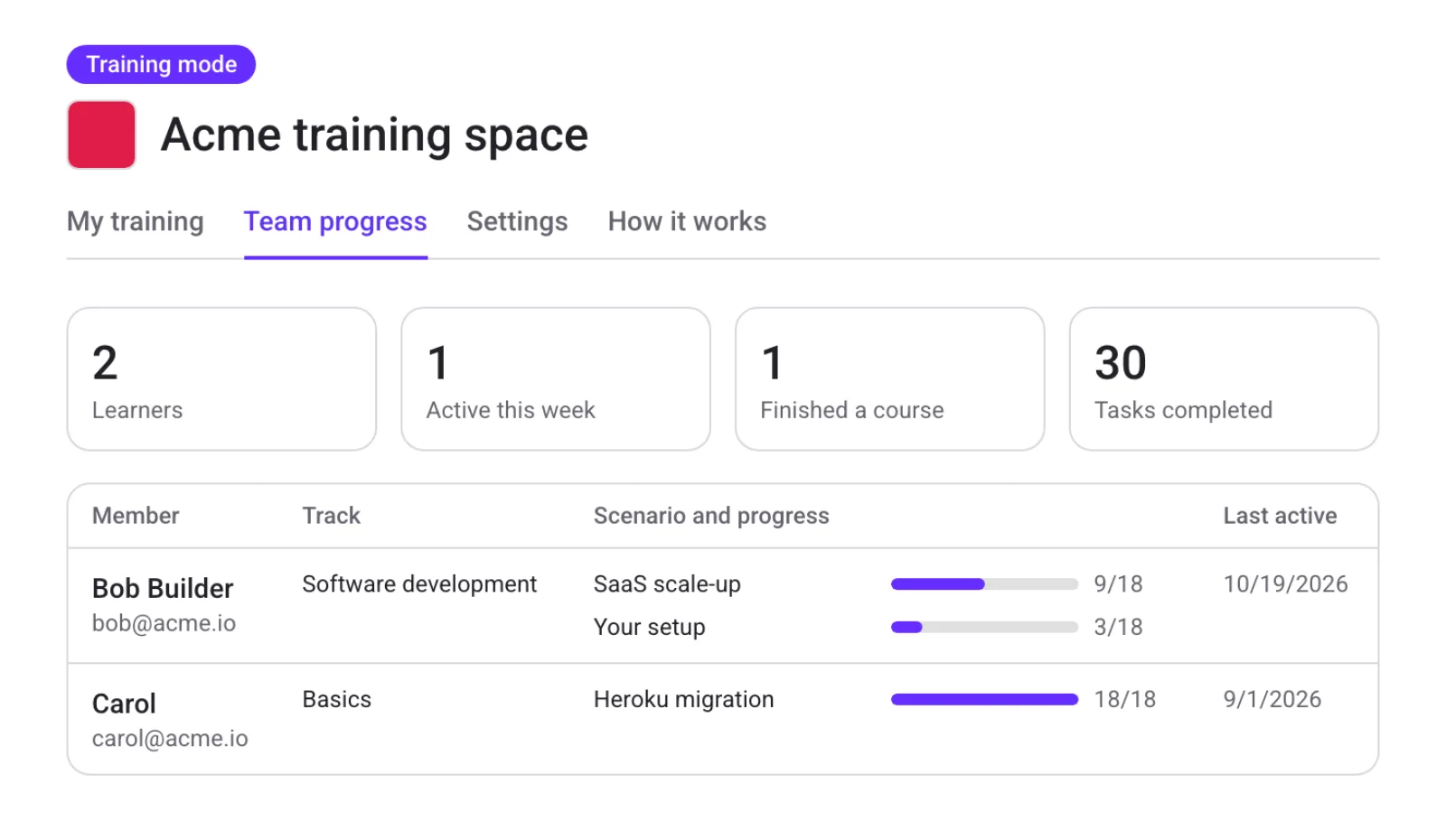
The Team progress tab shows who joined, who was active this week, who finished a course and how many tasks were completed. When a new engineer says they are ready, you can see what they practiced.
Team progress in a training space: learners, activity, finished courses and progress per member.
Progress is saved to each learner's Qovery account. For teams that work with AI agents, the training also exposes an MCP server: the public endpoint answers questions from the training content, and the authenticated one lets an agent read your own progress.
Shorter onboarding for new engineers
A new engineer should be able to deploy, read logs, roll back and debug a failed deployment before they get access to production, without blocking the one Qovery expert on the team for a week. They practice on a Console that looks like theirs, at their own pace, and their lead can see where they are.
Qovery Training is available now for every Qovery customer. Sign in with your Qovery account at console-training.qovery.com, pick a track, and send the link to the next person who joins your team.
Romaric founded Qovery to make Kubernetes accessible to every engineering team. He writes about platform strategy, developer experience, and the future of cloud infrastructure.
Next step
Onboard your next engineer in the sandbox.
Qovery Training is available to every Qovery customer. Pick a track, describe your stack, and practice on a Console that looks like yours, with nothing real behind it.