Start With the Pod Name
Your service flapped at 15:12 and the deployment history is empty. Before reading any logs, look at the pod name.
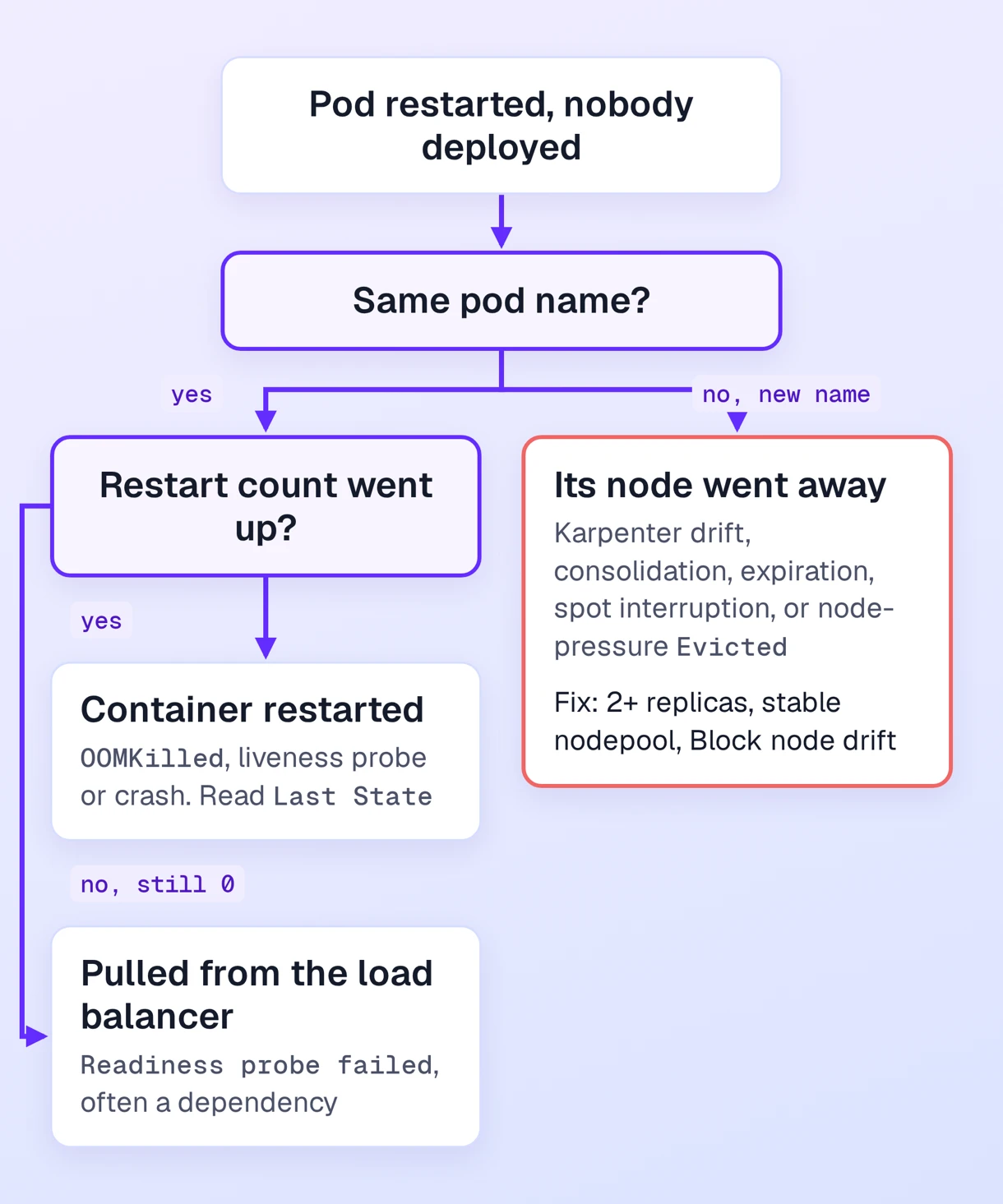
- Same pod name, restart count went up. The kubelet restarted the container in place. The cause is inside the pod: memory, a probe, or the process itself.
- New pod name, restart count at 0. The old pod was deleted, usually because its node went away. Look at Karpenter, AWS, or the kubelet.
- Same pod name, restart count at 0, outage anyway. The readiness probe failed and Kubernetes pulled the pods from the load balancer. A saturated database connection pool is a classic trigger.
Identify the case before changing anything. A memory fix does nothing for a node replacement, and extra replicas do nothing for a memory leak.
When the Container Restarted
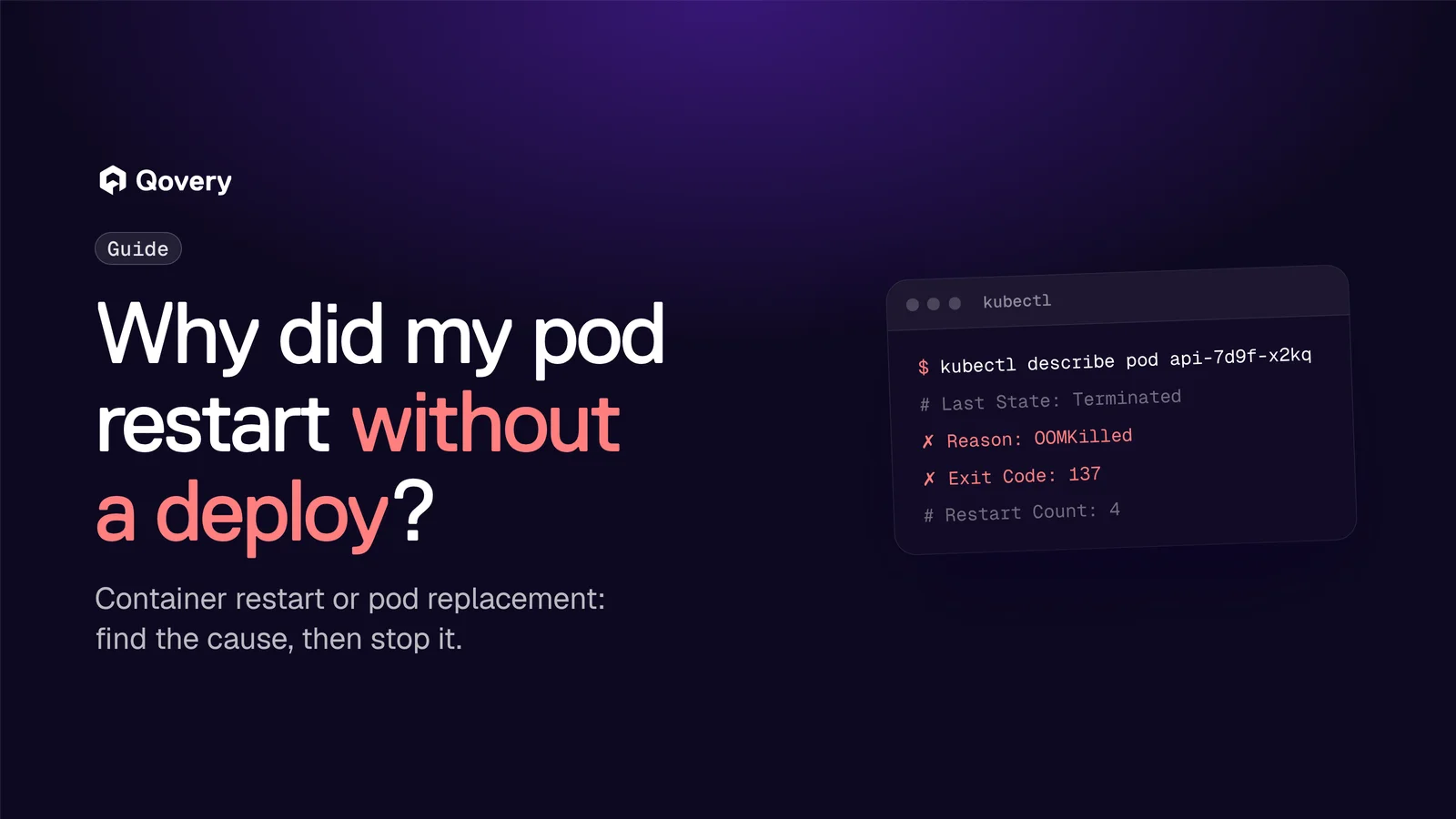
Run kubectl describe pod <name> and read Last State under the container. The Reason field matters more than the exit code, because 137 only means the process received SIGKILL.
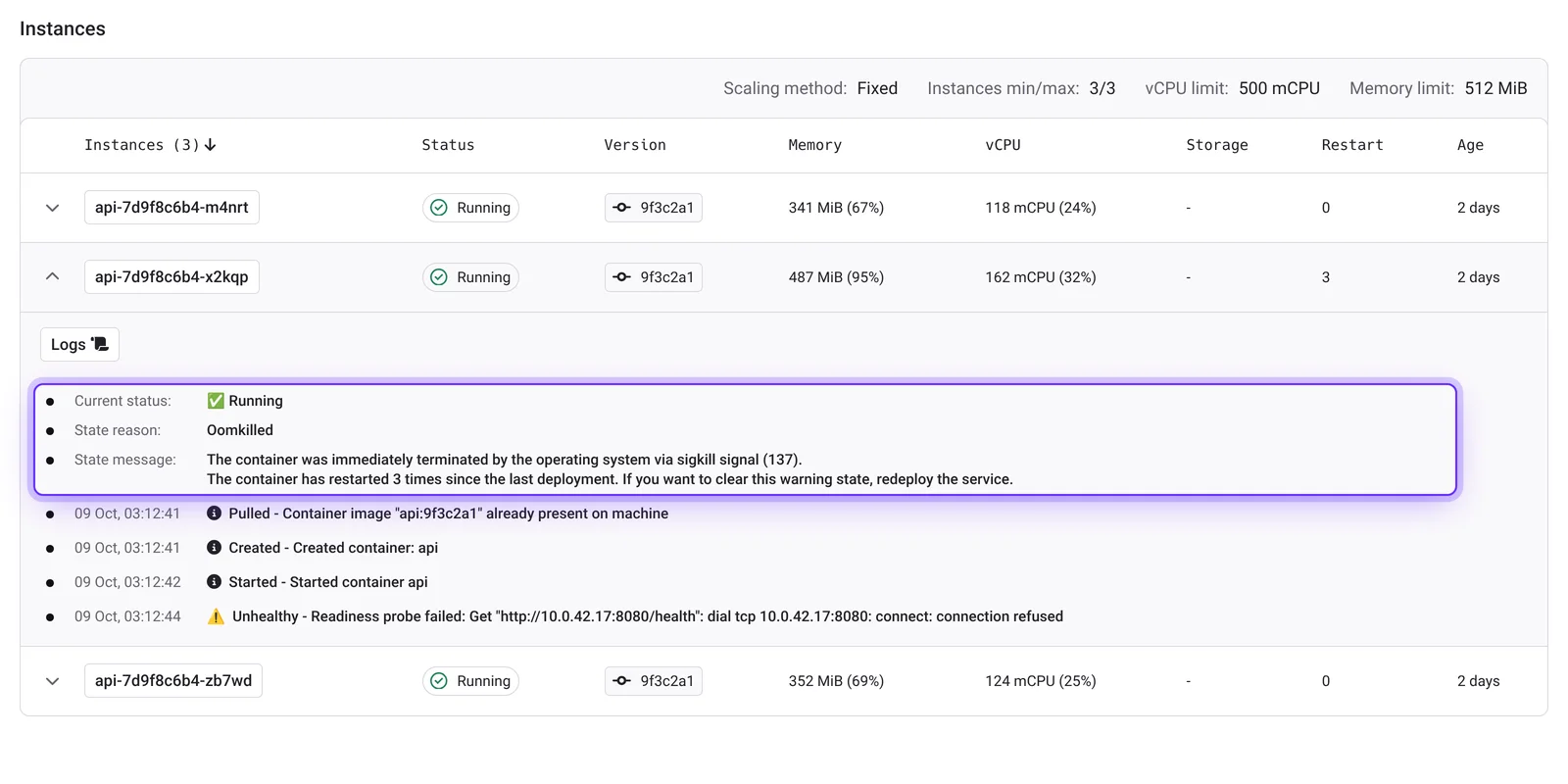
OOMKilled, exit code 137. The container exceeded its memory limit and the kernel killed it. On Qovery, the service memory is both request and limit unless you setresources.override.limit.ram_in_mib. Raise it, or bound the heap. A JVM sizes its heap from the container limit, so adding memory often only gives you a bigger heap.Errorafter a liveness failure. The pod events showUnhealthywithLiveness probe failed, thenKillingwithfailed liveness probe, will be restarted. Exit code 143 means the process stopped on SIGTERM. 137 means it was still running when the grace period ran out and got SIGKILL. Slow startups and dependency checks in the liveness endpoint are the usual causes. Raise the initial delay and failure threshold, and make liveness check only that the process responds.Error, exit code 1 (or any app code). The application crashed, and repeated crashes becomeCrashLoopBackOff. Read the previous container's logs withkubectl logs <pod> --previous.
On Qovery, the Instances table on the service overview has a Restart column. Expand a pod to see its State reason (OOMKilled, for instance), a State message with the exit code, and its latest Kubernetes events.
When the Pod Was Replaced
On an EKS cluster running Karpenter, these are the common causes:
- Drift. AWS publishes a new EKS node image, the cluster picks it up at its next update, and Karpenter replaces every outdated node. Node events show
Disrupting Node: Drifted. - Consolidation. Karpenter removes underused nodes to cut costs. Same event, with
UnderutilizedorEmpty. - Expiration. Default node pool nodes expire after 30 days.
- Spot interruption. AWS gives two minutes of notice before reclaiming a spot instance, and Karpenter drains the node.
- Node-pressure eviction. The node ran low on memory or disk and the kubelet evicted pods, ignoring PodDisruptionBudgets. The old pod shows
Reason: EvictedandThe node was low on resource.
Pods drained by Karpenter get an Evicted event starting with Evicted pod:. To see what the nodes went through:
kubectl get events -A --field-selector involvedObject.kind=Node --sort-by=.lastTimestamp
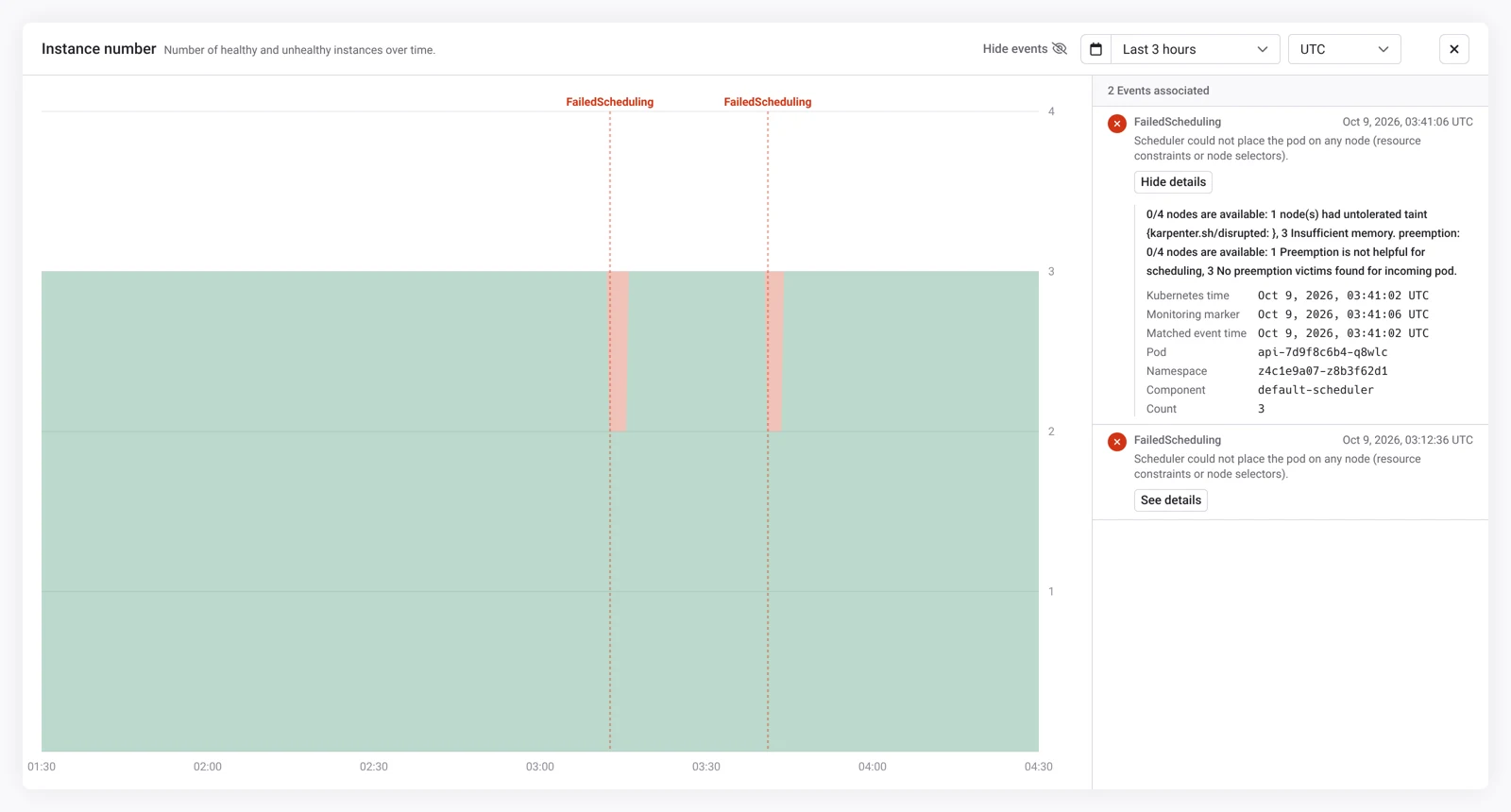
Kubernetes keeps events for one hour by default, so last night's restart is usually gone. If Qovery Observe is enabled on your cluster, the service Monitoring tab keeps warning events such as FailedScheduling, Evicted and NodeNotReady next to metrics and logs. Open a chart in full screen to list them and see each event's message, pod and count.
Symptom, Signal, Fix
| Symptom | Signal | Cause | Fix |
|---|---|---|---|
| Same pod, restarts +1 | OOMKilled, exit 137 | Memory limit | More memory or bounded heap |
| Same pod, restarts +1 | Unhealthy, then Killing | Liveness probe | Longer delay, higher threshold |
CrashLoopBackOff | Exit 1, BackOff | App crash | kubectl logs --previous |
| New pod, all nodes rotated | Disrupting Node: Drifted | New node image | 2+ replicas, Block node drift |
| New pod, off-peak | Disrupting Node: Underutilized | Consolidation | Consolidation schedule, stable node pool |
New pod, Evicted | The node was low on resource | Node pressure | Accurate requests |
| No restart, 503s | Readiness probe failed | Dependency down | Fix the dependency |
Ask Your AI Agent Instead
The Qovery MCP server gives Claude, ChatGPT or any MCP client read access to your clusters without a kubeconfig. It pulls a cluster's Kubernetes events for a time range, filtered by service or pod, along with service logs and deployment status. Connect it in read-only mode, the default, and ask:
Why did the api service in production restart last night? Check the
pod events and the previous container's logs, then tell me if it was
the container or the node.
The qovery-troubleshoot agent skill adds playbooks for OOM kills, failing health checks and stuck deployments, and writes a runbook once the cause is found.
Keep Node Replacements From Becoming Outages
AWS retires instances and kernels panic, so nodes will go away. You control whether losing one pod hurts.
- Run at least two instances, with headroom. For services with more than one maximum instance and no storage, Qovery adds a PodDisruptionBudget with
maxUnavailable: 20%, rounded up. With four pods, one can go and three stay. If three pods can't carry peak traffic, each replacement still degrades service, so size the remaining pods for the peak. - Shorten startup. A three-minute warmup across four node replacements is a quarter hour of reduced capacity.
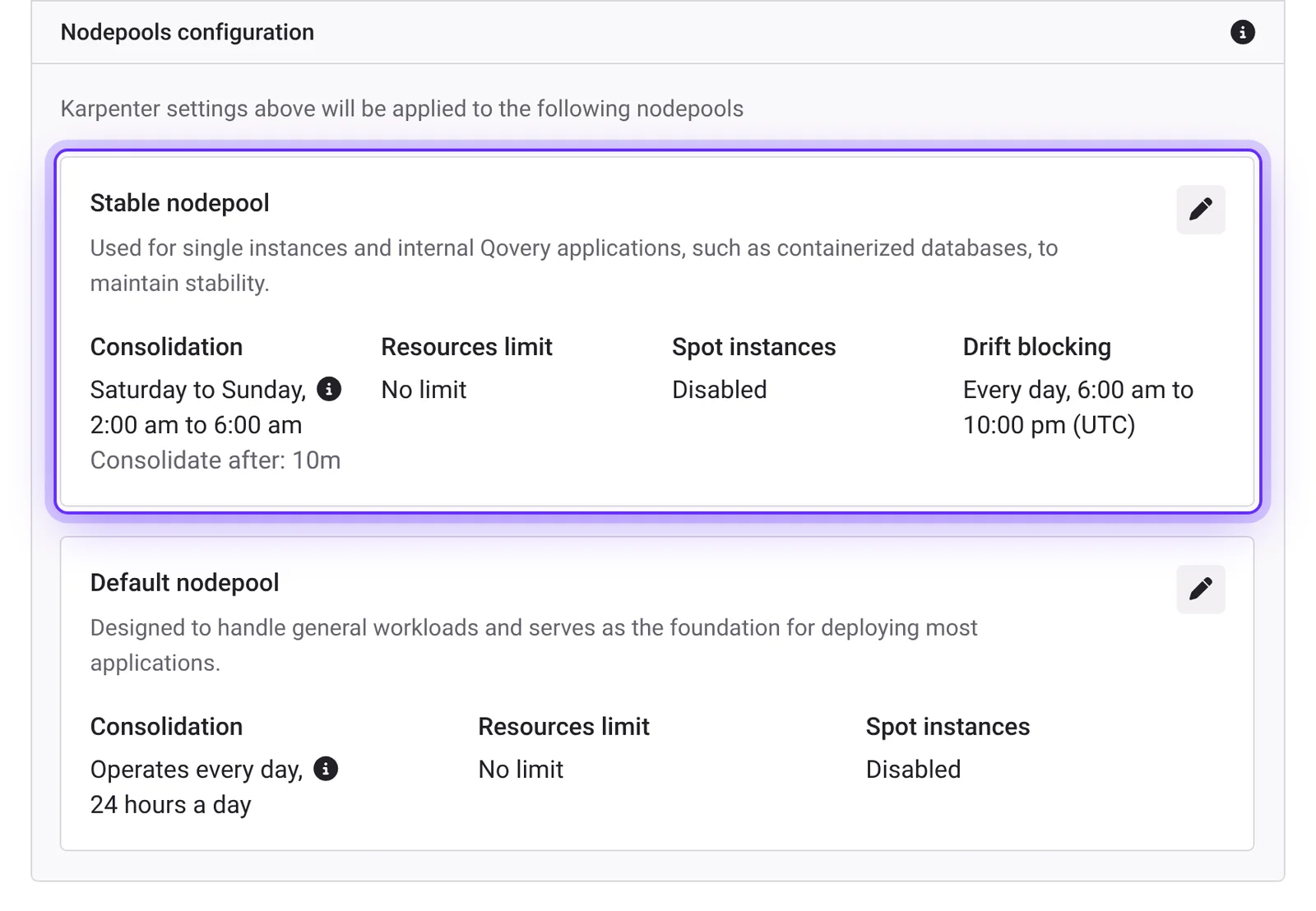
- Use the stable node pool for what can't move. Qovery places services with one minimum instance, and stateful services, on the stable pool. It runs on-demand by default and only consolidates during the Consolidation schedule you define. Send any other service there with
deployment.affinity.node.requiredset to{"karpenter.sh/nodepool": "stable"}. Helm services need anodeSelectorand thenodepool/stabletoleration in their chart values. - Choose when drift happens. In the stable nodepool settings, Block node drift sets a daily UTC window during which drifted nodes stay in place, so image updates land in quiet hours.
- Pin the node image when one is broken. If a new AMI misbehaves, pin the previous one with the
aws.eks.ec2.amicluster advanced setting, redeploy the cluster, and unpin once AWS ships a fix. - Give shutdowns time.
deployment.termination_grace_period_seconds(60 seconds by default) is how long your app gets to drain connections after SIGTERM.
Skip the karpenter.sh/do-not-disrupt annotation. Qovery node pools have a four-hour termination grace period, so a drifted node waits at most four hours before the pod is deleted anyway, PodDisruptionBudget or not.