

Overview
Qovery provides integrated observability to help you monitor the health, performance, and behavior of your services directly within the Qovery Console. Your observability data stays within your infrastructure with zero maintenance required.
Supports Applications, Containers, and Managed Databases (Jobs support coming soon).
Qovery Observe is not yet self-service. Contact Qovery via Slack or email to get access.
Features
Service Health
Real-time service health and performance tracking
Metrics
CPU, memory, network, request latency, and error rates
Logs
12 weeks log retention with automatic error detection
Events
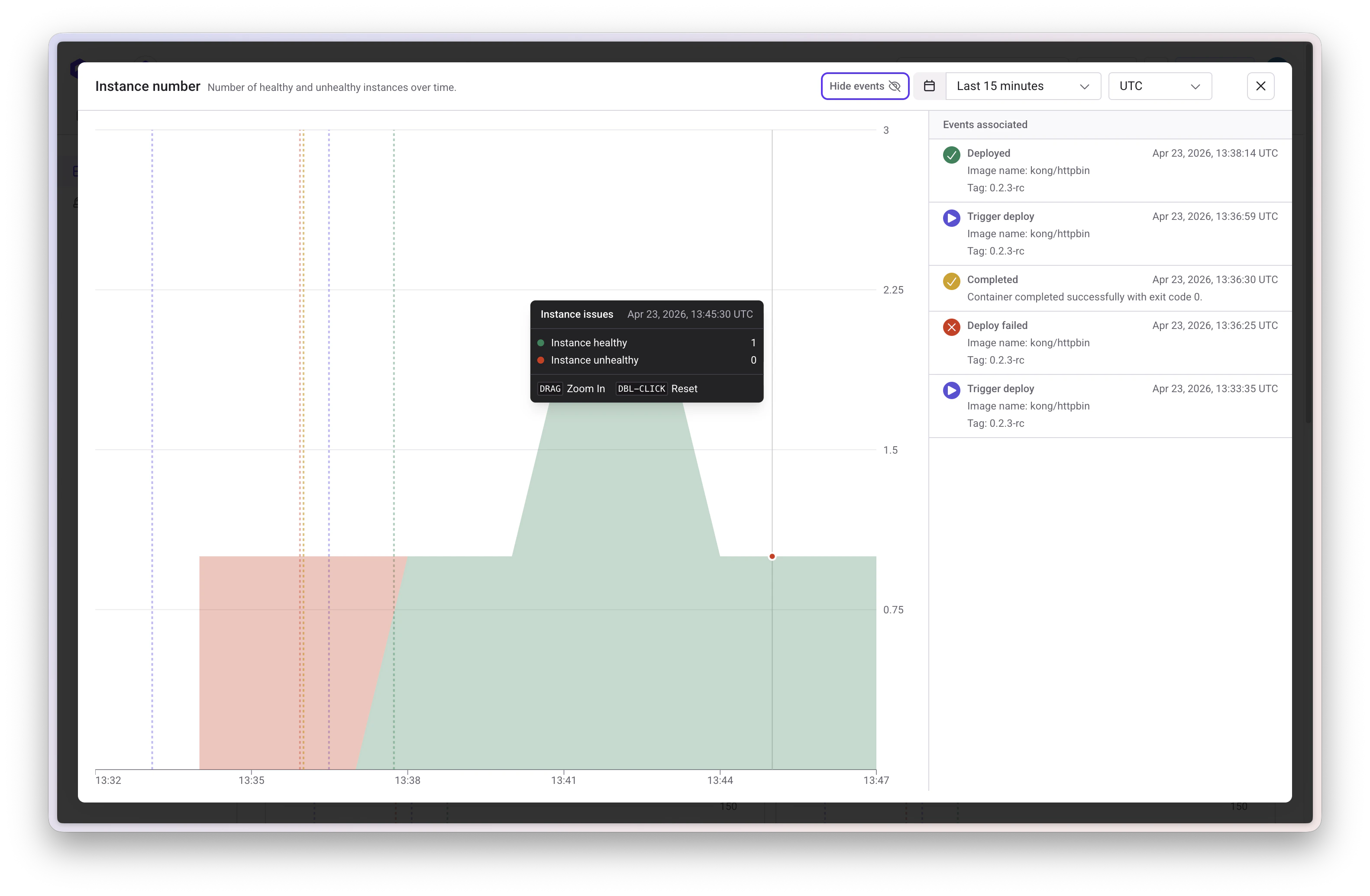
Qovery and Kubernetes events (deployments, scaling, failures)
Alerts
Proactive monitoring with customizable alerts and notifications
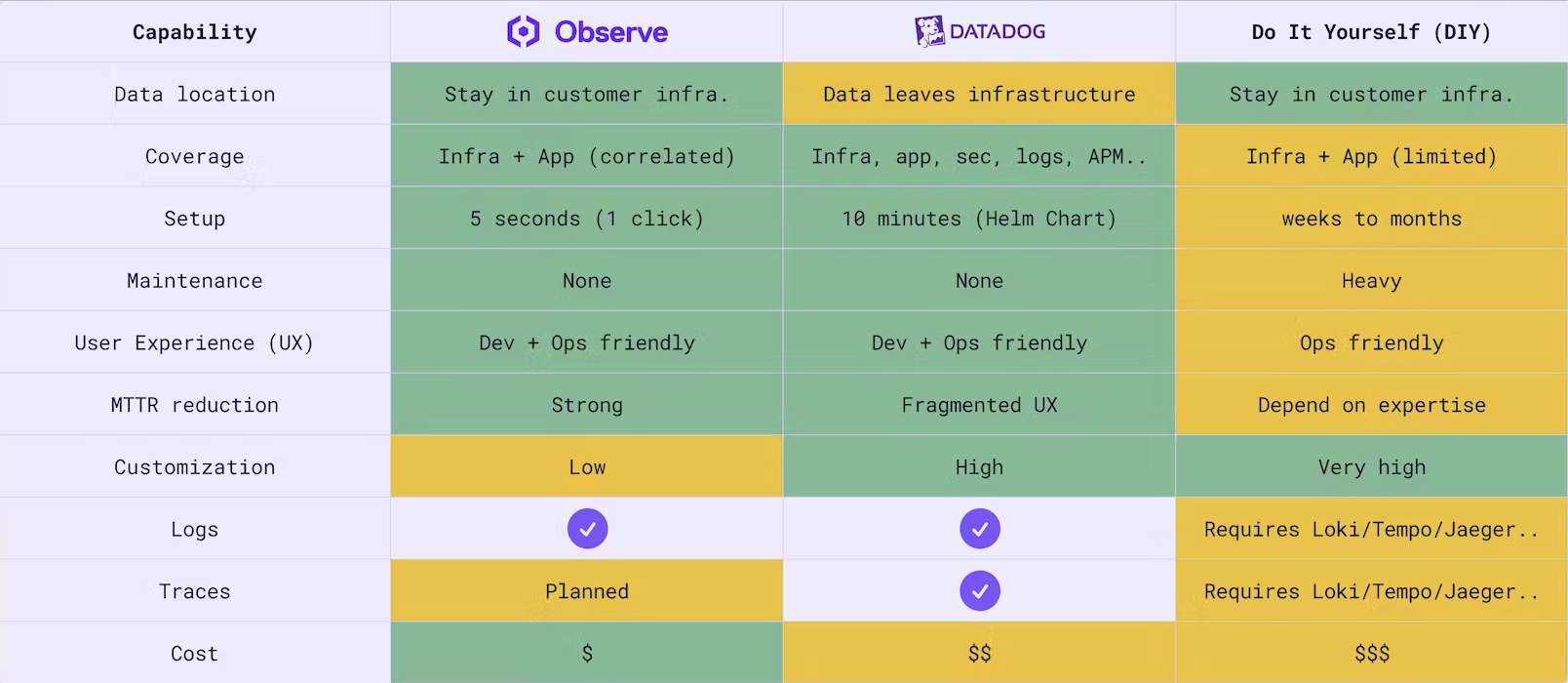
Key Benefits
- Data stays in your infrastructure: All observability data remains within your cloud
- Zero maintenance: No configuration or management required
- Correlated data: Metrics and logs automatically linked for faster troubleshooting
Architecture
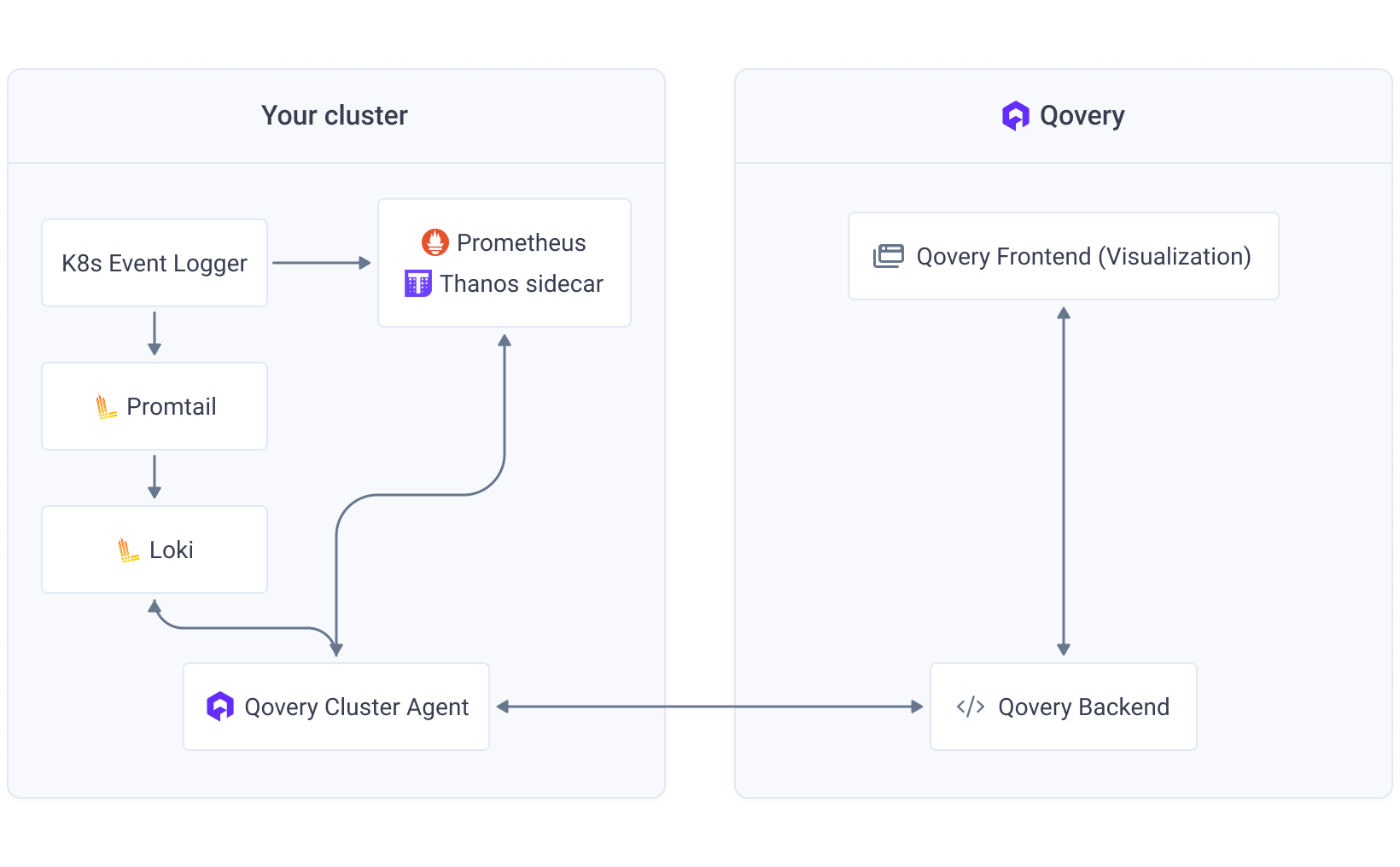
Qovery’s observability combines open-source tools to monitor your Kubernetes infrastructure:Data Collection
Metrics
Prometheus + Thanos collect and store metrics (CPU, memory, network)
Logs
Loki + Promtail collect and store container logs
Events
Qovery Event Logger captures Kubernetes events
Data Retention
- Prometheus: 7-day local retention
- Thanos: Raw metrics (15 days), 5-minute resolution (30 days), 1-hour resolution (30 days)
- Loki: 12-week log retention
Key Features
- Per-cluster isolation: Data protection and performance optimization
- Automatic error detection: Custom metrics track error logs for alerting
- High availability: Prometheus runs with 2 replicas; Thanos auto-scales 2-5 replicas
Architecture Diagram
Monitoring
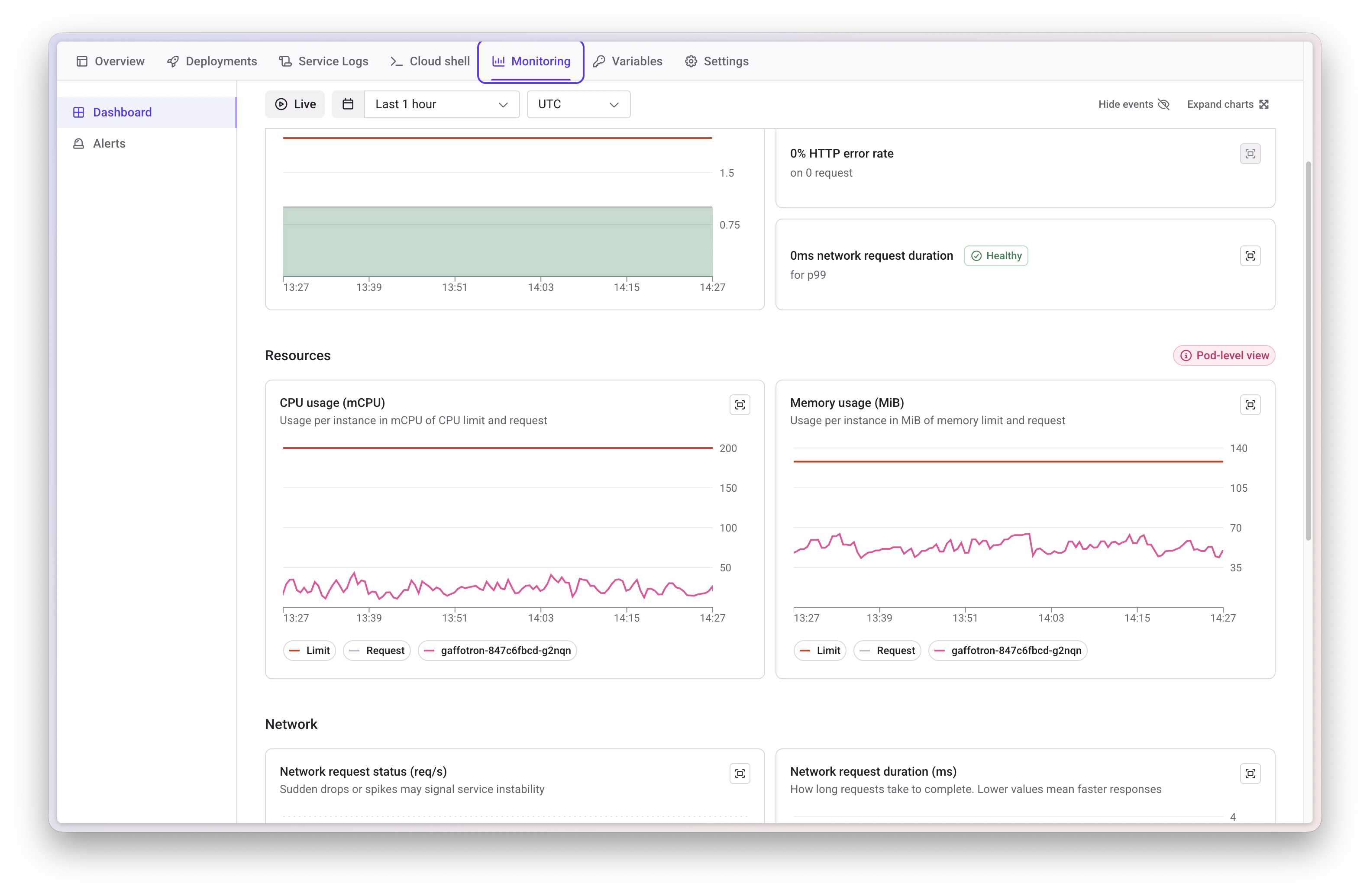
Access the Monitoring tab at the service level to view real-time and historical application data.Service Health
Monitor your service health with:- Event tracking: Qovery events (deployments, failures) and Kubernetes events (autoscaler triggers, OOMKilled pods, health check issues)
- Error logging: Automatically counts error-level logs with direct navigation to errors
- HTTP error metrics: Aggregated 499 and 5xx error rates by endpoint and status code
- Request latency: P99 tail latency visualization (expandable to P90 and P50)
Resource Monitoring
Track per-pod resources:- CPU usage: Against configured requests and limits
- Memory usage: Against configured requests and limits
Network Metrics
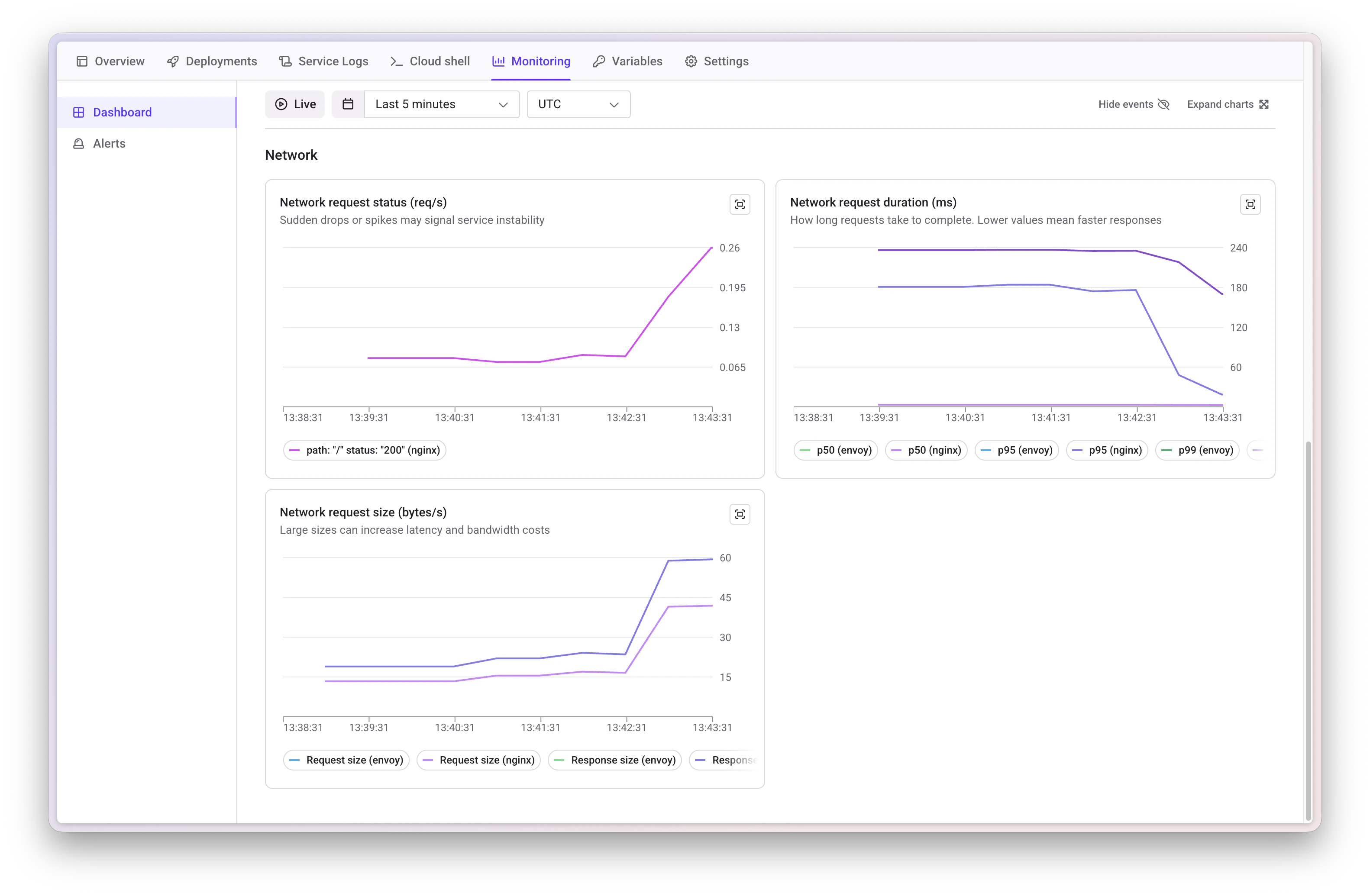
Monitor network-level data:- Request status by path and error code
- Request duration (P50, P95, P99 percentiles)
- Request size statistics
Metrics represent ingress traffic for services with public ports or internal cluster traffic otherwise. Scaleway clusters currently lack internal traffic monitoring when no public port is exposed.
Managed Database Monitoring
For AWS managed databases (MySQL and PostgreSQL), Qovery Observe provides comprehensive monitoring of database performance and health metrics.Managed database monitoring is currently available for AWS only. To enable it, the CloudWatch exporter must be activated on your cluster. This is not currently self-service - contact Qovery via Slack or email to enable this feature.
Overview Metrics
Monitor critical database health indicators:CPU Usage
Track average CPU utilization across your database instances
Memory
Monitor available RAM and memory consumption patterns
Database Connections
Track active database connections in real-time
Swap Usage
Monitor swap memory usage (healthy databases should minimize swap)
Disk Queue Depth
Track outstanding disk I/O operations for performance insights
Unvacuumed Transactions
(PostgreSQL only) Monitor transactions pending cleanup operations
Query Performance
Track database query performance metrics:- Write Latency: Monitor write operation response times
- Read Latency: Track read operation response times
Storage & I/O
Monitor disk performance and capacity:- Write IOPS: Operations per second for write operations
- Read IOPS: Operations per second for read operations
- Storage Available: Track remaining storage capacity percentage
Controls
- Live update toggle: Continuous chart refresh
- Custom time frames: Select data display ranges
Logs
Access logs via the Logs tab or the Monitoring tab.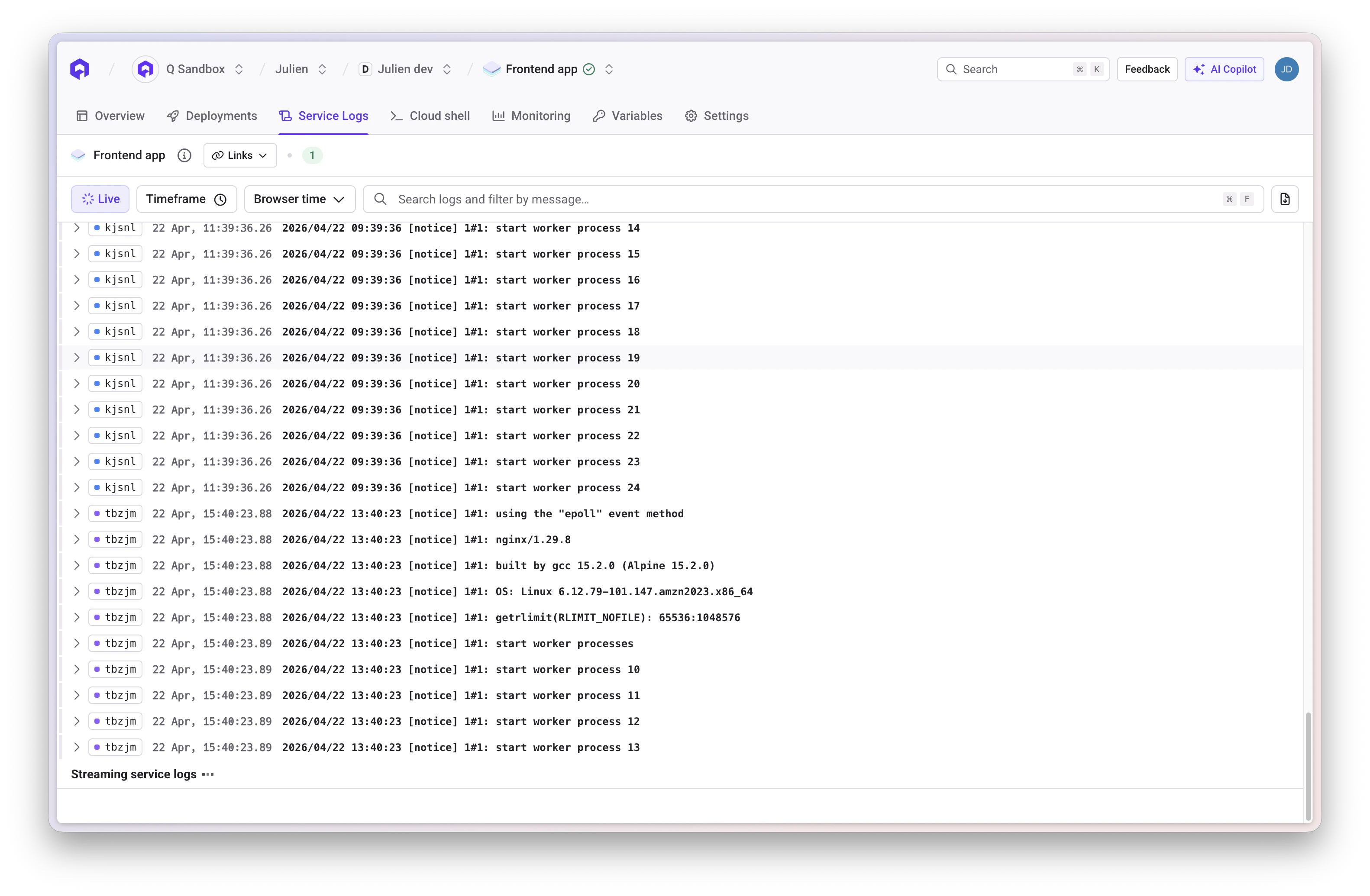
Log Features
Qovery collects and stores logs using Loki + Promtail with:- 12 weeks retention when observability is enabled
- 24 hours retention without observability
- Automatic error detection: Error-level logs are counted and highlighted
- Log enrichment: Service ID, environment ID, and pod information
Filtering Capabilities
Keyword Search
Locate specific messages within log entries
Time Range
Isolate logs around deployments or incidents
Log Level
Filter by severity (error, info, debug)
Alerts
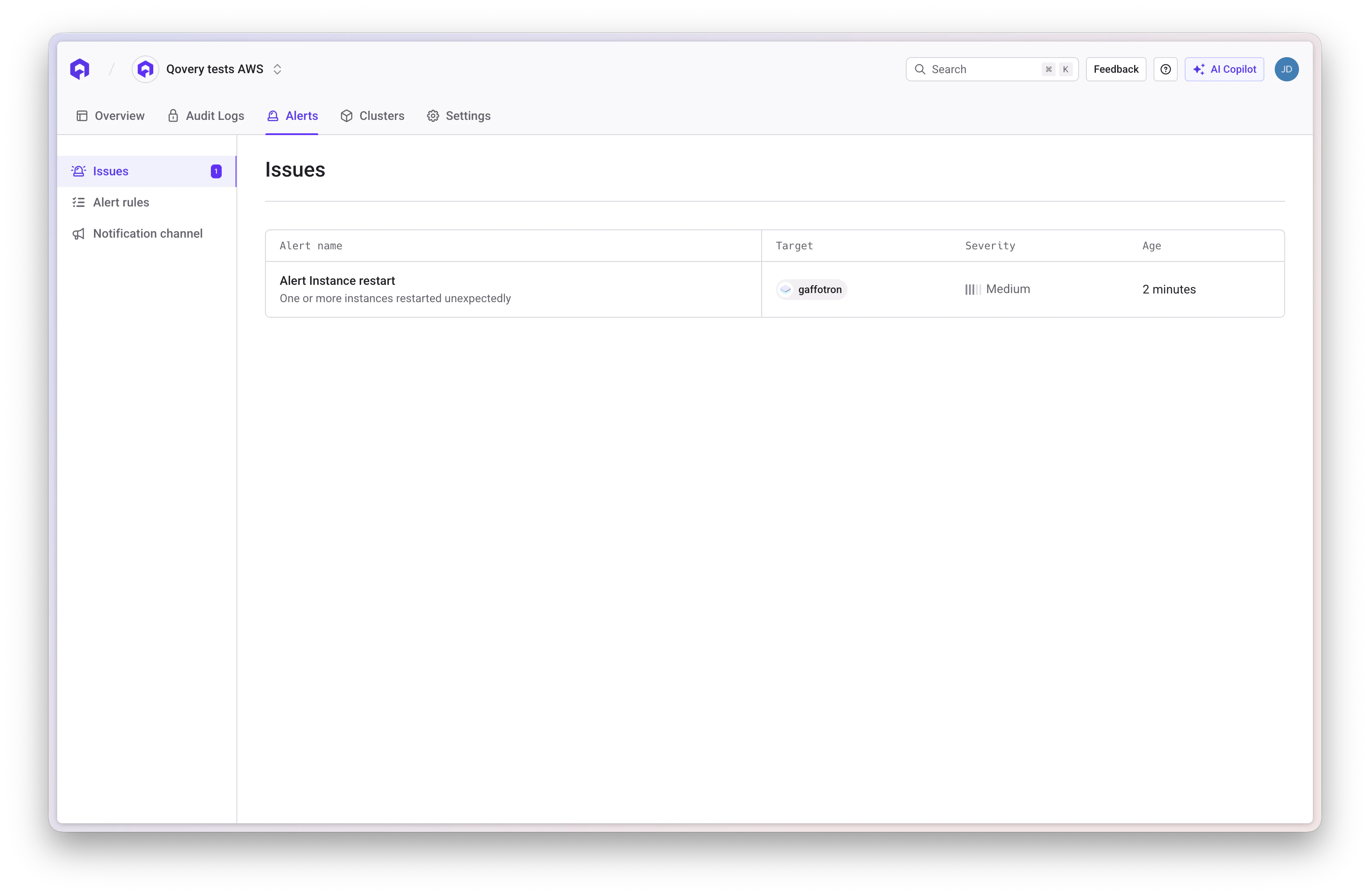
Qovery provides a built-in alerting system that proactively monitors your services and notifies you when specific conditions are met. The Alerts section is available at two levels in the Console:Organization-Level Alerts
Navigate to the Alerts section from the main organization navigation (top-level sidebar item). This gives you a centralized, cross-service view with three sub-pages:- Alert rules: Browse and manage all configured alert rules across all services in the organization
- Issues: View all currently fired alerts with their severity, target service, and duration. Each issue shows which alert rule triggered it and how long it has been active.
- Notification channel: Configure and manage notification channels (Slack, Email, and more integrations coming soon)
Service-Level Alerts
The service-level Monitoring tab includes two sub-tabs:- Dashboard: Real-time metrics visualization with graphs for CPU, memory, network, and latency
- Alerts: View and create alerts scoped to this specific service
The Alerts sub-tab is only visible when alerting is enabled on the cluster (Cluster settings > General > Alerting).
Alert Categories
Create alerts based on these monitoring categories:CPU
Monitor CPU usage thresholds and spikes
Memory
Track memory consumption and prevent OOM issues
HTTP Errors
Detect elevated 5xx server error rates
HTTP Latency
Alert on slow response times and performance degradation
Missing Instances
Get notified when services can’t reach minimum instance count
Instance Restarts
Track unexpected pod restarts and crashes
Auto-Scaling Limit
Alert when service reaches maximum instance limit
Certificate renewal failed
Detect failed or overdue TLS certificate renewals for your service
Creating an Alert
1
Select Alert Category
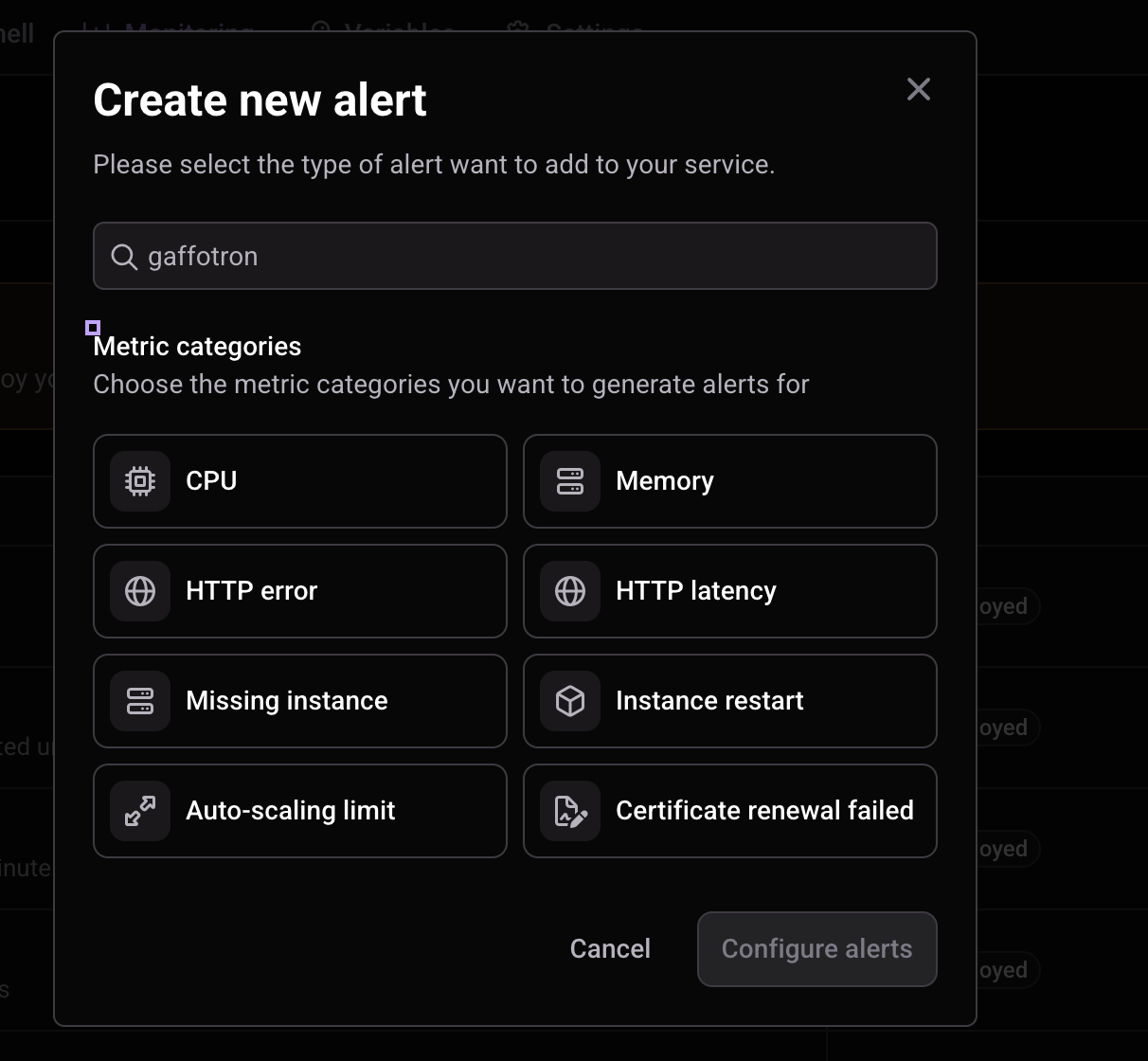
From your service’s Monitoring > Alerts tab, click New alert. Select one or more categories, such as CPU, Memory, or Certificate renewal failed, then click Configure alerts.
2
Configure Conditions
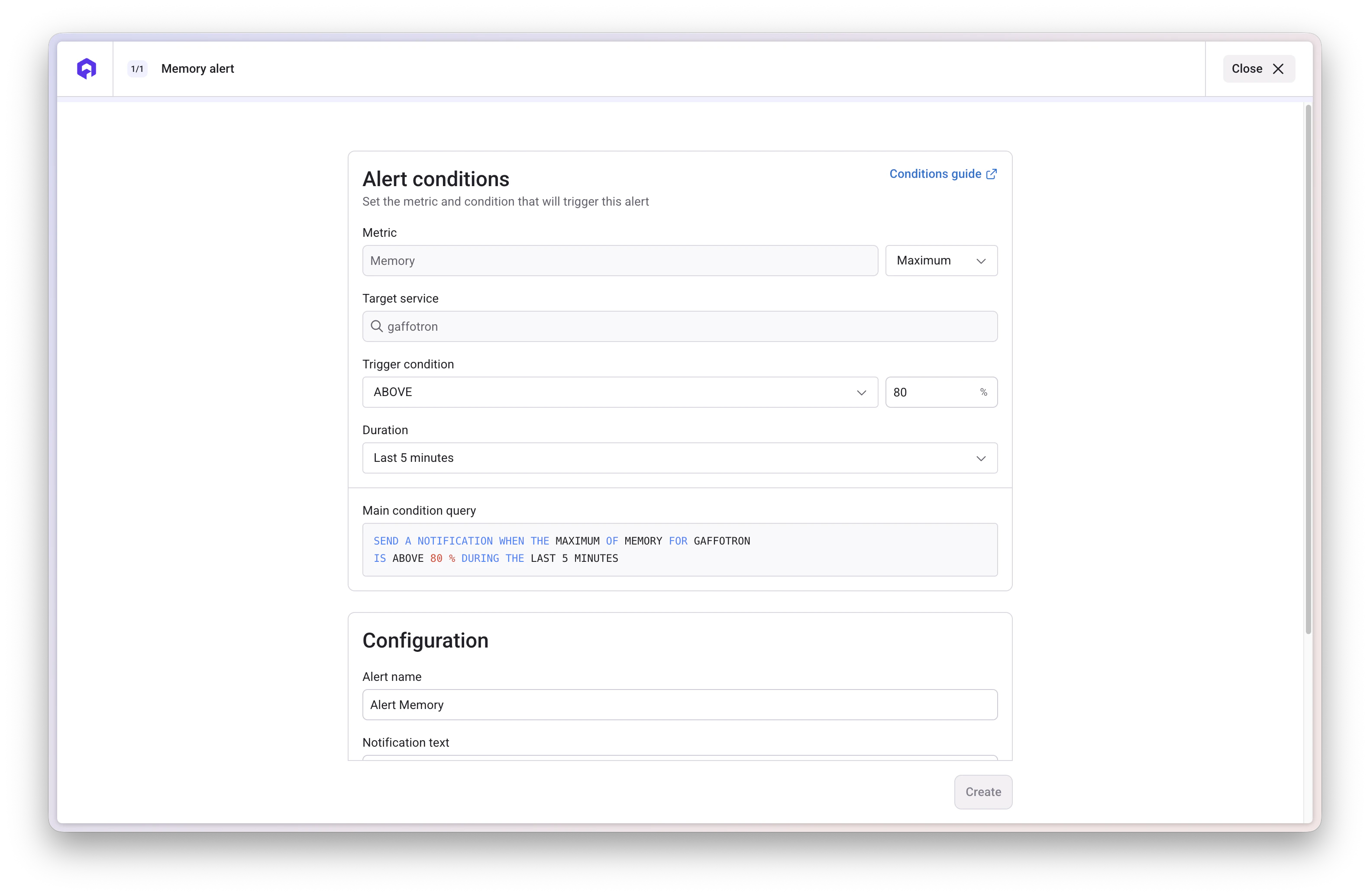
Define the trigger conditions for your alert:
- Customize the available threshold values and duration. For Certificate renewal failed, the trigger is preset and only the duration can be changed.
- Review the Main condition query preview to check the configured condition.
3
Configure Alert Details
Set up the alert notification:
- Alert name: Descriptive name for easy identification
- Notification text: Optional custom text included in notifications
- Severity: Select the alert severity
- Notification channels: Select one or more configured notification channels
Certificate Renewal Failed Alerts
Select Certificate renewal failed to monitor TLS certificates associated with the selected service.This category is available for Applications and Containers. It is not available for databases or jobs.
When the Alert Fires
A certificate must have a scheduled renewal time that is more than one hour in the past. It then matches the alert if at least one of these conditions applies:- The certificate has not expired, but its scheduled renewal is overdue.
- The certificate is still being issued (
Issuingis true). - The certificate is not ready (
Readyis false).
This alert monitors scheduled renewals. It does not detect initial certificate issuance failures when no renewal time exists.
Configuration
Choose a Duration from the available duration options. The one-hour renewal delay is part of the detection rule; the selected duration is the additional time the condition must remain true before the alert fires. Selecting Immediate removes only that additional wait.
Set the alert name, adjust the severity or notification text if needed, select your notification channels, and click Create.
Alert Conditions Guide
Understanding how to configure alert conditions is crucial for effective monitoring. Here’s a detailed explanation of each configuration option.Aggregation Methods (Maximum, Minimum, Average)
When monitoring metrics, you need to decide how to aggregate the data over the specified duration:Maximum
Maximum
When to use: Detect peak usage or spikes
- CPU: Alert when any instance hits high CPU, even briefly
- Memory: Catch memory spikes before OOM kills
- Network Latency: Detect worst-case response times (tail latency)
Minimum
Minimum
When to use: Detect drops or missing resources
- CPU: Identify underutilized services (cost optimization)
- Memory: Detect memory leaks causing gradual drops in available memory
- Network Latency: Ensure baseline performance (rarely used for latency)
Average
Average
When to use: Monitor overall service health
- CPU: Track average load across all instances
- Memory: Monitor typical memory consumption
- Network Latency: Measure average response time across requests
Trigger Conditions
Define when the alert should fire based on the comparison between your metric and threshold:Above (>)
Triggers when metric exceeds the thresholdCommon use: CPU usage, memory usage, 5xx error rates, latencyExample: CPU > 80%
Below (<)
Triggers when metric falls below the thresholdCommon use: Available instances, request rate dropsExample: Running instances < 2
Equal (=)
Triggers when metric exactly matches the thresholdCommon use: Specific status codes, exact countsExample: Failed deployments = 3
Above or Equal (≥)
Triggers when metric is greater than or equal to the thresholdCommon use: Cumulative thresholdsExample: Error count ≥ 100
Below or Equal (≤)
Triggers when metric is less than or equal to the thresholdCommon use: Resource availability, uptime percentageExample: Available memory ≤ 20%
Duration
The duration specifies how long the condition must remain true before the alert fires. A nonzero duration helps filter temporary spikes. Duration options:- Immediate: Fires when the condition evaluates to true, without an additional waiting period
- Last 1 minute: Requires the condition to remain true for 1 minute
- Last 5 minutes: Requires the condition to remain true for 5 minutes
- Last 10 minutes: Requires the condition to remain true for 10 minutes
- Last 15 minutes: Requires the condition to remain true for 15 minutes
- Last 30 minutes: Requires the condition to remain true for 30 minutes
Practical Examples by Metric Type
- CPU
- Memory
- Network Latency
- HTTP 5xx Errors
Recommended configuration:Why: Maximum catches any pod hitting high CPU, 80% leaves headroom before throttling, 5 minutes filters temporary spikes.
- Aggregation: Maximum (catches any pod spiking)
- Trigger condition: Above 80%
- Duration: Last 5 minutes
Next Steps
Slack Notifications
Set up Slack notification channels for alerts
Email Notifications
Set up email notification channels for alerts
Datadog
Add Datadog for advanced monitoring
Kubecost
Monitor and reduce Kubernetes costs
Deployment Logs
View deployment and service logs
Application Config
Configure health checks and ports