

Prerequisites
You will need:- An active Qovery account with at least one project
- An application, container, or job in your Qovery project
- A Doppler account
Setup Steps
Step 1: Generate a Qovery API Token
From your Qovery dashboard, navigate to your organization settings and generate a new API token.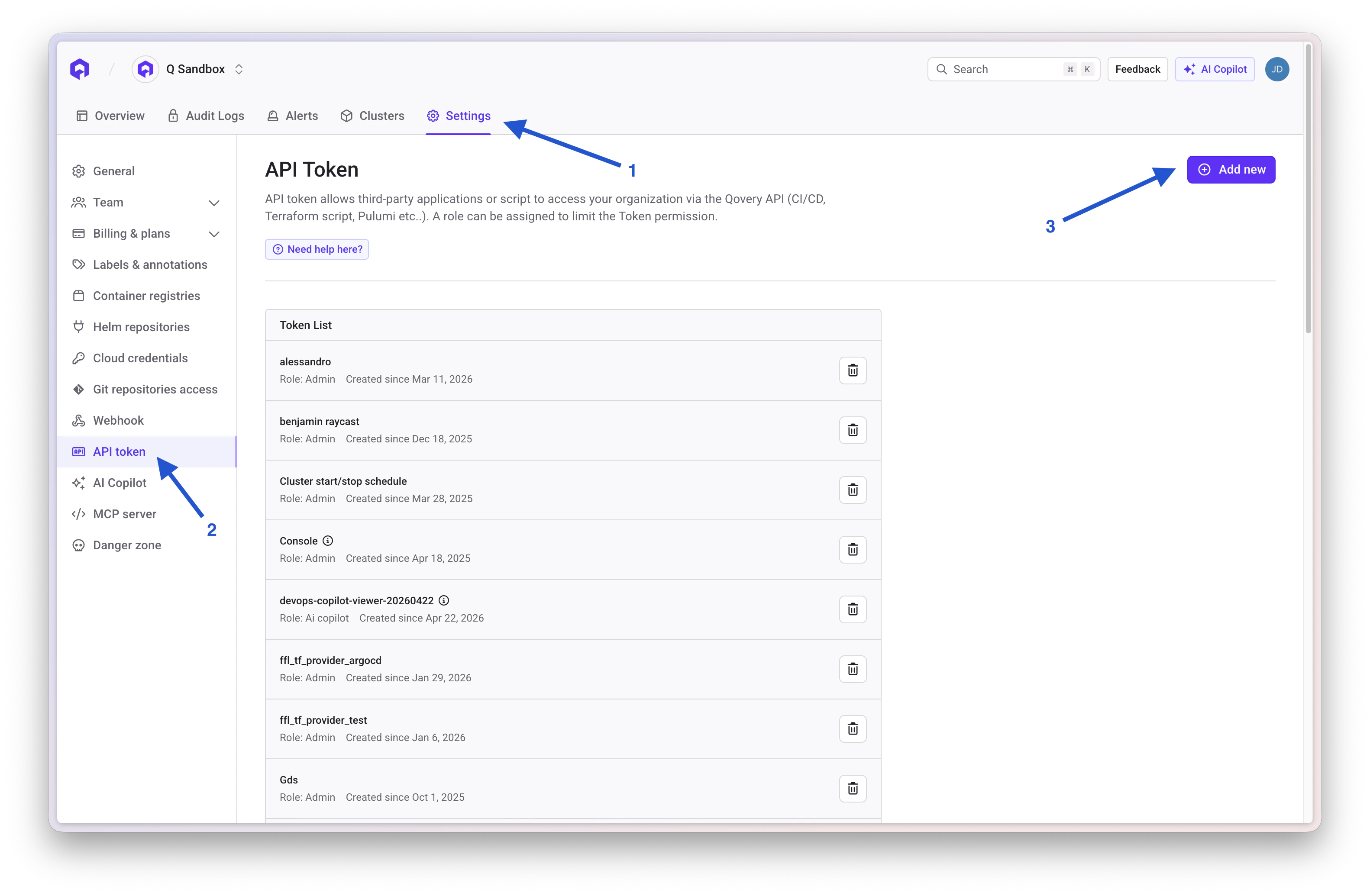
Step 2: Select Qovery Integration in Doppler
In Doppler, navigate to the Integrations section and select Qovery from the list of available integrations.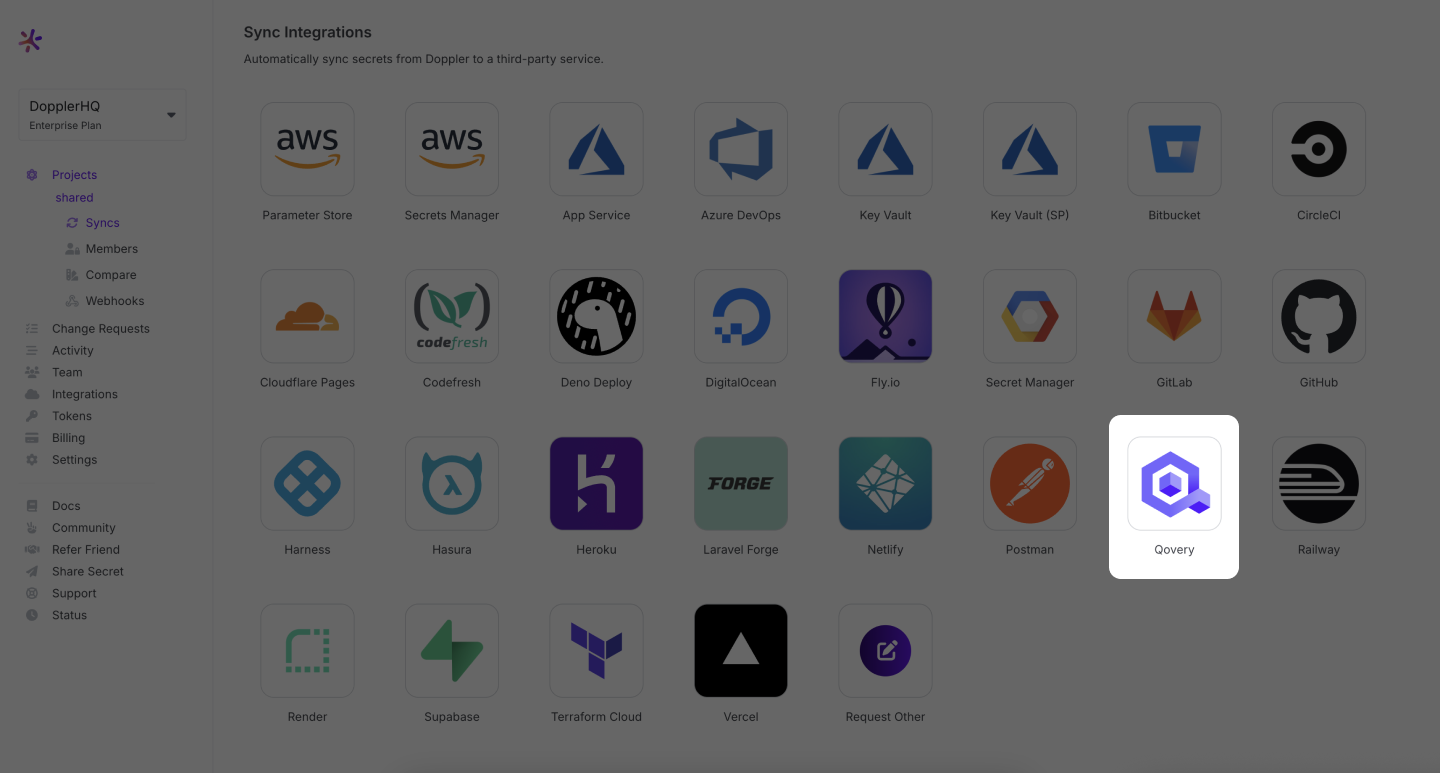
Step 3: Connect Doppler to Qovery
Name your integration and paste the API token you generated in Step 1.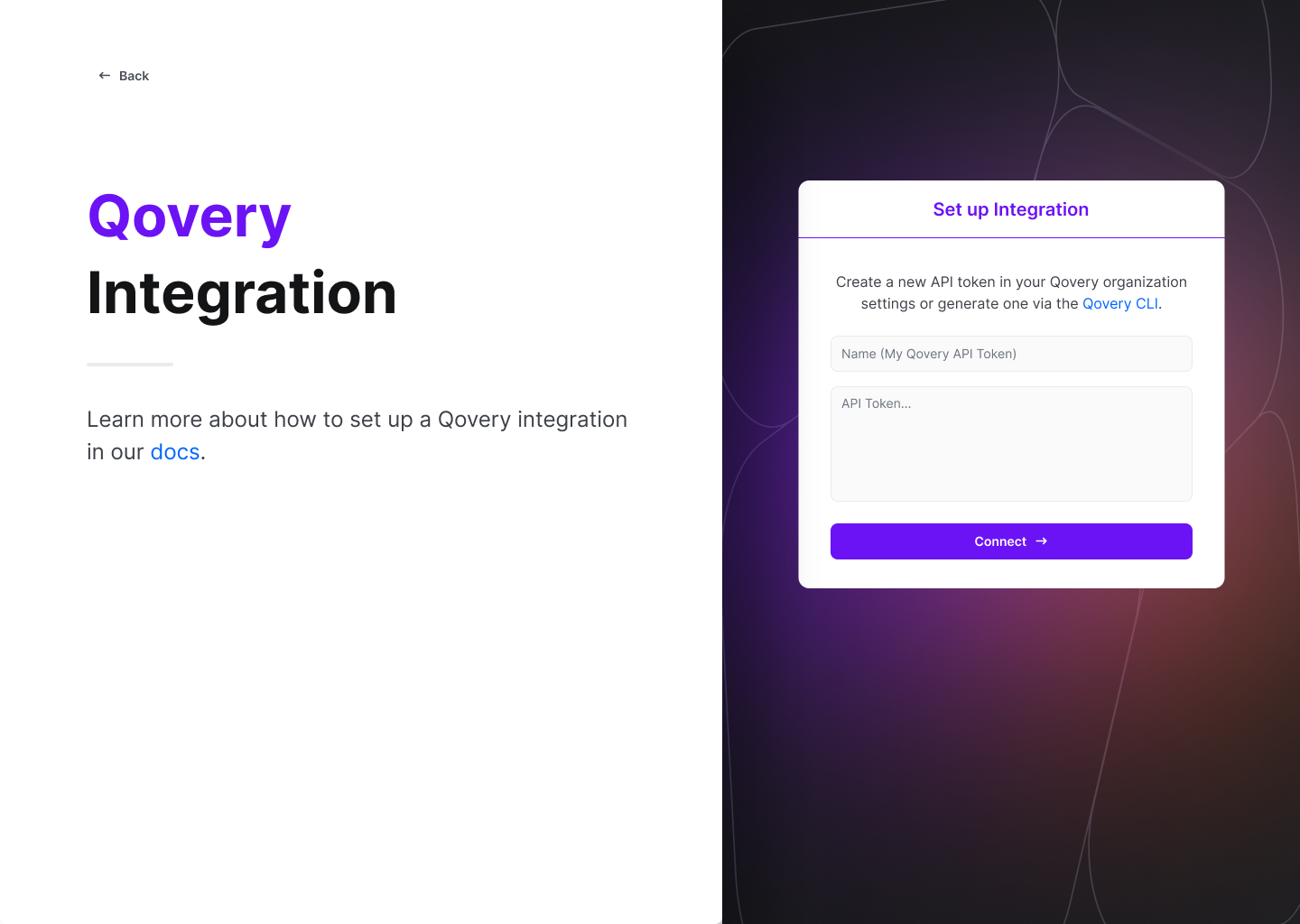
Step 4: Configure the Sync
Select your Qovery scope, project, environment, and target resource (application, container, or job). Choose which Doppler config to sync and configure the import behavior for any pre-existing variables.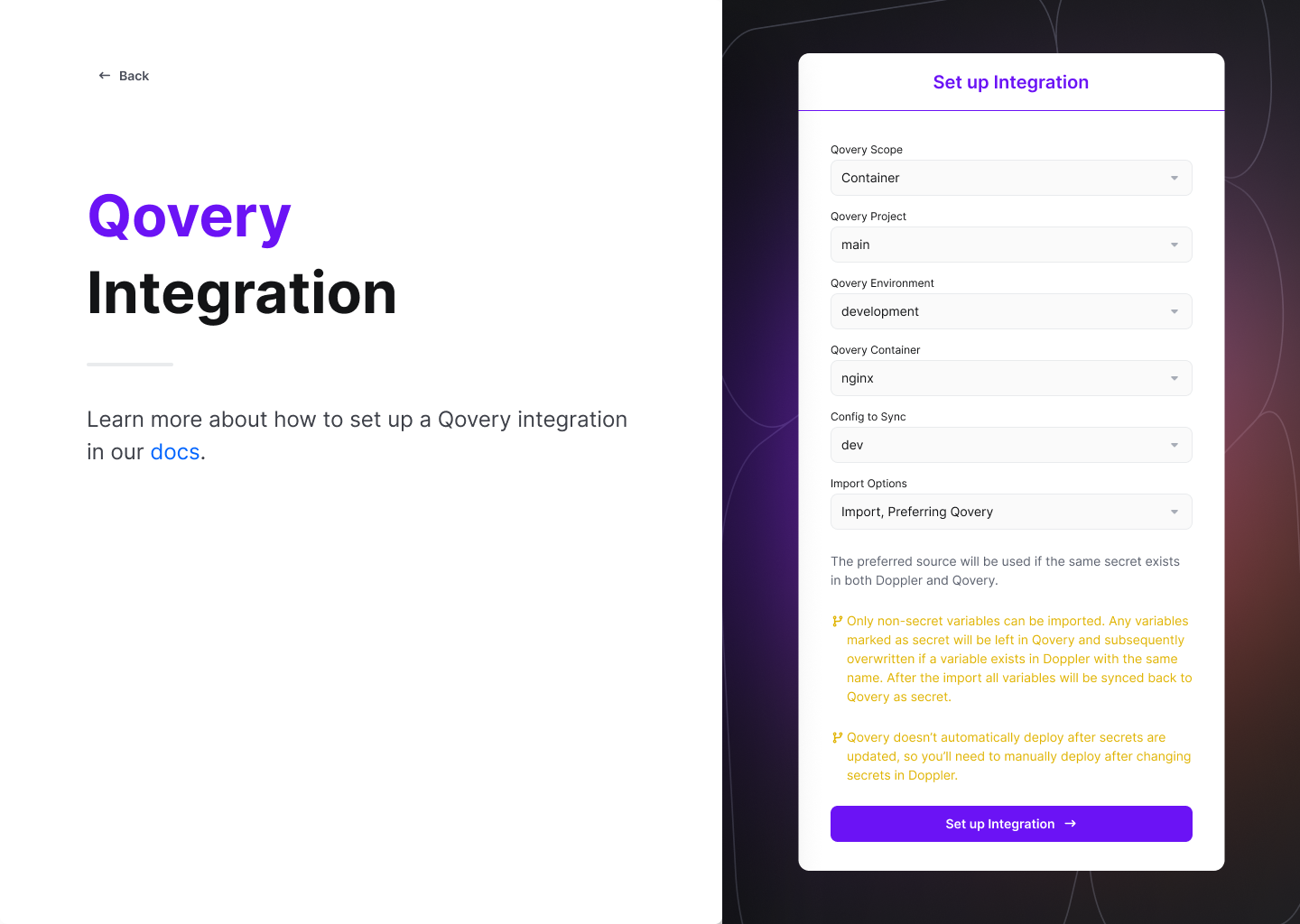
How It Works
Once configured, Doppler provides immediate and continuous syncing of secrets from your Doppler config to your Qovery applications, containers, or jobs. Your deployed applications will automatically fetch secrets from Doppler.Next Steps
API Token
Generate and manage API tokens
Environment Variables
Learn about environment variables in Qovery
Secret Manager Access
Alternative secrets management solution