

This feature is available on:
- AWS Managed Cluster
- GCP Managed Cluster
- AWS Secrets Manager
- AWS Parameter Store
- GCP Secret Manager
The secret synchronization infrastructure is stable. The interface may evolve.
Secret Manager Access benefits
Compared to Qovery built-in secrets, integrating a dedicated Secret Manager offers several key advantages:- Security and data sovereignty: Your secrets stay entirely within your own infrastructure and are never transmitted through Qovery’s systems. Secret values are fetched directly by External Secret Operator from your provider into your cluster, minimizing the number of systems that ever handle raw secret values. With built-in secrets, the value passes through Qovery’s API and storage layer.
- Centralized secret management: Use your existing secrets provider as a single source of truth across all your infrastructure — Qovery services, Lambda functions, CI pipelines, and other tools all reference the same secrets without duplication. A secret defined once can also be consumed by multiple clusters (e.g., staging and production) without recreating it in each environment.
- Simplified and automatic secret rotation: When a shared secret needs updating, change it once in your secrets manager, then redeploy the affected services via Qovery to pick up the new value. You can also leverage native automatic rotation from your provider (e.g., database credentials rotated via a Lambda function) — Qovery services will benefit from it in the next deployment without any additional secret management step.
- Audit trails and compliance: Cloud-native secret managers provide built-in versioning, access logs, and fine-grained IAM policies — seamlessly extending your existing compliance posture to secrets consumed by Qovery services.
How it works
Qovery integrates with external secrets by deploying ESO (External Secrets Operator) in your cluster.Configure a Secret Manager Access
You can configure a Secret Manager Access in the Add-ons section of your cluster.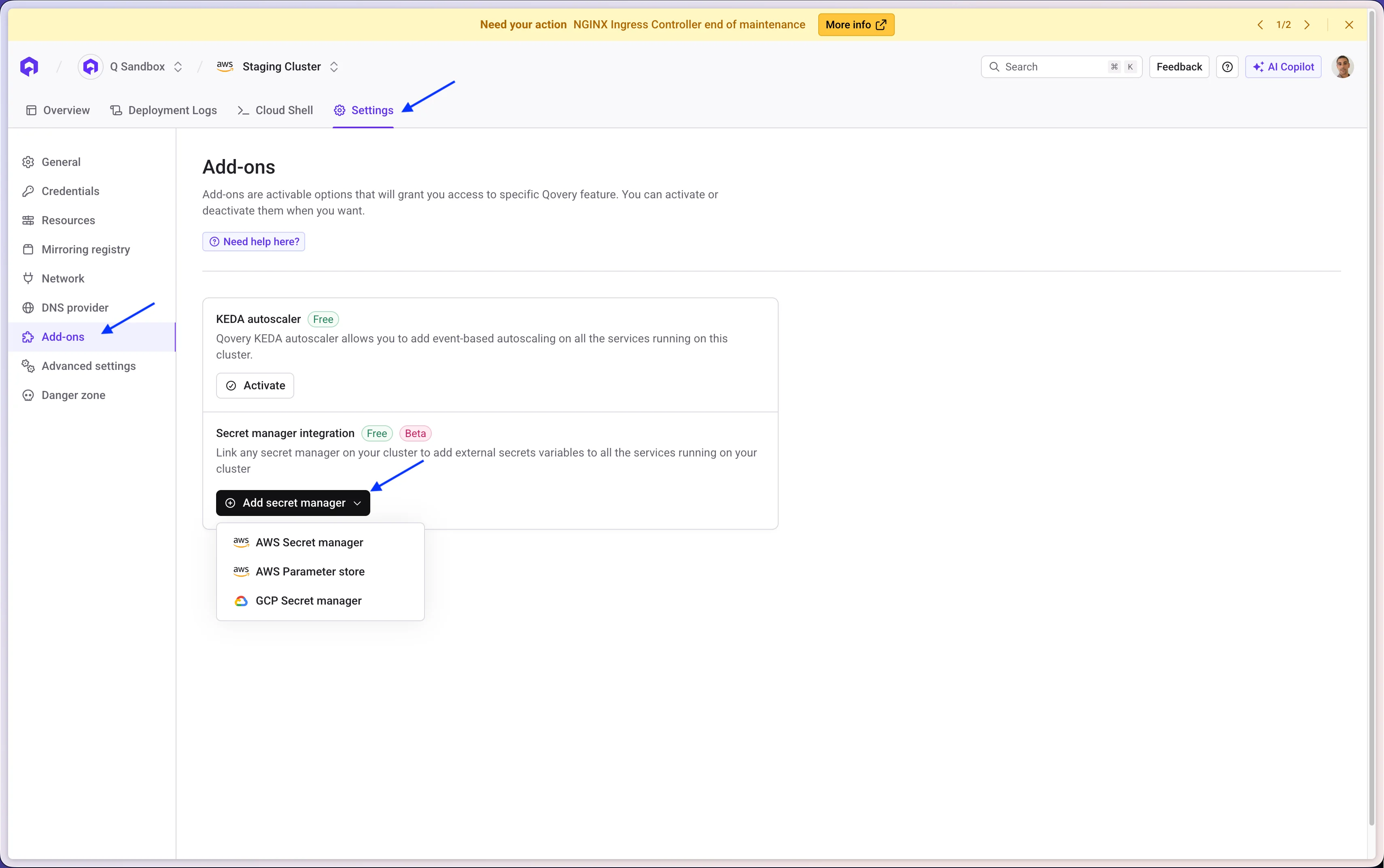
AWS Secrets Manager
Connect to AWS Secrets Manager from an AWS or GCP cluster
AWS Parameter Store
Connect to AWS Parameter Store from an AWS or GCP cluster
GCP Secret Manager
Connect to GCP Secret Manager from a GCP or AWS cluster
Reference the external secrets in your services
Using the Qovery Console
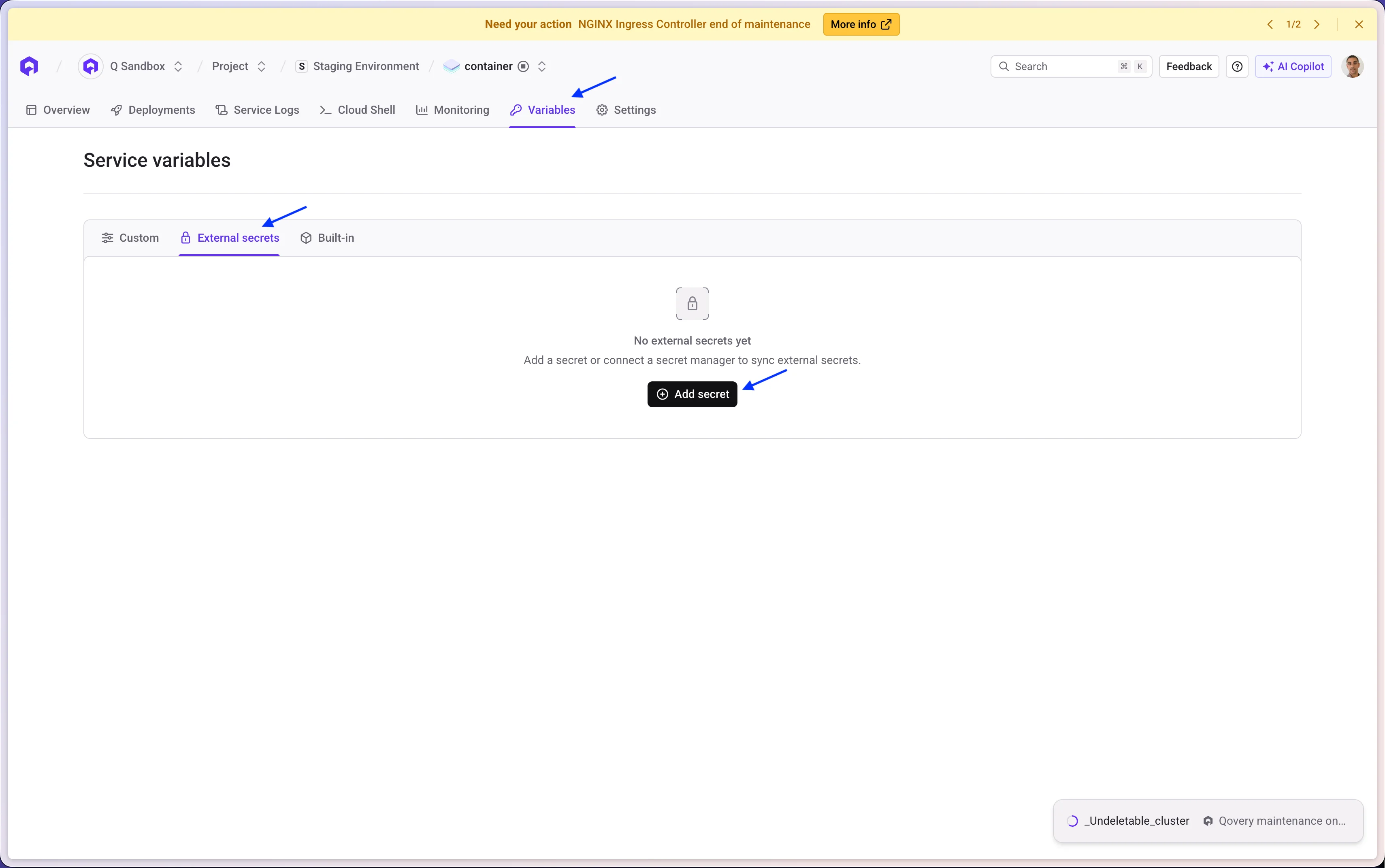
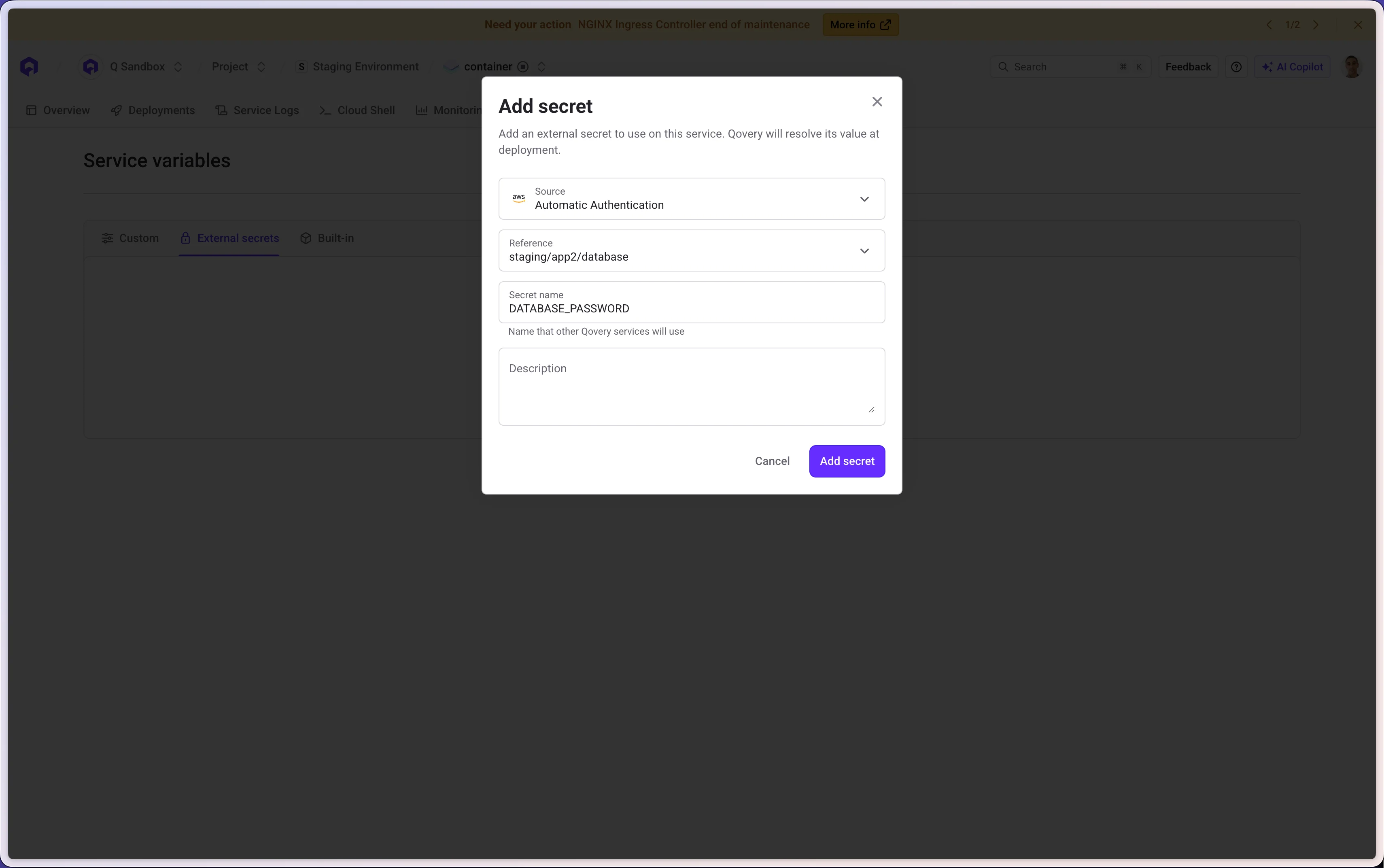
Once your cluster is deployed, you can link external secrets to any service:- Open your service
- Navigate to the Variables tab
- Select the External secrets tab
- Click Add external secret
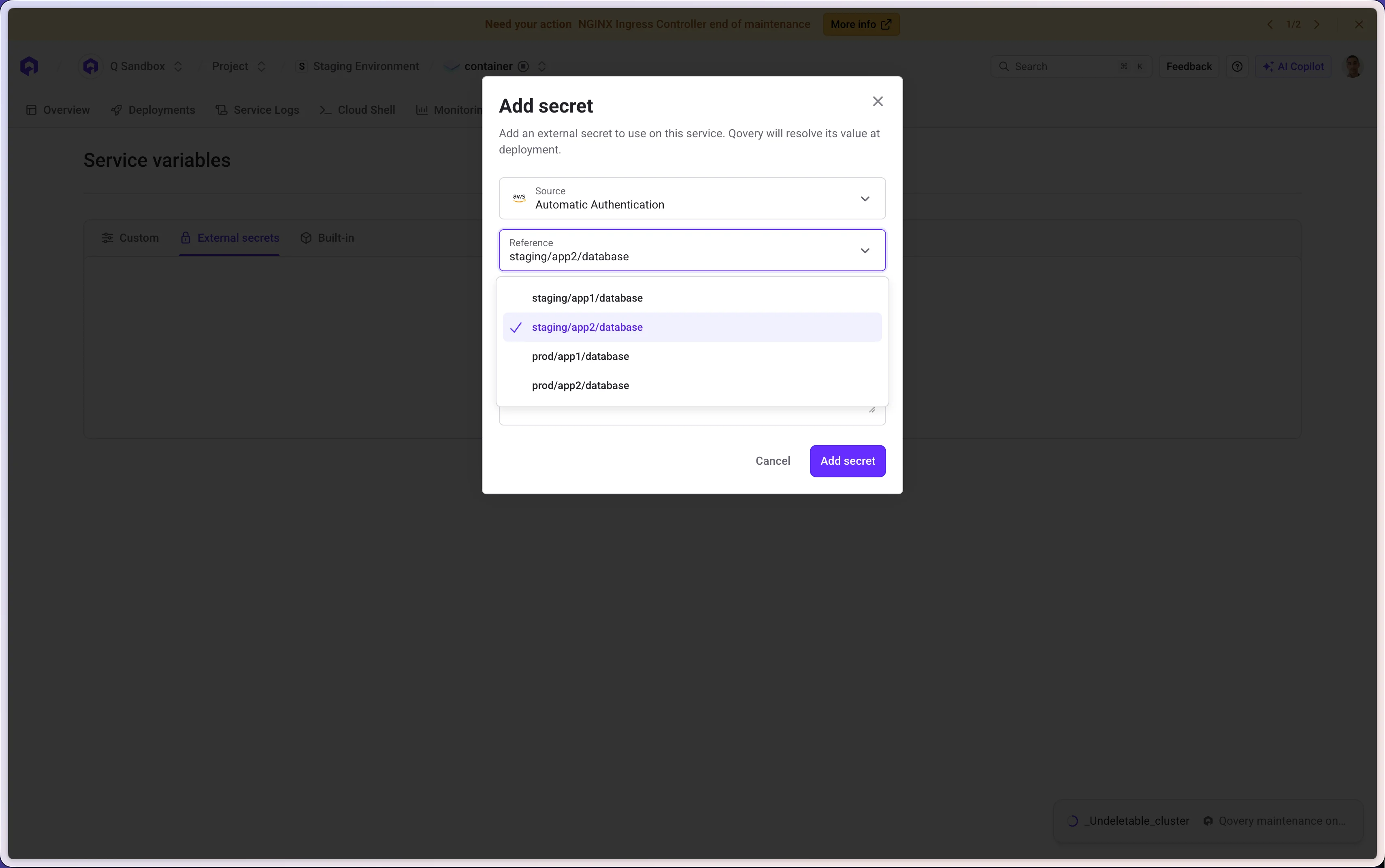
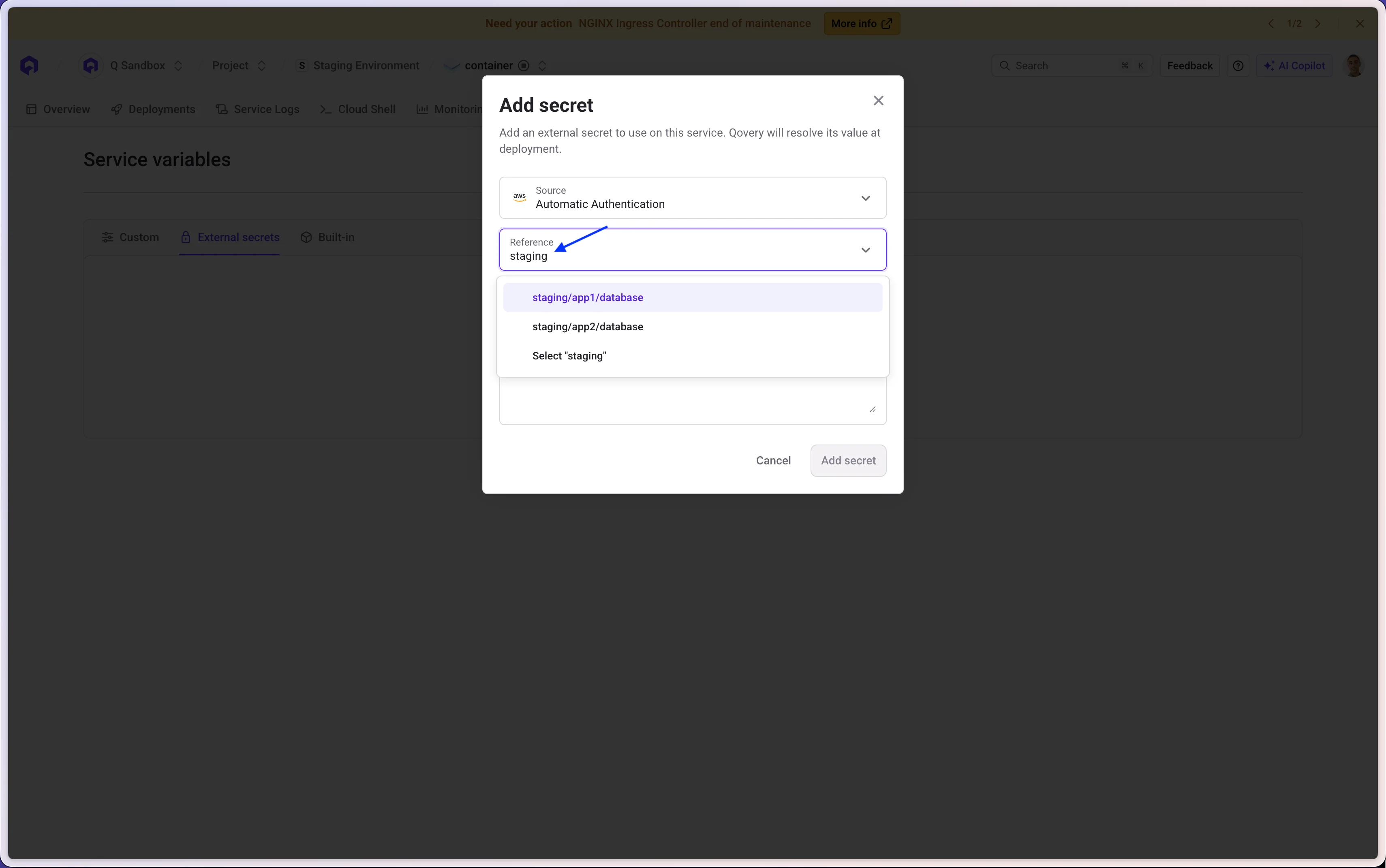
- Select the Secret Manager Access
- Select the secret from your Secret Manager
- Provide the environment variable key to inject
Using the Qovery CLI
- Create an external secret:
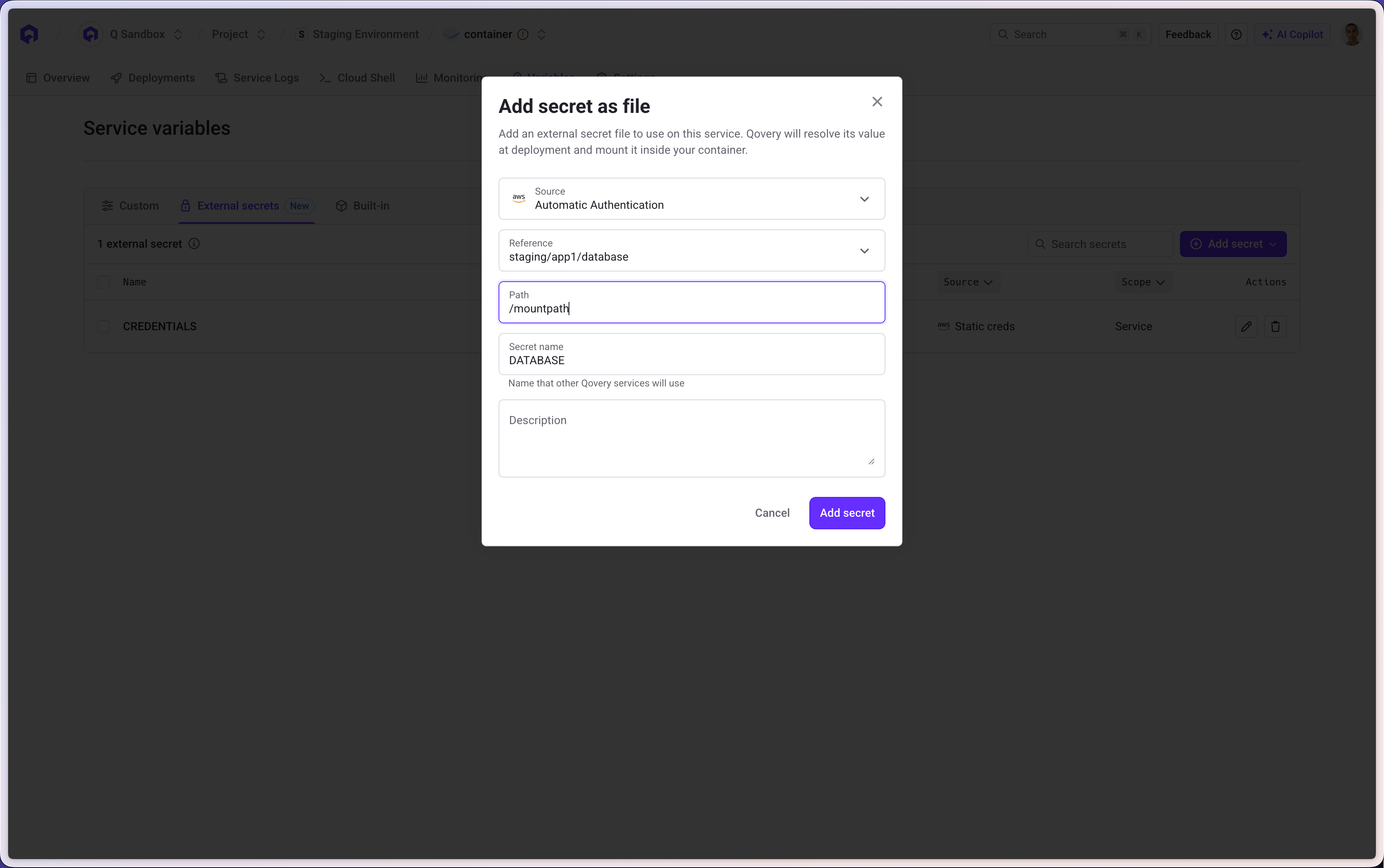
To create an external secret as a file, just add the
--mount-path="path" parameter- Update an external secret:
You can’t update the mount path of an external secret (same behavior as basic environment variable)
- Delete an external secret:
Using external secrets with Terraform services
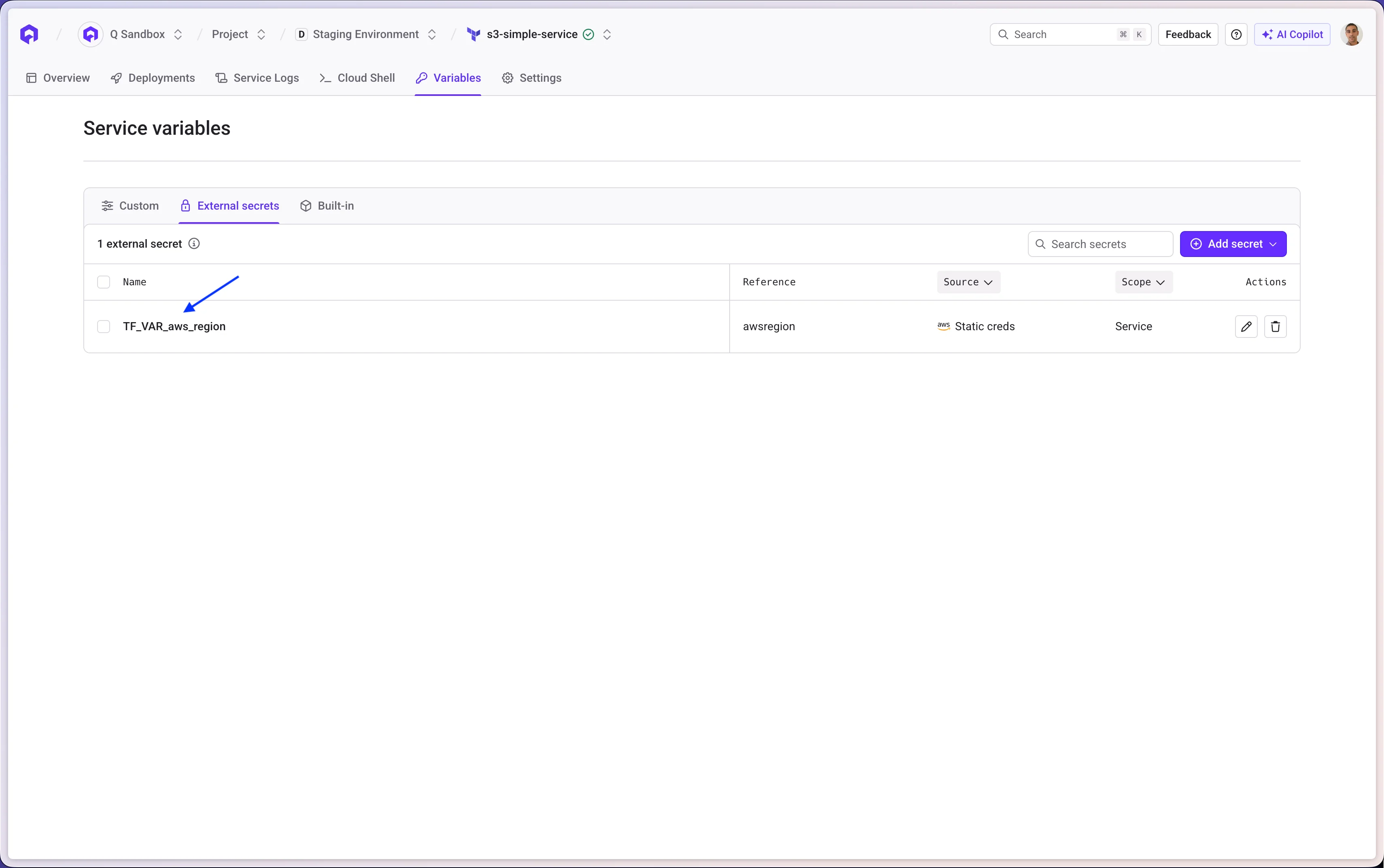
To pass an external secret to Terraform, first create the external secret (in the External secrets tab of the service, or at the environment, project, or organization level), then reference its key from a Terraform variable with the{{ SECRET_KEY }} syntax.
- In the Terraform variables section, as the value of a variable, for example
db_password={{ DB_PASSWORD }} - In a
.tfvarsfile from your repository, for exampledb_password = "{{ DB_PASSWORD }}" - Inside a longer value, for example
database_url = "postgres://app:{{ DB_PASSWORD }}@db.internal:5432/app"
-var argument.
- External secrets mounted as a file can’t be referenced from a Terraform variable.
- References are not resolved in the Terraform arguments section.
- Terraform prints variable values in its plan and apply output unless the variable is declared with
sensitive = truein your module. Mark the variables that receive secrets as sensitive. sensitive = trueonly redacts Terraform’s output: resource attributes derived from the secret can still be stored in the Terraform state. Protect your state backend accordingly.
An external secret whose key follows the pattern
TF_VAR_${your_variable} is still read by Terraform as your_variable, as long as no Terraform variable or .tfvars entry sets your_variable: those take precedence over TF_VAR_* environment variables. Prefer the {{ SECRET_KEY }} reference, which works with any key name and is not overridden.