

Available on GCP Managed Clusters. You can also access GCP Secret Manager from an AWS Managed Cluster using cross-cloud static credentials.
From a GCP Managed Cluster
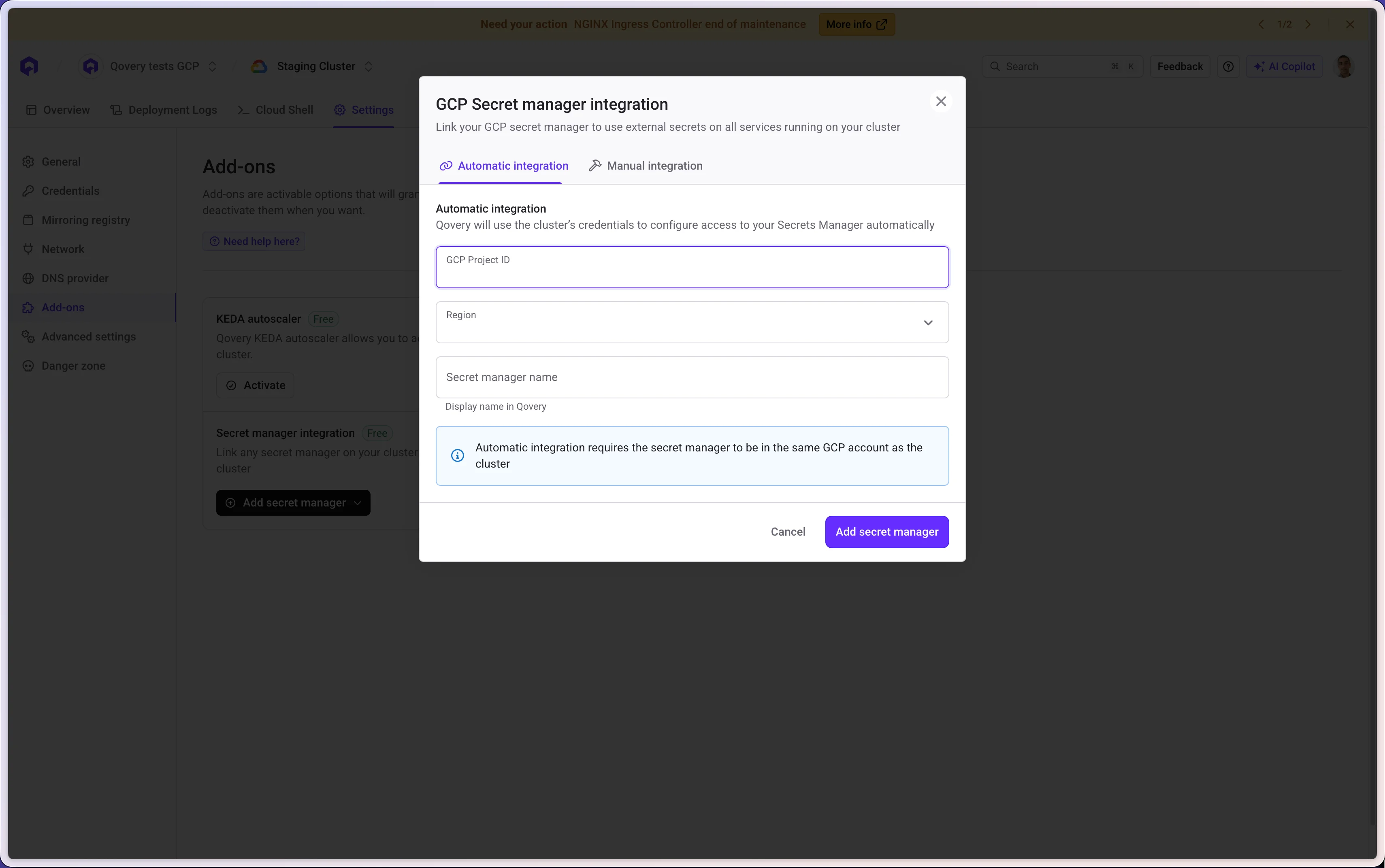
- GCP Automatic Authentication
- GCP Static Credentials
This authentication gives you access to all secrets located in the same GCP project as your cluster.
You must add the 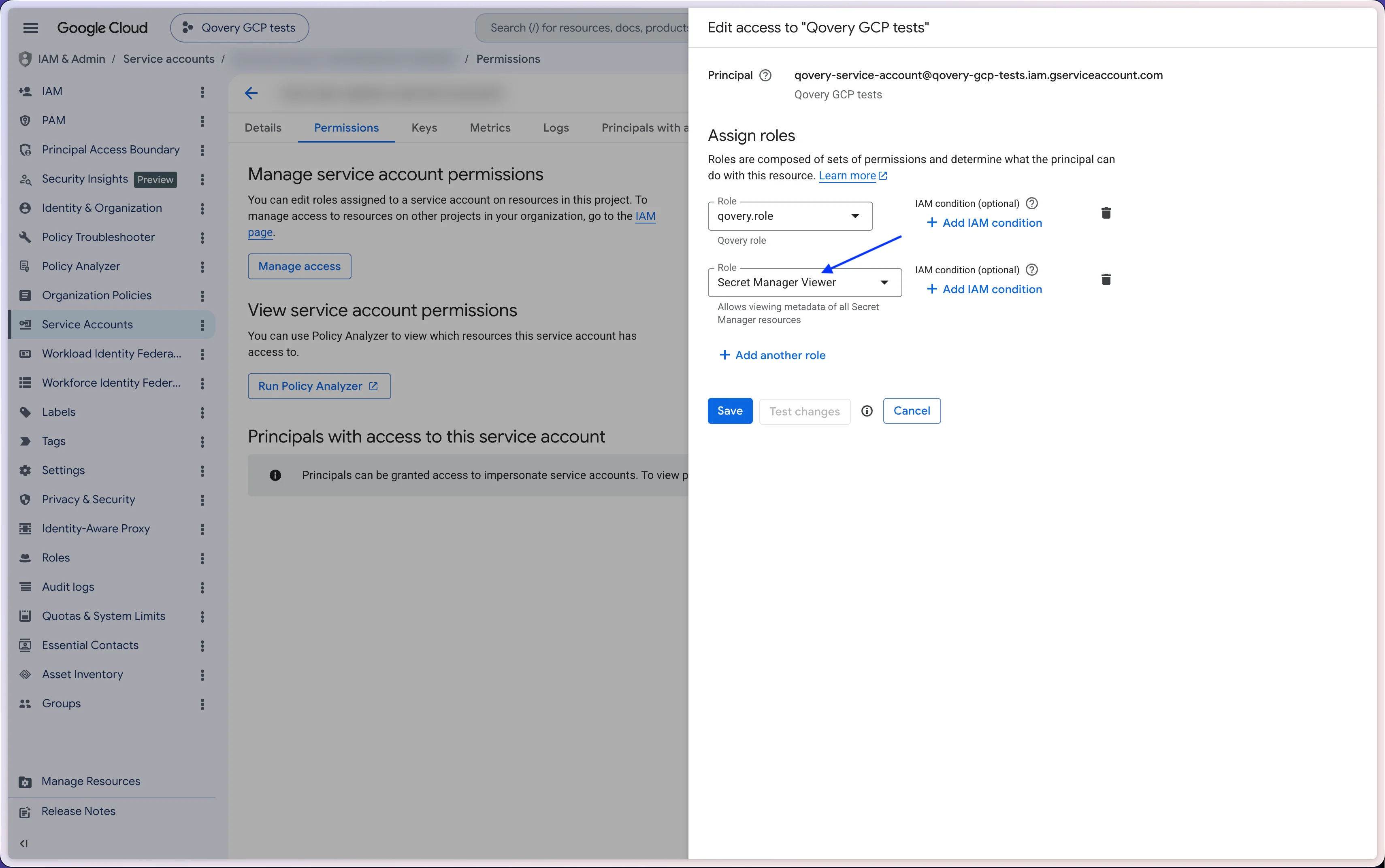
Secret Manager Viewer role to the GCP service account associated with your Qovery cluster.- Your GCP Project ID
- The target GCP Region where your secrets live
- The secret manager access name
From an AWS Managed Cluster (cross-cloud)
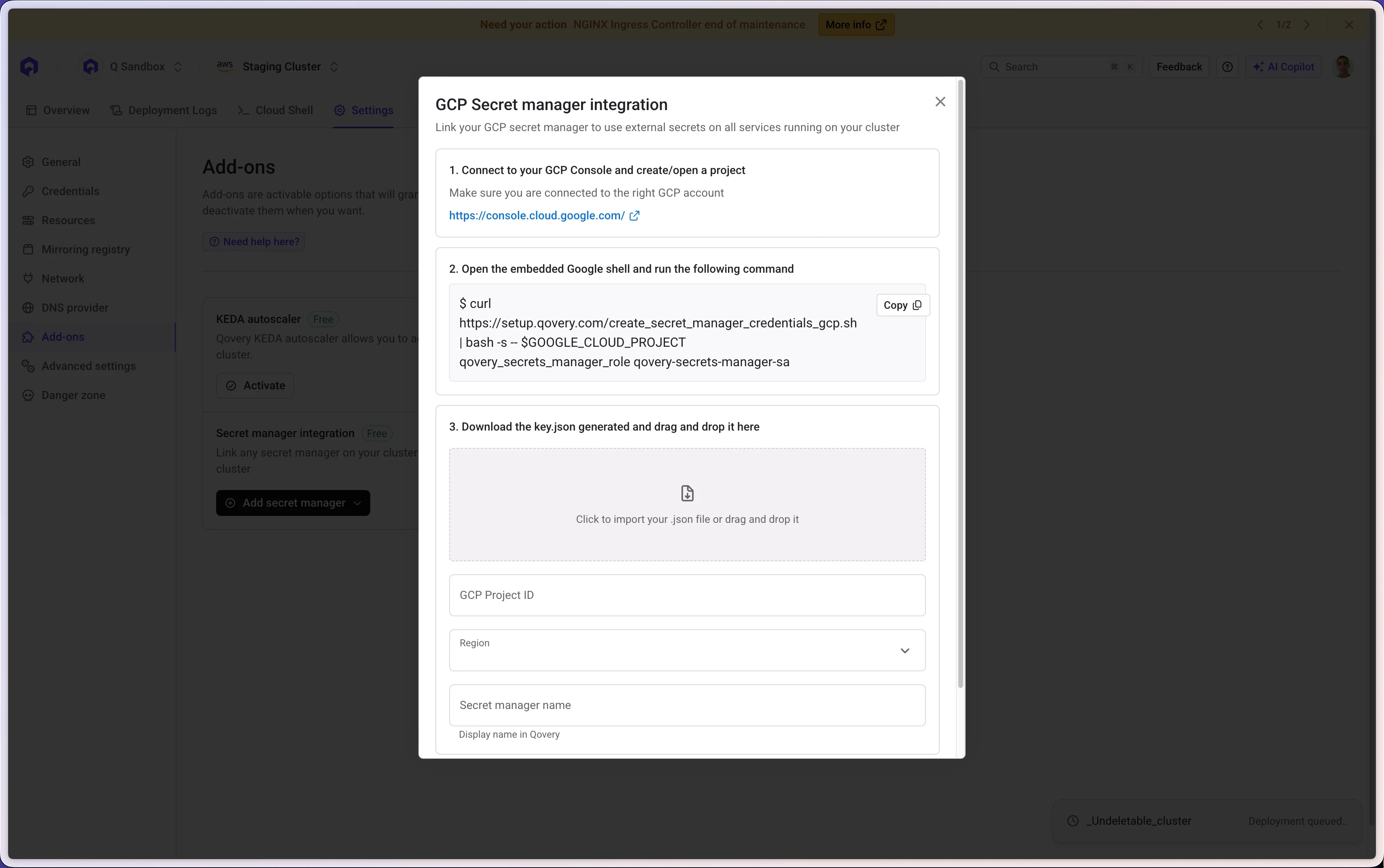
You can access GCP Secret Manager from an AWS cluster using static credentials. Qovery provides the following script to run in your GCP Console:- The
key.jsongenerated by the script - Your GCP Project ID
- The target GCP Region where your secrets live
- The secret manager access name
← Back to Secret Manager Integration overview