The Orange Cloud Only Covers Your Domain
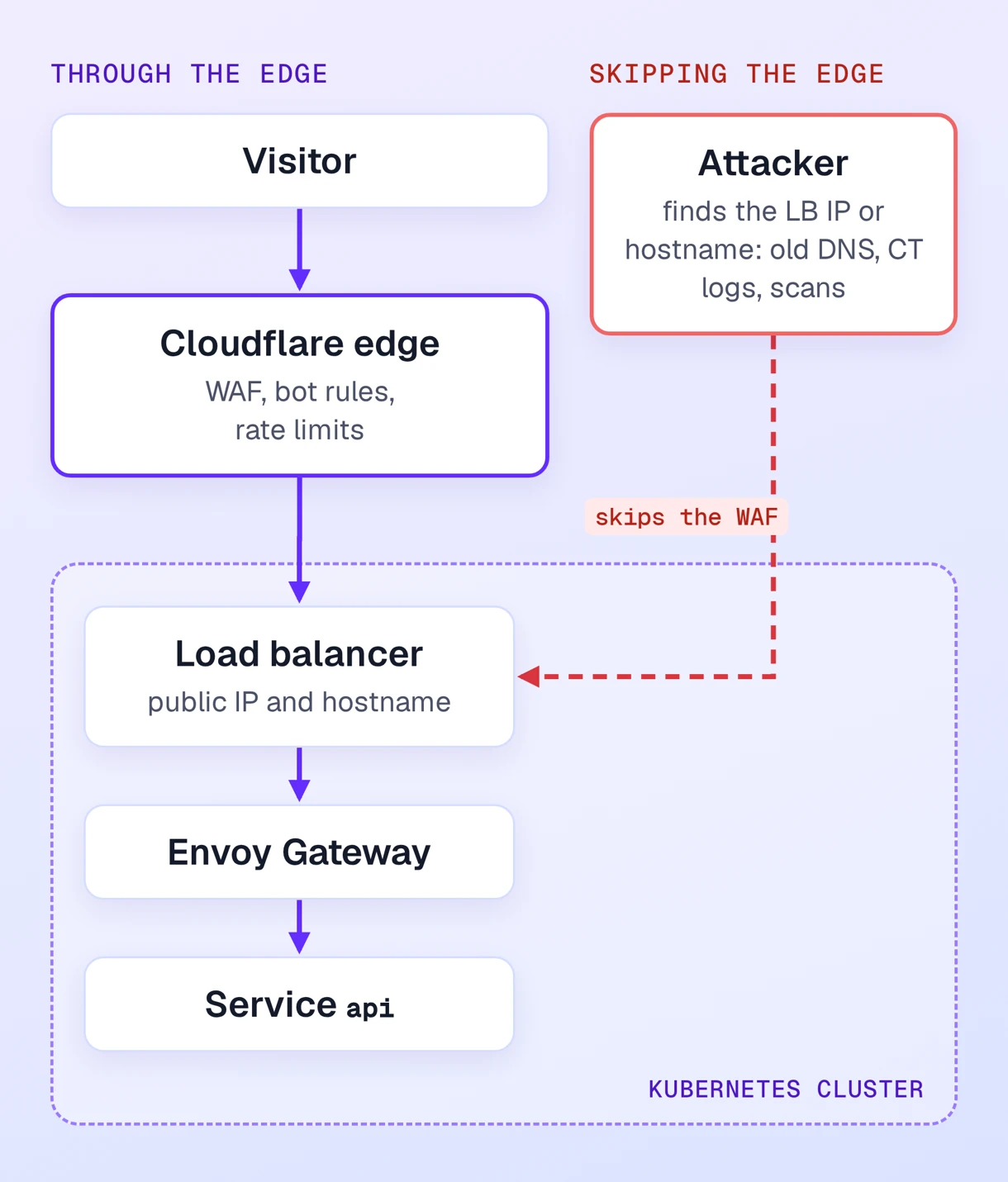
You move DNS to Cloudflare, proxy the record, and turn on the WAF and bot rules. Traffic to app.example.com now goes through the edge.
The load balancer behind it still has a public hostname and public IPs. Anyone who finds them through an old DNS record, a certificate transparency log or a scan of your cloud provider's ranges can send requests straight to the cluster. Those requests skip the WAF, the rate limits and the bot protection. On Qovery, every service also keeps its generated URL on the cluster domain, which points to the same load balancer.
Put a CDN or WAF in front of Kubernetes, then do three more things: make the origin refuse anything that did not come through the edge, recover the visitor's IP from a header you can trust, and pick a TLS mode where the edge checks the origin's certificate. The same applies to Fastly, CloudFront or Akamai. Only the header names and IP lists change.
Three Ways to Lock the Origin
| IP allowlist | Authenticated origin pulls (mTLS) | Cloudflare Tunnel | |
|---|---|---|---|
| Proves the request | Came from Cloudflare's network | Came from your Cloudflare zone, if you use your own certificate | Came through your tunnel |
| Scope on Qovery | Per service | Whole cluster | Per service |
| Works with other CDNs | Yes | Depends on the CDN | No |
| Maintenance | Update the ranges when Cloudflare changes them | Rotate the client certificate | Run cloudflared |
IP allowlist. Only accept connections from Cloudflare's published ranges (cloudflare.com/ips, IPv4 and IPv6). It is quick to set up, but every Cloudflare customer sends traffic from the same ranges, so another account could point its own zone at your load balancer and pass the check. Fastly publishes its ranges at api.fastly.com/public-ip-list, and CloudFront's are in AWS's ip-ranges.json.
Authenticated origin pulls. Cloudflare presents a client certificate on every request to the origin, and the origin rejects TLS handshakes without it. Cloudflare's global certificate is shared by all its customers, so it gives you the same guarantee as the IP list. Use zone-level or per-hostname origin pulls with a certificate you issue from your own CA. Then only your zone can open a connection.
Cloudflare Tunnel. A cloudflared connector inside the cluster opens outbound connections to Cloudflare, so the service needs no public endpoint.
How Each One Works on Qovery
On a Qovery cluster running Envoy Gateway, the domain, the allowlist and mTLS are settings. The tunnel is one extra container.
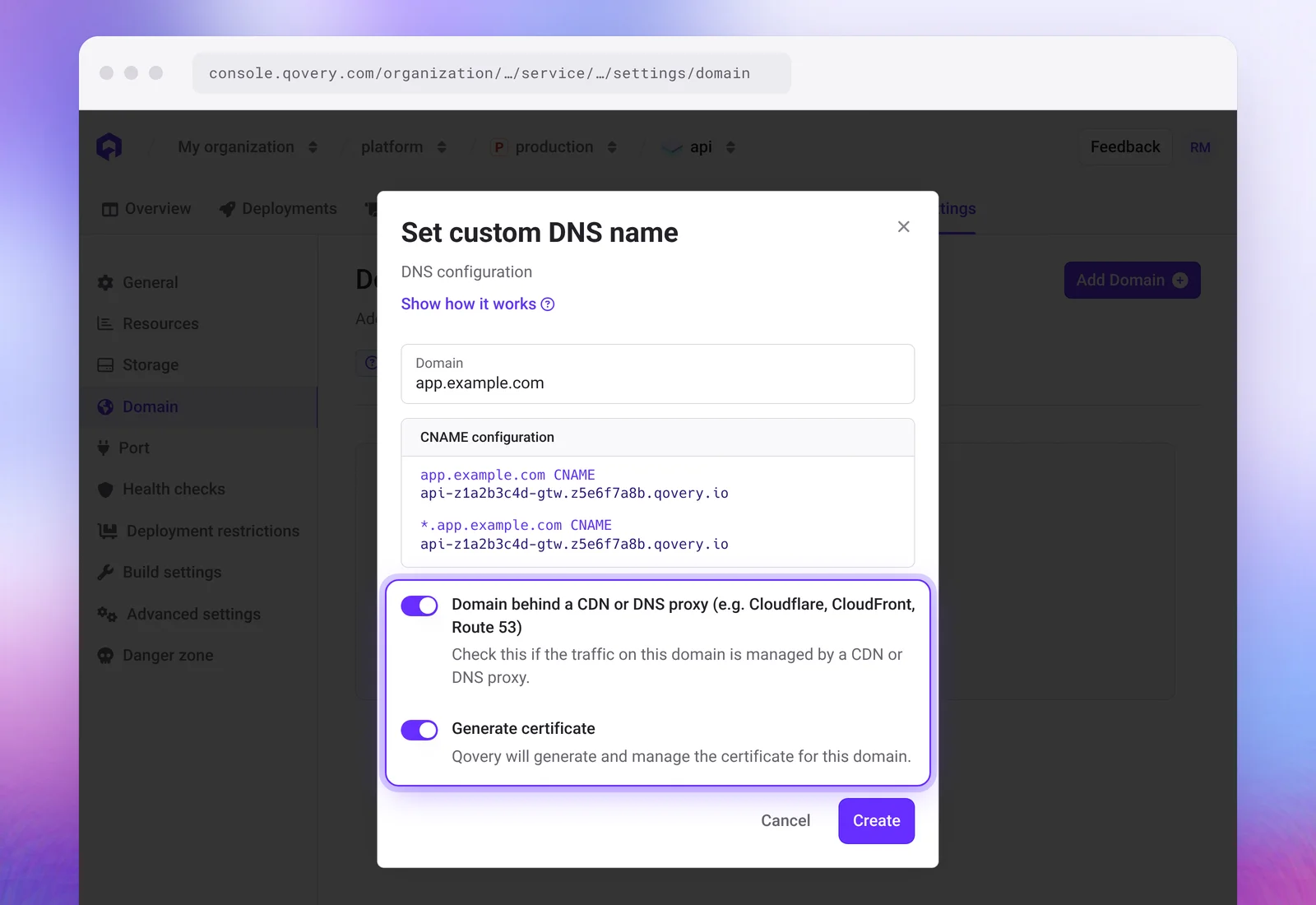
- Custom domain. Add the domain in the service's Domain settings and turn on Domain behind a CDN or DNS proxy. Qovery then stops expecting the CNAME to resolve to the load balancer, since Cloudflare answers with its own IPs.
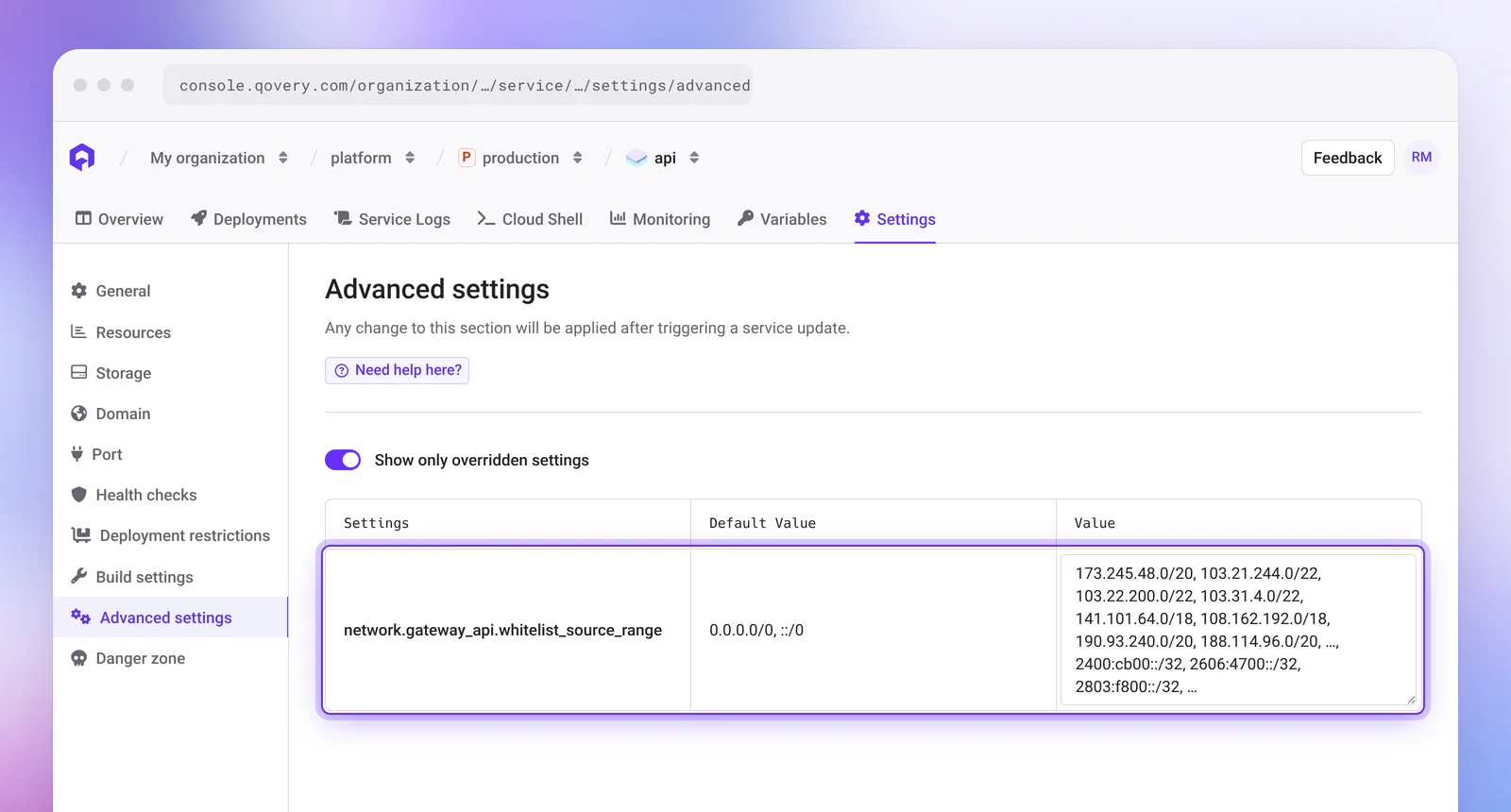
- IP allowlist. Set
network.gateway_api.whitelist_source_rangein the service's advanced settings to the Cloudflare ranges, comma-separated, IPv6 included. Envoy denies every other source, including requests to the generated URL. Repeat it on every public service. - mTLS. Paste your CA into the cluster advanced setting
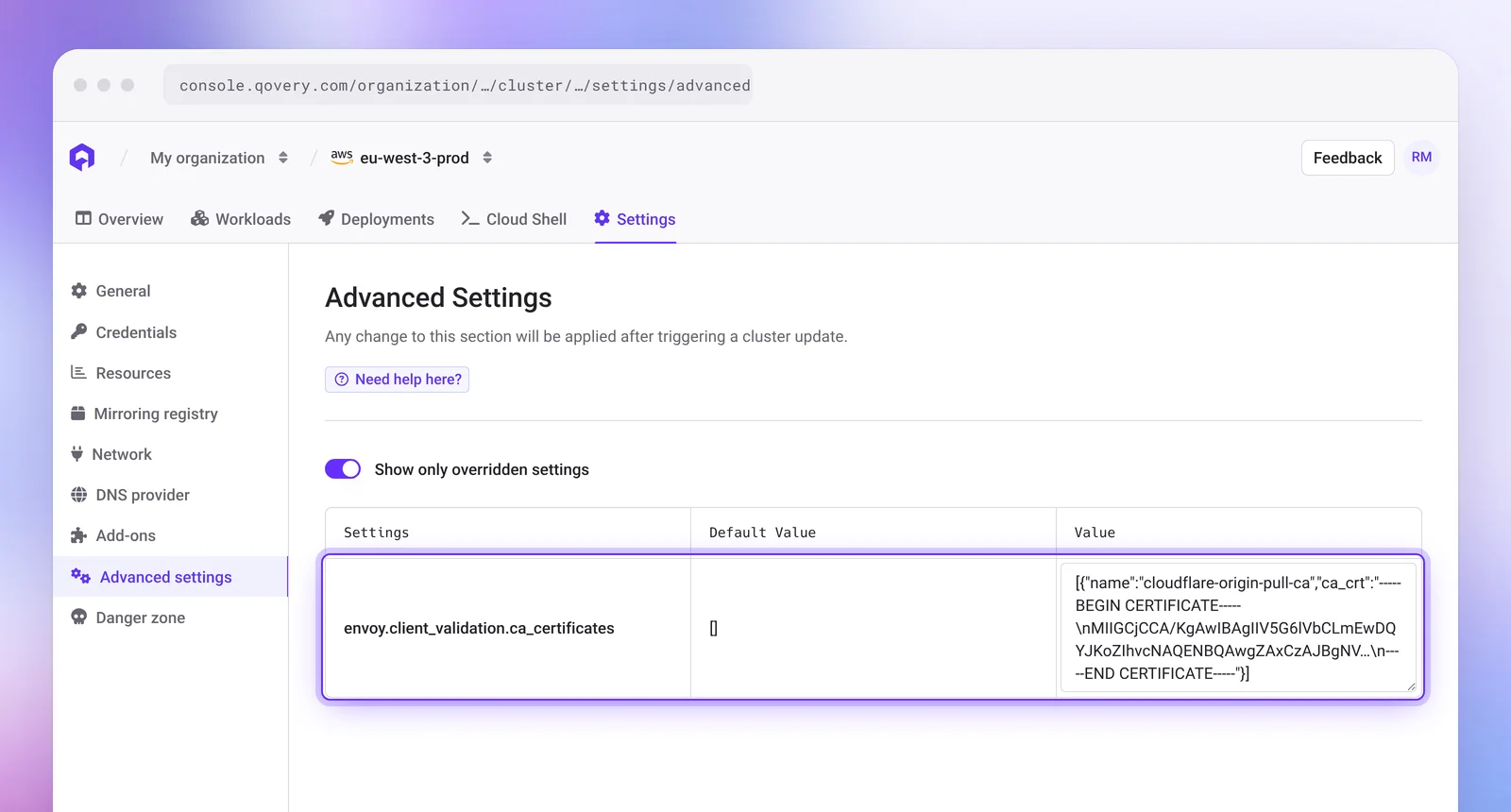
envoy.client_validation.ca_certificatesas[{"name": "...", "ca_crt": "..."}], then redeploy the cluster. It applies to the shared Envoy listener, so every HTTPS hostname on the cluster then requires the client certificate. Only use it on a cluster where every public service sits behind the CDN. Plain HTTP still gets a 301 to HTTPS, becausenetwork.gateway_api.force_ssl_redirectdefaults totrue. - Tunnel. Turn off Publicly Accessible on the application's port, deploy
cloudflaredas a container in the same environment, and point the tunnel at the service's internal hostname. The public hostname is configured in Cloudflare, not in Qovery.
Getting the Real Client IP
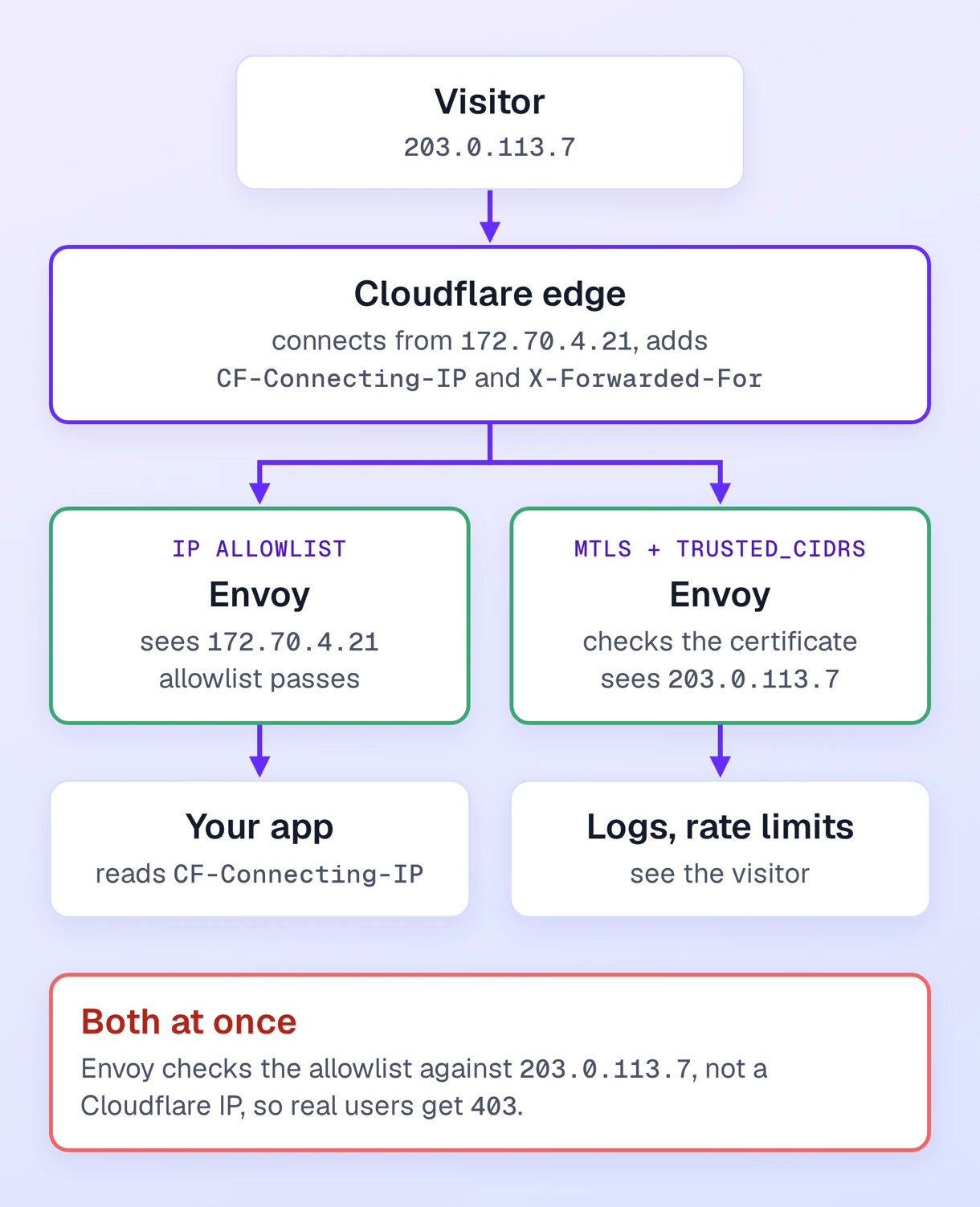
Behind a proxy, the TCP peer is a Cloudflare server. Cloudflare sends the visitor's address in CF-Connecting-IP (True-Client-IP on Enterprise) and appends it to X-Forwarded-For. Cloudflare recommends CF-Connecting-IP because it always holds a single IP.
Envoy checks the allowlist against the client IP it detects, so the two settings depend on each other. If you set envoy.client_ip_detection.x_forwarded_for.trusted_cidrs to Cloudflare's ranges, Envoy resolves the visitor's IP from X-Forwarded-For, and an allowlist of Cloudflare ranges then blocks your real users. So choose one:
- Lock with the IP allowlist: leave Envoy's client IP detection unset and read
CF-Connecting-IPin your application. The header can only be trusted because the allowlist guarantees the request came from Cloudflare. - Lock with mTLS: set
trusted_cidrsto Cloudflare's ranges. Envoy access logs, rate limits and any visitor-IP allowlist then work on the real client address.
TLS Between the Edge and the Origin
Use Full (strict). Flexible sends plain HTTP to the origin and does not work with Qovery. Full encrypts the connection but accepts any certificate. Full (strict) requires a valid certificate whose name matches the hostname, from a public CA or Cloudflare's Origin CA.
The domain modal turns off Generate certificate when you enable the CDN toggle. Turn it back on to get a Let's Encrypt certificate for the exact hostname. Qovery validates it with HTTP-01 on port 80, through Cloudflare, so exempt /.well-known/acme-challenge/* from Always Use HTTPS and from WAF challenges, or issuance and renewals fail.
Wildcards such as *.example.com need DNS-01. Qovery can only do DNS-01 when the cluster's DNS provider is Cloudflare or Route 53, and changing that provider affects every application on the cluster. On any other DNS host, add each subdomain as its own custom domain.
Follow the Step-by-Step Tutorial
The Cloudflare tutorial walks through the DNS records and proxy settings. The settings references document every field above.