AI is helping developers write more code, faster than ever. But writing code is only half the story. What happens after? Building, deploying, debugging, scaling. That's where teams still lose hours.We're building Qovery for this era. Not just to deploy your code, but to make everything that comes after writing it just as fast.
The Problem: Deployment Failures Kill Developer Velocity
AI is accelerating how fast developers write code. More code means more pull requests, more builds, more deployments. And more deployments means more failures. The problem isn't going away. It's getting worse.
Today, a developer facing a failed deployment has three options, all bad. They can try to debug it themselves, which requires expertise in Docker, Kubernetes, cluster configuration, and application settings that most developers don't have. They can guess, changing random settings and retriggering deployments hoping something sticks, burning 30 minutes, an hour, sometimes more. Or they can open a ticket, ping a DevOps engineer on Slack, and wait. Meanwhile, the feature doesn't ship.
Every failed deployment becomes a bottleneck. And the bottleneck always lands on the same few people. Now multiply that by the volume of code AI is helping your team produce.
The Solution: Deployment Copilot
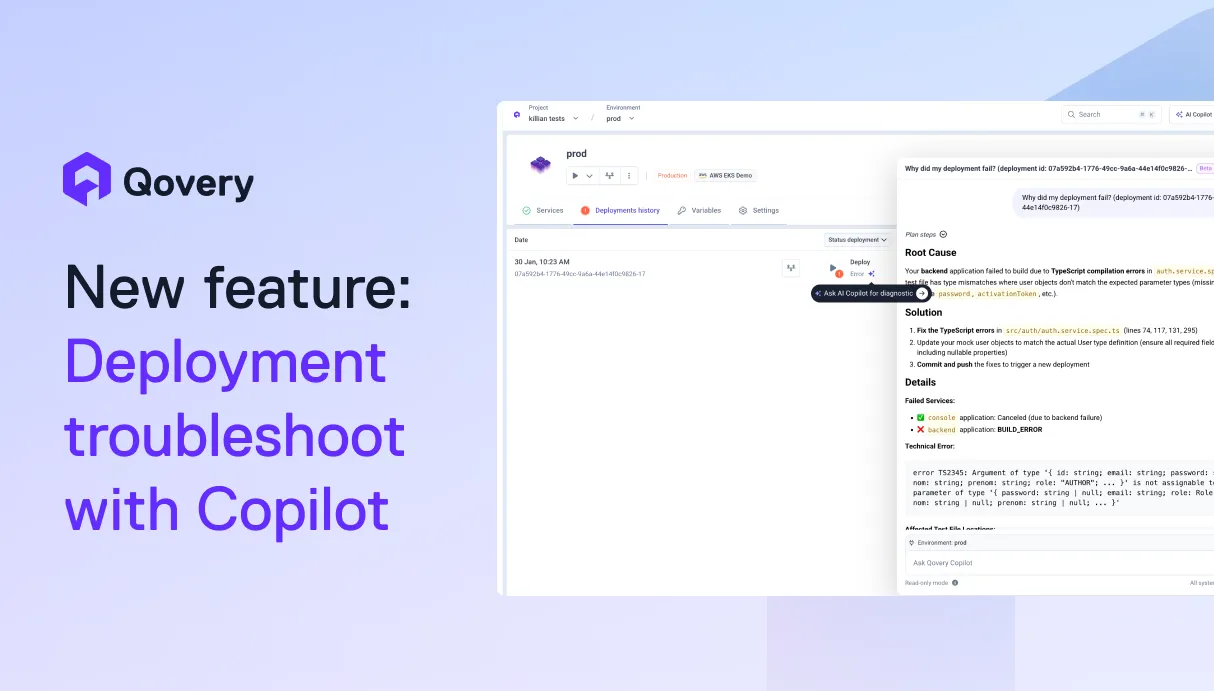
The Qovery AI Copilot analyzes your failed deployment, identifies the root cause, and proposes a concrete fix in seconds, not hours.
Invoke it directly from the deployment logs or deployment history view. The Copilot pulls together everything it needs automatically: application configuration and recent changes, deployment history and timing, application logs and metrics, Kubernetes events and node status. It correlates signals across all of these layers to tell you exactly what went wrong and how to fix it.
This isn't a generic chatbot you paste logs into. Qovery already sits at the intersection of every signal that matters in a deployment: config, history, logs, Kubernetes state. The Copilot leverages that full context natively. No copy-pasting, no context-switching, no guessing.
What's next: the Copilot will be able to execute the proposed fix on your behalf, with your approval. One click to resolve, not just diagnose.
Outcomes for Your Team
Faster delivery: developers unblock themselves in minutes instead of hours.
Less friction: no more Slack threads, tickets, or waiting on someone with cluster access.
Less waiting on DevOps: DevOps engineers stop being the first responder for every deployment issue.
Scale your engineering team without scaling your DevOps team: onboard more developers without increasing the operational support burden.
Agents ship fast. Guardrails keep them safe.
Qovery ensures every agent action is scoped, audited, and policy-checked. Start deploying in under 10 minutes.
A team shares a staging environment across multiple developers. Everything runs fine.. until one day, backend deployments start failing continuously. Builds succeed, but the application crashes shortly after startup.
Without the Copilot, this turns into a multi-hour investigation: checking logs, reviewing recent commits, comparing configurations. With the Copilot, the developers invoke it directly from the deployment view. In seconds, it identifies that a recent commit significantly increased memory consumption at runtime, causing the container to get OOM-killed on startup. The Copilot points to exactly when the failures started, which commit introduced the change, and proposes two paths: verify whether the increased memory usage is expected, or increase the memory allocation.
Issue resolved. No DevOps ticket opened.
How to Use
A deployment fails. Click the Copilot icon from the deployment logs or deployment history view.
The Copilot analyzes deployment logs, application logs, Kubernetes events, and configuration changes, then surfaces the root cause and a recommended fix.
Apply the fix and retrigger your deployment.
Get Started
The AI Copilot is in beta and accessible to everyone! Enable it in your organization settings and try it on your next failed deployment.