Blog
Product
Observability
5
minutes

Alerting with guided troubleshooting in Qovery Observe

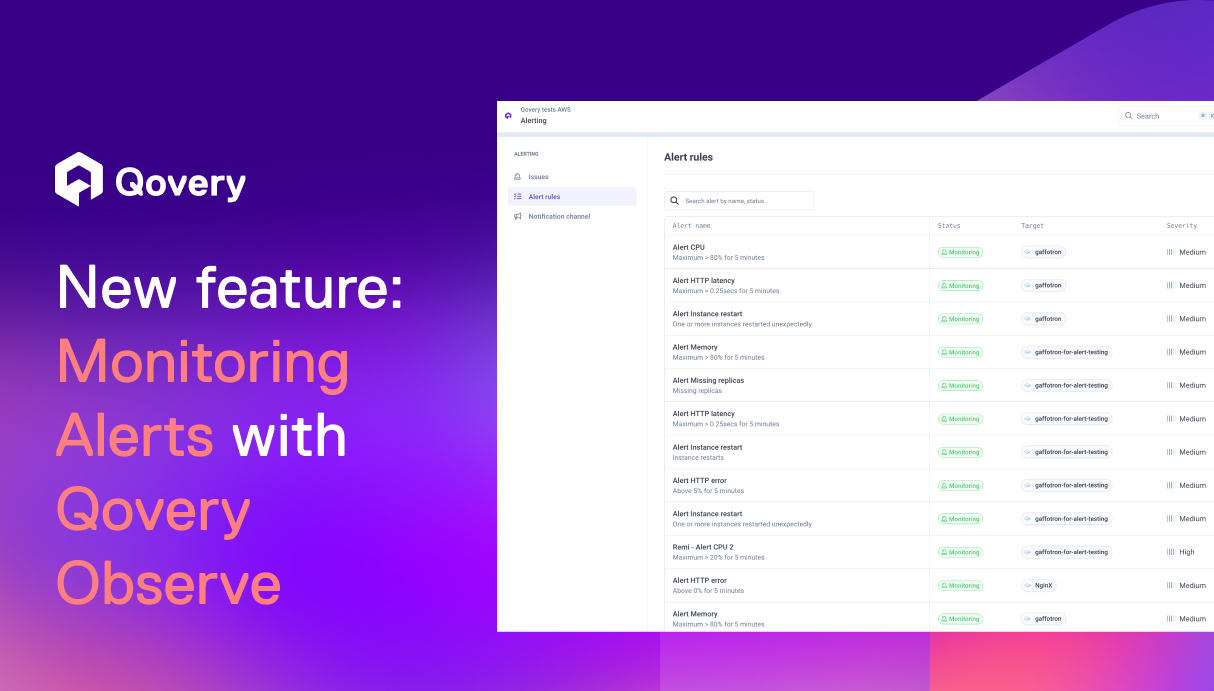
Get alerted and fix issues with full context. Qovery Observe notifies you when something goes wrong and guides you straight to the metrics and signals that explain why, all in one place.
Alessandro Carrano
Head of Product
Summary
Twitter icon
linkedin icon

Incidents are discovered too late and without context

Developers often discover production issues too late, usually through customer complaints or support tickets. By the time they investigate, the incident has already impacted users and valuable context is lost, making troubleshooting slower and more stressful.

This is why we are releasing alerting today, natively integrated into Qovery to help developers detect issues early and move directly toward resolution with full context.

Alerting connected to your deployments and infrastructure, not detached from them

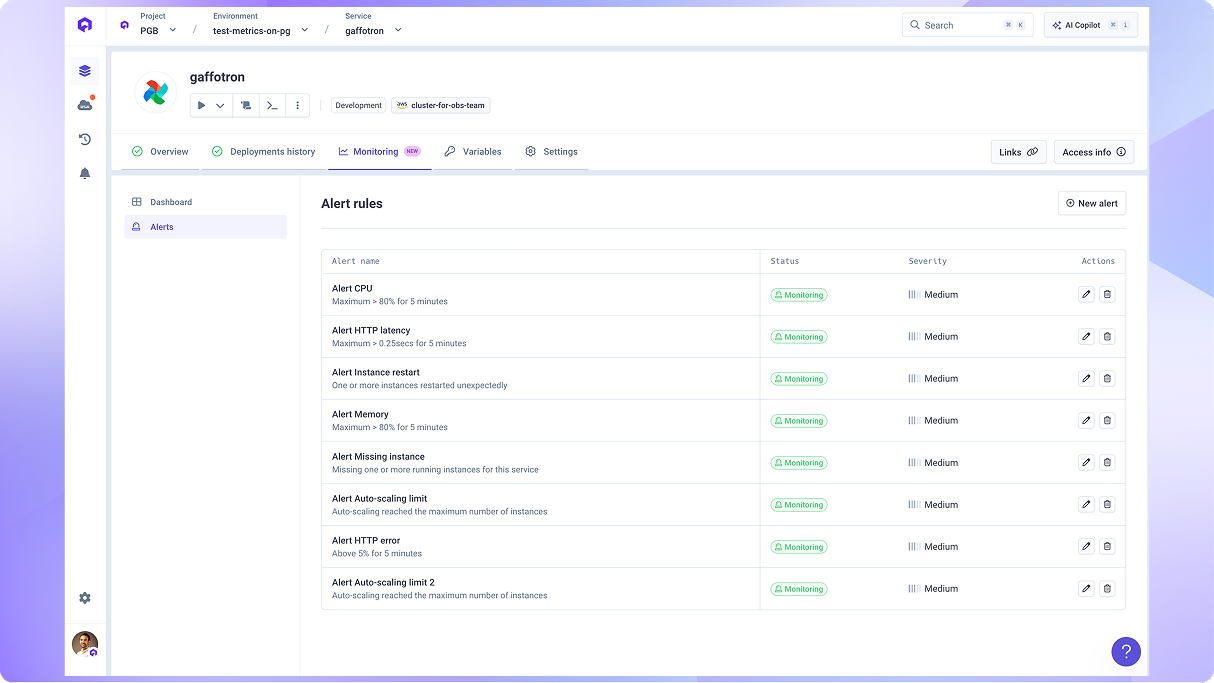
Alerting belongs inside Qovery because the platform already knows how your application is deployed, how it behaves, and what recently changed. Alerts are directly connected to the service, its deployment, and its runtime signals, guiding developers from notification to root cause without leaving the platform.

Alerts definition and triggering along service definition and deployment

Outcome for your Teams

  • Faster incident detection and diagnosis
  • Reduced incident impact
  • More reliable services over time

A Real Life Example: From Customer Complaints to Proactive Incident Response

A team was running a customer-facing service that occasionally restarted under high traffic. Before alerting, they only learned about the issue through support tickets, nearly two hours after the first failures.

With Qovery Observe alerting enabled on memory usage and restarts, the team now receives an immediate Slack notification. From the alert, they jump directly into the service monitoring dashboard, where metrics, recent deployment history, and runtime signals are shown together. This makes it immediately clear that a recent deployment increased memory usage under load, leading to OOM restarts. The team can roll back or adjust resources before customers are significantly impacted.

Get Alert Notifications in 3 Simple Steps

1. Define an alert on a service metric or event  
2. Receive a notification in the Qovery console or a dedicated Slack channel  
3. Open the alert and follow the monitoring dashboards that guide you to the root cause  

Want to see it in action? Check the demo below:

Try it now - Detect issues early and fix them with full context

Enable alerting on your critical services today and get guided directly from alert to root cause inside Qovery Observe.

  • For all our customers: Get in touch with your CSM to enable the feature

  • Not a customer yet? book a demo here!
Share on :
Twitter icon
linkedin icon
Ready to rethink the way you do DevOps?
Qovery is a DevOps automation platform that enables organizations to deliver faster and focus on creating great products.
Book a demo

Suggested articles

Kubernetes
DevOps
 minutes
Best CI/CD tools for Kubernetes: Streamlining the cluster

Static delivery pipelines are becoming a bottleneck. The best CI/CD tools for Kubernetes are those that move beyond simple code builds to provide total environment orchestration and developer self-service.

Mélanie Dallé
Senior Marketing Manager
DevOps
Cloud
 minutes
Top 10 vSphere alternatives for modern hybrid cloud orchestration

The Broadcom acquisition of VMware has sent shockwaves through the enterprise world, with many organizations facing license cost increases of 2x to 5x. If you are looking to escape rising TCO and rigid subscription bundles, these are the top vSphere alternatives for a modern hybrid cloud.

Mélanie Dallé
Senior Marketing Manager
DevOps
Heroku
 minutes
Top 10 Heroku Postgres competitors for production databases

Escape rising Heroku costs and rigid limitations. Discover the best Heroku Postgres competitors that offer high availability, global scaling, and the flexibility to deploy on your own terms.

Mélanie Dallé
Senior Marketing Manager
DevOps
Kubernetes
Heroku
 minutes
Top 10 GitLab alternatives for DevOps teams

Is GitLab bloat slowing down your engineering team? Compare the top 10 GitLab alternatives for, from GitHub to lightweight automation platforms like Qovery. Escape the monolith and reclaim your velocity.

Mélanie Dallé
Senior Marketing Manager
DevOps
Kubernetes
Heroku
 minutes
Heroku vs. Kubernetes: A comprehensive comparison

Is the "Heroku Tax" draining your budget? Compare Heroku vs. Kubernetes in 2026. Learn how to solve complex orchestration challenges, like queue-based autoscaling and microservice sprawl, without the DevOps toil.

Mélanie Dallé
Senior Marketing Manager
DevOps
Kubernetes
 minutes
The complete guide to migrating from EKS to ECS

Is the EKS operational burden outweighing its benefits? Learn how to migrate from EKS to ECS, the technical trade-offs of AWS-native orchestration, and how to get ECS-level simplicity without losing Kubernetes power.

Mélanie Dallé
Senior Marketing Manager
Kubernetes
DevOps
Platform Engineering
6
 minutes
Kubernetes vs. Docker: Escaping the complexity trap

Is the "Kubernetes Tax" killing your team’s velocity? Compare Docker vs. Kubernetes in 2026 and discover how to get production-grade orchestration with the "Git Push" simplicity of Docker, without the operational toil.

Morgan Perry
Co-founder
DevSecOps
 minutes
Inside Qovery’s security architecture: how we secure your cloud & Kubernetes infrastructure

Discover how Qovery bridges the gap between developers and infrastructure with a "security by design" approach. From federated identities and unique encryption keys to real-time audit logs and SOC2 Type 2 certification - see how we protect your data while eliminating vendor lock-in.

Kevin Pochat
Security & Compliance Engineer

It’s time to rethink
the way you do DevOps

Turn DevOps into your strategic advantage with Qovery, automating the heavy lifting while you stay in control.