Q1 2022 product retrospective - Last quarter's top features
The first quarter of the year has now come to an end, and many exciting things happened here: new features, the start of our V3, new team members, and an exciting team retreat! Today, I will highlight the most exciting features that were shipped from the first of January until the thirty-first of March, so fasten your seatbelt and get ready for the ride! 💜
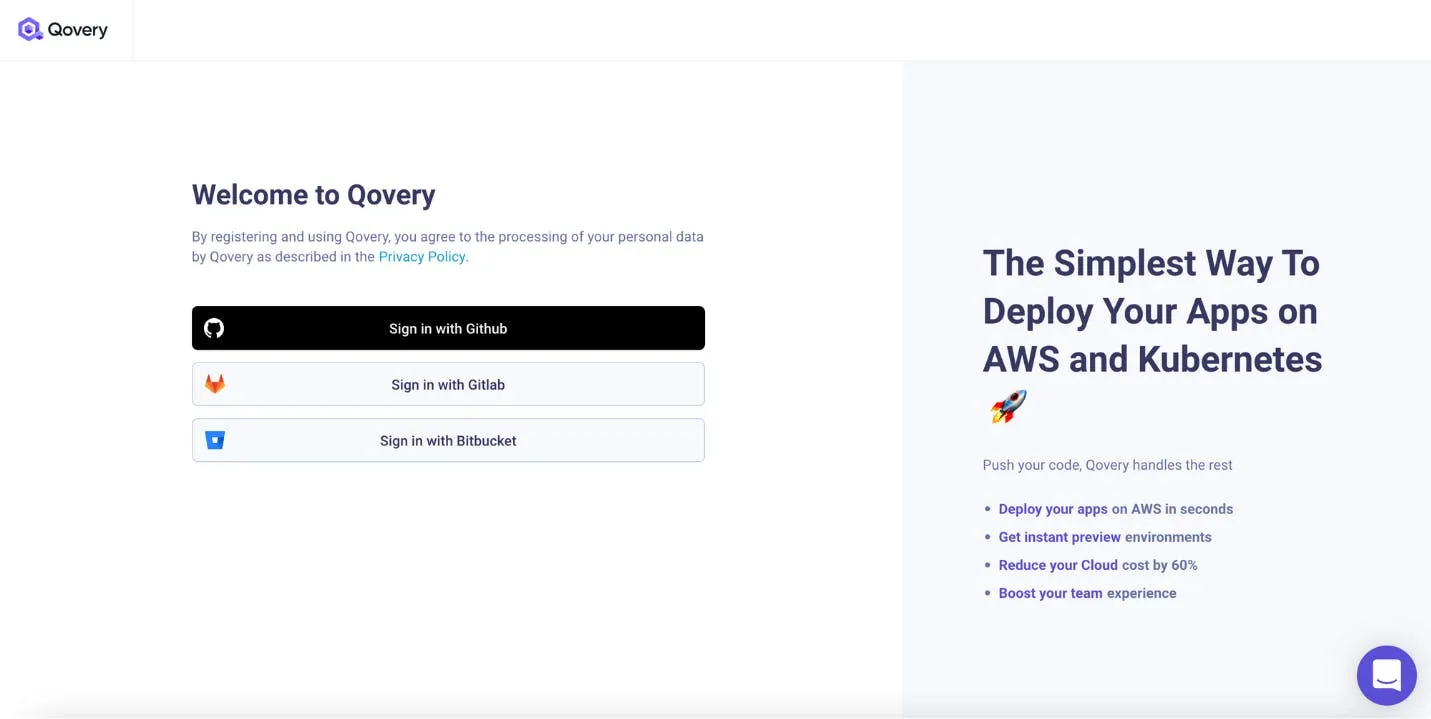
We started the year strong by supporting Bitbucket on top of Github and Gitlab, which were already available. Just connect to your Bitbucket account via the Qovery console, and you will be all set up to deploy your Bitbuckets repository.
If you want more information or know what has been done in the first part of January, here is the changelog published at that time.
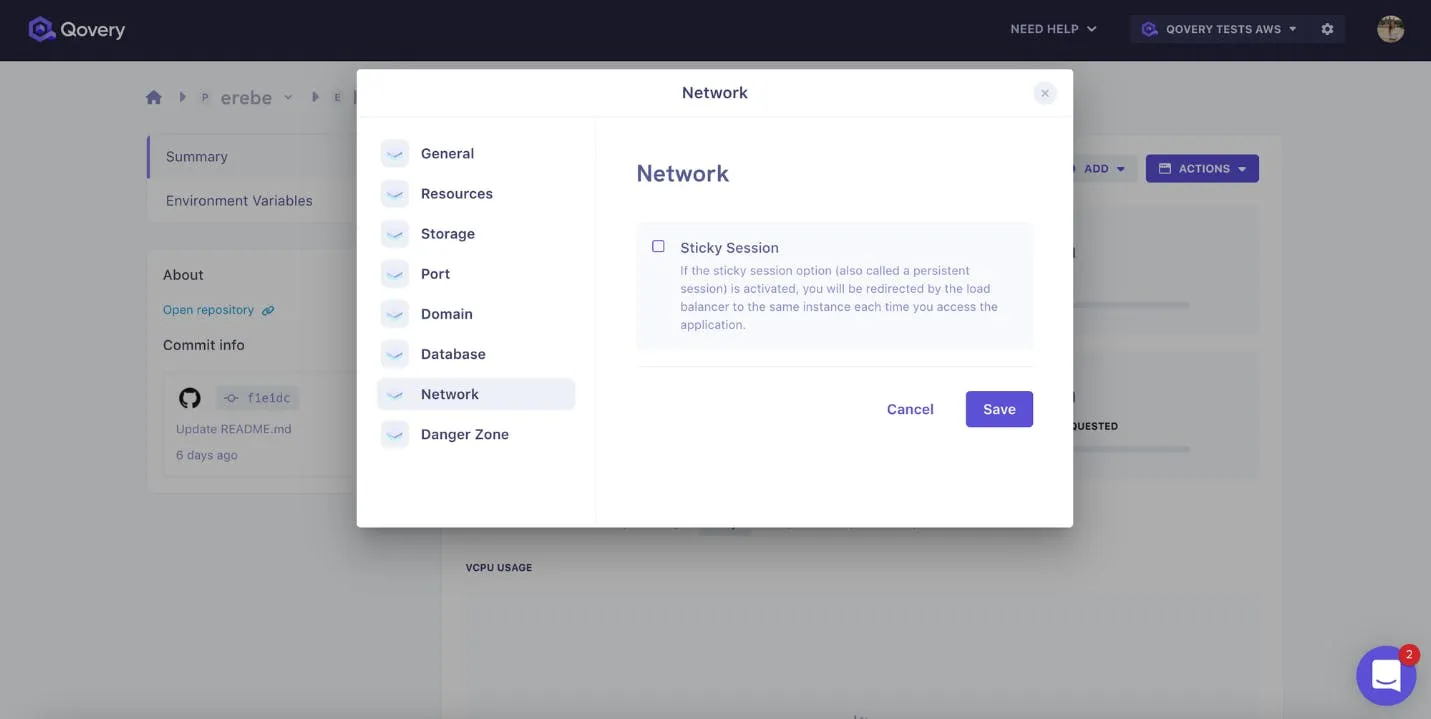
The rest of January was mainly used for the beginning of the V3, which required much preparation on the Frontend side as we decided to move from Angular to React, but we had the time to develop the sticky session. Highly requested by some of our users, when the sticky session (also called “persistent session”) is activated, you will be redirected by the load balancer to the same instance each time you access the application.
For more insight on the end of January, here was the changelog posted at that time.
Sticky sessions
Choose/Edit database accessibility
The first part of February was much more split between enhancement of the V2 and the considerable work on the V3, so we had more time to deliver some pretty cool stuff (and you can see it from the changelog that was much longer to read and write).
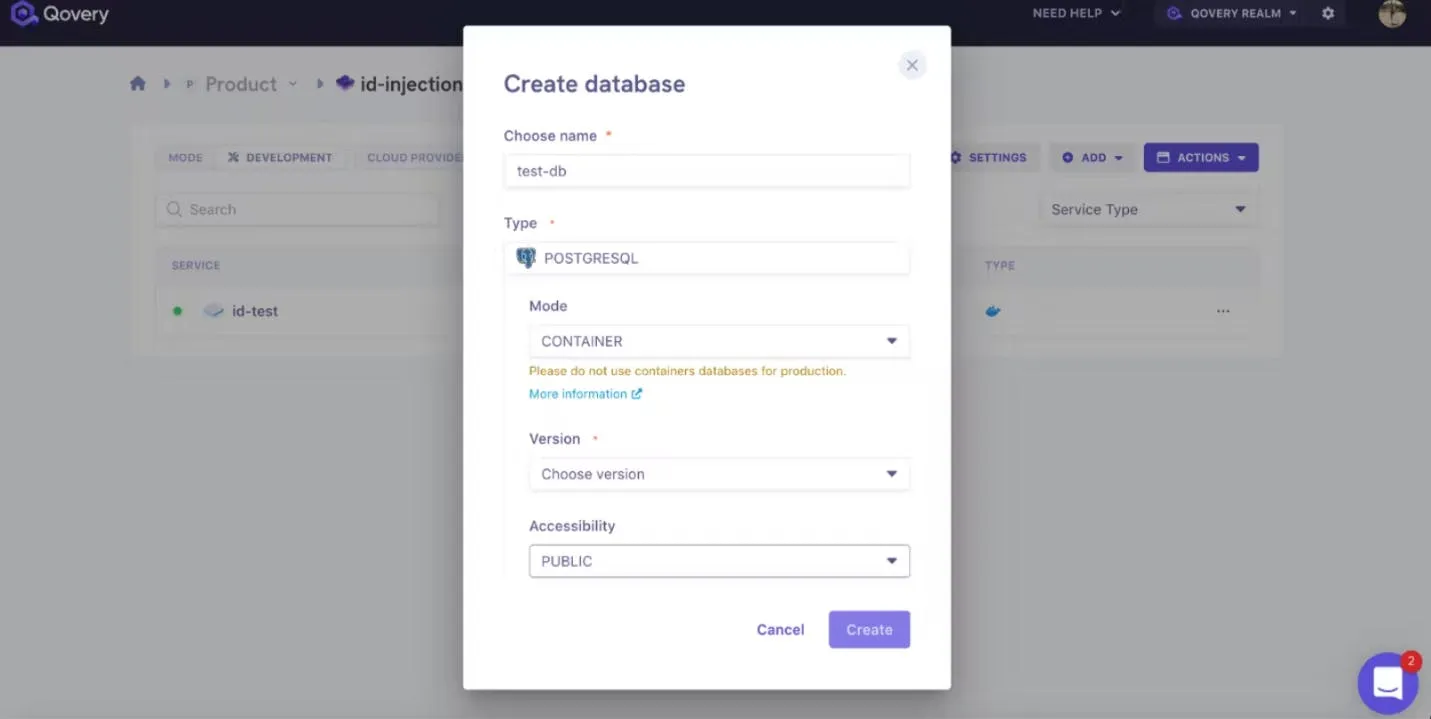
Here is one useful feature: You always wanted to define the accessibility of our database so that you can control who has access to it? Or have you already created a database but want to change its accessibility? We made it possible!
When you create your database, you now can choose between public or private in the database creation modal and change it after the creation; head to the database setting modal and switch the accessibility from public to private or vice versa.
You got it, there are plenty of resources about this fantastic feature, but to summarize, if you want to manage more than one cluster in your organization, you can isolate your “production” from “development” or manage more than one cluster in your organization so that you can improve your infrastructure costs, multi-cluster is for you!
Just head to the “cluster tab” of the organization settings, click on “add cluster”, and let the magic happen.
Here is even a small live demo of what it looks like in the console:
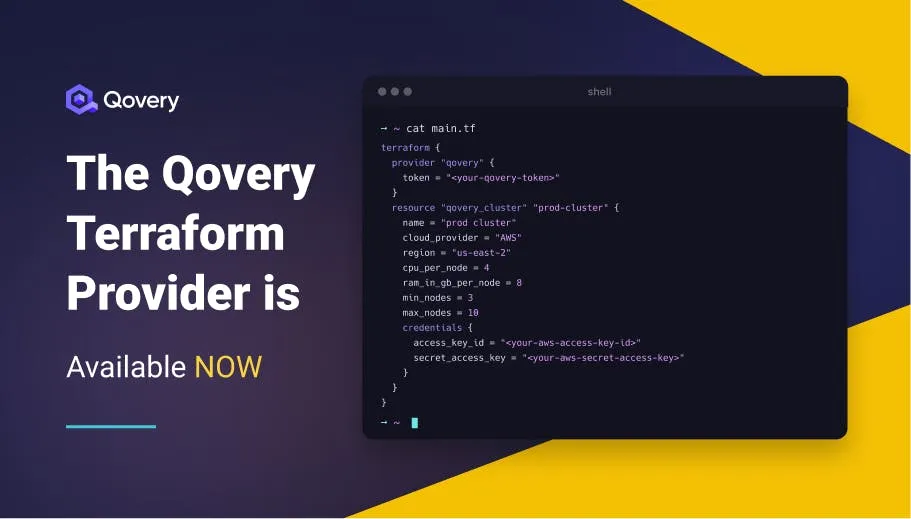
Terraform provider for Qovery
Ok, my goal was to present you with only one essential feature per changelog; however, let’s break the rules because even though this one is also part of the 10th changelog, I couldn’t just add it to the lists of “others”.
Would you like to keep track of the changes across the configuration of your clusters, applications, and databases? Search no more; the Terraform provider for Qovery is here for that!
If you want to go the extra mile on the subject, I’d recommend you to read this article that will tell you all the science behind it.
The Qovery Terraform provider
Agents ship fast. Guardrails keep them safe.
Qovery ensures every agent action is scoped, audited, and policy-checked. Start deploying in under 10 minutes.
Time flies when you are in good company! Deployment rules at “project level” were part of the 11th changelog, which was still a usual two weeks sprint but split into three weeks as we had our fantastic team retreat in the middle (if you feel like watching how cool we are, here is a video that has been recorded during our team retreat in the south of France).
Now, what would you want to use Deployment rules at “project level”?
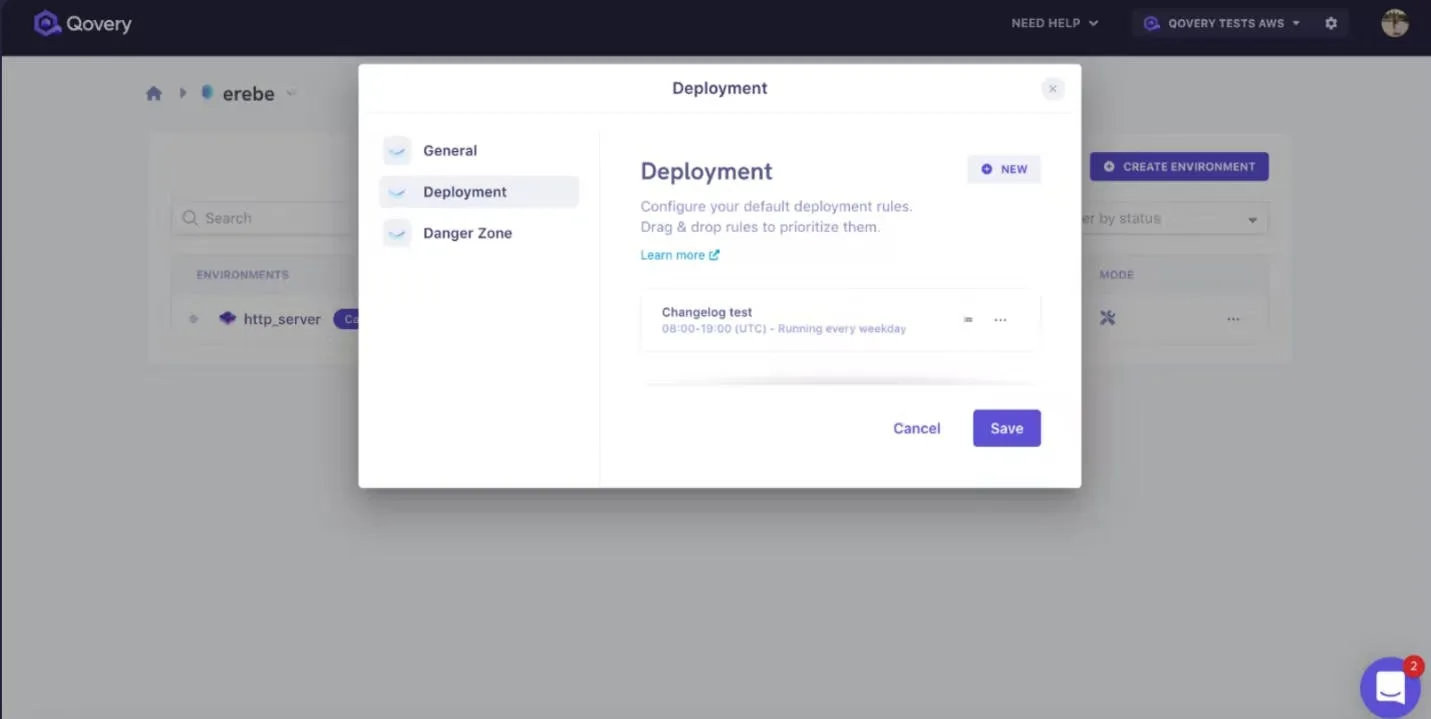
Let’s get straight to the heart of the matter: infrastructure cost! You can now start or stop multiple environments at specific times or on particular git events at the “project level" to optimise those costs. To do that, head to “Project page” > “Settings” > “Deployment tab”, then create, edit or delete your deployment rule. Nb:
If multiple rules are applied to one environment, the highest rule in the list will be applied to the environment.
The rules created will be applied only to new environments. Already existing environments are not impacted.
If you want to know more about deployment rules, we have complete documentation to answer your questions.
Deployment rules at project level
Cancel an environment building
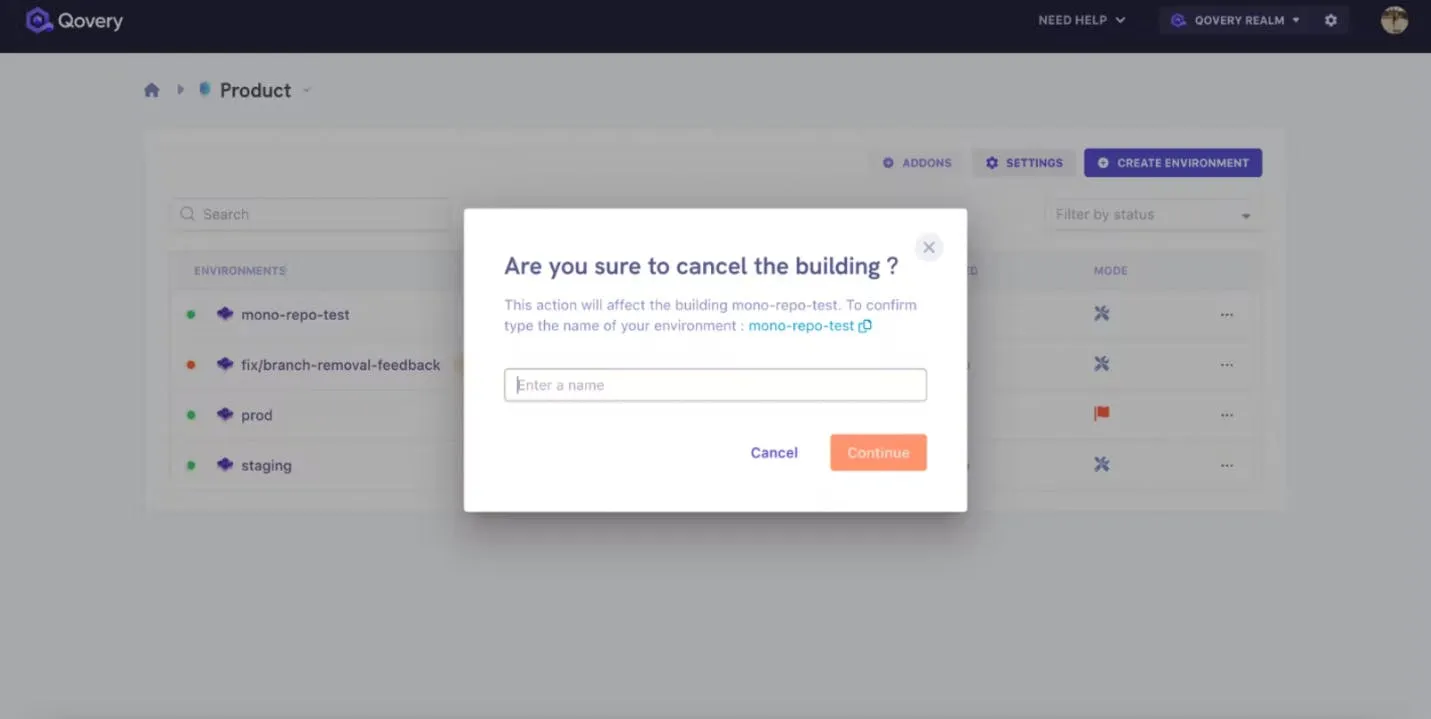
And it’s a clap 🎬, the last changelog in date to end the quarter well, and we decided to finish with this efficient and straightforward feature here that was highly expected! If you have a building in progress or a building queued (service or environment) and don’t want to deploy it anymore, you can now cancel it, so you don’t lose time and resources.
Cancel an environment building
Others
Breadcrumbs in console navigation bars
Display user information
Add credentials during cluster creation
Recommendations on the articles page
Specify buildpack language
Improve feedback after setting update
Improve environment and services deployment status visibility
Import environment variables and secrets
Do not send emails on cluster upgrade success/fail
Specify environment mode
Generate API tokens for users (API only)
Identify default cluster
Optimize Monorepository builds/deployments
New onboarding flow
Do you want to know what’s next? You can find our progression in the Changelog section of our website where we post every two weeks.