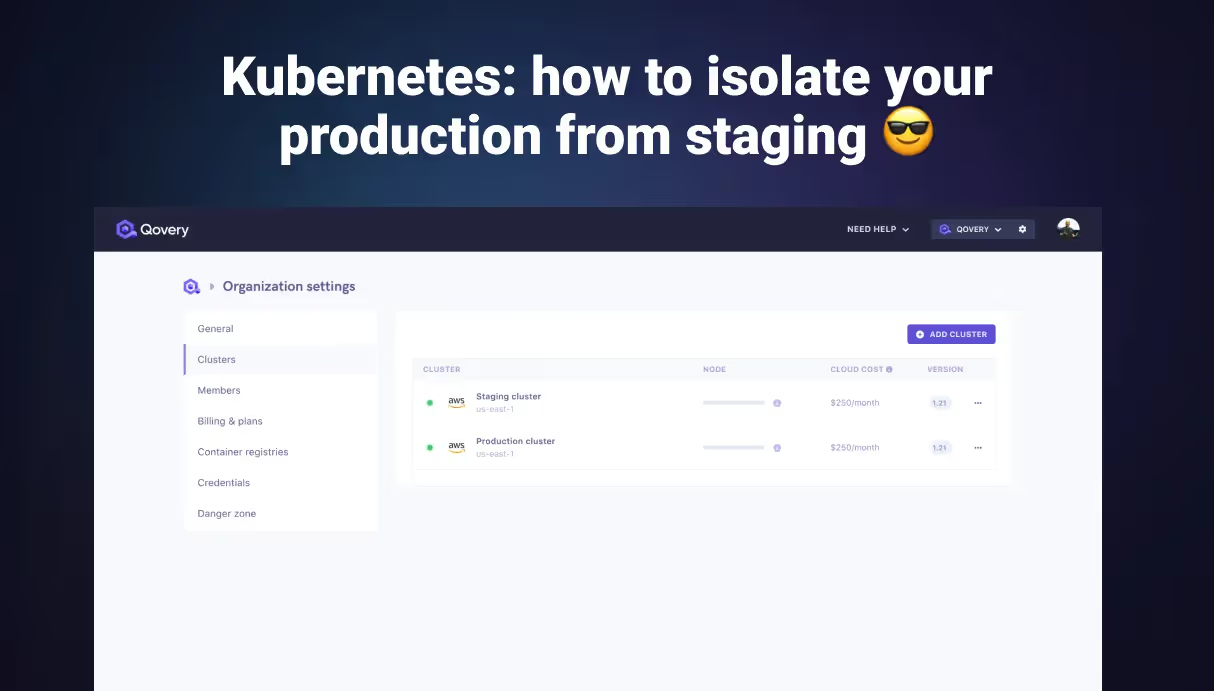
Kubernetes in production: why you must separate staging and prod
Organizations frequently attempt to save cloud infrastructure costs by packing staging and production workloads into the same cluster, relying purely on namespaces for separation. A developer inevitably deploys a faulty NetworkPolicy or an aggressive load test in the staging namespace. Because the cluster shares a single control plane, this exhausts the API limits and takes the production environment offline simultaneously. Physical cluster separation is the only functional boundary.
Physical over logical isolation: Namespaces provide logical separation, but a shared control plane means a staging API exhaustion event will bring down your production workloads.
Strict RBAC enforcement: Deploying separate clusters allows you to bind CI/CD pipelines and developer access exclusively to non-production environments using explicit cloud provider IAM roles.
Agentic fleet orchestration: Managing multiple clusters manually leads to configuration drift. Use an intent-based platform to ensure your staging environments are an exact, automated mirror of production.
Treating Kubernetes namespaces as hard security boundaries is a fundamental architectural flaw. To surviveDay-2 operations, infrastructure teams must enforce physical isolation between environments.
Running mixed workloads in a single environment creates a single point of failure that no amount of internal auditing can fully mitigate. The costs of spinning up additional control planes pale in comparison to the revenue lost during a self-inflicted outage.
The 1,000-cluster reality: why namespace isolation fails at scale
Managing a single development cluster is trivial. As organizations scale, the operational overhead of manually duplicating configurations between a staging cluster and a production cluster introduces fatal drift. A Helm chart version mismatch between environments invalidates your testing.
At a fleet scale of hundreds of clusters, manual synchronization is impossible. Platform Architects cannot rely on manual kubectl applications to keep environments aligned. True production parity requires agentic automation, where intent-based configurations dictate state across the entire fleet globally.
Day 2 Operations & Scaling Checklist
Is Kubernetes a bottleneck? Audit your Day 2 readiness and get a direct roadmap to transition to a mature, scalable Platform Engineering model.
A Kubernetes cluster relies on a single control plane. If your staging and production environments share an Amazon EKS cluster, they share the same etcd database, the same API server, and the same underlying physical nodes.
The noisy neighbor problem
Basic network isolation in Kubernetes using namespaces does not restrict CPU or memory consumption on the host node unless strict ResourceQuotas are enforced. If a load testing script hits a staging service, the staging pods will scale horizontally and consume all available CPU cycles on the worker node.
The kubelet will begin throttling the production pods running on that exact same node. Your end users will experience severe latency spikes simply because a developer decided to run a load test.
Blast radius and security compromises
If a vulnerability is exploited in a staging application, the attacker gains a foothold inside the cluster network. A shared cluster means the attacker can probe the internal DNS, attempt to extract cluster-scoped Secrets, and bypass namespace boundaries using misconfigured ServiceAccounts.
To enforce absolute security, you must use completely separate physical clusters and restrict production access using AWS IAM OpenID Connect (OIDC) providers.
JAVASCRIPT|create an IAM OIDC provider for your production EKS cluster to restrict access
aws eks describe-cluster --name production-cluster --query "cluster.identity.oidc.issuer" --output text
By mapping distinct IAM roles to distinct clusters, you guarantee that a compromised staging token cannot authenticate against the production API server.
The primary argument against running separate clusters is cost. Running an idle Amazon EKS control plane costs approximately $75 per month, plus the cost of the underlying EC2 worker nodes and Network Load Balancers. This totals roughly $270 per month for a minimal baseline cluster.
If a production disruption costs your business more than $300 a month, physical cluster isolation is mandatory. Furthermore, Budget and Risk Owners can enforce strict Kubernetes cost optimization by shutting down the staging cluster completely during nights and weekends. You cannot shut down a shared cluster without taking production offline.
Agentic fleet orchestration with Qovery
Maintaining absolute parity between a staging cluster and a production cluster is difficult. If the staging cluster runs Kubernetes version 1.28 and production runs 1.29, your deployment strategies and testing validations are meaningless.
This is where an Agentic Kubernetes Management Platform becomes essential. Qovery acts as an intent-based abstraction layer over AWS. You define the operational intent, and Qovery automatically provisions and synchronizes the staging and production clusters.
By utilizing Qovery, platform teams eliminate configuration drift. Developers can deploy to staging with a git push, and SREs can promote those exact configurations to production automatically without writing custom deployment pipelines. Stop risking production stability to save a few dollars on infrastructure.
Wrapping up: your zero-downtime Kubernetes checklist
Your production environment is your brand's reputation. By using two different clusters, you say goodbye to the fear of breaking production and gain total control over your deployment lifecycle.
Ensure Staging and Production have the exact same Kubernetes API version.
Restrict production kubeconfig access strictly to SRE and Platform Architect roles.
Use Qovery to automate the provisioning of identical environments to prevent drift.
Always validate Helm chart upgrades and cluster add-ons in Staging first.
FAQs
Why is namespace isolation insufficient for production environments?
Namespaces provide logical separation but share the exact same control plane, API server, and physical worker nodes. A resource exhaustion event or a compromised service account in a staging namespace can severely impact the performance and security of production workloads running on the same cluster.
How does separating staging and production clusters improve security?
Physical cluster separation allows platform teams to enforce strict Identity and Access Management (IAM) boundaries. You can grant developers full access to the staging cluster to debug applications while completely revoking their access to the production cluster, ensuring compliance and preventing accidental data leaks.
How do you prevent configuration drift between staging and production clusters?
Manual synchronization guarantees drift. Organizations must adopt an Agentic Kubernetes Management Platform to define infrastructure and deployments as code. This ensures that the exact same configurations, add-ons, and container images tested in the staging cluster are automatically promoted to the production cluster.
Morgan co-founded Qovery and leads engineering. He writes about Kubernetes architecture, DevOps best practices, and building resilient infrastructure at scale.
Next step
Agents ship fast. Guardrails keep them safe.
Qovery ensures every agent action is scoped, audited, and policy-checked. Start deploying in under 10 minutes.