We built an AI agent on Qovery to investigate Sentry alerts before our team picks them up. Here’s how the workflow runs, what it delivers, and where engineers still need to step in.
At Qovery, we use Sentry to monitor errors in critical parts of our backend and frontend codebase. We built an AI agent that investigates incoming alerts and responds with a draft pull request for a bug, an explanation for noise, or a recommendation when an issue needs human review.
The agent runs as a Qovery Agent Task on our own infrastructure. It posts its findings in Sentry and replies in the original Slack thread.
Investigating Sentry alerts takes time. For each one, we need to understand what happened, check the relevant code, and decide whether there is something to fix.
We built the agent to do that first pass, filter out noise, and archive alerts it can confidently dismiss. Engineers can then focus on issues that need attention, with findings and a clear next step already available.
How it works
We built a Slack relay application on Qovery to route incoming requests to dedicated agents. For Sentry, each alert posted in a configured channel automatically triggers the Agent Task with the error details.
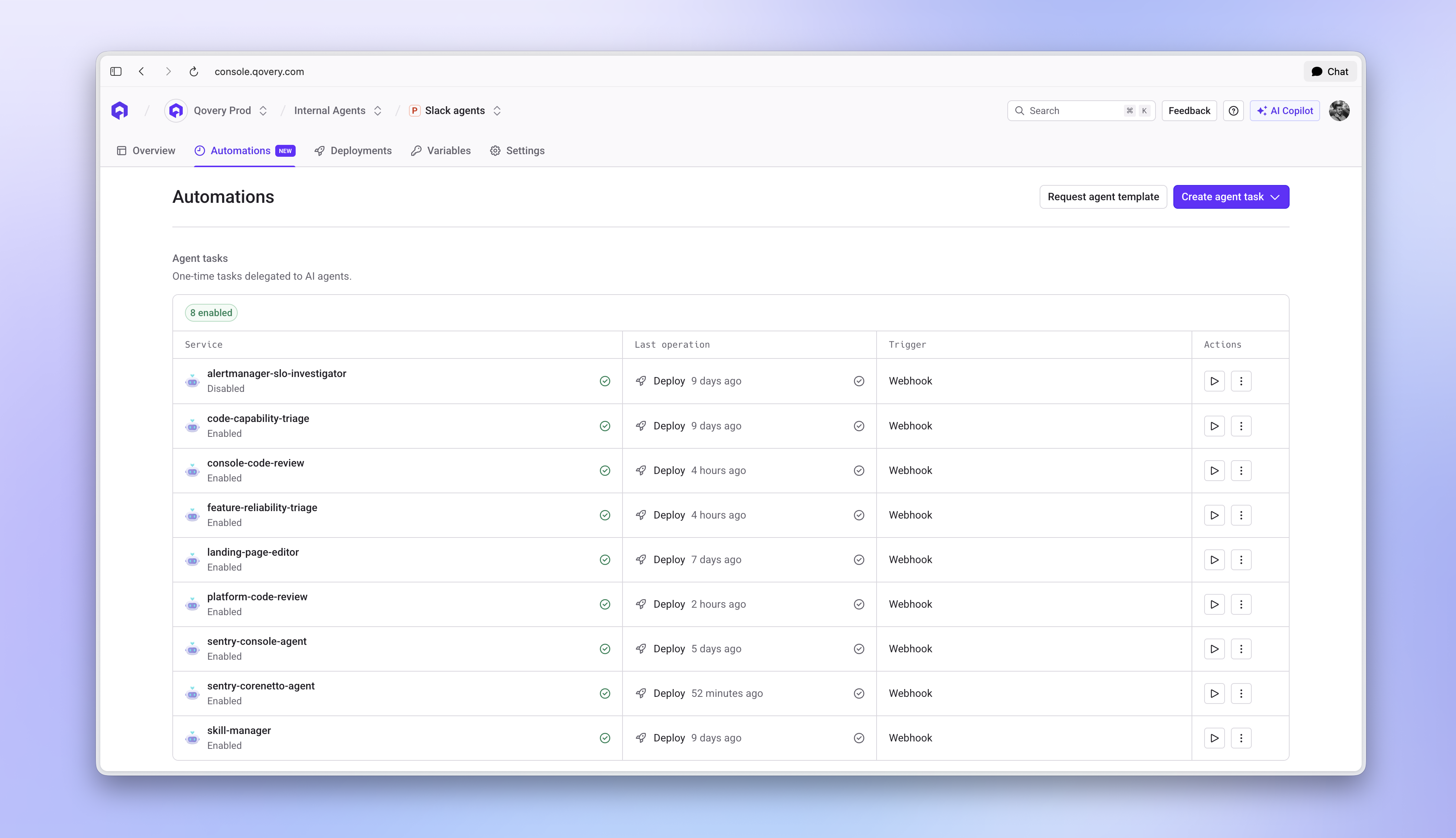
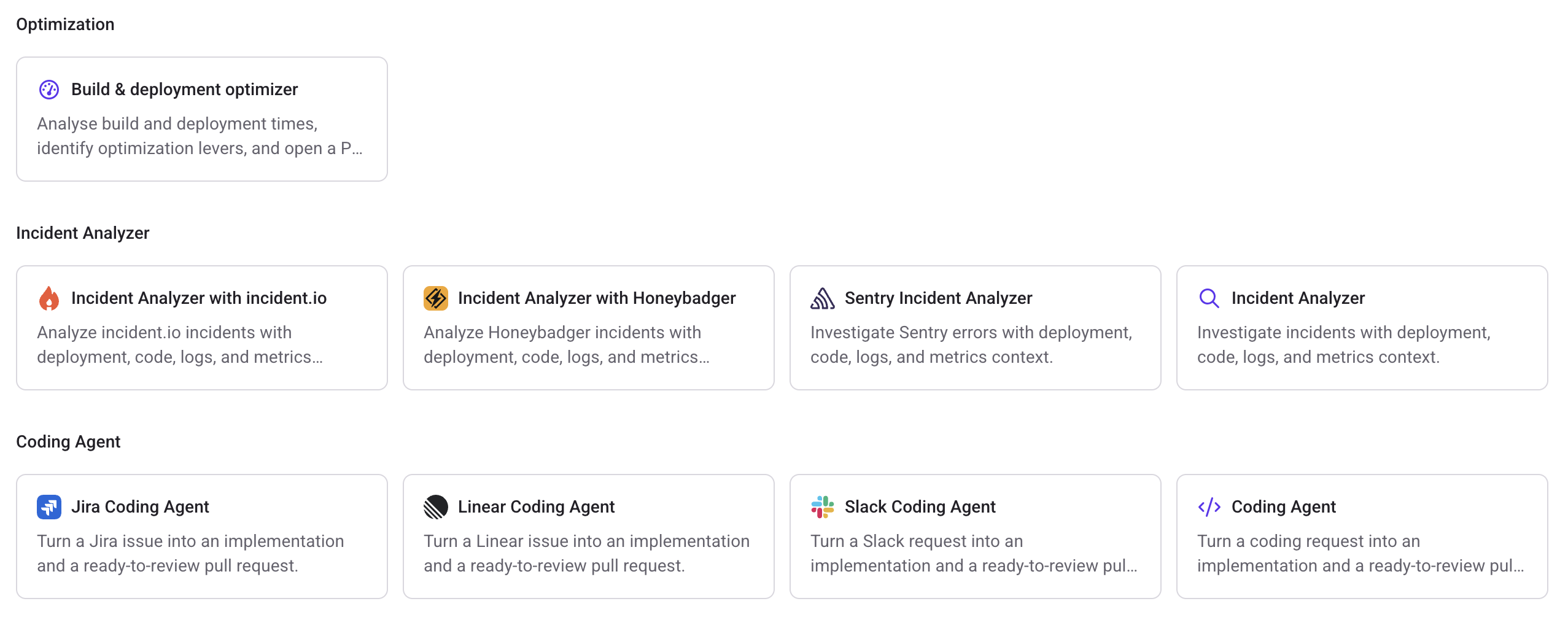
We have separate agents for frontend and backend Sentry alerts, alongside other internal agents managed in Qovery.
Our internal agents in Qovery
What the agent delivers
The agent reads the Sentry issue, investigates the relevant code, and replies in the Slack thread:
Bug: it proposes a code fix in a draft PR and comments on the Sentry issue.
Noise: it explains the cause and can archive the issue in Sentry.
Needs review: it explains what it found, what remains uncertain, and which checks a human should make before taking action.
A fix for a crash when sorting instances
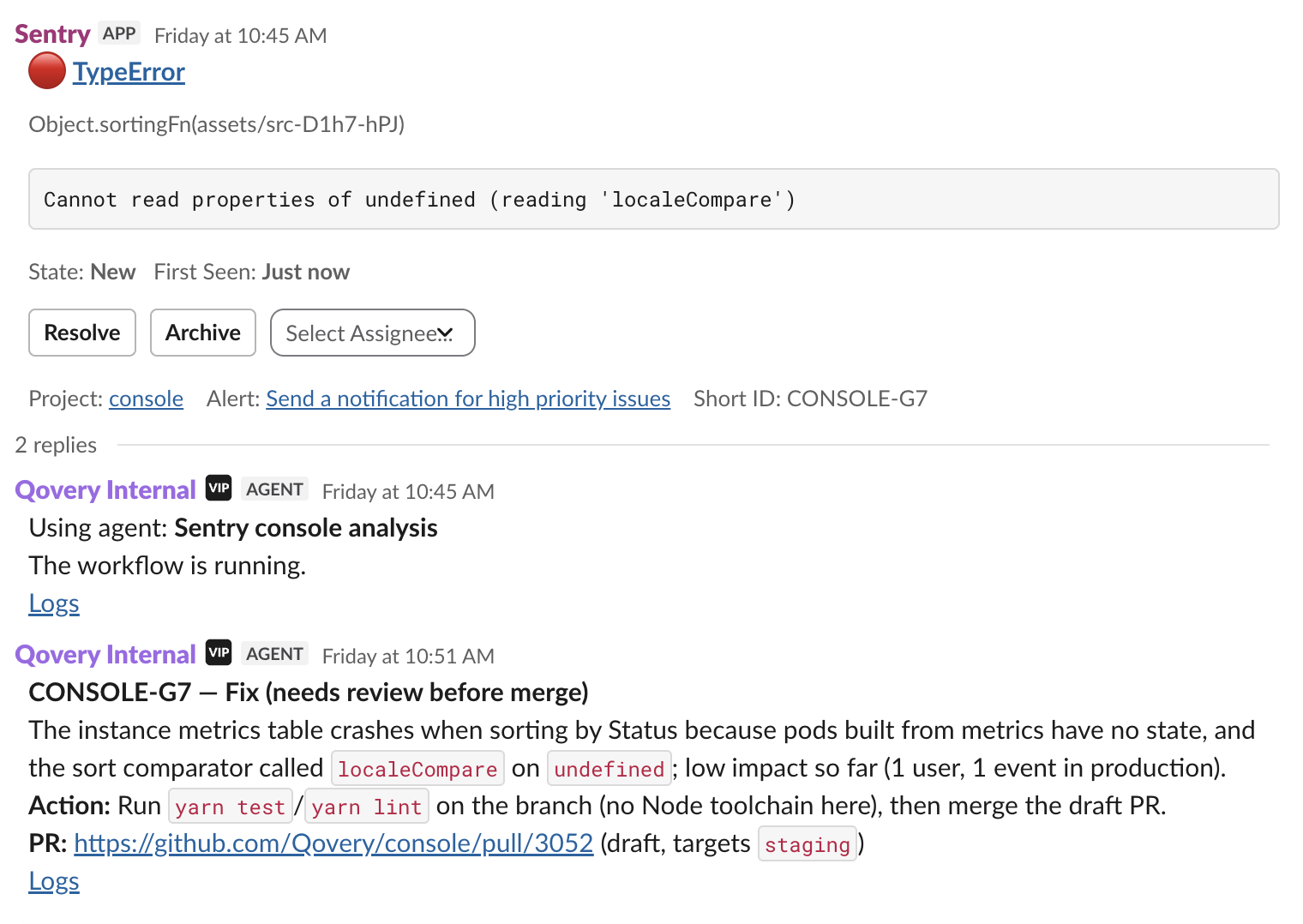
One Sentry alert reported a crash when a user sorted a table. The agent traced it to a missing value passed to localeCompare, opened a draft PR to handle it, and posted the diagnosis in Slack.
It could not run the tests in its environment and said so in its report, leaving those checks to the team before merging.
Agent diagnosis and draft PR
An explanation for browser-extension noise
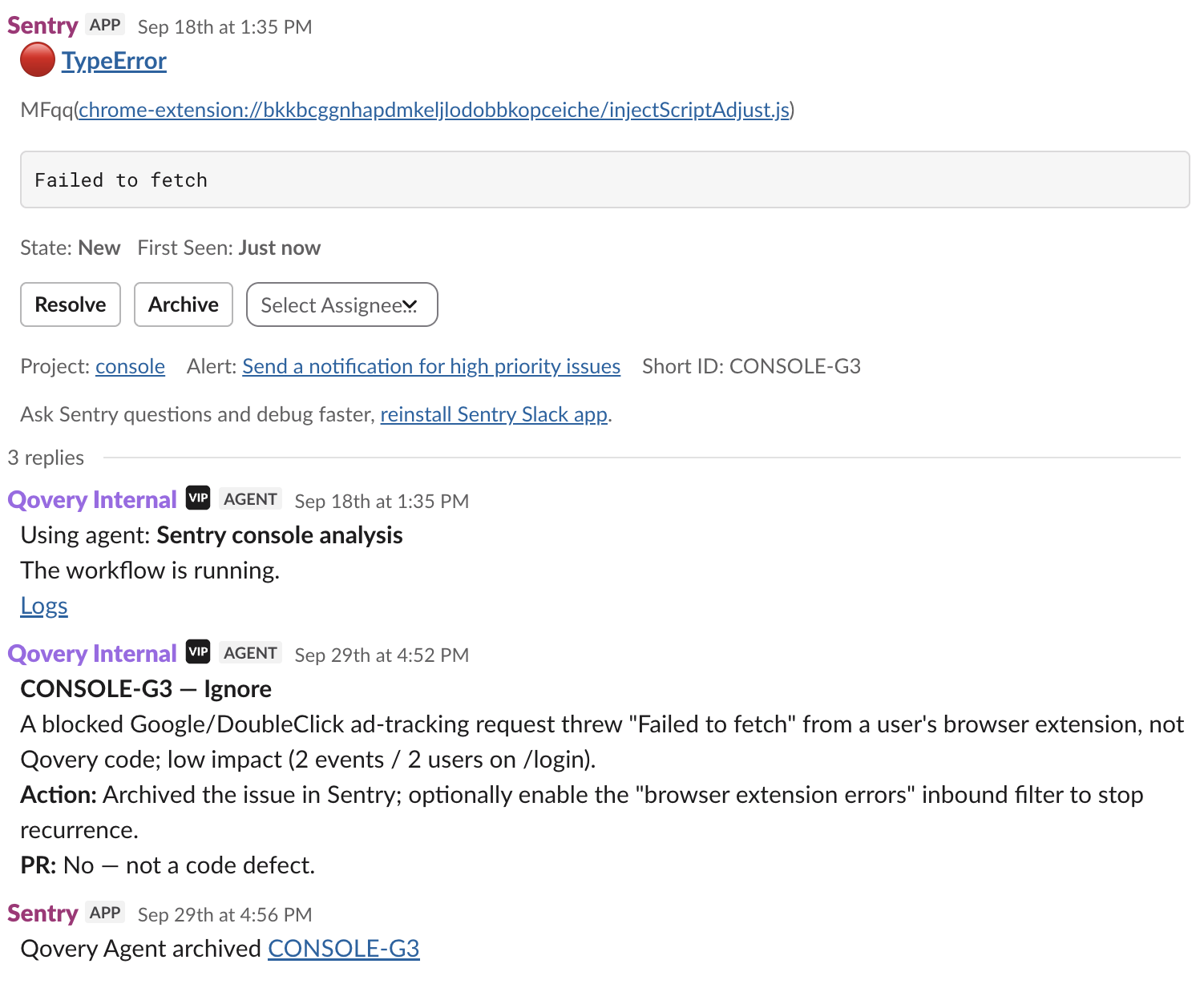
Another Sentry alert reported a “Failed to fetch” error on the login page.
The agent traced it to a blocked Google/DoubleClick tracking request from a browser extension. It explained why no repository change was needed and reported that it had archived the issue in Sentry.
Browser-extension noise archived
A GitHub credentials error that needs review
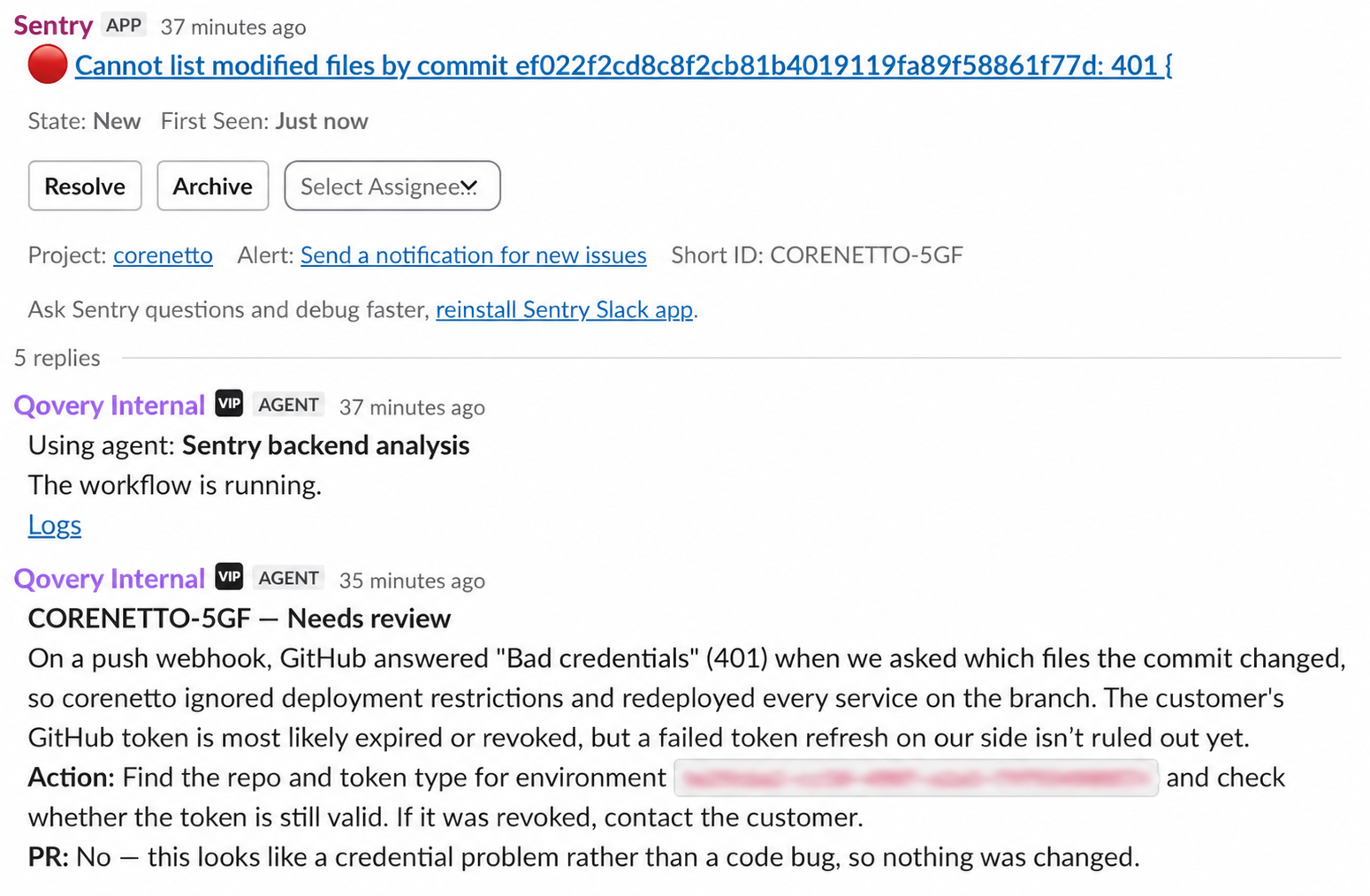
A backend alert reported a 401 “Bad credentials” response from GitHub when Qovery tried to list the files changed by a commit.
The agent suspected an expired or revoked GitHub token, but could not rule out a failed token refresh on our side. It asked an engineer to check the affected repository’s credentials and left the issue for human review, without changing code.
Credentials issue flagged for review
Subscribe to get the latest Kubernetes insights
One email per week - no spam, unsubscribe anytime.
What this changes for our team
What we gain
Engineers can start by checking the agent’s findings instead of tracing every error from scratch. When the cause remains uncertain, we have its hypotheses and next checks to work from.
Keeping that investigation attached to the alert also makes it easier to pick up later, without asking someone to reconstruct what happened.
We are still testing the workflow and learning which errors it handles well. We have not yet measured the time saved.
Where humans step in
We review the diagnosis, inspect the diff, test the proposed fix, and decide whether to merge. The agent does not merge its own PRs.
When the cause remains uncertain, as with the GitHub credentials alert, we check the agent’s hypotheses and decide what action to take.
Why we run it on Qovery
We use Qovery Agent Tasks because the agent runs in our own cloud account, giving us full control over its infrastructure, access, and network rules.
We can also connect a Qovery service as context, so the agent can investigate an error alongside its deployment history, logs, and metrics.
You can build a similar workflow with Honeybadger, incident.io, or another tool that exposes the alerts and actions you need through an MCP server.
Start with an Incident Analyzer template in Qovery or create an Agent Task from scratch. Connect your tools and repositories, send it your first alert, and see what it finds.
Rémi is a staff frontend engineer at Qovery. He writes about frontend architecture, developer experience, and building scalable UI systems for platform engineering tools.
Stay current
Get new articles every Tuesday.
One email per week. Engineering-grade writing on Kubernetes and the tools that make shipping boring.