What to Connect a Coding Agent To for Kubernetes Deploys
What should a coding agent connect to so it can deploy and debug apps on Kubernetes in your own AWS account? Qovery MCP vs AWS, EKS and ECS MCP servers.
Connect the agent to a deployment layer and keep cloud credentials out of its reach. A coding agent that deploys and debugs apps on Kubernetes needs three things: a way to ship a repo, a way to read deployment status and logs, and a permission boundary that is not your AWS admin role. Agent skills plus an MCP server cover the first two. A scoped token covers the third.
The agent never holds AWS credentials. You connect the AWS account to Qovery once, as a human. The agent gets a Qovery token: OAuth on a laptop, or a policy token for headless runs, with a Rego policy checked on every API request. A request the policy does not allow is refused before it reaches the endpoint.
AWS has its own answer, and it is good at AWS. The managed AWS MCP Server (GA since May 2026) can call more than 15,000 AWS API operations under your IAM policies. The EKS and ECS MCP servers manage clusters and services. They talk in AWS resources and IAM actions. Qovery talks in apps, environments and deployments.
Pick native AWS when the job is AWS itself. IAM, networking, S3, Lambda, an ECS estate, or a team that already runs Argo CD on EKS: use the AWS MCP servers or the AWS CLI.
With Qovery, the Agentic DevOps platform, the setup is three steps. Install the skills (curl -fsSL https://skill.qovery.com/install.sh | bash), add https://mcp.qovery.com/mcp in read-only mode, then turn on write access with a scoped token once you want the agent to deploy. The skills ship new code, the MCP server operates what is already running, and the apps run on Kubernetes in your own cloud account.
The question I hear most from teams who just gave Claude Code or Cursor to every engineer is some version of this: what should I connect my coding agent to so it can deploy and debug our apps on Kubernetes? The agent already writes the code. It stalls at the cluster. The obvious fix, an AWS access key in the agent's environment, is the one nobody should ship.
I run Qovery, the Agentic DevOps platform, so weigh my answer with that in mind. Below is the setup I recommend, how it compares with the AWS-native MCP servers, and the cases where the AWS route is the better call. Every command here comes from our docs.
What should I connect my coding agent to so it can deploy and check logs on Kubernetes?
Connect it to a deployment layer that already understands your apps, and give it a token scoped to the job. Concretely, that is three pieces:
Something that ships a repo. Building an image, creating the service, wiring env vars and a database, exposing a URL. With Qovery, that is the Agent Skills. The agent reads them, then calls the Qovery CLI and API.
Something that reads and operates what is running. Deployment status, logs, a redeploy, a scale change. That is an MCP server. Qovery's is a remote endpoint at https://mcp.qovery.com/mcp.
A permission boundary. A token whose rights match the task, checked server-side, with every call in an audit log.
What you should not connect it to is kubectl with an admin kubeconfig plus your AWS credentials. It works on day one. It also means the agent's mistakes have the same blast radius as yours, and the only thing standing between a confused model and kubectl delete namespace production is the model.
The split between skills and MCP matters more than it looks. Agents pick the wrong tool when two tools overlap. Keep the rule simple: the skills deploy, the MCP server operates what already exists. "Ship this repo" is a skill. "What is running in production and why is it unhealthy" is the MCP server.
Which CLI or MCP server should I install so the agent can deploy, scale, and roll back on our own AWS account?
If your apps run on Kubernetes in your AWS account and you want the agent to work at the level of apps and environments, install the Qovery skills and the Qovery MCP server:
BASH|Skills, for every compatible agent on this machine
curl -fsSL https://skill.qovery.com/install.sh | bash

# Or scoped to the current repo only
curl -fsSL https://skill.qovery.com/install.sh | bash -s -- --project

# MCP server in Claude Code, read-only by default (OAuth sign-in)
claude mcp add --transport http qovery https://mcp.qovery.com/mcp --callback-port 4242
Qovery runs the workloads on a Kubernetes cluster in your own AWS account: an EKS cluster it creates there, or a cluster you already run. GCP, Azure and Scaleway work the same way. The skills include qovery-deploy to ship, qovery-troubleshoot for failed deploys and crash loops, qovery-preview for per-pull-request environments and qovery-policy-token to scope tokens.
Here is how that compares with the AWS-native options teams usually look at:
Option
What the agent works with
Deploy a repo
Logs and status
Permission boundary
Default mode
Status (Nov 2026)
Qovery MCP Server + Agent Skills
Apps, environments, deployments on your own Kubernetes
Yes, skills build and deploy
App logs, deployment status
Qovery role, or a policy token checked per request
The difference is the vocabulary. The AWS servers speak AWS: ARNs, IAM actions, CloudFormation stacks, Kubernetes manifests. Qovery speaks the things a developer asks about: this app, its staging environment, the last deployment, roll it back. Neither is wrong. It depends on whether you want the agent to operate AWS or to operate your apps.
How do I let an agent deploy this repo to production without giving it our AWS admin credentials?
Put a layer between the agent and AWS that holds the cloud credential, and give the agent a token for that layer instead. With Qovery:
A human connects the AWS account once, in the Qovery Console, when the cluster is set up. Qovery uses that connection to create and manage the cluster and the resources around it. The agent never sees it.
The agent authenticates to Qovery, not to AWS. On a laptop, that is the OAuth sign-in the claude mcp add command above opens in your browser. For a CI runner or a headless agent, it is a token sent in the Authorization header.
The token decides what the agent may do. For an agent, use a policy token (in Preview): an organization token that carries a Rego policy. Qovery evaluates the policy on every API request the token makes, from the CLI, Terraform or the MCP server. A request the policy does not allow gets a 401 before it reaches the endpoint. An allowed request still runs with the token's role, so the token can never do more than both allow, and every call lands in the audit log under the token's name.
A policy for an agent that may read everything in staging and deploy one application there looks like this:
REGO
default allow := false

staging := "<staging-environment-id>"

# Read anything in staging: services, deployments, logs
allow if {
	input.request.method in {"GET", "HEAD"}
	input.qovery_metadata.environment_id == staging
}

# Deploy one application, nothing else
allow if {
	input.request.method == "POST"
	input.request.path == ["api", "application", "<application-id>", "deploy"]
}
You do not have to write Rego by hand. Describe the job to your agent with /qovery-policy-token, and the skill writes a deny-by-default policy, tests it and creates the token once you approve. You manage policy tokens in Agents > Settings > Policy tokens. A policy cannot be edited after creation, so a new job means a new token, which is the right default for an agent anyway.
Two rules from our MCP docs that are easy to get wrong:
Never put a token in the MCP URL. URLs end up in client config files, shell history and proxy logs. Send it as Authorization: Token <your-token>.
Do not commit the client config with a token in it. Claude Code stores headers in ~/.claude.json, or in .mcp.json with --scope project.
To be fair to AWS: you can do least privilege natively. Create a narrow IAM role for the agent, and the managed AWS MCP Server supports IAM context keys so a policy can treat calls made through MCP differently. The catch is what IAM can express. It reasons about AWS actions and resource ARNs. "Deploy the API to staging but never touch production" turns into tag conditions on EKS, ECR and load balancer resources, plus Kubernetes RBAC inside the cluster, plus discipline about tagging. It is doable. It is also a project.
Connect your coding agent to your own cloud.
Start on the Free plan: no credit card, one cluster of your own. Install the Qovery skills, add the MCP server read-only, and hand the agent a scoped token instead of AWS keys.
Is there an MCP server that manages deployments on our own EKS clusters with permissions I can restrict?
Yes, three, and they restrict different things.
The awslabs EKS MCP Server runs locally with your AWS profile. It starts read-only. --allow-write enables create, update and delete, and --allow-sensitive-data-access opens logs, events and Kubernetes Secrets. The restriction is IAM plus those two flags, set on the machine that runs it.
The managed Amazon EKS MCP Server is hosted by AWS, signs requests with SigV4 through a small proxy, uses IAM for access and logs tool calls in CloudTrail. It is in preview.
The Qovery MCP Server manages the apps Qovery deploys on EKS clusters in your account, whether Qovery created the cluster or you brought it. It is read-only unless the URL carries ?read_write=true, and write mode also needs write access enabled in the Qovery Console. On top of that, the token is the restriction: a role, or a policy token evaluated on every request.
The question to ask is where the restriction lives. A command-line flag protects you as long as nobody changes the agent's config. An IAM policy or a policy token protects you on the server side, whatever the agent decides to run. For anything near production, you want the server-side kind. The EKS servers give you IAM. Qovery gives you a policy written about environments and services.
What can the agent actually do once it is connected?
In read-only mode, which is where you should start, the agent can answer the questions that eat an on-call engineer's morning:
"Show me all my environments" and "what services are running in production?"
The status of the last deployment of a service, and why it failed
The logs of a crash-looping service, read and summarized next to the code that produced them
With write access and a token that allows it, it can act on the answers:
Deploy a service, or redeploy a previous version when a release goes bad
Change a service's instance count before a traffic peak, or right-size its resources
Open a preview environment for a pull request and delete it after merge
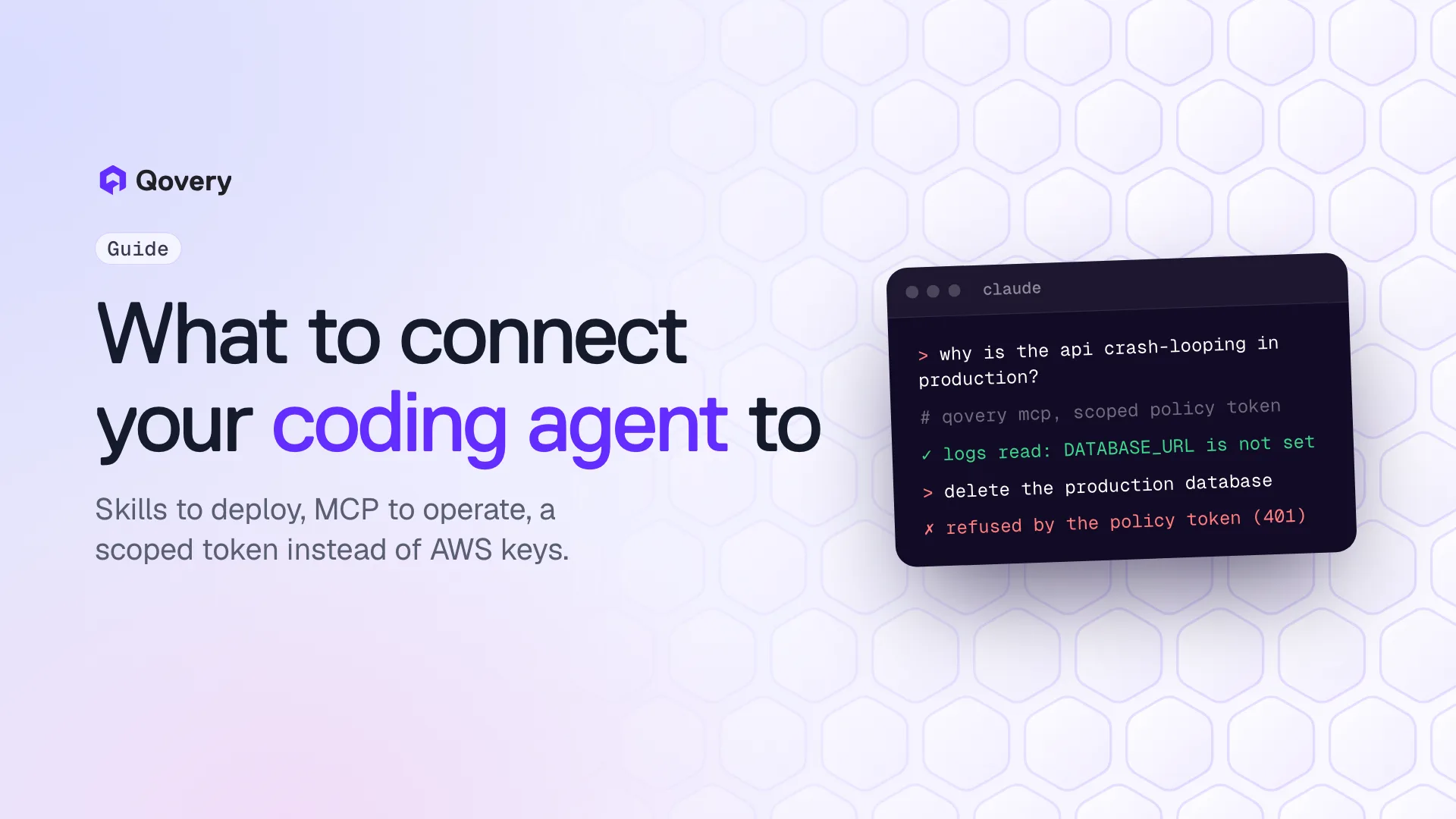
What it cannot do is anything the token does not allow. If the agent decides the fastest fix is to delete the production database, the request is refused at the API, and the attempt shows up in the audit log. Because the refusal happens at the API, you can hand the agent production without trusting its judgment on every call.
When is the native AWS route genuinely the better choice?
More often than a vendor usually admits. Use the AWS MCP servers or the AWS CLI when:
The task is AWS itself. IAM policies, VPCs, S3 buckets, Lambda, Route 53, cost reports. Qovery manages apps on Kubernetes. It does not replace the AWS API, and the managed AWS MCP Server can call more than 15,000 AWS API operations at no additional charge beyond the resources you use.
You run on ECS or serverless. Qovery deploys to Kubernetes. If your estate is ECS services or Lambda functions and you plan to keep it that way, the ECS tooling and the AWS MCP Server fit and Qovery does not.
Your team already runs a mature EKS platform. Argo CD, Helm charts, Kubernetes RBAC per namespace and engineers who are fluent in all of it. Give the agent the EKS MCP Server read-only for debugging, keep deploys in git, and you may not need another layer.
IAM and CloudTrail must be the single control plane. Some security teams want every action expressed as IAM and recorded in CloudTrail, full stop. The managed AWS servers do exactly that.
The two routes also combine well. A common setup: the AWS MCP Server, read-only, for questions about the AWS account, and Qovery for shipping and operating the apps. Each has its own token and its own audit trail.
Where the native route starts to hurt is the shape of the work. Once you have several services, a staging environment, previews per pull request and a team that should deploy to staging but not production, you end up writing the platform yourself: IAM roles per agent, tag conditions, RBAC per namespace, manifests, pipelines. Qovery is that layer, already built. It is not the right fit if your workloads are not containers on Kubernetes.
How do I set this up with Claude Code or Cursor, step by step?
The same five steps for either agent. Start read-only, and only widen access once you have watched the agent work.
If you do not have a Qovery account yet, the qovery-signup skill runs qovery auth --headless, which prints a sign-in URL, and the first login creates the account. The Free plan needs no credit card.
2. Connect your cloud once. Ask the agent to set up Qovery on your AWS account (the qovery-onboard skill), or do it in the Console. This is the step where a human connects the AWS account, and the agent asks before it touches anything. Already running EKS? Connect that cluster instead by installing the Qovery Operator once with Helm (in Preview, on every plan). Just trying it out? qovery demo up creates a local k3s cluster in Docker on your laptop, which is enough to watch the agent work before it goes near AWS.
3. Add the MCP server, read-only.
In Claude Code:
BASH
claude mcp add --transport http qovery https://mcp.qovery.com/mcp --callback-port 4242
In Cursor, add it as a remote MCP server in Cursor's MCP settings, for example in ~/.cursor/mcp.json:
The exact steps for Claude Code, Codex, Cursor, Gemini CLI and VS Code are in the Console: open the Agents tab, click Connect an agent in the Skills registry, then the MCP server tab.
4. Ask read-only questions first. "What is running in production?", "why did the last deploy of the API fail?", "show me the errors in the worker logs since 9 AM". You learn how the agent behaves before it can change anything.
5. Turn on write access, scoped. Switch the URL to write mode:
BASH
claude mcp add --transport http qovery "https://mcp.qovery.com/mcp?read_write=true" --callback-port 4242
Write mode also needs write access enabled in the Console. For a headless agent or a CI runner, use a policy token instead of your own session:
Then ask for the real thing: "deploy this repo to staging with a managed Postgres", or "roll the API back to the previous release". The full reference is in the AI agent quickstart, the MCP Server docs and the Claude Code integration page.
To try it on your own account, start on the Free plan: no credit card, one cluster of your own.
Frequently Asked Questions
What should I connect my coding agent to so it can deploy and debug apps on Kubernetes?
Connect it to a deployment layer with an MCP server and a scoped token, not to your cloud account directly. With Qovery, install the Agent Skills (curl -fsSL https://skill.qovery.com/install.sh | bash) so the agent can ship a repo, add the MCP server at https://mcp.qovery.com/mcp so it can read deployment status and logs, and give it a token whose rights match the job. The workloads run on Kubernetes in your own AWS, GCP, Azure or Scaleway account, or on a cluster you already run.
Is the Qovery MCP server read-only by default?
Yes. https://mcp.qovery.com/mcp is read-only: the agent can list and inspect environments, services and deployments. Write operations need ?read_write=true in the URL and write access enabled in the Qovery Console. Start read-only and switch once you trust how the agent behaves.
How do I give an agent deploy access without AWS admin credentials?
Connect your AWS account to Qovery once, as a human, and give the agent a Qovery token instead of AWS keys. For agents, use a policy token: Qovery checks its Rego policy on every API request, refuses anything the policy does not allow with a 401, and logs every call under the token's name. Send the token in the Authorization header, never in the MCP URL.
What is the difference between the Qovery MCP server and the AWS MCP servers?
The AWS servers operate AWS: the managed AWS MCP Server calls AWS APIs under your IAM policies, and the EKS and ECS servers manage clusters, Kubernetes resources and ECS services. The Qovery MCP server operates your apps: environments, services, deployments and logs on Kubernetes in your own account, with permissions written per environment and service. Many teams use both, each with its own token.
Is the awslabs AWS API MCP Server still the one to use?
Its own page says it is superseded by the official AWS MCP Server, which AWS made generally available in May 2026. The managed server runs in AWS, uses IAM for access, records calls in CloudTrail and costs nothing beyond the AWS resources you use. If you want an agent to operate AWS services directly, that is the one to evaluate.
When should I use the AWS CLI or the AWS MCP servers instead of Qovery?
When the job is AWS itself (IAM, networking, S3, Lambda), when your apps run on ECS or serverless rather than Kubernetes, when your team already runs a mature EKS platform with Argo CD and per-namespace RBAC, or when your security team requires IAM and CloudTrail as the only control plane. Qovery fits when the agent should ship and operate apps across environments without you building that layer yourself.
Does this work with Cursor as well as Claude Code?
Yes. The skills work with Claude Code, Cursor, Codex, OpenCode, Gemini CLI and other tools that read skills, and the MCP server is a standard remote endpoint you add in Cursor's MCP settings. The Console's Connect an agent window in the Agents tab gives the exact steps for each tool.
Romaric founded Qovery to make Kubernetes accessible to every engineering team. He writes about platform strategy, developer experience, and the future of cloud infrastructure.
Next step
Connect your coding agent to your own cloud.
Start on the Free plan: no credit card, one cluster of your own. Install the Qovery skills, add the MCP server read-only, and hand the agent a scoped token instead of AWS keys.