GCP Out of Capacity? How to Offload Workloads to AWS Without Running a Second Platform
Google says it is compute constrained, and GKE teams now hit ZONE_RESOURCE_POOL_EXHAUSTED on CPU machine families, not only GPUs. Here is what the error means, what Google recommends, what AWS can and cannot offer, and how to offload workloads from GCP to AWS with one platform instead of two.
Google says capacity is the constraint. Sundar Pichai said in April 2026 that Google is "compute constrained in the near-term" and that cloud revenue "would have been higher" if Google could meet demand. In July the CFO repeated that Alphabet is "still in a supply-constrained environment", with Google Cloud growing 82% year over year.
The shortage reaches CPUs, not only GPUs.ZONE_RESOURCE_POOL_EXHAUSTED means the zone has no hardware left for your request, and Google's docs state that it is not a quota problem. In July 2026, GitLab.com documented GKE scale-ups failing on N4D zonal stockouts in us-east1.
Google's own advice is to plan for it. Reserve capacity ahead of time, use Dynamic Workload Scheduler, and keep "ranked lists of acceptable alternatives" for when a machine type, size or zone is unavailable.
A second cloud is the widest fallback list you can have. AWS holds the largest share of the market, plans about $220 billion of capex in 2026, and lets an autoscaler like Karpenter choose from hundreds of instance types. It is also capacity constrained on AI hardware, so what it adds is a second, independent pool.
Offloading is a platform problem first. Most GCP teams don't burst to AWS because it means a second Kubernetes setup, second IAM model, second pipeline and second on-call. Qovery runs GKE and EKS clusters from one control plane, so moving an environment to AWS is a clone to another cluster and a deploy.
Over the last few months, the same conversation has come up again and again with teams running on Google Cloud. The nodes don't come up. The autoscaler logs fill with ZONE_RESOURCE_POOL_EXHAUSTED. Someone opens a support case, Google suggests another zone, and the other zone is out too. Deployments that used to take minutes wait for hours.
These teams chose GCP for good reasons, and most of them want to stay. What they need is somewhere to put the workloads that cannot wait. AWS is the obvious second pool, as long as running it doesn't mean building and staffing a second platform.
What does the GCP "resource pool exhausted" error mean?
ZONE_RESOURCE_POOL_EXHAUSTED (and its variant ZONE_RESOURCE_POOL_EXHAUSTED_WITH_DETAILS) means Google does not have enough physical capacity in that zone to create the VMs you asked for. The full message reads: "The zone 'projects/PROJECT_ID/zones/ZONE' does not have enough resources available to fulfill the request."
Google's troubleshooting documentation is explicit that this has nothing to do with your quota: "Resource errors aren't related to your Compute Engine quota." Raising your quota will not fix it. The error can carry a reason such as cpu_availability, memory_availability, local_ssd_availability or gpu_availability.
On GKE, it shows up as nodes that never join the cluster. Pods stay Pending, the cluster autoscaler reports failed scale-ups, and the GKE node pool troubleshooting guide lists "resource pool exhausted" among the causes. With GKE Autopilot you don't see the node pool at all, only the pods waiting.
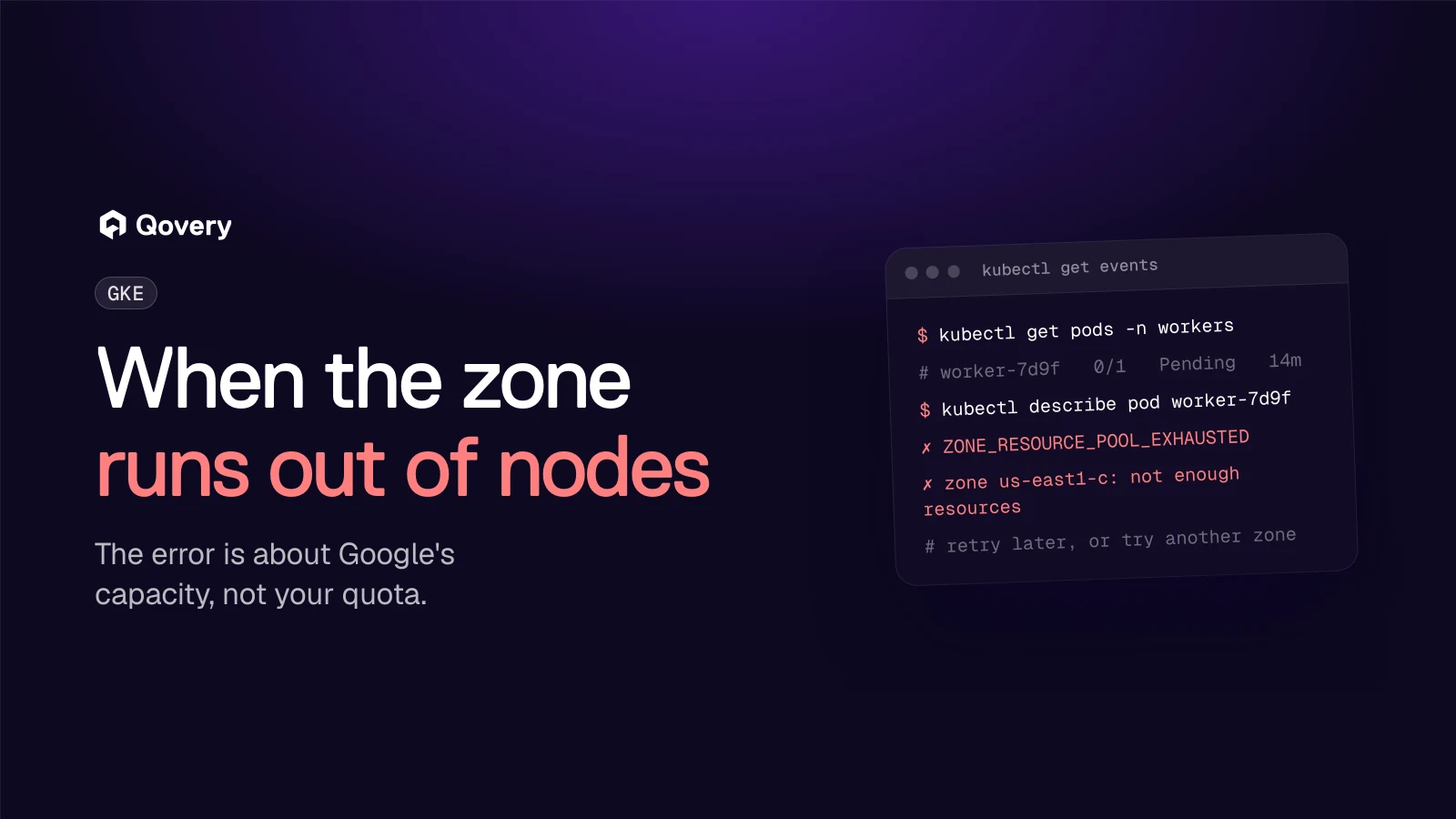
A GKE pod stuck in Pending with a ZONE_RESOURCE_POOL_EXHAUSTED error in us-east1-c
Google's documented fixes are:
Retry later, since "resource availability can be transient".
Try another zone or region.
Change the machine series, the instance count, or the disk and GPU sizes.
Switch provisioning model to Flex-start or Spot VMs, which draw from "different capacity pools".
Reserve capacity ahead of time.
All five keep you inside GCP. When a whole region is tight on the machine family you depend on, options 1 to 3 buy you time, and option 5 means paying for capacity before you need it.
Is Google Cloud really capacity constrained in 2026?
Yes, by Google's own account.
Date
Source
What was said
29 Apr 2026
Sundar Pichai, Q1 earnings
"We are compute constrained in the near-term", and cloud revenue "would have been higher if we were able to meet that demand" (TechCrunch)
22 Jul 2026
Anat Ashkenazi, CFO, Q2 earnings
"We're still in a supply-constrained environment." Google Cloud revenue up 82% to $24.8 billion, backlog at $514 billion (MarketBeat)
22 Jul 2026
Alphabet capex guidance
2026 capex raised to "$195 billion to $205 billion", from $180 to $190 billion
28 Aug 2026
Google Cloud guidance
Reserve "scarce computing resources, including GPUs, TPUs and some CPU-based virtual machine families" (IT Brief)
The Financial Times also reported that Google told Meta in March 2026 that it could not buy all the capacity it wanted, and that other customers were limited to a lesser extent.
Google Cloud is growing much faster than the market. Synergy Research puts Google at 15% of cloud infrastructure spend in Q2 2026, against 28% for AWS and 20% for Microsoft. An 82% growth rate on that base, much of it AI, consumes new data center capacity as fast as Google can build it. The $514 billion backlog is demand Google has already signed.
Is the GCP shortage only about GPUs?
No. GPUs get the headlines, but the 2026 reports that hurt day-to-day operations are about general-purpose CPU families.
N4D on GKE, July 2026. GitLab.com opened a production issue titled "Investigate and resolve GKE node pool constraints causing slow deployments (N4 vCPU limits + N4D stockouts)". Their summary: "Scale-ups on N4 fail against a vCPU quota limit, and scale-ups on N4D fail against zonal stockouts", with "extreme N4D node stock outs" in us-east1-c.
N4D in us-central1, August 2026. On Google's developer forum, users reported n4d-standard-2 stockouts lasting hours. One reply: "It's the same in us-west1 hopeless."
N2D and E2 Spot in europe-west1, November 2025. A team running GKE CI on Spot nodes reported daily "out of resources" errors in two zones, "after years of stability".
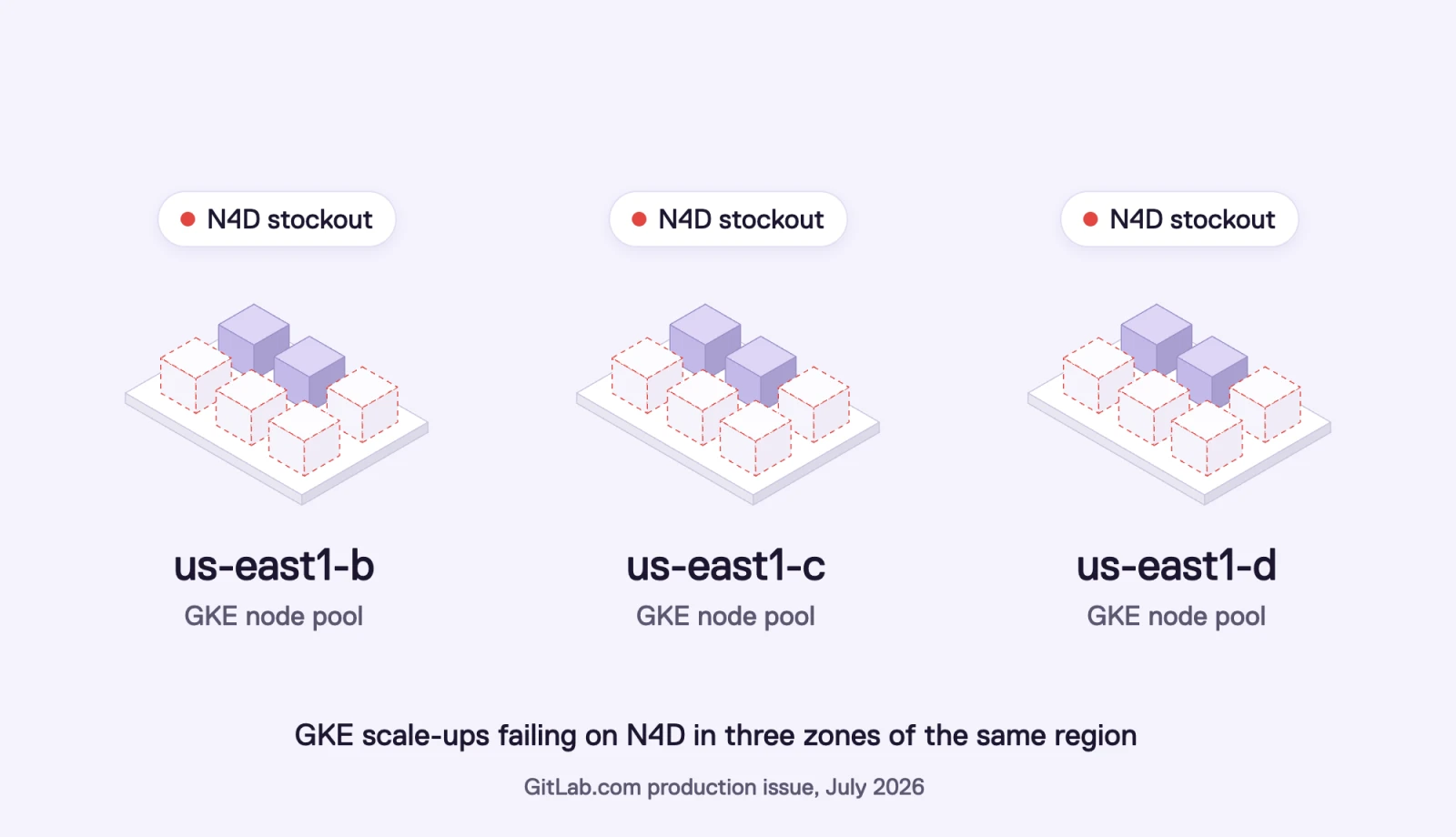
N4D stockouts in us-east1-b, us-east1-c and us-east1-d: GKE scale-ups failing in three zones of the same region, per a GitLab.com production issue from July 2026
Google's August guidance lists "some CPU-based virtual machine families" next to GPUs and TPUs, which matches what these teams saw. If your cluster is pinned to one or two machine families in one region, you are exposed even if you never touch a GPU.
What does Google recommend when capacity runs out?
Google's answers are reservations, Dynamic Workload Scheduler, and fallback planning.
Reservations. Google's docs say: "To help prevent resource availability errors in the future, we recommend that you reserve Compute Engine resources ahead of time." Reservations work, but you pay for the capacity whether you use it or not, and you have to forecast it.
Dynamic Workload Scheduler.Flex-start mode queues your GPU or TPU request and provisions the VMs once capacity frees up. Calendar mode books fixed blocks ahead of time. Both are good for training jobs that can wait. Neither helps a production service that needs to scale now.
Ranked fallbacks. Google recommends lists of acceptable alternatives "if a preferred machine type, size or zone is unavailable". The widest fallback list you can build includes a second cloud.
Does AWS have more capacity than GCP?
AWS is bigger on most capacity measures, and it is also capacity constrained on AI hardware.
What AWS has going for it:
The largest footprint by spend. 28% of the market against 15% for Google in Q2 2026, per Synergy Research.
Instance diversity. AWS offers hundreds of EC2 instance types across Intel, AMD and Graviton, plus its own Trainium and Inferentia chips. When one family is tight, an autoscaler like Karpenter can pick another that fits the pod's requests.
Capacity products for GPUs.EC2 Capacity Blocks for ML let you book GPU instances up to eight weeks ahead, for 1 to 14 days or longer blocks.
So the case for AWS is diversification. A second cloud has a different supply chain, different chips, different regions and different demand peaks. An N4D stockout in a GCP zone tells you nothing about EC2 supply in us-east-1, and an autoscaler that can choose among many EC2 families has more ways to find a node that fits.
Add AWS capacity without adding a second platform.
Qovery manages your GKE and EKS clusters from one place. Clone an environment from GCP to AWS, deploy it with the same pipeline, and keep everything inside your own cloud accounts.
Which workloads should you offload from GCP to AWS?
Start with the workloads that move easily and hurt the most when they wait. Keep the ones tied to your data where they are.
Should this workload move to AWS? A quick decision pathDiagram source (Mermaid)
flowchart TD
    A[Workload waits for GCP nodes<br/>or fails to scale] --> B{Stateful, data-heavy on GCP,<br/>or latency-critical next to GCP?}
    B -- Yes --> K[Keep on GCP<br/>and reserve capacity]
    B -- No --> O[Offload to EKS on AWS<br/>CI runners, batch jobs, queue workers,<br/>stateless APIs, GPU inference]
Workload
Offload to AWS?
Why
Watch out for
CI runners and build agents
Yes, first
Stateless, bursty, and blocked deploys cost engineering time
Container registry access from both clouds
Batch jobs, ETL, media processing
Yes
Can run wherever capacity is, results land in object storage
Egress on large input datasets
Stateless APIs and workers behind a queue
Yes
Scale horizontally, easy to run in two places
Latency to the primary database
GPU inference
Often
AWS GPU families and Capacity Blocks add supply
Model weights and image size, warm-up time
Preview and staging environments
Yes
Low risk, frees GCP capacity for production
Keep config identical across clouds
Primary databases and stateful services
Rarely
Data gravity, replication and egress costs
Move only with a planned migration
Latency-critical services next to GCP data
No
Cross-cloud round trips add latency
Keep them on GCP and reserve capacity
Network cost is the main trade-off. Data leaving Google Cloud for the internet is billed per GB, and so is data leaving AWS. If an offloaded service reads heavily from a GCP database, the egress bill and the latency will tell you it is in the wrong place. Since April 2026, AWS Interconnect - multicloud offers managed private links with Google Cloud as the first partner, which helps for steady cross-cloud traffic.
Why don't more GCP teams burst to AWS already?
Because it usually means running two platforms. Renting the compute is easy, and everything around it doubles:
Two Kubernetes flavors. GKE (often Autopilot) and EKS behave differently: node provisioning, load balancers, storage classes, upgrades.
Two identity models. GCP IAM and service accounts on one side, AWS IAM roles and IRSA or Pod Identity on the other.
Two networks. VPCs, firewall rules, DNS and private connectivity between them.
Two pipelines. Your CI/CD was written for one cluster. Now every service needs a second target, second secrets, second environment variables.
Two on-call surfaces. Logs, metrics and alerts in two consoles.
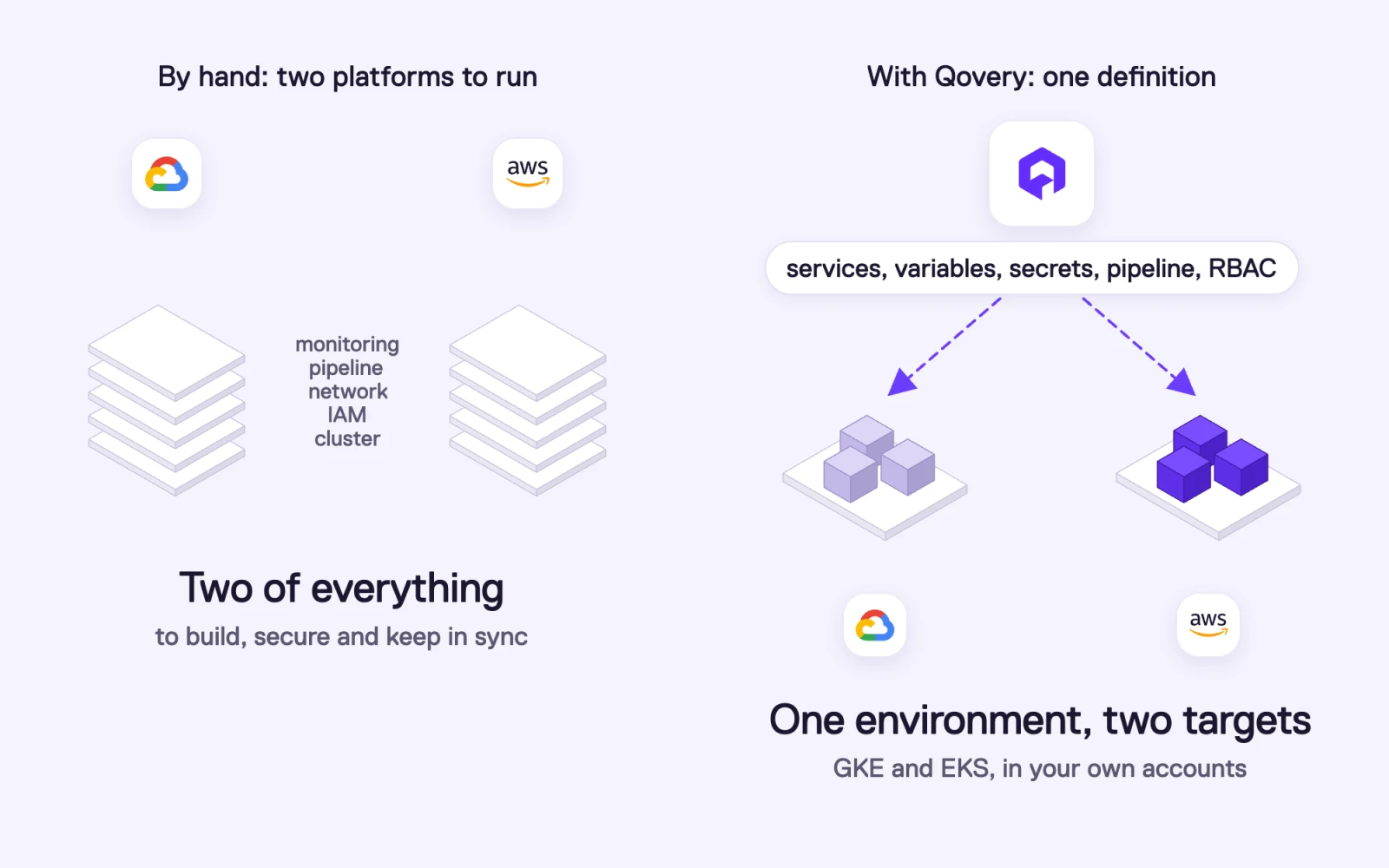
Bursting to AWS by hand means two of everything (cluster, IAM, network, pipeline, monitoring). With Qovery, one environment definition deploys to GKE and EKS in your own accounts
A company with a dedicated platform group can absorb this. A team without one usually waits for GCP capacity and accepts slower deployments, because building the second platform costs more than waiting.
How do you offload workloads from GCP to AWS with Qovery?
Qovery removes the second platform. It is an Agentic DevOps platform that deploys and runs your workloads inside your own cloud accounts, and one Qovery organization can manage clusters on GCP and AWS side by side. Your applications, environment variables, secrets, pipelines and access rules are defined once in Qovery. The cluster is a target you choose.
Here is the path we follow with GCP teams:
Connect your AWS account. Qovery creates and manages an EKS cluster in your account, with Karpenter for autoscaling, Spot and On-Demand nodes, and GPU node pools if you need them. Your GKE cluster keeps running as it is.
Clone the environment to the AWS cluster. In the Console, or from the CLI (commands below). The clone keeps the services, configuration and deployment pipeline, and you choose which services to include. Custom domains are not copied, so you decide when traffic moves.
Route the work. For queue workers and batch jobs, point them at the same queue and let them pull. For CI runners, register the new runners. For APIs, add the AWS endpoint behind your load balancer or DNS.
Keep data where it lives. Leave the primary database on GCP, connect over private networking or authenticated endpoints, and move data only when you plan a migration. Managed AWS services such as RDS or ElastiCache can be provisioned from the same Qovery environment when a workload needs local state.
Scale it back when you want. Stop or delete the AWS environment when GCP capacity returns, or keep it as a standing second region.
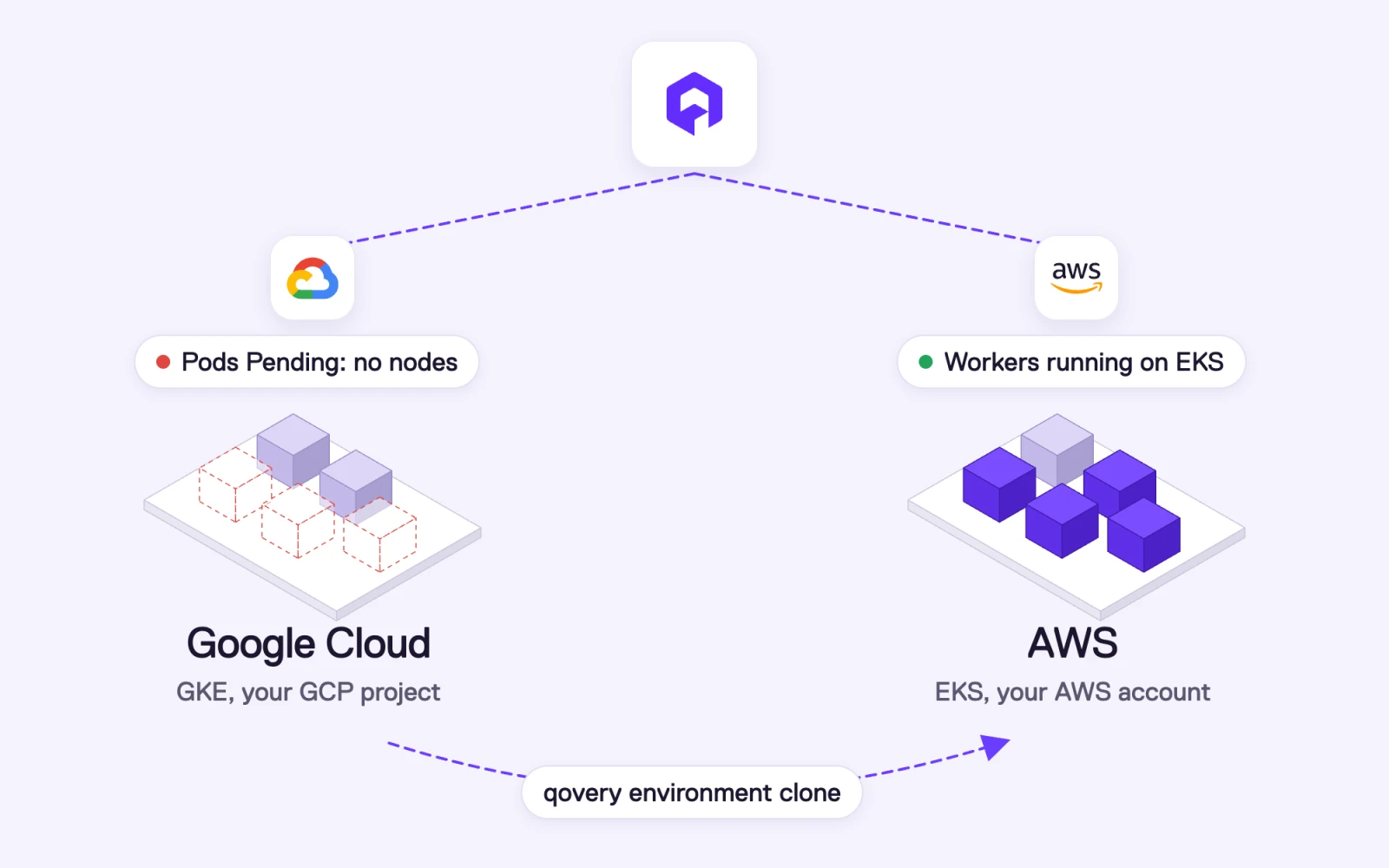
GKE pods stay Pending with no nodes, and qovery environment clone moves the workers to an EKS cluster in your AWS account, where they run
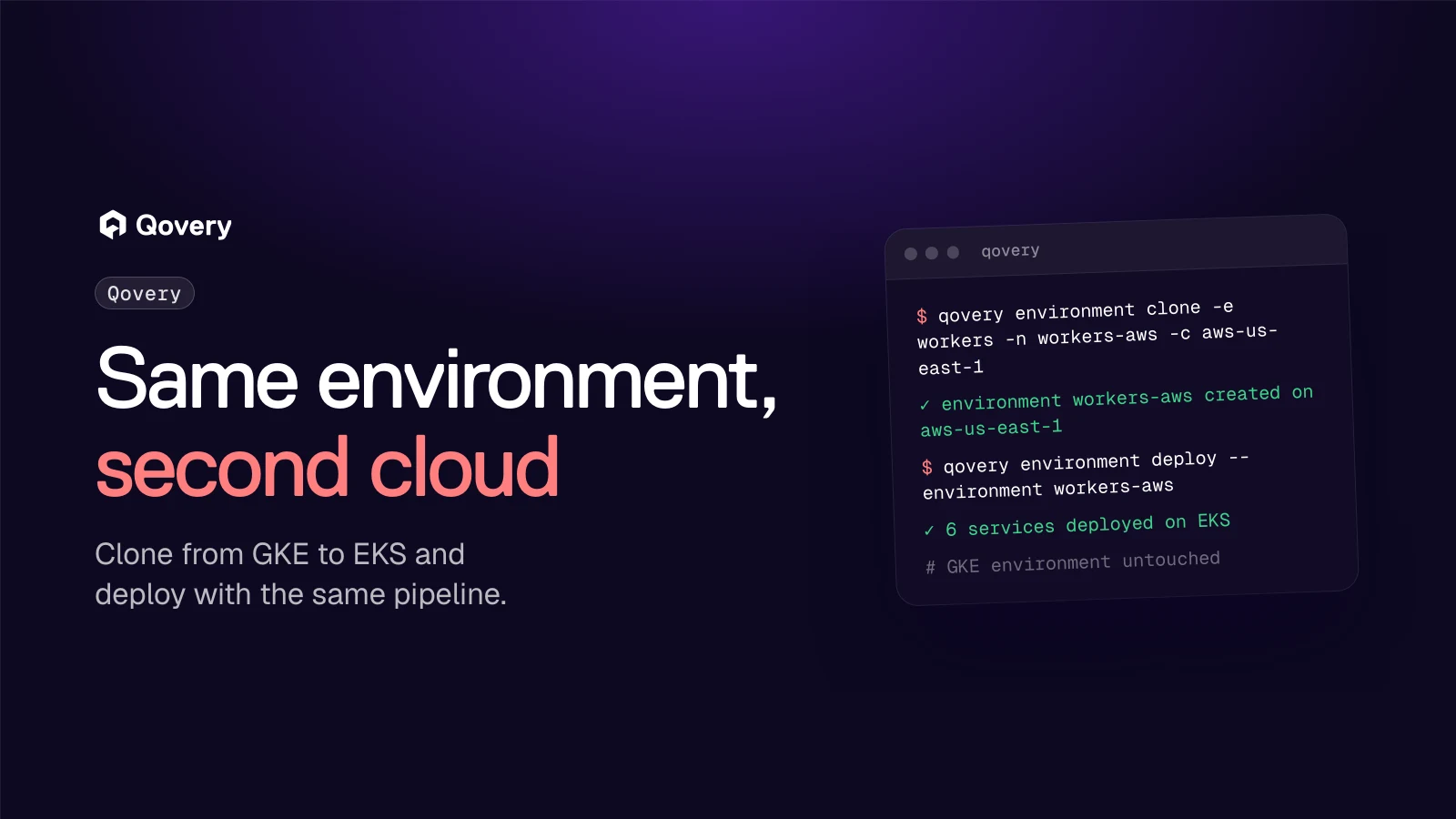
From the CLI, the clone and the first deploy are two commands:
Cloning a Qovery environment from a GKE cluster to an EKS cluster in AWS with the Qovery CLI, then deploying it
Because it is the same environment definition, your developers keep the same workflow. They push code, Qovery builds it once and deploys it to whichever cluster the environment targets. The same goes for the agents your team uses: Claude Code, Cursor or Codex connect through the Qovery MCP server with a scoped token, and the AWS environment shows up next to the GCP one. If you prefer infrastructure as code, the Qovery Terraform provider declares both clusters and the mirrored environment in the same configuration.
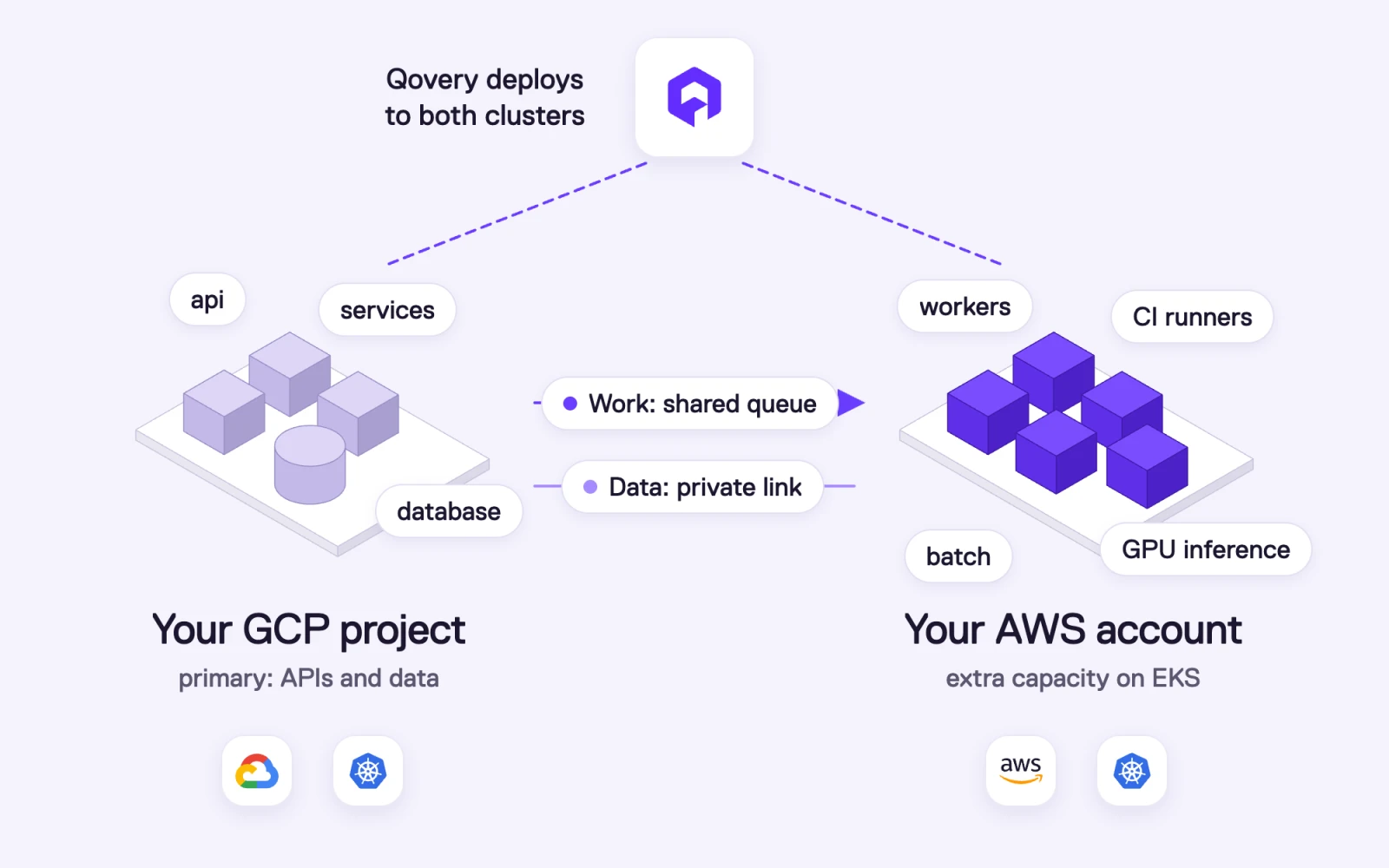
Target setup: Qovery deploys to both clusters. Your GCP project keeps the APIs and the database, your AWS account runs workers, CI runners, batch and GPU inference, linked by a shared queue and a private link
Everything runs in your own accounts. The GKE cluster stays in your GCP project, the EKS cluster sits in your AWS account, and you keep your committed-use discounts on GCP and your Savings Plans on AWS.
Checklist before you offload from GCP to AWS
List the services that failed to scale or waited for nodes in the last 30 days, and the machine families involved.
Mark each one as stateless, queue-driven, batch, or stateful.
Estimate cross-cloud traffic for each candidate. High read volume from a GCP database means it stays on GCP.
Check that your container images are reachable from both clouds (a shared registry, or one registry per cloud).
Decide how traffic or work reaches AWS: shared queue, DNS weight, load balancer, or a separate CI runner pool.
Pick the AWS region closest to your GCP region to limit latency.
Start with CI runners or preview environments, measure, then move production workers.
Frequently asked questions
What does ZONE\_RESOURCE\_POOL\_EXHAUSTED mean in Google Cloud?
It means the zone does not have enough physical resources to create the VMs you requested. Google's documentation says the error is not related to your Compute Engine quota, so a quota increase will not fix it. The fixes Google suggests are retrying later, trying another zone or region, changing the machine type, using Flex-start or Spot VMs, or reserving capacity ahead of time.
How do I fix GKE pods stuck in Pending because nodes cannot be created?
First check the cluster autoscaler events for ZONE_RESOURCE_POOL_EXHAUSTED or quota errors. If it is a quota error, request an increase. If it is a resource pool error, allow more zones and machine families for the node pool, use Spot or Flex-start where the workload tolerates it, reserve capacity for critical services, or run the workload on a second cluster in another region or another cloud.
Is Google Cloud capacity constrained in 2026?
Yes. Sundar Pichai said in April 2026 that Google is "compute constrained in the near-term", and Alphabet's CFO said in July 2026 that the company is "still in a supply-constrained environment". Google has also advised customers to reserve scarce resources, including GPUs, TPUs and some CPU-based VM families, and to plan fallbacks.
Does AWS have unlimited capacity?
No. Andy Jassy said in July 2026 that Amazon will not have enough capacity to meet all of its 2026 demand, mostly because of AI. AWS does have the largest market share, a very large instance catalog and roughly $220 billion of planned 2026 capex, which makes it a strong second pool. The benefit comes from having two independent clouds, since both rarely run out of the same thing at the same time.
Can I run the same application on GKE and EKS without two pipelines?
Yes. With Qovery, one organization manages clusters on GCP and AWS. You define the application and its environment once, clone the environment to the cluster on the other cloud, and deploy with the same pipeline, the same variables and the same access rules.
Should I migrate completely from GCP to AWS because of capacity?
Usually not. Most teams get what they need by offloading stateless, batch and CI workloads to AWS while keeping data and latency-sensitive services on GCP with reserved capacity. A full migration makes sense when your data, your discounts and most of your workloads are already moving, and Qovery supports that path too.
How much does it cost to send traffic between GCP and AWS?
Both clouds bill data that leaves them, per GB. The exact rate depends on volume, region and network tier, so check the current GCP and AWS network pricing pages for your regions. For steady traffic between the two, AWS Interconnect - multicloud has offered managed private links with Google Cloud since April 2026. Keep chatty services and their data in the same cloud to keep the bill low.
Romaric founded Qovery to make Kubernetes accessible to every engineering team. He writes about platform strategy, developer experience, and the future of cloud infrastructure.
Next step
Add AWS capacity without adding a second platform.
Qovery manages your GKE and EKS clusters from one place. Clone an environment from GCP to AWS, deploy it with the same pipeline, and keep everything inside your own cloud accounts.