

How to Enable SSO
1
Contact Qovery
Contact your Customer Success Manager (CSM) to enable the SSO feature for your organization.
- Qovery will provide you a unique
$CONNECTION_NAMEthat you will need to configure your IDP - You will need to provide required information to setup the configuration on Qovery side
2
Validate Authentication Flow
When the configuration is done on your side and on Qovery side, we plan a session to validate the authentication flow.
3
User Provisioning
Once your users are provisioned using SAML or OIDC inside your organization, you will need to remove old users and transfer your organization ownership.
Configure Your IDP
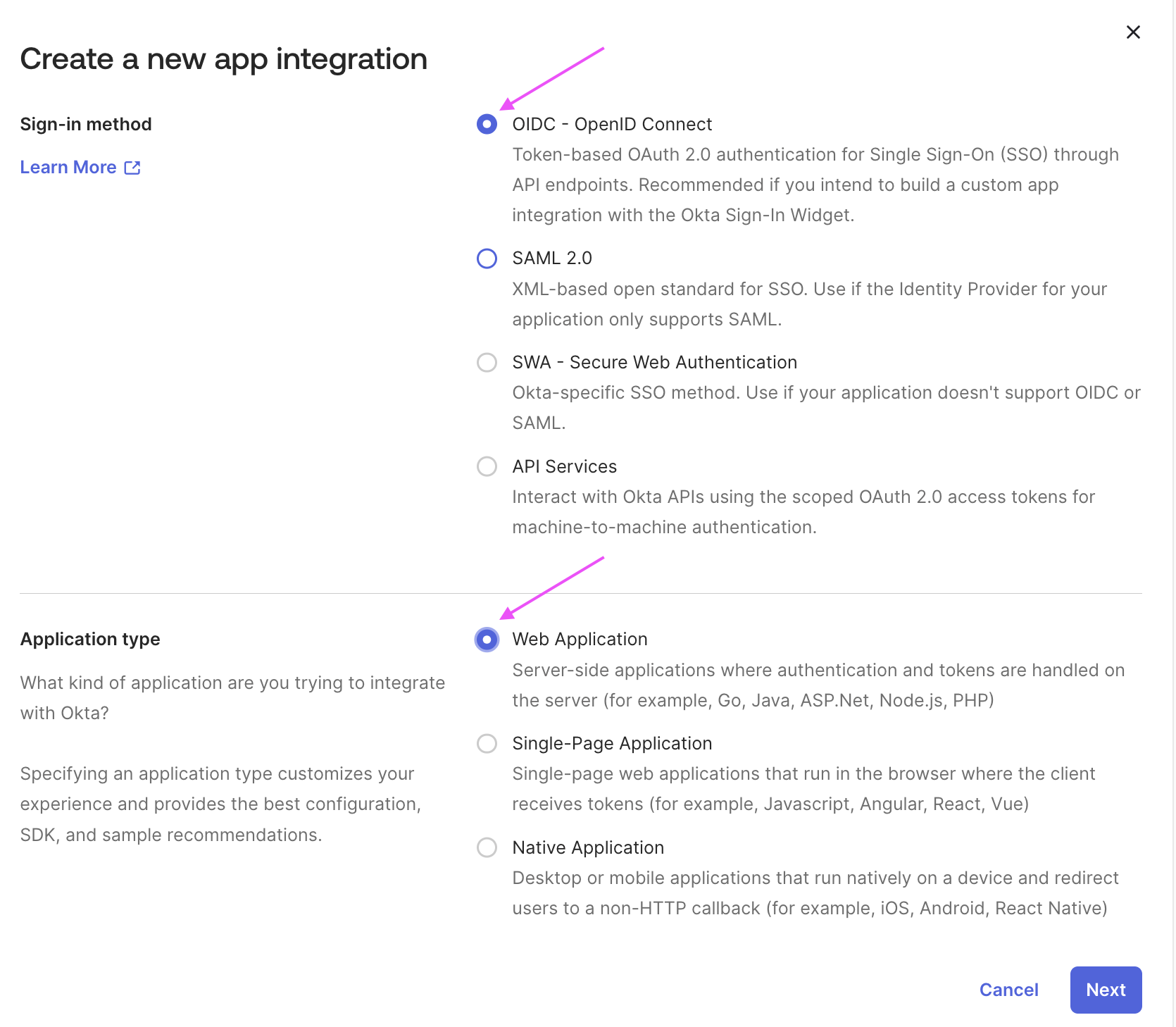
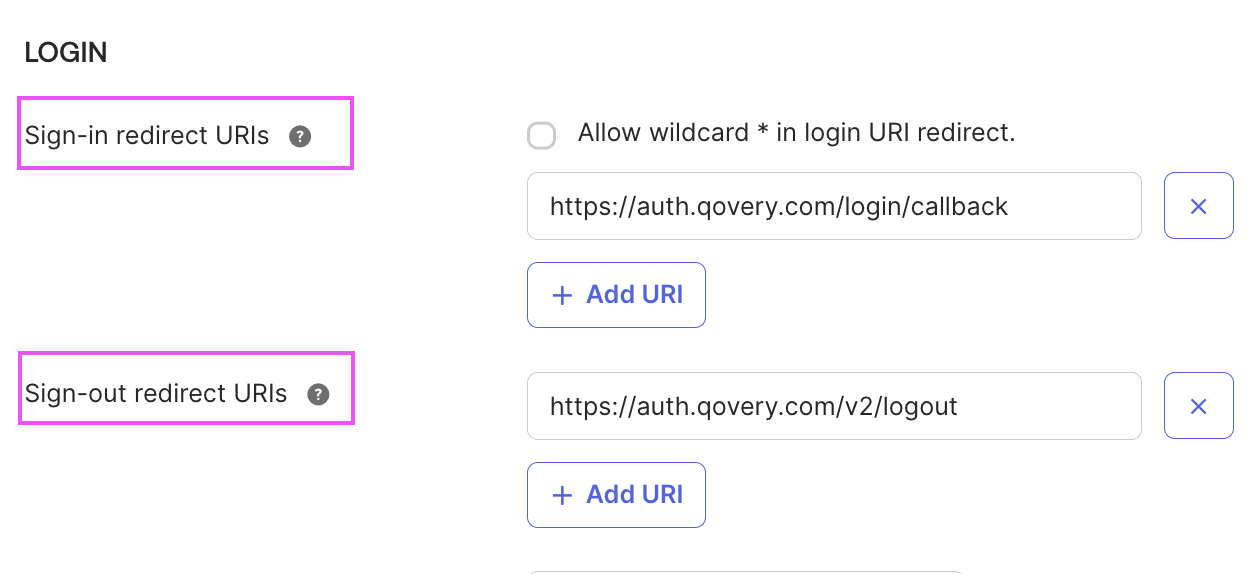
The following sections use Okta as IDP to illustrate the setup and information to share. The same principles apply to other Identity Providers.
- SAML
- OIDC
Configure Your SAML Application
Create SAML Application
Create your SAML application and checkSAML 2.0: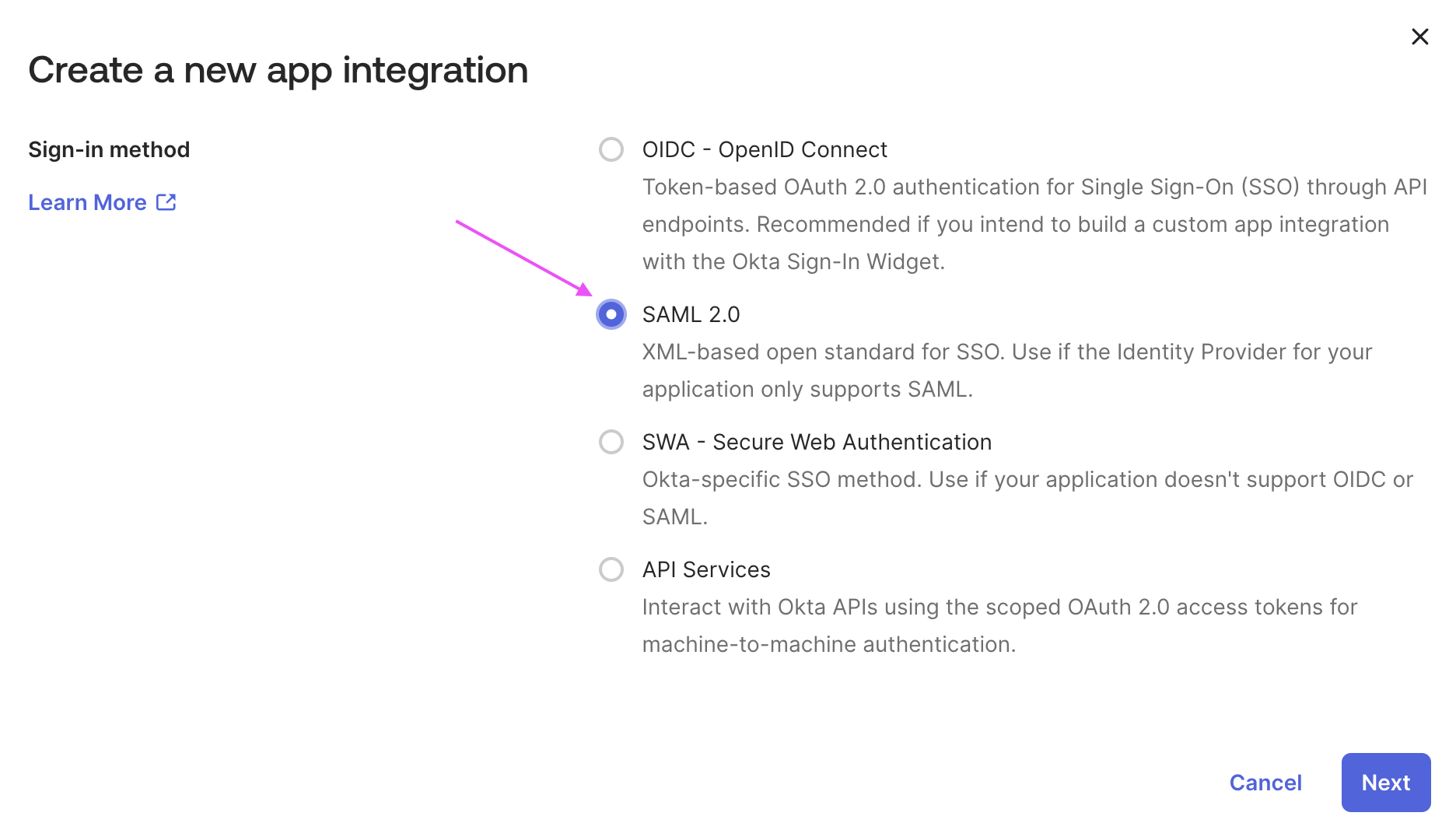
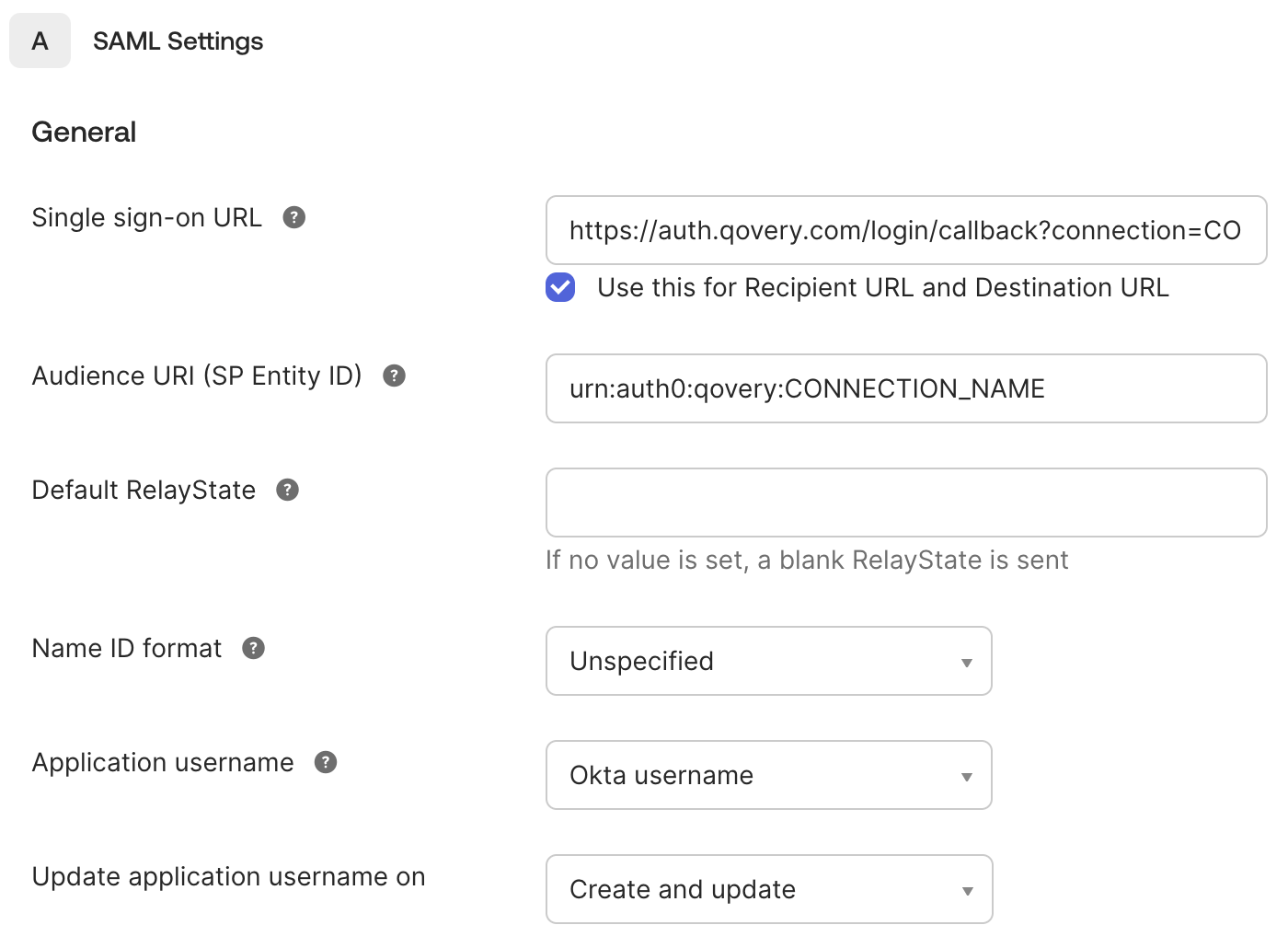
Qovery Authentication Information
In SAML Settings > General section:-
Set the Single sign-on URL to:
- Enable the Use this for Recipient URL and Destination URL checkbox
-
Set the Audience URI to:
Configure Attribute Statements
In Attribute Statements section:- Add attribute
emailto point to your user email property (e.g.,user.emailin Okta) - Add attribute
nameto point to your user full name property (e.g.,user.displayNamein Okta)
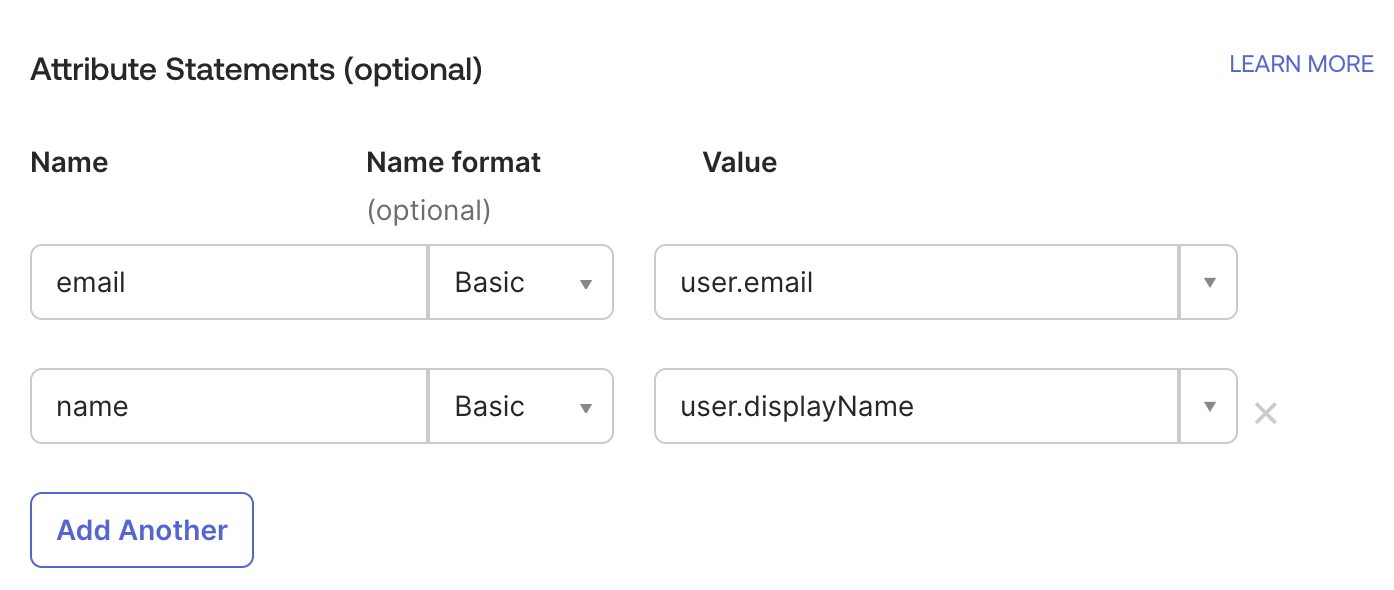
You may not see the “user.displayName” populated in the Okta admin console. See this Okta documentation for more information.
Google SAML
(Optional) Configure Group Attribute Statements
If you want to automatically assign a Qovery role according to your users’ groups (see Configure Group Synchronization), you need to expose this information:- Add attribute
groupsto match the targeted IDP groups you want to expose - Use a regex to expose the groups you plan to use for role synchronization, i.e
.*Qovery.*
Okta recommends to expose only group names used by the target Application.

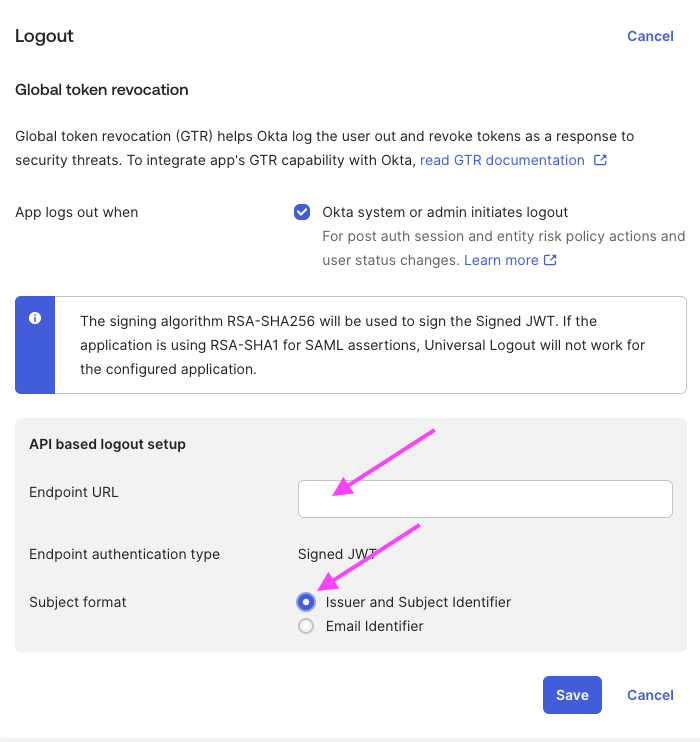
(Optional) Enable Global Token Revocation
In Logout section:- Set the Endpoint URL to:
- Set Subject format to “Issuer and Subject Identifier”
SAML Information To Share
Required Information
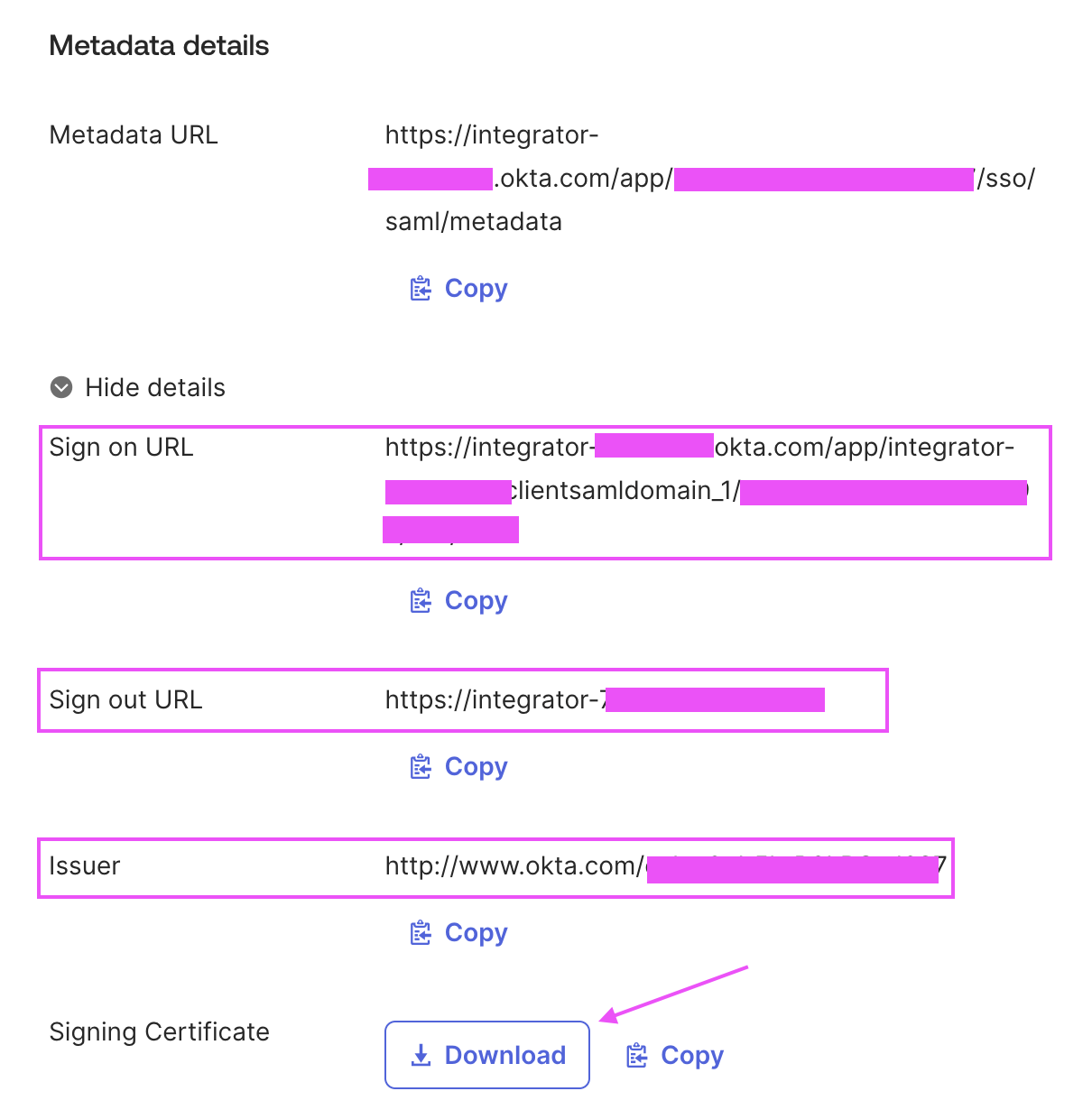
Go to Sign On tab and gather the following required information:- Sign on URL
- Signing Certificate
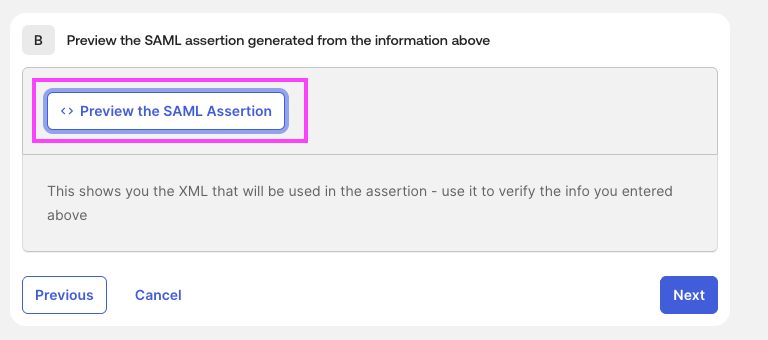
Validate your XML: You should see in the SAML Assertion XML file the fields that IDP will expose to Qovery inside If you want to synchronize groups, you should see the property
<saml2:AttributeStatement>, for example:groups here as well.(Optional) Global Token Revocation Information
If you want to enable global token revocation, you’ll need to also share:- Issuer
- Sign out URL
- Subject (follow these instructions for Okta)
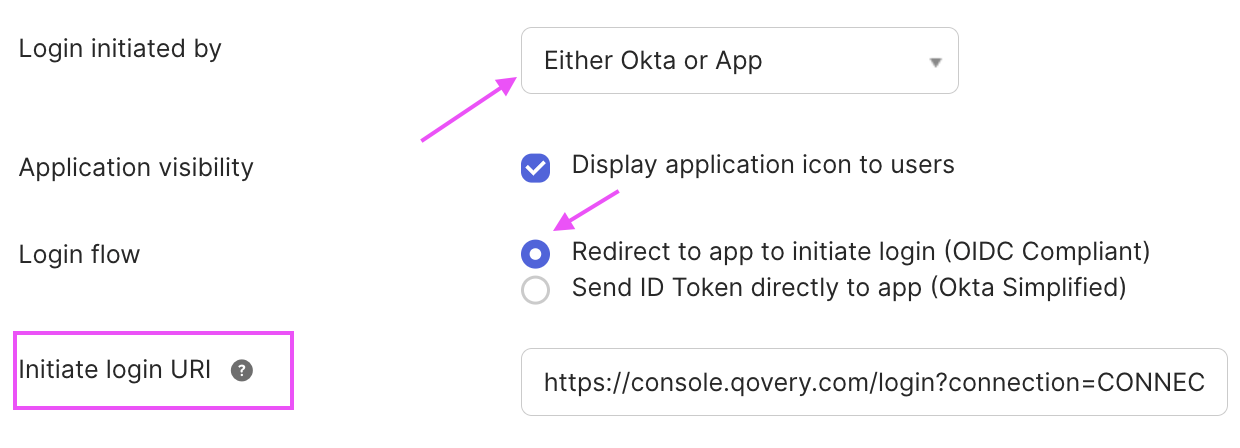
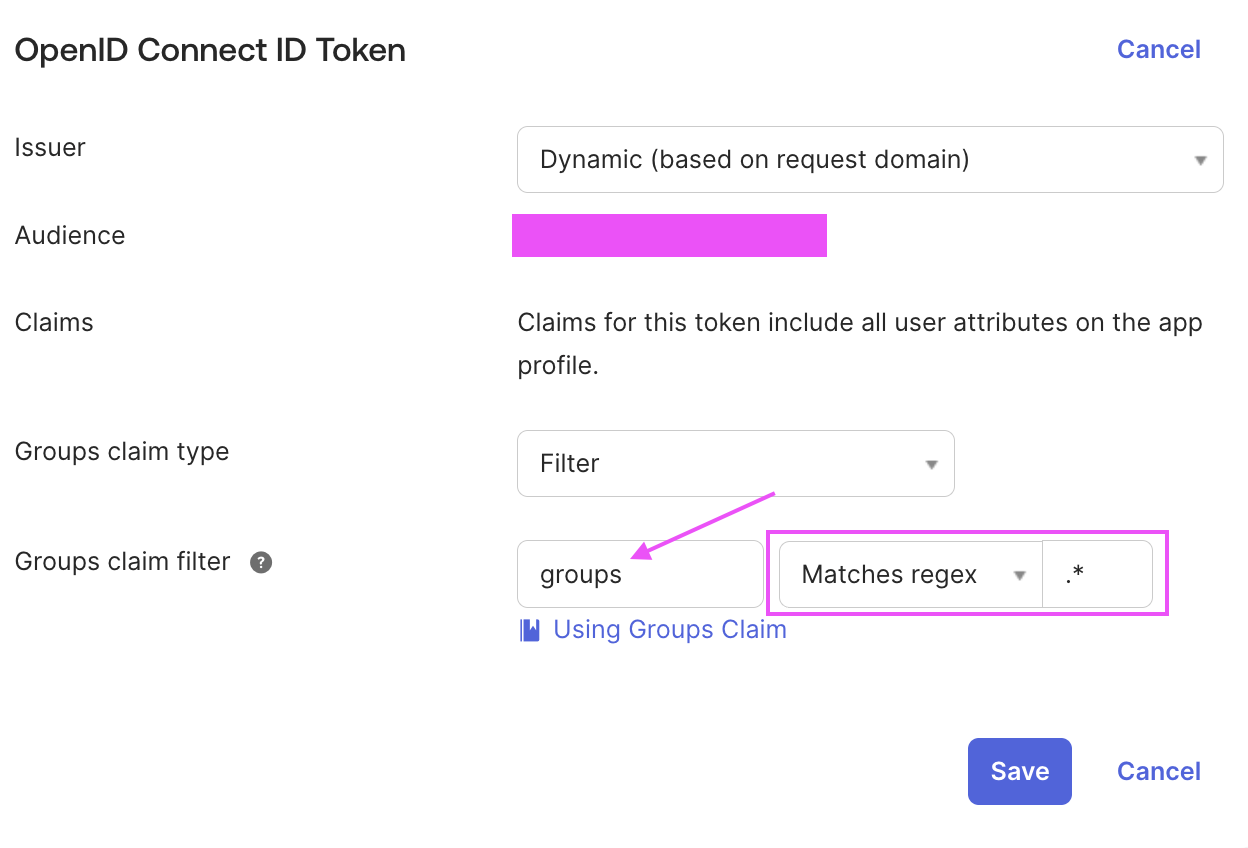
Configuration Qovery Side
Before this step, you have validated your SAML/OIDC authentication flow with your CSM.Check Your Enterprise Connection
You can use the CLI to check your connection configuration:By default:
- The “Default Role” is set to “viewer”
- The synchronization on IDP groups is disabled
Configure The Default Role
This is the Qovery role that will be associated to your IDP users when they log in to Qovery. You can indicate either a Qovery provided role or a custom role:If you choose to enable the “Enforce Sync Group” parameter, the default role is used in case no mapping is found for your IDP users group.
Configure Group Synchronization
Group synchronization tells Qovery to always synchronize the Qovery role with your IDP users’ groups. You need to configure Group Mappings when setting Enforce Sync Group totrue.
Enable Group Synchronization
Add Group Mappings
You can create a mapping table to associate the expected Qovery role based on your user IDP group. Example 1: Users with IDP groups “Administrators” or “DevSecOps” get the “admin” Qovery role:Manage Group Mappings
List all group mappings
List all group mappings
Delete a group mapping
Delete a group mapping
User Provisioning
Users are not auto-provisioned into Qovery. They need to log in at least once to Qovery using the SAML or OIDC authentication flow to be present in your organization. Qovery defines a user according to both their email and their authentication provider. This means that when your users use the new SAML/OIDC authentication flow, they will be considered as new users in your organization. You will need to manually remove the old users that were using classic SSO login.Transfer Organization Ownership
Don’t forget to transfer your organization ownership to the new user that will be using SAML/OIDC authentication flow.1
Identify the New Owner
Ensure the new owner has logged in at least once using the SAML/OIDC authentication flow.
2
Transfer Ownership
Follow the organization ownership transfer process in the Qovery console.
3
Remove Old Users
Progressively remove old users who were using classic SSO authentication.