Try Qovery on Your Laptop: Ask Your Coding Agent, Get a Running App
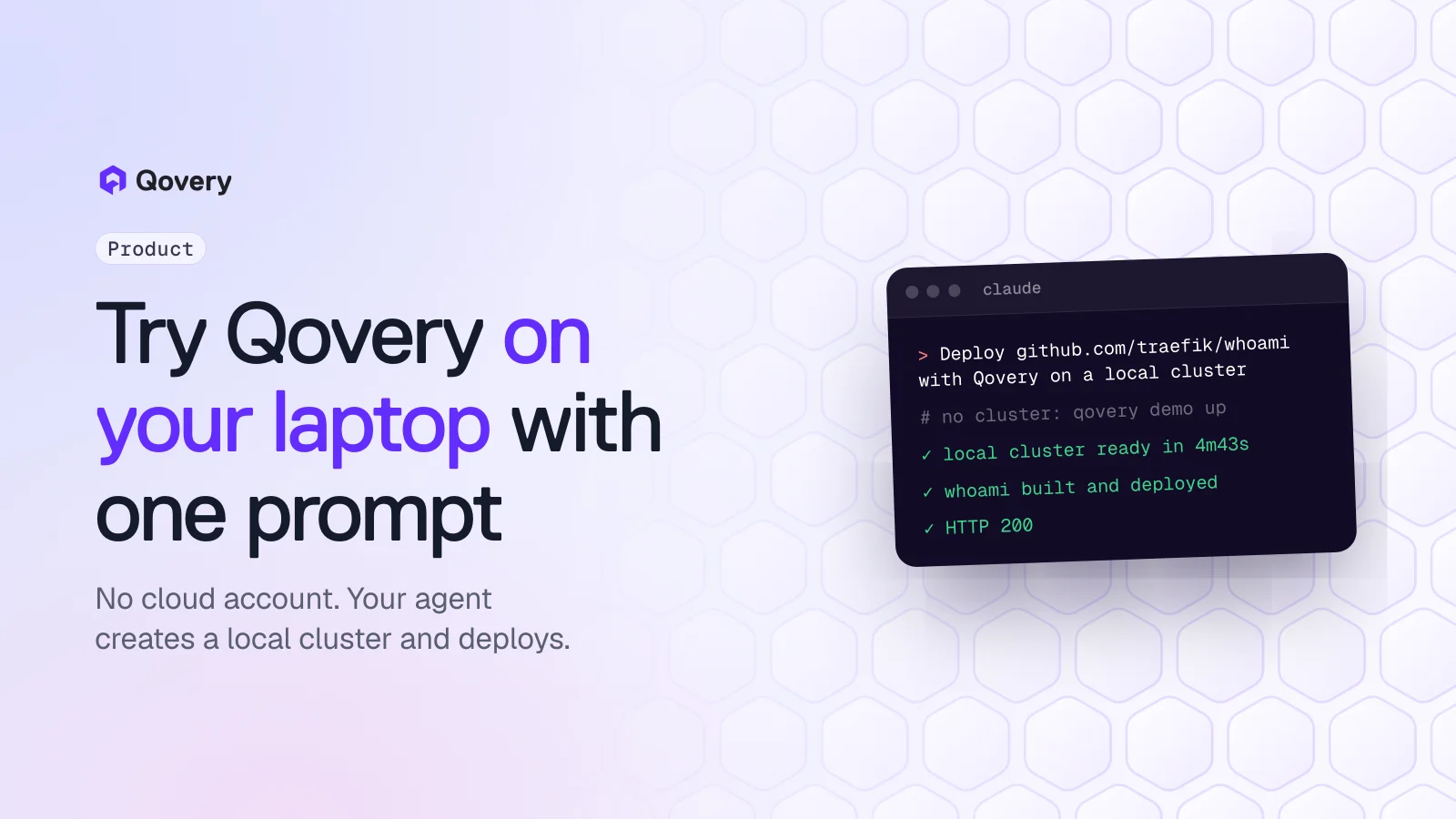
The Qovery agent skills now create a free local Kubernetes cluster in Docker when your organization has none, then deploy your project to it. One prompt in Claude Code, Cursor or OpenCode, no cloud account, no credit card. Measured: 4 min 43 s for the cluster, 2 min 40 s to build and deploy a GitHub repository.
Your coding agent can now try Qovery for you on your laptop. When your Qovery organization has no cluster, the Qovery agent skills offer to create one locally with qovery demo up, then build and deploy your project to it.
One prompt does it: "Deploy https://github.com/traefik/whoami with Qovery on a local cluster on this machine." You sign in, pick your organization and, on macOS, type your password once.
Measured on an Apple M3 Ultra with Claude Code: 4 min 43 s to create the local cluster, then 2 min 40 s for the agent to build the repository from GitHub and deploy it. The app answered HTTP 200.
No cloud account and no credit card. You need Docker, a free Qovery account and a coding agent that supports Agent Skills.
The same project goes to production unchanged when you create a cluster in your own AWS, GCP, Azure or Scaleway account.
Until today, trying Qovery meant connecting a cloud account or a Kubernetes cluster before you could deploy anything. That is a lot to ask of someone who only wants to see whether Qovery fits: cloud credentials or a running cluster, and about 30 minutes for a new cluster to come up, before the first deployment.
We already had a way around it: qovery demo up, a CLI command that creates a k3s cluster in Docker on your machine and connects it to your Qovery organization. But you had to know it existed, install its dependencies and run a handful of commands in the right order.
Now your coding agent does that for you.
What changed
The Qovery agent skills (qovery-deploy, qovery-onboard and qovery-signup) check your organization for clusters before they deploy. If there is none, and you did not say the deployment is for production, the agent offers two paths:
Try it now on this machine: a local cluster in Docker, free, for testing only. About 5 to 10 minutes.
Use your cloud or your own Kubernetes cluster: AWS, GCP, Azure, Scaleway, or a cluster you already run.
If you pick the first one, the agent checks Docker, k3d, helm, kubectl and your Qovery CLI version, tells you what is missing in one message, and runs qovery demo up. When the cluster is ready, it creates a project and an environment, adds your repository, builds it on the cluster and gives you the URL.
Then open Claude Code, Cursor, OpenCode, Gemini CLI or another agent that supports Agent Skills, and paste:
TEXT
Deploy https://github.com/traefik/whoami with Qovery on a local cluster on this machine.
traefik/whoami is a small public web server, a good first run. Swap the URL for any repository with a Dockerfile, or open the agent in your own project and say "Deploy my application with Qovery".
The agent hands a few steps to you, because they open a browser or need your password:
Step
Why you run it
qovery auth
Opens a browser to sign in to your Qovery account
qovery context set
An interactive picker for your organization
macOS: one sudo ifconfig command
Adds a local network address so your browser reaches the apps, and needs your password
WSL: qovery demo up
The setup needs sudo and a Windows administrator prompt
Try Qovery on your laptop today.
Install the Qovery skills, then ask your coding agent to deploy a GitHub repository. Qovery Free: 3 users, AI agents don't count, 1 cluster, 1,000 deployment minutes a month, no credit card.
We ran it from scratch with a fresh Claude Code session that had nothing but the Qovery skills installed, on an Apple M3 Ultra, Qovery CLI 1.181.1, on 9 November 2026:
Step
Time
qovery demo up creates the local cluster
4 min 43 s
The agent deploys a public container image
about 6 min for the whole agent run
The agent builds traefik/whoami from GitHub and deploys it
2 min 40 s for the whole agent run, about 1 min 30 s from build start to running
The build runs on the local cluster itself. Your times will depend on your machine, your network and the project.
The runs were not perfect, and we fixed what we saw. In the first runs the agent passed a file path where the CLI expects stdin, tried the latest image tag that the API rejects, and read runtime logs when it wanted build logs. It recovered each time, and the skills now say all three things up front.
Why start on a laptop
A local cluster answers the first question a developer has, "does my app run on this?", in about ten minutes and without asking anyone for cloud access. It is the same Qovery: the cluster shows up in the Console next to any other, with its environments, deployment logs and variables. What you learn there, you keep when you move to production.
When you are ready, create a cluster in your own cloud account, or connect one you already run, and deploy the same project to it. Your agent can do that too: "Deploy this to production on AWS with Qovery".
What it is not
The local cluster runs only on your machine and is not for production. Apps you deploy there are reachable from your machine only.
On the Free plan, the local cluster counts as your one included cluster. To connect a cloud cluster later, remove the local one with qovery demo destroy --delete-qovery-config, or move to a paid plan to keep both.
The local cluster needs Docker with at least 4 CPUs and 8 GB of memory, on macOS, Linux or Windows with WSL.
No. The local cluster runs in Docker on your machine. You need a free Qovery account, Docker, k3d, helm and kubectl.
Which coding agents work?
Any agent that supports Agent Skills: Claude Code, Cursor, OpenCode, Gemini CLI and others. Install the skills with curl -fsSL https://skill.qovery.com/install.sh | bash.
Is it free?
Yes. The Qovery Free plan has no credit card and no time limit: 3 users, AI agents don't count, 1 cluster and 1,000 deployment minutes a month. The local cluster uses that one cluster.
Can I use the local cluster in production?
No. It runs on your laptop and is meant for trying Qovery and testing. For production, create a cluster in your own AWS, GCP, Azure or Scaleway account, or connect a Kubernetes cluster you already run.
How do I remove it?
Ask your agent, or run qovery demo destroy. Add --delete-qovery-config to also remove the cluster and its environments from your Qovery organization.
Romaric founded Qovery to make Kubernetes accessible to every engineering team. He writes about platform strategy, developer experience, and the future of cloud infrastructure.
Next step
Try Qovery on your laptop today.
Install the Qovery skills, then ask your coding agent to deploy a GitHub repository. Qovery Free: 3 users, AI agents don't count, 1 cluster, 1,000 deployment minutes a month, no credit card.