Top 10 Spectro Cloud alternatives for multi-cluster fleet management
Don't just manage clusters. Modernize your stack. Compare Spectro Cloud vs. Qovery vs. Rancher to decide between "Fleet Operations" and "Developer Self-Service.
Spectro Cloud Palette has carved out a strong niche by solving the "Full Stack" problem. Its "Cluster Profiles" allow Ops teams to model everything, from the Operating System (OS) to the Kubernetes layer, and stamp it out across thousands of bare-metal servers. For Edge Computing and Air-Gapped fleets, it is a powerful tool.
However, for teams running primarily on the Cloud (AWS/EKS, Azure/AKS), Spectro Cloud can feel like overkill.
Managing the OS layer and defining complex Cluster Profiles is often unnecessary work for teams that just want to ship applications. If your goal is "Developer Velocity" rather than "Bare Metal Operations," you might need a different class of tool.
We analyzed the top 10 alternatives, categorizing them into Fleet Managers (Ops focus) and Developer Platforms (App focus).
10 Spectro Cloud Alternatives: Fleet Ops vs. Developer Platforms
Tool
Best For
Strategy
1. Qovery
Teams moving from "Cluster Ops" to "App Delivery" (IDP).
Vertical Upgrade
2. Rancher
Managing hybrid fleets (On-prem + Cloud) with Open Source.
Direct Swap
3. Rafay
Large enterprises requiring strict OPA governance policies.
Governance
4. Platform9
SaaS-Managed Kubernetes on bare metal without the Ops team.
Regulated industries needing FIPS compliance and support.
Enterprise
7. Portainer
Lightweight visualization for edge/homelab environments.
Lightweight
8. Azure Arc
Extending Azure management to on-premise servers.
Hyperscaler
9. Nomad
Running non-containerized binaries on edge devices.
Simplicity
10. Tanzu
Teams deeply embedded in the VMware vSphere ecosystem.
Legacy
1. Qovery – The "Developer-First" Alternative
Best For: Teams who want to stop managing the "Cluster Profile" and start managing the Product.
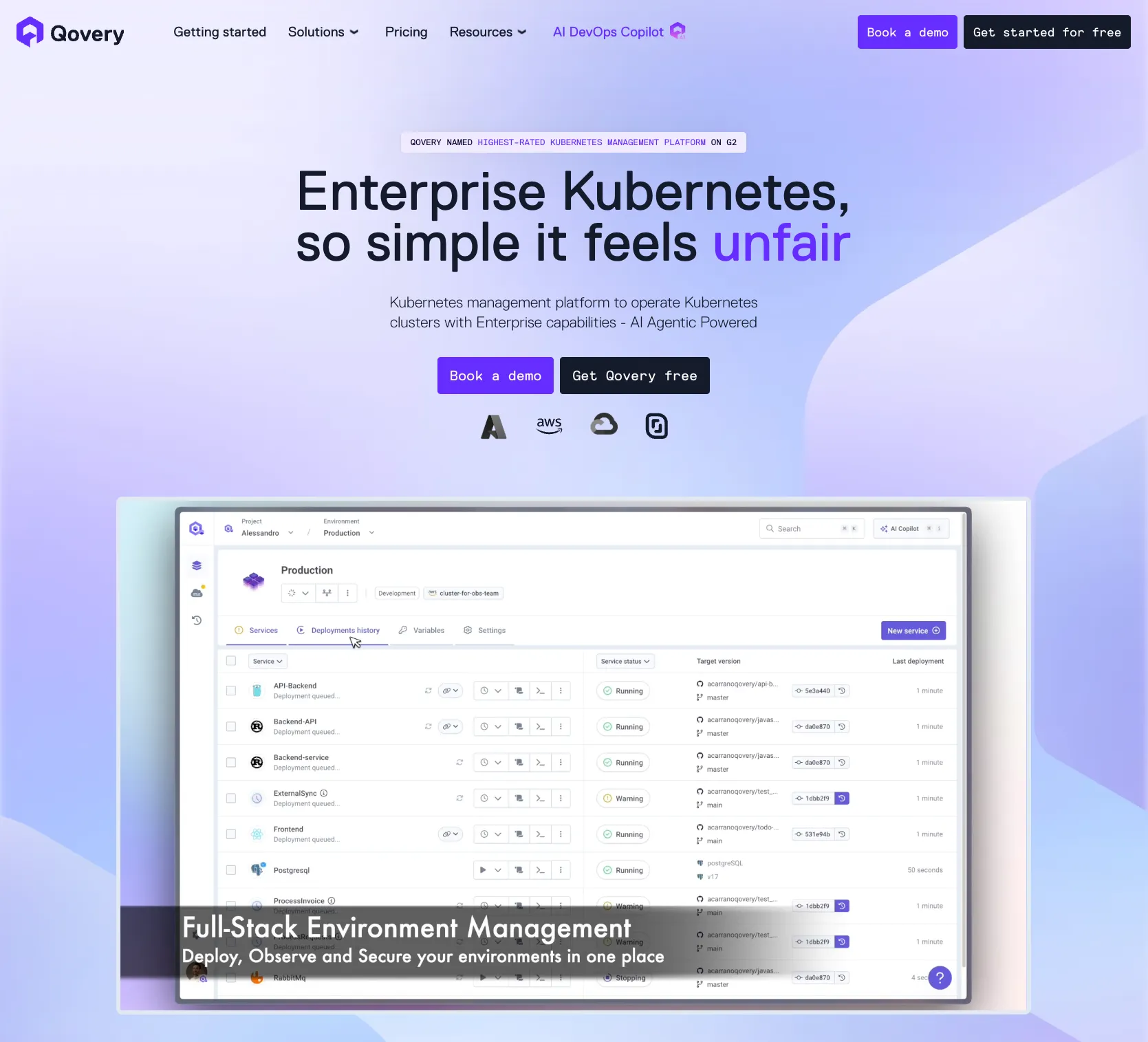
The Strategy: Spectro Cloud focuses on the Infrastructure (OS + K8s). Qovery is a Kubernetes management platform that focuses on the Application. If you are running on cloud providers like AWS or CoreWeave, you don't need to manage the OS layer. Qovery sits on top of your cloud and automates the entire software delivery lifecycle, providing "Preview Environments" and self-service deployment for developers, features Spectro lacks.
Pros:
Developer Experience: Turns Kubernetes into a "Heroku-like" PaaS for your engineering team.
Zero Maintenance: It is a managed control plane; you don't need to patch the management server.
FinOps: Built-in cost optimization that tracks spend per application/environment.
Cons:
Not for Bare Metal OS: Qovery does not provision the Linux OS on physical servers like Spectro does.
Cloud Connectivity: Requires a connection to the control plane (not for strictly air-gapped submarines).
2. Rancher (SUSE) – The Open Source Standard
Best For: Ops teams managing mixed fleets of On-Prem and Cloud clusters.
The Strategy: Rancher is the primary open-source competitor to Spectro Cloud. While it lacks the declarative "Cluster Profiles" for the OS layer, it is the industry standard for managing the lifecycle of Kubernetes clusters (RKE, K3s) across diverse infrastructure.
Pros:
Cost: Open-source foundation allows for cheaper entry than Spectro's enterprise pricing.
K3s Integration: Native support for K3s makes it excellent for resource-constrained edge devices.
Cons:
"Drift" Management: Harder to prevent configuration drift compared to Spectro’s declarative profiles.
Day 2 Ops: Upgrading the Rancher management server itself can be complex at scale.
Best For: Platform teams enforcing strict standardization across shared services.
The Strategy: Rafay competes on Policy. While Spectro focuses on the "Stack," Rafay focuses on the "Guardrails." It deeply integrates OPA (Open Policy Agent) to ensure that no developer can deploy a non-compliant container, making it a favorite for financial services.
Security: "Zero Trust" access to clusters without VPNs.
Cons:
Complexity: Like Spectro, it is a heavy tool designed for Ops teams, not developers.
4. Platform9 – The SaaS Operator
Best For: Running Kubernetes on your own physical hardware without an Ops team.
The Strategy: Platform9 offers a SaaS control plane that remotely manages your on-premise servers. Unlike Spectro (where you manage the Palette instance), Platform9 takes responsibility for the SLA of the control plane and the upgrades.
Pros:
SLA: They handle the patching and upgrades, reducing your operational risk.
Bare Metal: Brings the "Cloud Experience" to your private data center.
Cons:
Flexibility: Less customization of the underlying OS layer compared to Spectro Cloud.
5. Avassa – The "Application" Edge
Best For: Retail and Industrial Edge use cases (e.g., POS systems, Factory floors).
The Strategy: Spectro Cloud manages the Cluster. Avassa manages the Application.Avassa argues that running a full Kubernetes cluster on a small edge device is overkill. Instead, it offers a lightweight container scheduler specifically designed for distributed edge applications, focusing on placement policies (e.g., "Run this only on cameras in Store #504").
Pros:
Lightweight: Uses significantly fewer resources than a full K8s distro.
Offline-First: Applications keep running even if the central control plane disconnects.
Cons:
Niche: It is not standard Kubernetes; it is a specialized edge orchestrator.
6. Red Hat OpenShift – The Enterprise OS
Best For: Highly regulated industries requiring FIPS compliance.
The Strategy: OpenShift is the heavy-duty alternative. Like Spectro, it controls the full stack (using Red Hat CoreOS). It is the "safe" choice for government and banking.
Best For: Smaller edge fleets or Homelabs needing visibility.
The Strategy: If Spectro Cloud is a "Fleet Commander," Portainer is a "Dashboard." It provides a lightweight UI to manage Docker and K8s environments. For simple edge deployments (e.g., 50 Raspberry Pis), Spectro can be overkill.
Pros:
Simplicity: Installs in seconds; almost zero learning curve.
Edge Agent: Uses a lightweight agent to communicate through NAT/Firewalls.
Cons:
Governance: Lacks the deep "Cluster Profile" modeling and OS management of Spectro.
8. Azure Arc – The Hyperscaler
Best For: Teams already "All-in" on Microsoft Azure.
The Strategy: Microsoft wants to manage your on-premise servers too. Azure Arc extends the Azure Resource Manager (ARM) to your private data center, allowing you to manage bare metal servers as if they were Azure resources.
Pros:
Unified Billing: Pay for on-premise management through your Azure commit.
GitOps: Built-in Flux integration for configuration management.
Cons:
Heavy: Requires the Azure agent and connection; can be resource-intensive.
9. Nomad (HashiCorp) – The Simple Scheduler
Best For: Edge workloads that don't need Kubernetes.
The Strategy: Nomad is a single binary. It is drastically simpler than maintaining K3s or RKE2 at the edge. It can run containers, Java JARs, and raw binaries side-by-side.
Pros:
Simplicity: No etcd, no complex networking overlays.
Legacy Support: Perfect for edge devices running older, non-containerized software.
Cons:
Ecosystem: Smaller community and toolset than the Kubernetes ecosystem.
10. VMware Tanzu – The Legacy Bridge
Best For: Teams deeply embedded in vSphere.
The Strategy: Spectro Cloud is often used to replace VMware. However, if you aren't ready to rip out vSphere, Tanzu allows you to run Kubernetes inside your existing VMs using the tools you already know.
Pros:
Skill Transfer: Use vCenter to manage Kubernetes.
Stability: Mature hypervisor technology.
Cons:
Broadcom Risk: Rising costs and licensing uncertainty make this a "Legacy" choice rather than a forward-looking one.
Conclusion: Which Spectro Cloud Alternative is Right?
For Edge & Bare Metal Ops: Use Rancher (Open Source) or Avassa (App Focus).
Melanie leads content at Qovery. She covers platform engineering trends, Kubernetes operations, FinOps, and the tools that help engineering teams ship faster.
Next step
Agents ship fast. Guardrails keep them safe.
Qovery ensures every agent action is scoped, audited, and policy-checked. Start deploying in under 10 minutes.