Plug Qovery Into the Kubernetes Cluster You Already Run
BYOK on EKS, GKE and Kapsule now runs through the Qovery Operator: install it once with Helm on a cluster you already run, and deploy Qovery's component updates from the Console. Now in Preview, for clusters without cert-manager, ExternalDNS or Envoy Gateway.
A new way to bring your own cluster: Install the Qovery Operator once with Helm on your EKS, GKE or Kapsule cluster. Qovery installs its components, and their updates come from Qovery.
Your cluster stays yours: Qovery stores no kubeconfig, the Operator only connects outbound, and checks run before each cluster deployment.
Try it: BYOK with the Operator is in Preview on the Enterprise plan. Contact us to enable it on your organization.
By default, Qovery creates and manages the Kubernetes cluster your applications run on, in your own cloud account. Bring Your Own Kubernetes (BYOK) is the other way around: you connect a cluster you already run, and Qovery deploys your applications on it.
That matters when your platform team already runs Kubernetes. The clusters have their own network, security rules and compliance reviews, and maybe a GitOps workflow your developers rely on. Moving to a cluster that Qovery creates means redoing all of that.
Where we're coming from
BYOK is not new at Qovery. Until now, you installed Qovery on your cluster with the Qovery CLI and its Helm chart. It worked, but the install path was hard to find and the documentation was thin. And it was a one-time install, so everything after it was on you:
Updates. To get a fix or a new feature, you re-ran the installer, merged the new Helm values with your own changes and ran helm upgrade. There was no upgrade reminder in the product, so clusters could fall behind on fixes and security patches. And when an upgrade went wrong, your applications could end up unreachable.
Changes. Some cluster settings could be edited in the Console, but there was no supported way to apply them to a cluster you had installed yourself.
Prerequisites. A missing component or a Helm release that conflicted with one you already had showed up late, as a failed install or upgrade.
Each time, the root cause was the same. Qovery could deploy your applications on the cluster, but it could not manage what it had installed there. The Qovery Operator fixes that. It runs in your cluster and lets Qovery ship updates you deploy from the Console, show you what it installs, apply the settings you save there and check the cluster before each cluster deployment.
Plug it in
It takes three steps, on a cluster that does not already run cert-manager, ExternalDNS or Envoy Gateway:
In the Qovery Console, add a cluster under Connect existing cluster (BYOK) and pick AWS, GCP or Scaleway.
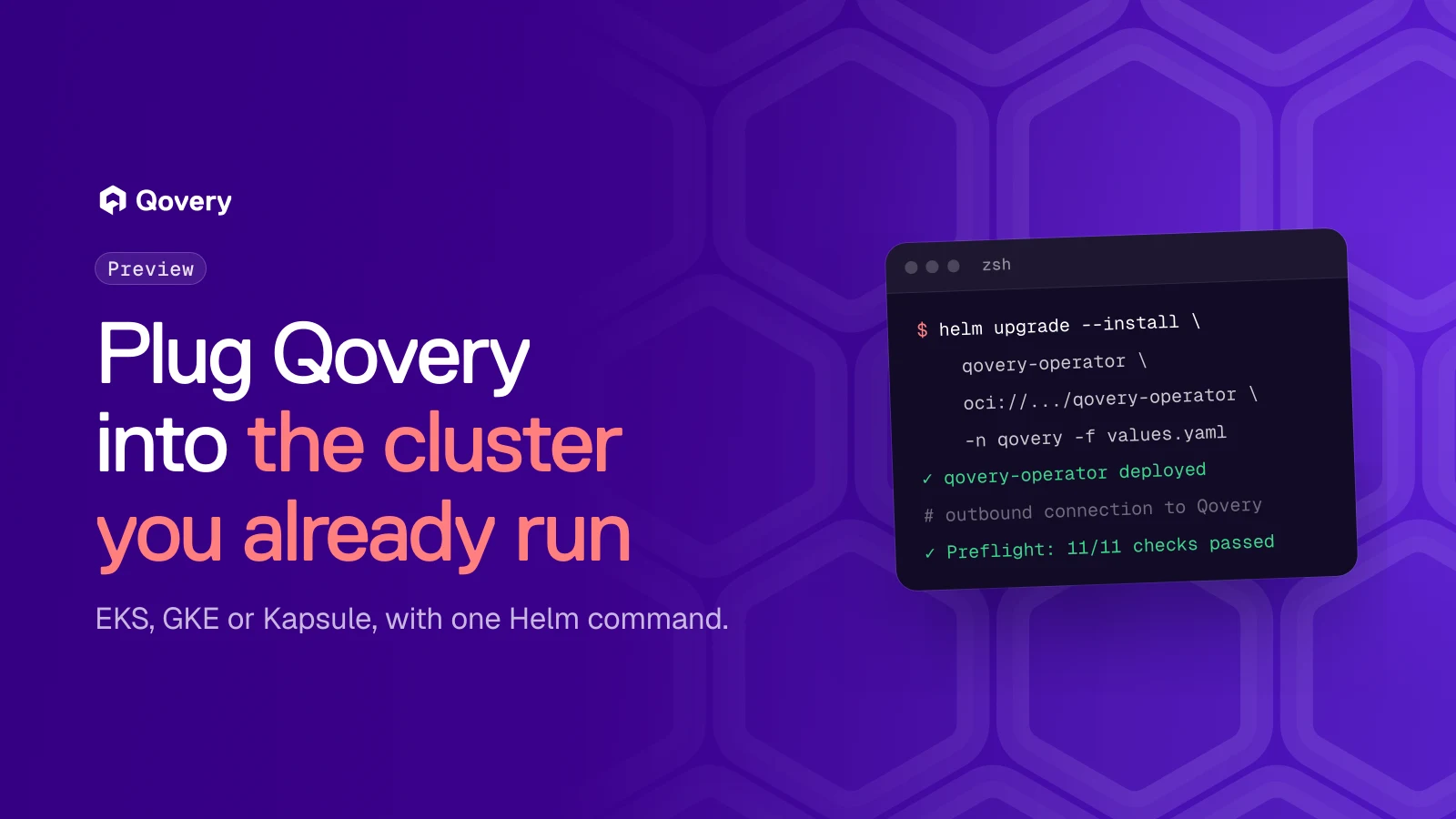
Download the Helm values file and run the Helm command the Console shows you. This installs the Qovery Operator in the qovery namespace:
The values file holds the cluster credential, so keep it private and delete it once the Operator is installed.
When the Operator connects, the Console opens the platform profile of the cluster. Review it and deploy.
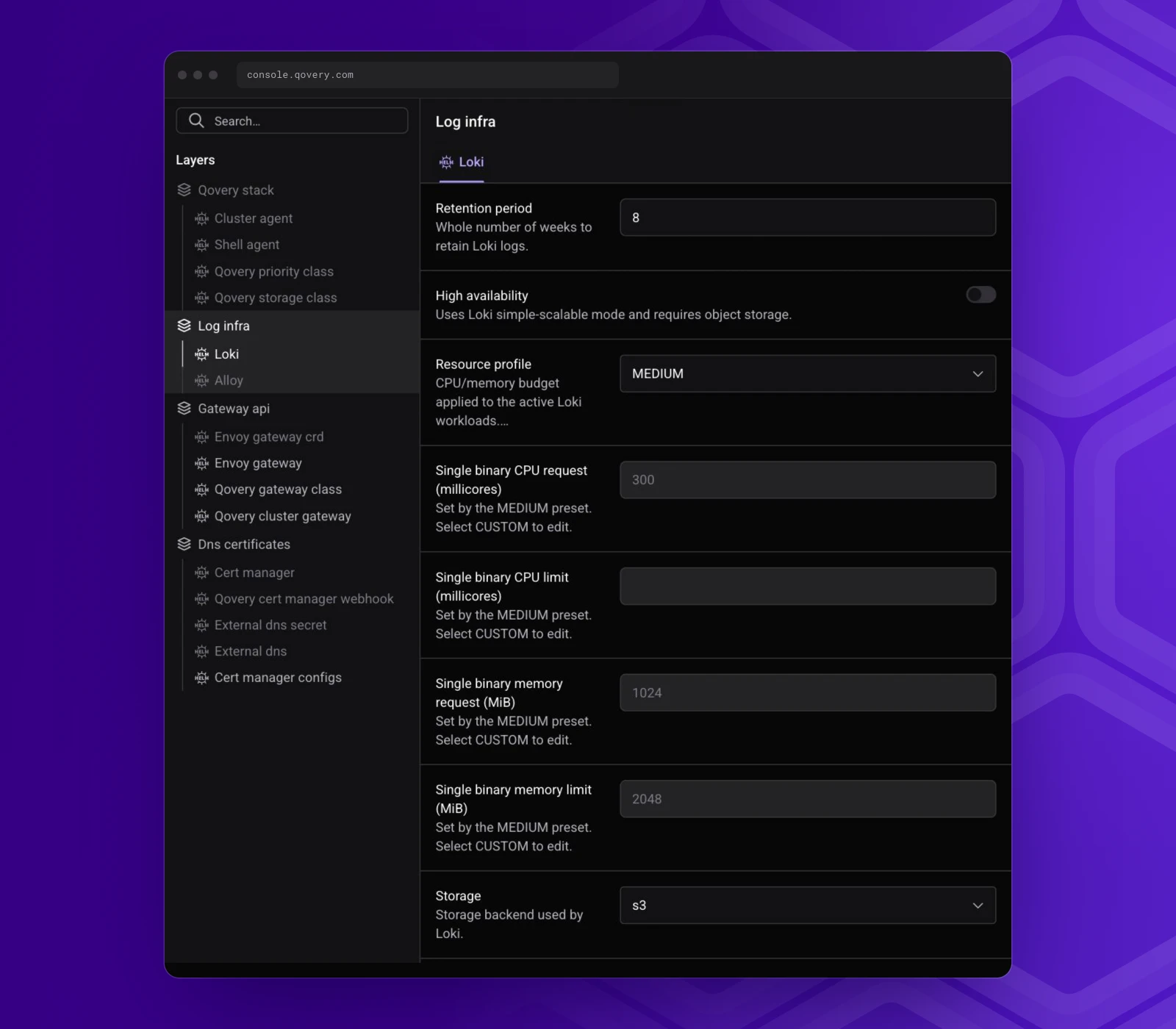
Qovery then installs what it needs to run your applications: Loki and Alloy for application logs, Envoy Gateway to expose your applications, cert-manager and ExternalDNS for the Qovery-provided domain and its TLS certificates, and the Qovery agents. Updates of these components, and of the Operator itself, come from Qovery: you deploy them from the Console instead of upgrading each Helm release yourself.
The platform profile lists what Qovery installs on your cluster
Want BYOK with the Operator on your organization?
It is in Preview on the Enterprise plan, and we enable it organization by organization.
On a cluster Qovery did not create, the Operator changes as little as possible.
No kubeconfig stored. You install the Operator with your own kubectl and helm access, once. After that, the Operator opens an outbound connection to Qovery and runs each deployment as a Kubernetes Job inside your cluster. Those Jobs run with cluster-admin rights. Nothing has to reach into your cluster from outside.
A credential limited to the registry. Qovery builds your images in your cluster and pushes them to a registry it creates in your cloud account: Amazon ECR, Artifact Registry or Scaleway Container Registry. The recommended credential only needs access to that registry, and on AWS it is an IAM role instead of long-lived keys. It has no access to your Kubernetes cluster.
You see what Qovery installs. The platform profile lists every component Qovery installs on the cluster, with its settings. Where the profile meets something you already have, our goal is to keep yours. StorageClasses already work this way: an existing class with the same name stays as it is, and Qovery never changes the default StorageClass of your cluster. An existing cert-manager, ExternalDNS or Envoy Gateway is not adopted yet.
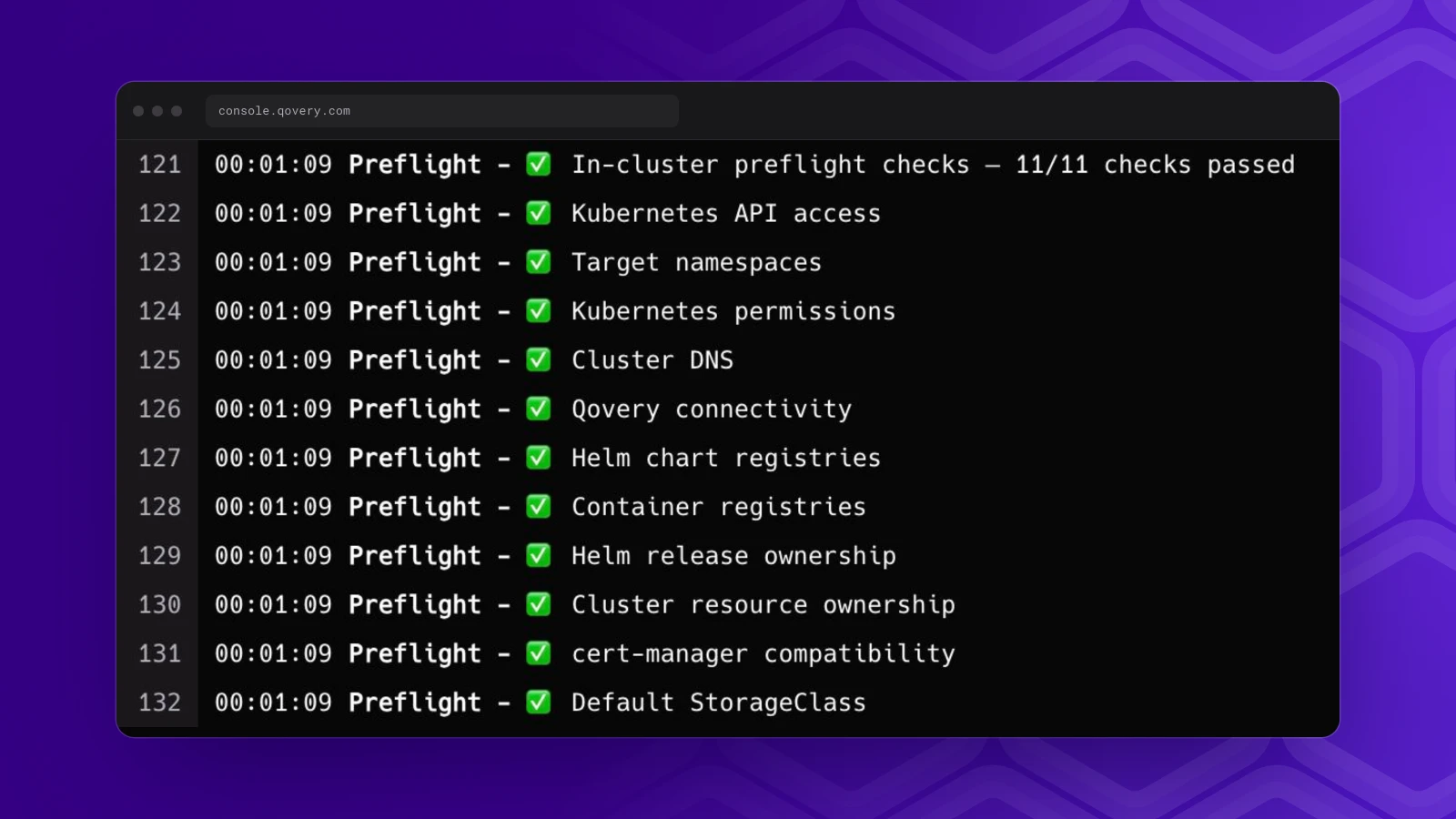
Checks before each cluster deployment. Before Qovery deploys the platform profile, it checks its configuration and the cluster. A disconnected Operator, a missing setting or an unreachable Kubernetes API stops the deployment before Qovery touches the cluster. Other checks, such as permissions, cluster DNS, registry access, conflicting Helm releases or CRDs and a default StorageClass, report a recommended action in the deployment logs.
Preflight checks in the cluster deployment logs
Already deploying with ArgoCD?
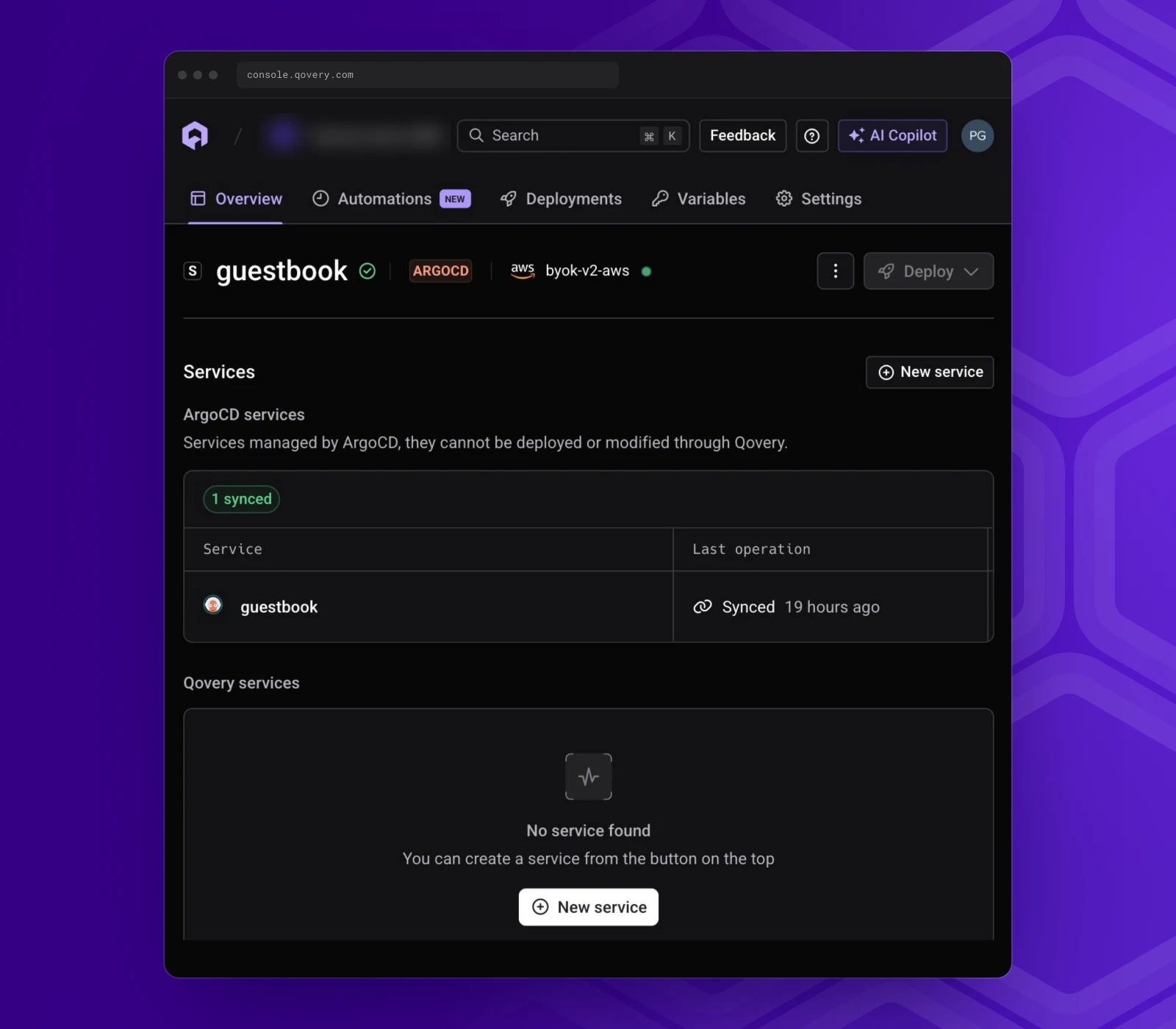
Keep doing it. Connect your ArgoCD instance to Qovery with the ArgoCD integration, and your ArgoCD applications show up in Qovery as services, grouped into one environment per namespace, with their Git revision, their ArgoCD sync status and live logs. Deployments stay in Git and in ArgoCD. Qovery gives your developers one place to see all their environments, whether Qovery or ArgoCD deploys them.
An ArgoCD application in Qovery, on a cluster connected with the Operator
Under the hood
Each configurable component in the platform profile is described in Pkl, a configuration language from Apple. A component's Pkl model declares its settings, the rules they must follow and the Helm values they produce. From that one model, Qovery builds the settings form in the Console, rejects an invalid value before the deployment starts and compiles the Helm values the Operator applies. You never write Pkl yourself. Because a component's rules ship with the catalog, we can fix or extend them without waiting for a Qovery release.
We built this base for every Qovery cluster. Today, the clusters Qovery creates for you and the clusters you bring are installed and updated in two different ways. The catalog and the platform profile are built to serve both, so the same component updates and checks can reach every cluster, whoever created it.
Preview scope
The Preview covers EKS, GKE and Kapsule. Clusters on another provider or on-premise keep using the installation with the Qovery CLI. Applications are exposed on the domain Qovery provides. Qovery does not take over an existing cert-manager, ExternalDNS or Envoy Gateway yet, so the cluster must not run them. Observe and the Monitoring graphs are not available on BYOK clusters yet. Removing the Qovery components from the cluster is a manual step, described in the documentation.
What comes next depends on what you ask for: other providers, your own DNS provider, Observe on BYOK, or adopting a cert-manager or ExternalDNS you already run.
How to try it
You need an organization on the Enterprise plan, a running EKS, GKE or Kapsule cluster, and kubectl with cluster-admin rights plus helm for the one-time install. Builds run in your cluster and need a node with 4 vCPU and 8 GiB of memory free. The BYOK documentation has the full prerequisites and the credential permissions for each provider.
Until we enable the Preview on your organization, the Console does not show Connect existing cluster (BYOK). Ask us through your usual channel: in-app chat, your shared Slack or Microsoft Teams channel, or email.
Pierre is a staff engineer on the Qovery platform team. He works on the Qovery Operator and the platform catalog that install and update Qovery on Kubernetes clusters.
Next step
Want BYOK with the Operator on your organization?
It is in Preview on the Enterprise plan, and we enable it organization by organization.