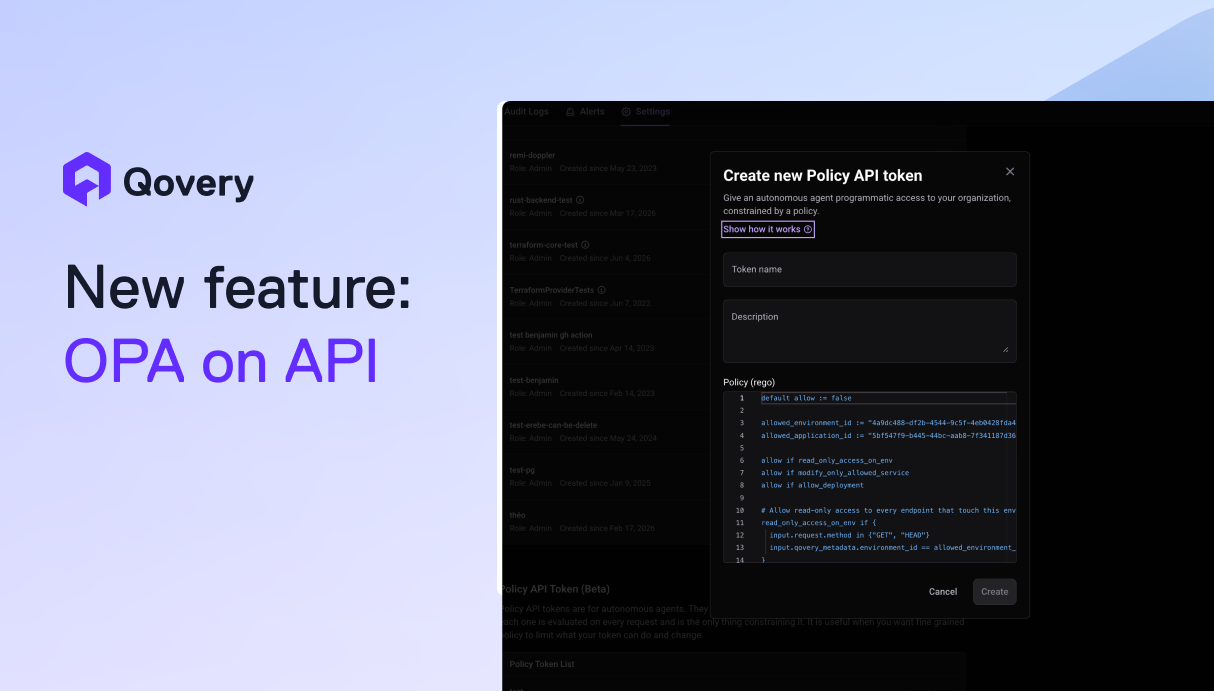
Full Control Over Permissions, Welcome API Policy Tokens
API Policy Tokens let you control what a Qovery token can do action by action, using OPA and Rego, so an agent or script never gets more access than the one job it was built for.
Qovery's RBAC system already controls who can do what on the platform, but roles naturally group permissions together. Give a token a role that allows it to deploy an environment, and that same role may include capabilities you never intended to grant, like deleting the environment.
For a human operator, that's usually an acceptable tradeoff. They understand the context and can decide whether an action makes sense before they run it. That assumption gets a lot harder to make when the token belongs to an AI agent, a Terraform runner, or any other automated system.
You want the API itself to guarantee that certain actions simply cannot happen.
This has become more important as teams hand agents and automation more direct access to their infrastructure. Until now, the closest available role was still broader than what the workload actually needed. Teams either accepted the extra permissions or built their own safeguards on top of our API.
Permissions, Down to the Capability
API Policy Tokens are a new type of organization token where authorization is controlled by a policy rather than a role.
The policy is written in Rego and evaluated using Open Policy Agent (OPA), the open source, CNCF-graduated policy engine. Every request made with the token is evaluated against that policy, so you define precisely when an API request should be accepted or rejected, based on:
The action being performed
The resource being targeted
The HTTP method
Information contained in the request body
In practice, this takes our permission model from role-level access down to individual capabilities. Instead of handing a token a bundle of permissions and trusting it to only use the ones it needs, you explicitly define what it can do.
This is particularly useful for agents. An agent doesn't need broad access to your infrastructure just because it needs to perform one or two operations. Its token can be scoped to exactly those operations, while everything else stays out of reach.
And this isn't AI-specific. The same approach works for Terraform runners, CI/CD pipelines, internal tooling, scripts, or human operators using the CLI.
Because the policy is evaluated on every request, changes take effect immediately. Actions performed with the token are also attributed separately in the audit log, so you can tell activity coming from an agent apart from a script or a human operator.
Agents ship fast. Guardrails keep them safe.
API Policy Tokens let you scope a token to the exact operations an agent, script, or CI pipeline needs, and reject everything else at the API level. Start deploying in under 10 minutes.
The Real World Case: From Overprivileged Token to Exact Scope
Imagine a platform team building an internal agent to triage deployment failures in staging. The agent needs to inspect what happened and decide whether the right response is a rollback, a redeploy, or an escalation to an engineer.
To be useful, the agent needs permission to take action. But the closest role that grants deploy and rollback capabilities also include permission to delete environments.
That leaves the team with a compromise: give the agent a broader token than it needs, and hope it never attempts the wrong operation.
With an API Policy Token, that compromise disappears: the team writes a policy that allows exactly the operations the agent needs on that specific environment: redeploy and rollback. Everything else is denied.
Get Started
Head to your organization settings and open the Token API section to create your first API Policy Token:
Go to your organization settings, open the Token API section, and click Add new under Policy API Token.
Give the token a name and define your policy in Rego. Start from the prefilled template: deny by default, then explicitly allow only the operations the token needs.
Once the token is created, copy it and store it securely. It's displayed only once. You then use it like a regular API token through the Authorization header.
Start with the smallest set of permissions your workload needs, then expand the policy only when necessary. For the complete policy reference, examples, and details about the input available to your Rego rules, check the API Policy Tokens documentation before using a policy in production.
Alessandro leads product at Qovery. He drives the changelog, roadmap, and product strategy - turning customer feedback into platform capabilities.
Next step
Agents ship fast. Guardrails keep them safe.
API Policy Tokens let you scope a token to the exact operations an agent, script, or CI pipeline needs, and reject everything else at the API level. Start deploying in under 10 minutes.