Blog
Kubernetes
AI
minutes

7 best AI deployment platforms for production Kubernetes workloads in 2026

Training a model in a notebook is easy. What breaks teams is the step after, serving it reliably without haemorrhaging cloud budget or burying your SREs in YAML. The common trap: picking a platform that handles the model but not the surrounding stack. An AI deployment platform should orchestrate the full application graph (inference endpoints, vector databases, caching layers, and frontends) inside a single VPC, with GPU autoscaling that doesn't require a dedicated platform engineer to babysit.
April 30, 2026
Mélanie Dallé
Senior Marketing Manager
Summary
Twitter icon
linkedin icon

Key points

  • GPU nodes punish manual management: NVIDIA H100s and A100s are too expensive to over-provision and too slow to spin up on demand. You need a platform with native Karpenter integration that provisions Spot GPU instances on request and scales them to zero when idle.
  • The full stack or nothing: An LLM endpoint alone is useless in production. You need co-located vector databases for RAG, Redis for caching, Postgres for user data, and async job queues — all inside the same VPC.
  • Agentic deployment is now real: AI coding agents (Claude Code, Cursor, Codex) can write your application in minutes. The bottleneck is no longer code; it's infrastructure. Platforms with native agent integration collapse the gap between git push and a live production environment.

What is an AI deployment platform?

An AI deployment platform handles the infrastructure required to serve machine learning models and LLMs in production; not just the model, but everything around it.

A decade ago, deploying software meant pushing stateless web code to a few servers. Today it means orchestrating GPU clusters with 10GB+ container images, ensuring sub-millisecond latency between your inference API and your vector database, and managing configuration drift across a fleet that might span multiple AWS regions. The operational surface area is an order of magnitude larger.

Deployment platforms bridge that gap. They handle inference optimization, load balancing, autoscaling, and GitOps version management that local development environments have no concept of. The question in 2026 isn't whether you need one, it's which one maps to your architecture.

What separates a production AI platform from basic hosting?

A few capabilities that are non-negotiable for serious AI workloads:

1. Prompt-based infrastructure deployment

AI coding tools (Claude Code, Cursor, Codex) can generate a complete application in minutes. But deployment still requires Kubernetes manifests, Terraform state, CI/CD pipeline configuration, and RBAC policies. The platforms worth paying attention to in 2026 close that gap; your agent writes the code and deploys the infrastructure in the same workflow. No YAML hell, no credential hunting.

2. GPU orchestration without the Kubernetes toil

NVIDIA A100s, H100s, and L40s are not managed through the same paths as CPU workloads. If your platform requires manual configuration of GPU device plugins and CUDA drivers in the underlying Kubernetes nodes, you will spend more time on DevOps than on your actual product. Native Karpenter integration is the baseline here. Anything less is a liability at scale.

A working Karpenter NodePool for GPU workloads:

apiVersion: karpenter.sh/v1beta1
kind: NodePool
metadata:
  name: gpu-spot
spec:
  template:
    spec:
      requirements:
        - key: karpenter.k8s.aws/instance-gpu-name
          operator: In
          values: ["a100", "h100", "l40s"]
        - key: karpenter.sh/capacity-type
          operator: In
          values: ["spot"]
      nodeClassRef:
        name: gpu-node-class
  disruption:
    consolidationPolicy: WhenEmpty
    consolidateAfter: 30s

That consolidateAfter: 30s is the line that saves money. Without it, you're paying for idle H100s every time traffic drops.

3. FinOps and intelligent autoscaling

GPU instances are expensive enough that idle capacity is a budget conversation, not a technical one. You need a platform that uses Spot instances by default, consolidates nodes when empty, and gives you visibility into cost-per-deployment rather than a single opaque cloud bill.

4. Multi-service orchestration inside a single VPC

Your LLM endpoint is not a complete AI feature. It requires a vector database (Qdrant, Milvus, Weaviate) for RAG pipelines, a cache layer (Redis) to avoid redundant inference calls, and async job queues for batch workloads. Every component that runs outside your VPC adds latency and a new attack surface. Every component deployed on a different platform adds operational complexity.

The 1,000-cluster reality: why this requires agentic automation

Everything above is solvable if you're managing a handful of clusters. The problem compounds fast when you're operating at fleet scale — hundreds or thousands of clusters across environments, regions, and teams.

At that scale, manual Kubernetes management breaks down in predictable ways. Configuration drift accumulates across clusters faster than any team can audit it. GPU node provisioning rules that worked in us-east-1 fail silently in eu-west-1 because the instance type isn't available. Cost anomalies don't surface until the end of the billing cycle.

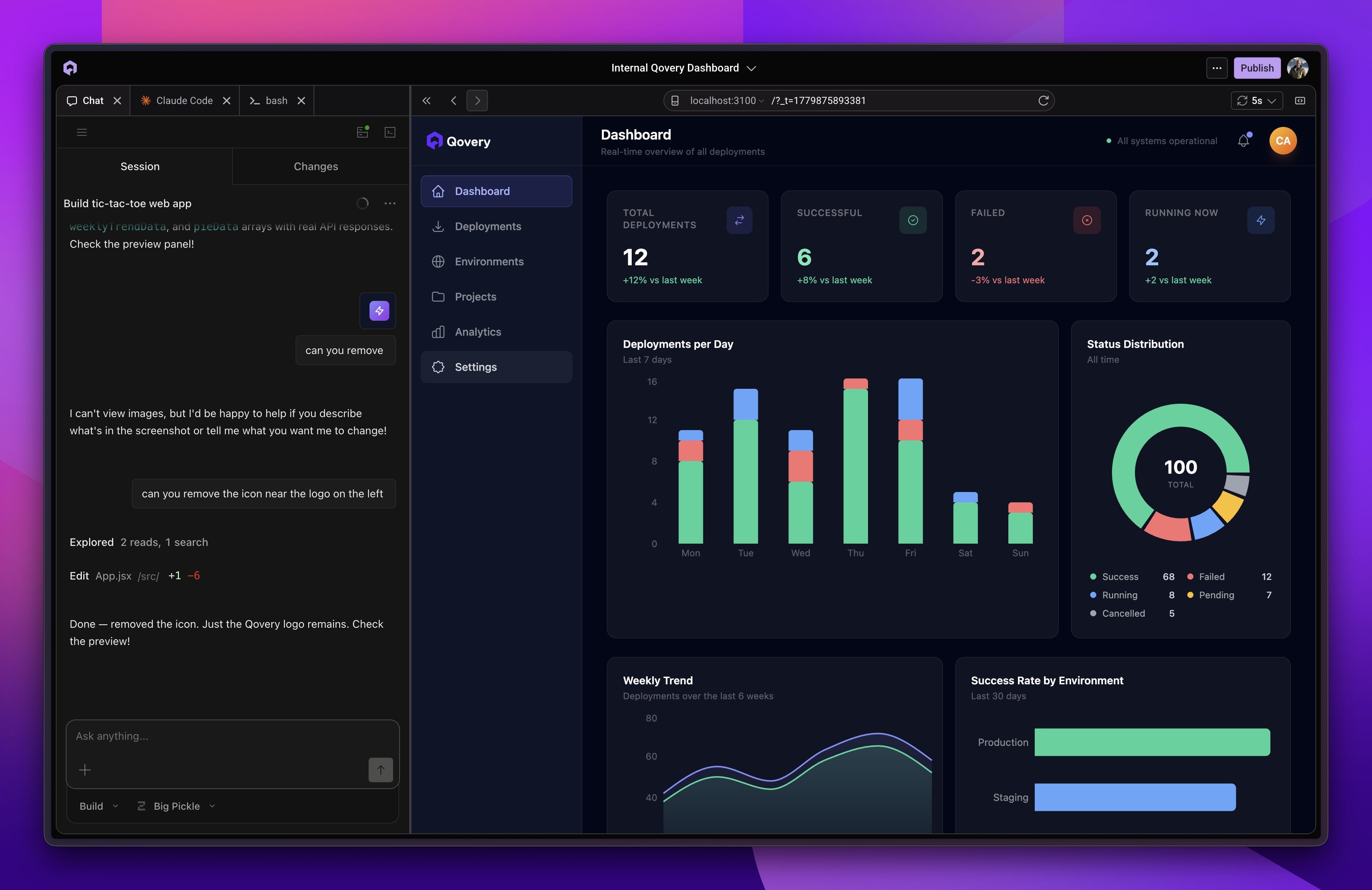
The answer isn't more engineers, it's agentic automation. Platforms that allow AI agents to not just write code but actually execute infrastructure changes (provisioning clusters, deploying services, updating Karpenter configuration) collapse the feedback loop from days to minutes. The Qovery Skill is the first practical implementation of this pattern: install it once, and Claude Code can provision and deploy to your entire fleet from a single prompt.

The 7 AI deployments platforms, assessed

1. Qovery

Qovery is a full-stack, intent-based Kubernetes management platform built for deploying AI workloads (LLMs, vLLM inference, vector databases) alongside standard applications, on your own cloud account.

The architectural model matters: Qovery connects to your existing AWS, GCP, or Azure account and orchestrates Kubernetes clusters from there. Your workloads run inside your VPC, which means SOC 2 and HIPAA compliance are inherited rather than negotiated with a third-party.

Key capabilities:

  • Qovery Skill for AI agents: Install with curl -fsSL https://skill.qovery.com/install.sh | bash. Once installed, Claude Code, Codex, or Cursor have direct control over your Qovery infrastructure.
  • Karpenter GPU autoscaling: Native integration with AWS Karpenter. GPU nodes (g4dn, g5, p4d instances) provision on demand and scale to zero when idle. No manual node pool management.
  • Full-stack orchestration: Deploy vLLM inference endpoints, Qdrant vector databases, Redis caches, and React frontends in the same environment, with internal networking handled automatically.

A typical Qovery service definition for a vLLM inference endpoint:

services:
  - name: llm-inference
    type: container
    image: vllm/vllm-openai:latest
    resources:
      gpu:
        count: 1
        type: nvidia-a100
    environment:
      MODEL: meta-llama/Llama-3-8B-Instruct
      MAX_MODEL_LEN: "4096"
    autoscaling:
      min_replicas: 0
      max_replicas: 4
      scale_to_zero: true

🚀Real-world proof

Alan, a French health insurance scale-up, needed to deploy AI-powered services across regulated infrastructure without compromising HIPAA-equivalent compliance or giving up cloud cost control.

⭐The result: Alan reduced infrastructure management overhead significantly while maintaining full data residency within their own AWS account. Read the case study →

Consideration:

No lock-in. Qovery doesn't run your workloads on their infrastructure. If you decide to move on, your Kubernetes clusters are still yours.

Qovery Skill for AI Agents

Enter the Qovery Skill - a complete, comprehensive solution that bridges AI agents directly to production deployments.

2. Northflank

Northflank is a managed PaaS that gives development teams a unified interface for deploying applications and databases, with GPU access for model serving. GitOps workflows are built in — push to your repository and Northflank handles Docker build and deployment.

Consideration:

Northflank runs on their infrastructure, not yours. When you deploy an AI model on Northflank, you're on their cloud. Migrating to your own AWS account later — to take advantage of enterprise discount programs or stricter VPC security perimeters — means rebuilding deployment pipelines from scratch. At scale, that migration cost is non-trivial.

3. Google Vertex AI

Vertex AI is Google's integrated ML platform, designed for teams deeply embedded in GCP. The Vertex AI Workbench gives you a tightly integrated development environment; AutoML handles classification and regression training; native TPU access gives you Google's best hardware for large-scale training runs.

Consideration:

Vertex AI is powerful and genuinely complex. The pricing model charges separately for compute, storage, API calls, and individual predictions — budget forecasting is not straightforward. More significantly, if you build your inference infrastructure on Vertex, porting it to AWS later is effectively a replatforming project. GCP lock-in is baked into the architecture.

4. AWS SageMaker

SageMaker is Amazon's end-to-end ML platform, covering the full model lifecycle from data preparation to training to deployment. The model registry provides strict versioning and lineage tracking. Real-time inference endpoints autoscale with managed hosting. For large enterprises already standardised on AWS, SageMaker has breadth that no other single platform matches.

A common cost-management check:

# Check endpoint status and instance hours running
aws sagemaker list-endpoints \
  --status-equals InService \
  --query 'Endpoints[*].[EndpointName,CreationTime]' \
  --output table

# Endpoints left running idle are a common cost leak

Consideration:

SageMaker is famously complex. The platform spans dozens of sub-services, and understanding the interactions between them takes weeks. Idle inference endpoints are a budget hazard — costs accumulate whether requests are coming in or not. Without a dedicated platform engineering team actively managing AWS spend, SageMaker bills can surprise you at the end of the month.

5. Hugging Face Inference

Hugging Face is the standard repository for open-source AI models, and their Inference API makes deploying those models straightforward — serverless scaling based on request volume, a massive library of supported transformers and diffusion models, and pay-per-request pricing that eliminates idle GPU costs.

Consideration:

Hugging Face handles model inference, nothing else. Your React frontend, Redis cache, and Postgres database still need a home. You'll need a separate orchestration platform to host the application that calls the Hugging Face API, which means operational complexity is reduced for one component and pushed elsewhere. Factor that into your architecture before committing.

6. Replicate

Replicate focuses on making community-contributed models accessible via API calls, with minimal configuration. You can deploy Llama 3, Stable Diffusion, or any other public model from their library quickly. You can also package and deploy fine-tuned models following Replicate's container format.

Consideration:

Replicate gives you limited control over the underlying inference engine. You can't easily swap to vLLM or TensorRT to reduce latency at scale, and infrastructure tuning options are thin. Replicate is genuinely good for prototyping and hackathons; it's less suited to production systems where you need to optimise inference cost-per-token.

7. Railway

Railway is a developer-friendly PaaS with a strong visual canvas for stitching together microservices and databases, and clean GitHub-based deployments. For simple web applications where the 'AI feature' is an API call to an external model endpoint, Railway is a capable and fast option.

Consideration:

Railway does not offer native GPU support. If your AI workload requires self-hosted models — which most serious production LLM deployments do — Railway is not the right fit. The visual DX is good; the infrastructure depth for AI is not there yet.

How to choose the right platform

Match the platform to your operational reality:

  • Prototyping and fast validation: Replicate or Hugging Face. Get an API response quickly, prove the concept, move on.
  • Enterprise training at massive scale: SageMaker or Vertex AI, assuming you have the platform engineering team to manage them and the vendor lock-in is acceptable.
  • Full-stack production deployment on your own cloud: Qovery. If you need the inference endpoint, vector database, cache, and frontend deployed together, inside your VPC, with GPU autoscaling that doesn't require a Kubernetes specialist to maintain, Qovery is the clear choice for mid-market and enterprise teams.

FAQs

Why can't I just manage GPU nodes manually in my existing Kubernetes cluster?

You can, and plenty of teams start that way. What changes at scale is the operational cost of doing it. Manually provisioning GPU nodes means either over-provisioning (paying for idle capacity 24/7) or under-provisioning (long cold-start delays when traffic spikes). Neither is acceptable for production inference. Karpenter-based autoscaling — where nodes are provisioned on-demand from Spot capacity and consolidated when empty — is the operational standard for GPU fleets in 2026. Doing this without a platform that abstracts the Karpenter configuration is a full-time job.

Can AI coding assistants actually deploy production infrastructure, or just write code?

Until recently, the answer was 'just write code.' AI agents could generate application code but had no path to executing infrastructure changes — you still needed a human to write the Terraform, configure the CI/CD pipeline, and push the deployment. The Qovery Skill changes this. Once installed, Claude Code and similar agents can execute CLI commands and Terraform deployments directly, taking an application from a local repository to a running production environment in a single prompt.

Do I need to deploy my vector database and LLM inference endpoint on the same platform?

Technically no — but practically, yes. Latency between your inference endpoint and your vector database is directly proportional to the distance between them. If your LLM is on Hugging Face and your Qdrant instance is on a separate cloud provider, you're adding 50-150ms of network overhead to every RAG query, per round trip. For production applications, that compounds quickly. Platforms like Qovery that deploy the full stack inside a single VPC solve this by keeping all components on the same internal network, where latency is measured in microseconds rather than milliseconds.

Share on :
Twitter icon
linkedin icon
Tired of fighting your Kubernetes platform?
Qovery provides a unified Kubernetes control plane for cluster provisioning, security, and deployments - giving you an enterprise-grade platform without the DIY overhead.
See it in action

Suggested articles

Kubernetes
AI
 minutes
7 best AI deployment platforms for production Kubernetes workloads in 2026

Training a model in a notebook is easy. What breaks teams is the step after, serving it reliably without haemorrhaging cloud budget or burying your SREs in YAML. The common trap: picking a platform that handles the model but not the surrounding stack. An AI deployment platform should orchestrate the full application graph (inference endpoints, vector databases, caching layers, and frontends) inside a single VPC, with GPU autoscaling that doesn't require a dedicated platform engineer to babysit.

Mélanie Dallé
Senior Marketing Manager
Cloud Migration
Developer Experience
Engineering
 minutes
[Alan] From nginx to Envoy: What Actually Happens When You Swap Your Proxy in Production

Migrating from nginx Ingress to Envoy Gateway? Discover how Alan migrated 100+ services in one month, the technical hurdles they faced (like Content-Length normalization), and why staging isn't always enough.

William Occelli
Platform Engineer at Alan
Kubernetes
8
 minutes
Kubernetes management in 2026: mastering Day-2 ops with agentic control

The cluster coming up is the easy part. What catches teams off guard is what happens six months later: certificates expire without a single alert, node pools run at 40% over-provisioned because nobody revisited the initial resource requests, and a manual kubectl patch applied during a 2am incident is now permanent state. Agentic control planes enforce declared state continuously. Monitoring tools just report the problem.

Mélanie Dallé
Senior Marketing Manager
Kubernetes
6
 minutes
Kubernetes observability at scale: how to cut APM costs without losing visibility

The instinct when setting up Kubernetes observability is to instrument everything and send it all to your APM vendor. That works fine at ten nodes. At a hundred, the bill becomes a board-level conversation. The less obvious problem is the fix most teams reach for: aggressive sampling. That is how intermittent failures affecting 1% of requests disappear from your monitoring entirely.

Mélanie Dallé
Senior Marketing Manager
Kubernetes
 minutes
How to automate environment sleeping and stop paying for idle Kubernetes resources

Scaling your deployments to zero is only half the battle. If your cluster autoscaler does not aggressively bin-pack and terminate the underlying worker nodes, you are still paying for idle metal. True environment sleeping requires tight integration between your ingress layer and your node provisioner to actually realize FinOps savings.

Mélanie Dallé
Senior Marketing Manager
Kubernetes
DevOps
6
 minutes
10 best Kubernetes management tools for enterprise fleets in 2026

The structure, table, tool list, and code blocks are all worth keeping. The main work is fixing AI-isms in the prose, updating the case study to real metrics, correcting the FAQ format, and replacing the CTAs with the proper HTML blocks. The tool descriptions need the "Core strengths / Potential weaknesses" headers made less template-y, and the intro needs a sharper human voice.

Mélanie Dallé
Senior Marketing Manager
DevOps
Kubernetes
Platform Engineering
6
 minutes
10 best Red Hat OpenShift alternatives to reduce licensing costs

For years, Red Hat OpenShift has been the safe choice for heavily regulated, on-premise environments. It operates as a secure fortress. But in the public cloud, that fortress acts as an expensive prison. Paying proprietary per-core licensing fees on top of your standard AWS or GCP compute bill is a redundant "middleware tax." Escaping OpenShift requires decoupling your infrastructure from your developer experience by running standard, vanilla Kubernetes paired with an agentic control plane.

Morgan Perry
Co-founder
AI
Product
3
 minutes
Qovery Skill for AI Agents: Deploy Apps in One Prompt

Use Qovery from Claude Code, OpenCode, Codex, and 20+ AI Coding agents

Romaric Philogène
CEO & Co-founder

It’s time to change
the way you manage K8s

Turn Kubernetes into your strategic advantage with Qovery, automating the heavy lifting while you stay in control.