Blog
Product
2
minutes

New Feature: Port-Forwarding with Qovery CLI

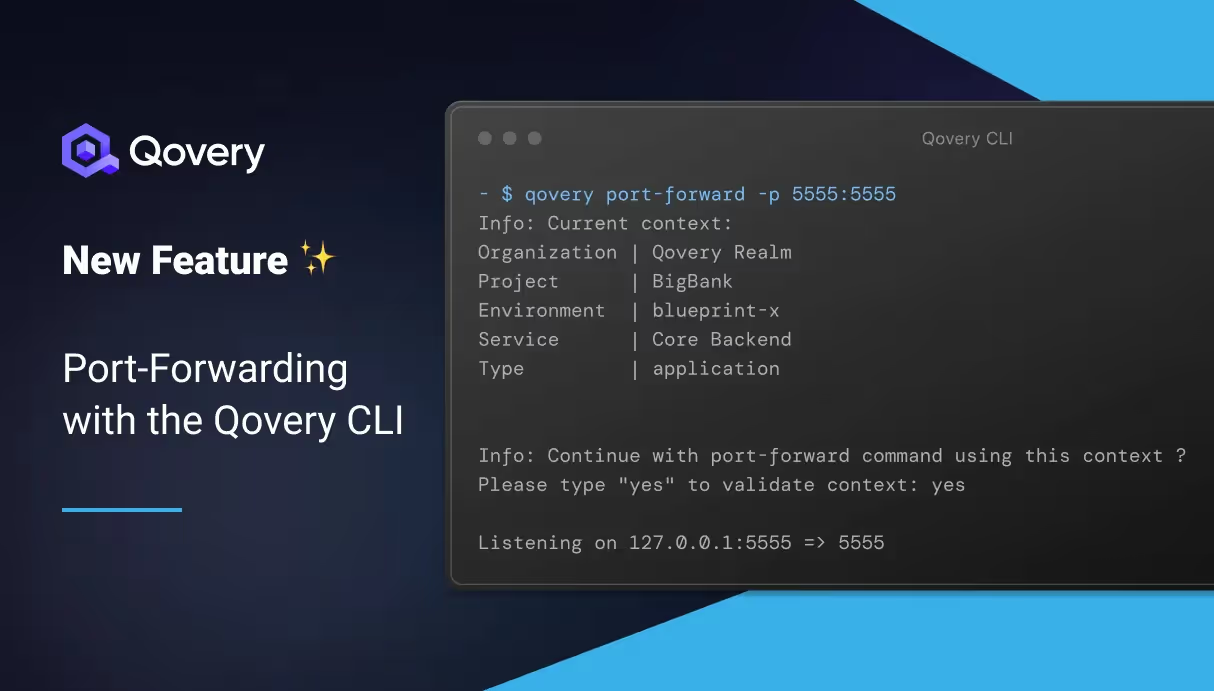
I'm thrilled to announce the global availability of the port-forwarding feature via the Qovery CLI (v0.77.0). This feature marks a significant stride in application access and security, allowing users to securely access not only their applications but also containers and managed databases without exposing them to the public internet. This advancement aligns with our commitment to providing developers an unparalleled experience, focusing on autonomy, security, and ease of use. In this article, I'll show and explain how this feature works... let's go 👇

Romaric PhilogĂšne
CEO & Co-founder
Summary
Twitter icon
linkedin icon

How to use it

It's as simple as running the following commands:

$ qovery auth
$ qovery port-forward -p 8080:8080 # your_local_port:your_remote_port

To give you a clearer picture of this feature, I've recorded a video demonstration that walks you through the process and showcases the simplicity and effectiveness of the port-forwarding feature.

How Port-Forwarding Enhances Security and Developer Experience

Port-forwarding through Qovery CLI is engineered with both security and convenience in mind. This mechanism allows developers to create a secure, encrypted tunnel from their local machine to the application hosted in the cloud.
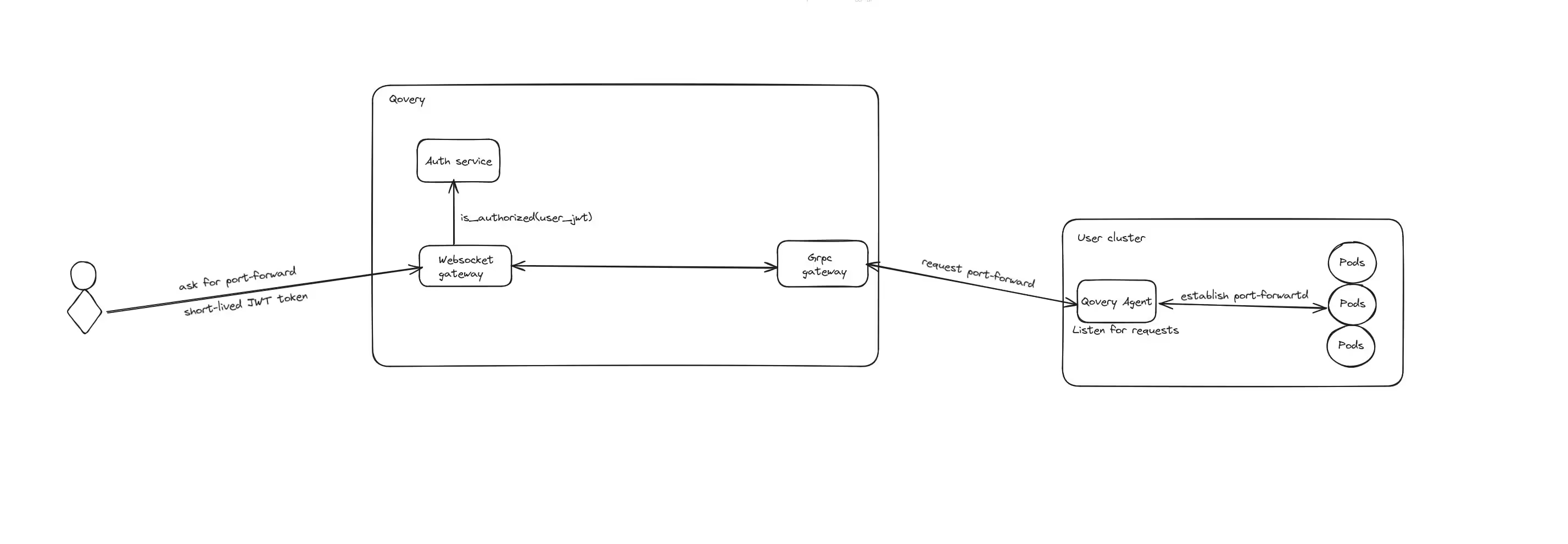
Technical diagram on how the port-forwarding works. Notice that the Qovery Agent (running on your cluster) initiates the connection with the Qovery control plane

Here's a brief overview of how it works:

  1. Initiation: Initiate a port-forwarding request via the Qovery CLI, which communicates with the Qovery API.
  2. Tunnel Creation: The Qovery API establishes a secure, encrypted tunnel between your local machine and the targeted resource on your cluster, be it an application, container, or managed database.
  3. Direct Access: This tunnel enables direct access to your application without exposing it over the public internet.
  4. Secure Interaction: Interact with your applications, containers, or databases securely and effortlessly, as if they were running locally on your machine.
We'll write a dedicated article to explain how it technically works in more detail. If you are interested, subscribe to our newsletter below.

Key Benefits

  • Versatile Application: The feature is designed to work with applications, containers, and managed databases, offering a comprehensive solution.
  • Robust Security: By avoiding public exposure of your resources, the risk of security vulnerabilities is significantly mitigated.
  • Developer Empowerment: This tool aligns with our vision of providing the best Internal Developer Platform for Platform Engineers while giving autonomy to developers.

Ready to Dive In?

We encourage you to explore this new feature and see how it can enhance your development process. As always, we are keen to hear your feedback and experiences, so feel free to reach out or share your thoughts.

Share on :
Twitter icon
linkedin icon
Ready to rethink the way you do DevOps?
Qovery is a DevOps automation platform that enables organizations to deliver faster and focus on creating great products.
Book a demo

Suggested articles

DevOps
 minutes
TPUs vs. GPUs: The DevOps Guide to AI Hardware Selection

Stop guessing on AI hardware. This DevOps guide details when to use TPUs vs. GPUs for optimal performance, cost, and framework compatibility in MLOps.

Mélanie Dallé
Senior Marketing Manager
Cloud
Business
10
 minutes
The DevOps Guide to Docker Monitoring: Tools, Best Practices, and Unified Observability

Stop tool sprawl. Compare top Docker monitoring tools (Prometheus, Datadog, Qovery) and learn how unified observability simplifies K8s debugging and speeds up feature delivery.

Romaric PhilogĂšne
CEO & Co-founder
Cloud
Heroku
Internal Developer Platform
Platform Engineering
9
 minutes
The Top 8 Tools to Build a Zero-Toil PaaS on Your Cloud

Stop managing K8s complexity. Discover the top 8 platform tools (Qovery, Rancher, Dokku) that let you build a customizable, zero-maintenance PaaS on your cloud.

Morgan Perry
Co-founder
Kubernetes
 minutes
How to Deploy a Docker Container on Kubernetes: Step-by-Step Guide

Simplify Kubernetes Deployment. Learn the difficult 6-step manual process for deploying Docker containers to Kubernetes, the friction of YAML and kubectl, and how platform tools like Qovery automate the entire workflow.

Mélanie Dallé
Senior Marketing Manager
Observability
DevOps
 minutes
Observability in DevOps: What is it, Observe vs. Monitoring, Benefits

Observability in DevOps: Diagnose system failures faster. Learn how true observability differs from traditional monitoring. End context-switching, reduce MTTR, and resolve unforeseen issues quickly.

Mélanie Dallé
Senior Marketing Manager
DevOps
Cloud
8
 minutes
6 Best Practices to Automate DevSecOps in Days, Not Months

Integrate security seamlessly into your CI/CD pipeline. Learn the 6 best DevSecOps practices—from Policy as Code to continuous monitoring—and see how Qovery automates compliance and protection without slowing development.

Morgan Perry
Co-founder
Heroku
15
 minutes
Top 10 Heroku Alternatives: When Simplicity Hits the Scaling Wall

Escape rising Heroku costs & outages. Compare top alternatives that deliver PaaS simplicity on your own cloud and scale without limits.

Mélanie Dallé
Senior Marketing Manager
Product
Infrastructure Management
Deployment
 minutes
Stop tool sprawl - Welcome to Terraform/OpenTofu support

Provisioning cloud resources shouldn’t require a second stack of tools. With Qovery’s new Terraform and OpenTofu support, you can now define and deploy your infrastructure right alongside your applications. Declaratively, securely, and in one place. No external runners. No glue code. No tool sprawl.

Alessandro Carrano
Head of Product

It’s time to rethink‹the way you do DevOps

Say goodbye to DevOps overhead. Qovery makes infrastructure effortless, giving you full control without the trouble.