Manually Trigger Preview Environments with Create On Demand Feature
At Qovery, we strive to continuously improve our product to meet the ever-evolving needs of our users, making it more convenient and functional. We're proud to announce a groundbreaking update to our Preview Environment feature that we believe will transform the way engineering teams test their features. Buckle up for a journey into a world where creating production-like environments becomes a breeze!
Our Preview Environment feature has always provided an invaluable tool for developers. It allows teams to seamlessly create a replica of their production environment, an invaluable tool for testing, debugging, and validating new features before they reach your users. But as we worked, listened, and learned from your experiences, we realized there was room for even more enhancement.
Today, we are delighted to introduce an update that refines the whole process of using preview environments, making it more flexible and tailored to your specific needs. Our new functionality lets you spawn a preview environment on demand, right from your Pull Request/Merge Request, giving you more control than ever before.
Previously, a preview environment was created for every pull request, a process that was straightforward but could sometimes lead to unnecessary previews, such as when you simply updated a README file. But with our new update, we've introduced a significant change - choice.
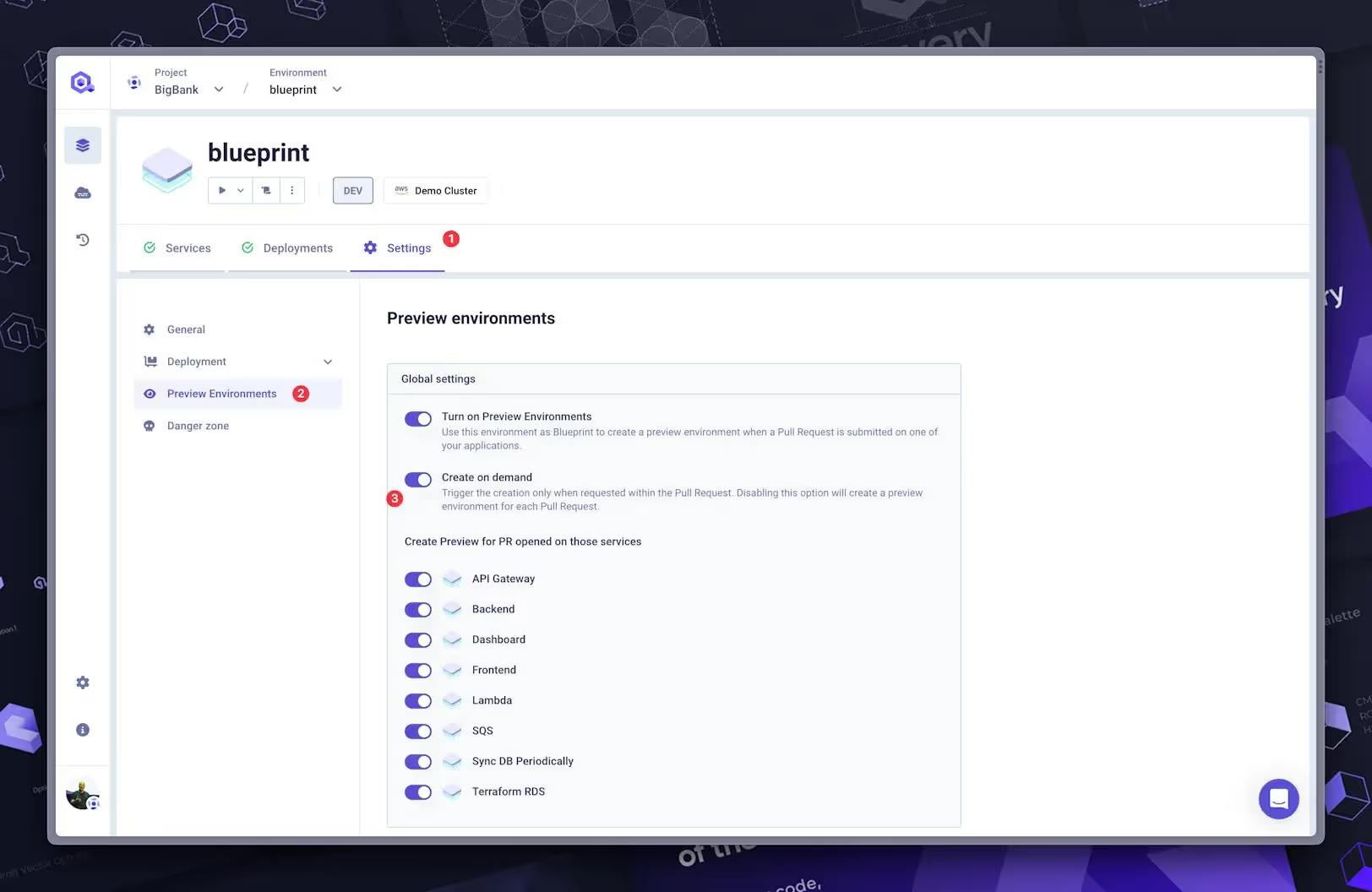
"Create on demand" option is one click away
You now have the option to decide whether a preview environment should be triggered manually or automatically for every PR. This not only gives you greater control over your workflow but also helps to avoid unnecessary usage and streamline your processes.
Introducing: "Create on Demand"
Our update introduces a new flag within the preview environment settings: "Create on Demand." When the Preview Environment feature and this flag are activated, the preview environment won't be created automatically.
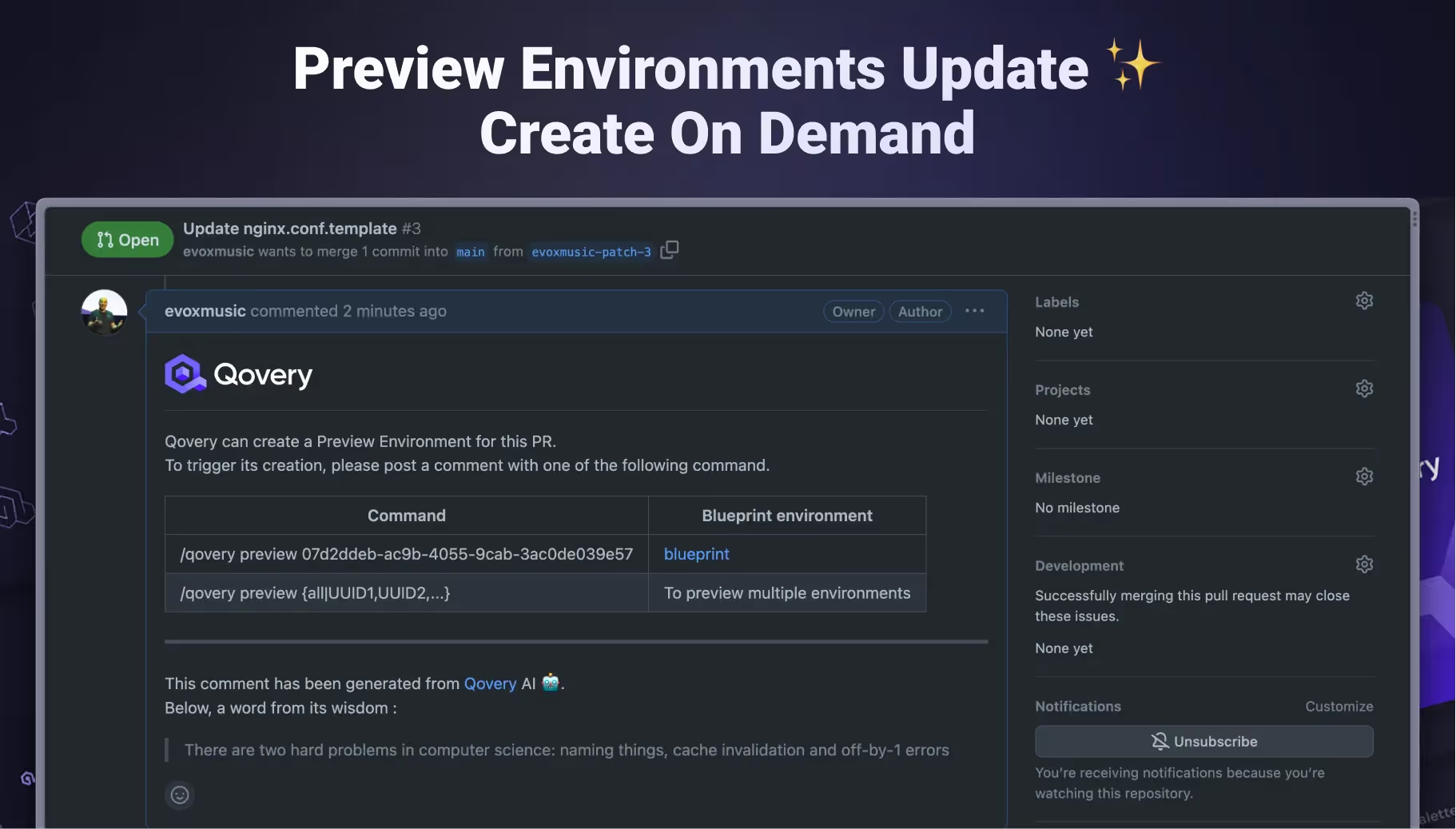
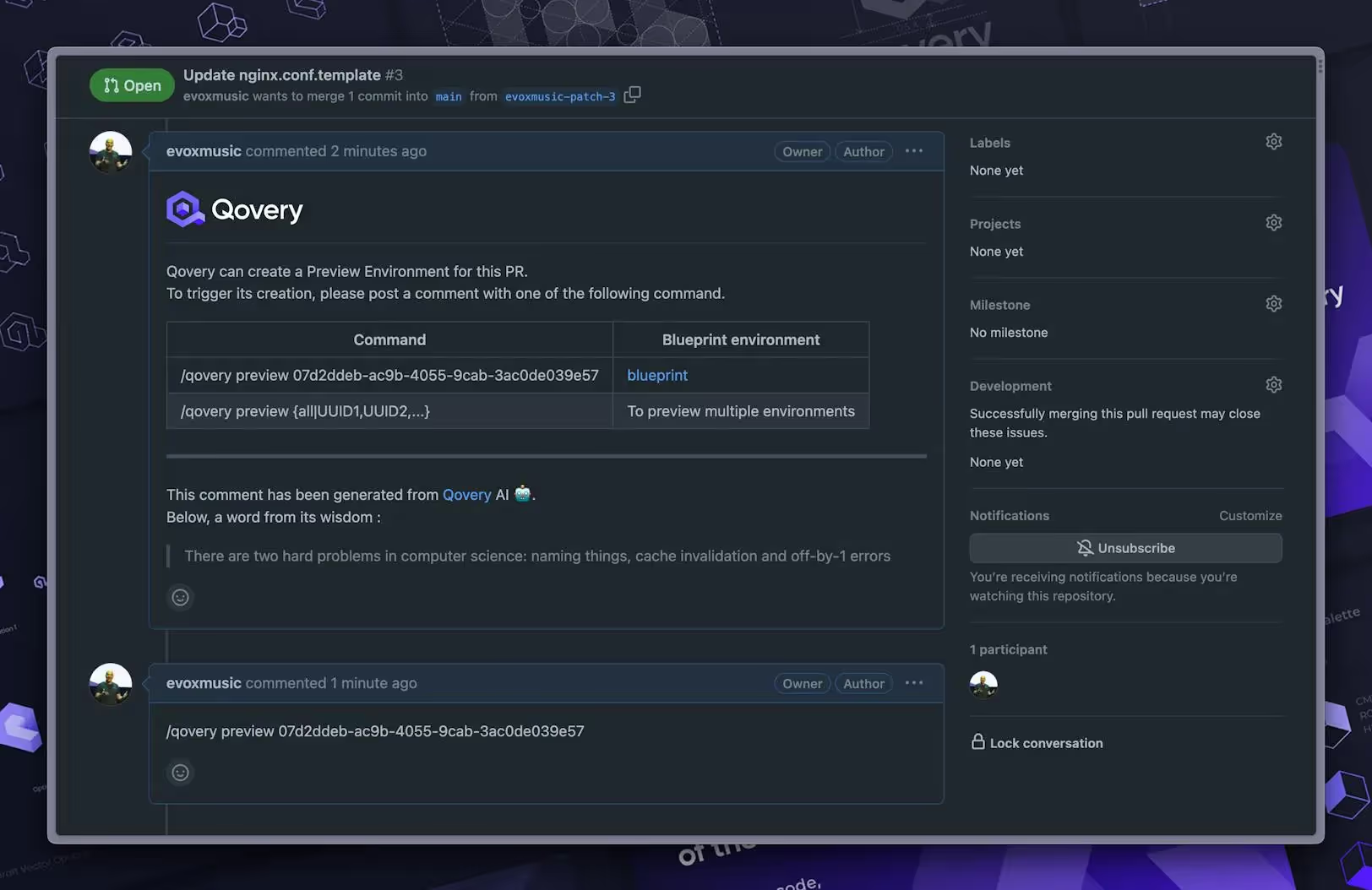
"Create On Demand" right from GitHub Pull Request - We can manually trigger the deployment with /qovery command
Instead, the process is as follows:
A message is dropped on your PR asking if you want to create a preview environment. You'll also get a list of environments where the Preview Environment feature is active (if you have multiple environments), along with the command to add as a PR comment to trigger the preview.
You will have to add the command in a comment to trigger the preview.
The preview creation is triggered, and your preview environment is deployed.
We know you use different Git providers, and we've got your back! We've jazzed up the flow to make it more playful and all about you, ensuring our cool new feature fits like a glove wherever you're using it.
Watch the quick demo of this fantastic new feature below.
Agents ship fast. Guardrails keep them safe.
Qovery ensures every agent action is scoped, audited, and policy-checked. Start deploying in under 10 minutes.
Our latest feature update is more than just a cool new tool. It's a paradigm shift that puts the power back into the hands of developers, giving you the flexibility and autonomy you need to optimize your workflow and maximize efficiency.
So get ready to experience a whole new level of convenience and control in your software development process. We're excited to see how you'll leverage this feature to streamline your workflow, reduce unnecessary usage, and ultimately, create better software, faster.
We're looking forward to your feedback on this exciting new feature! Happy coding!
Romaric founded Qovery to make Kubernetes accessible to every engineering team. He writes about platform strategy, developer experience, and the future of cloud infrastructure.
Next step
Agents ship fast. Guardrails keep them safe.
Qovery ensures every agent action is scoped, audited, and policy-checked. Start deploying in under 10 minutes.