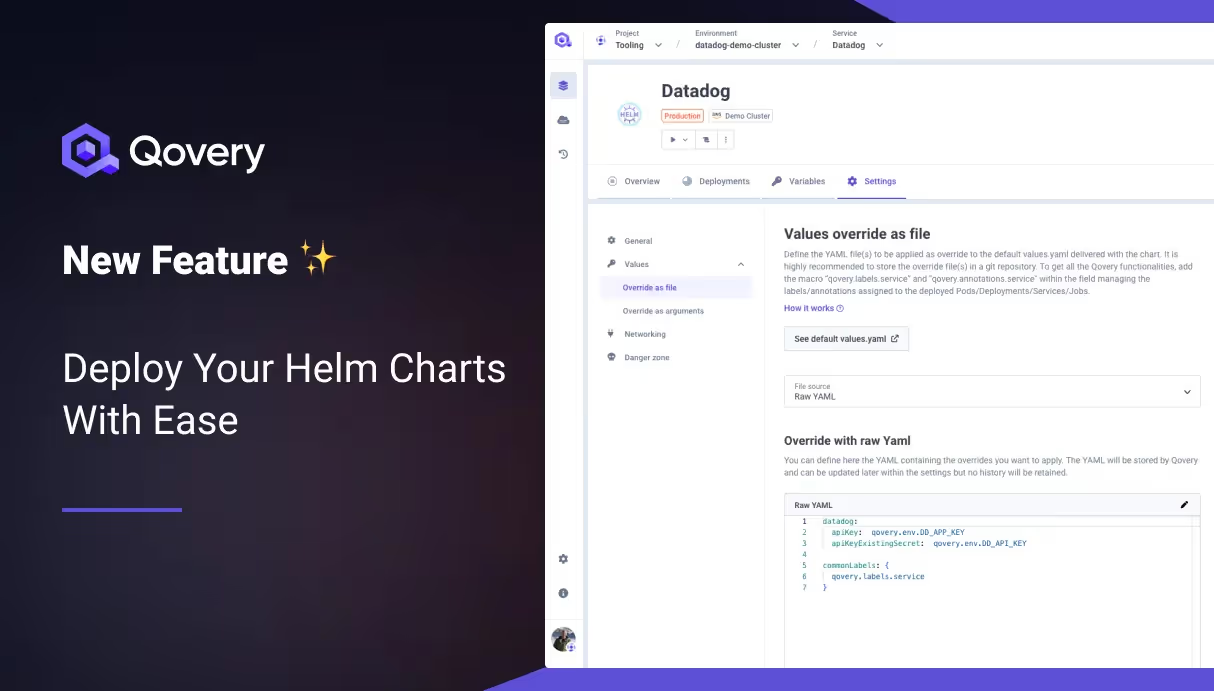
Today, I'm thrilled to announce a game-changing feature that's set to revolutionize how Platform Engineers and Developers interact with Kubernetes: the introduction of first-class support for Helm Charts within Qovery 🥳. This latest update, now generally available, empowers our users to deploy any Helm Chart with unparalleled ease, marking a significant leap forward in our mission to streamline application deployment for everyone.
The Dual Benefit: For Platform Engineers and Developers
Helm has emerged as a cornerstone in Kubernetes management, widely recognized for its capability to streamline the deployment and management of applications. However, the complexity it brings can be a hurdle for many. Qovery's new feature is designed with both Platform Engineers and Developers in mind, simplifying these complexities and making Kubernetes more approachable and manageable.
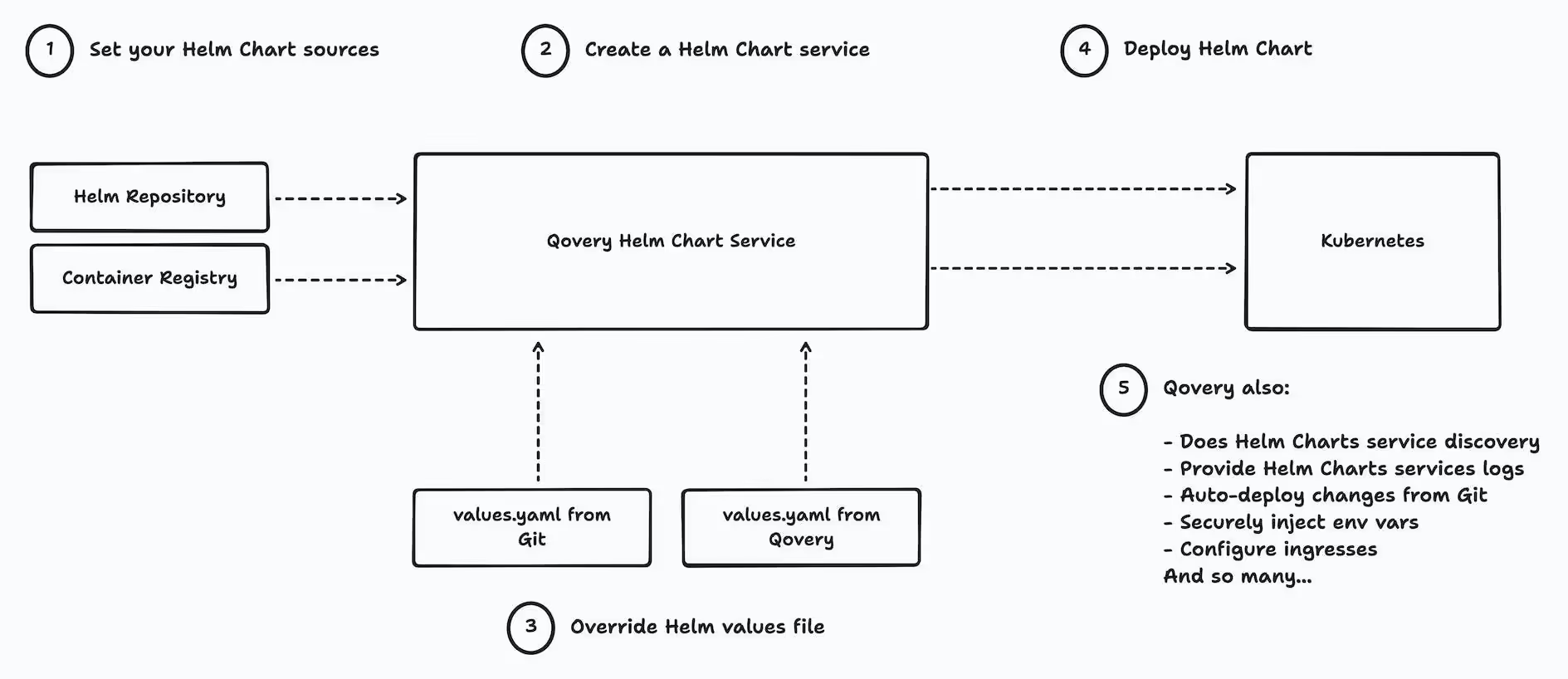
Here is a list of what Qovery Helm Charts provide over the Helm CLI:
RBAC: ensure that only cluster admins can deploy cluster-wide resources (CRD, clusterRoles, etc... exhaustive list available in our documentation)
Discover services and configure ingress + assign domain and valid certificate to expose helm charts
Auto-deploy changes from Git
Reduce costs by stopping all your helm charts and their dependencies (replicas set to 0)
Get easy access to pod logs
Get easy access to pod status
Store values override on the Qovery side (with the nice view to display the default values.yaml) or in a separate git repository
Automatically replace vars in the overrides using the Qovery env vars (replace secrets safely, connect to other qovery services, etc...)
Attach custom domains to services (WIP for Q1 2024)
Our approach is straightforward: automate and simplify. By handling the intricate aspects of Helm Chart deployment, such as service discovery and network management, Qovery empowers users to focus on what they do best.
How Qovery turns Helm Chart deployment a breeze
This ease of use does not come at the expense of flexibility or power, making it a perfect fit for both quick deployments and complex, scalable applications.
Agents ship fast. Guardrails keep them safe.
Qovery ensures every agent action is scoped, audited, and policy-checked. Start deploying in under 10 minutes.
Consider the deployment of essential tools like the Datadog Helm Chart. Previously, this required Qovery Lifecycle Jobs, demanding significant manual configuration. Or manually connecting to the cluster and using the helm command 🥱.
With our new update, platform engineers and developers can deploy Datadog charts (and any other) directly through a streamlined, automated process, saving time and reducing the potential for error.
Frequently asked questions
### Should I deploy my apps using Helm Chart?
It's a fair question. If you already have all your apps configured with a Helm Chart, then yes it's the fastest way to benefit from Qovery; otherwise, we do recommend using the traditional way of deploying your apps with Qovery. Note: you can use both. They are not mutually exclusive. ### Can I use Qovery env vars inside my values file? Yes, by prefixing the env var with "qovery.env.YOUR_ENV_VAR". Read more.. ### What are Qovery Helm Charts macros? Qovery reads your override values file and overwrites all variables prefixed by "qovery.env.", "qovery.labels.services" and "qovery.annotations.services" with the interpolated values. "qovery.env.YOUR_ENV_VAR" will be interpolated with your Qovery environment variable, while "qovery.labels.service" and "qovery.annotations.service" are interpolated with built-in Qovery values. The two latest are necessary to provide the following features: - display services logs - deploy/stop/clone/delete actions - display services statuses - and other capabilities... Example with Datadog values.yaml: datadog: apiKey: qovery.env.DD_API_KEY appKey: qovery.env.DD_APP_KEY site: datadoghq.eu commonLabels: qovery.labels.service clusterAgent: deploymentAnnotations: qovery.annotations.service podAnnotations: qovery.annotations.service additionalLabels: qovery.labels.service agents: daemonsetAnnotations: qovery.annotations.service podAnnotations: qovery.annotations.service additionalLabels: qovery.labels.service clusterChecksRunner: deploymentAnnotations: qovery.annotations.service podAnnotations: qovery.annotations.service additionalLabels: qovery.labels.service ### Does this feature work with Qovery BYOK? Yes, it works with all our Qovery options, including our BYOK (Bring Your Own Kubernetes) option. ### Can I customize what this feature does automatically? You can with Qovery BYOK, but not with the Qovery Managed Kubernetes option.
Romaric founded Qovery to make Kubernetes accessible to every engineering team. He writes about platform strategy, developer experience, and the future of cloud infrastructure.
Next step
Agents ship fast. Guardrails keep them safe.
Qovery ensures every agent action is scoped, audited, and policy-checked. Start deploying in under 10 minutes.