Ephemeral Environments Explained: Preview Environments, Tools and Setup in 2026
What preview environments and ephemeral environments are, how they differ from staging, how Vercel, Render, Heroku, GitLab, Argo CD, Signadot and Qovery implement them, what they cost, and a five-step plan to give every pull request its own full-stack environment.
Definition: an ephemeral environment is a temporary, isolated copy of your application stack, created on demand and destroyed when its job is done. A preview environment is the most common kind: one ephemeral environment per pull request, with a URL posted on the PR, deleted on merge or close.
Why teams adopt them: they remove the shared staging queue, let reviewers click through a change instead of reading it, and give automated tests a clean target. They matter more in 2026 because pull request volume has exploded: GitHub counted 1.3 billion merged pull requests in its latest Octoverse year, and more than 40% of pull requests in September 2026 started with an agent's first draft.
What separates tools: frontend-only previews (Vercel) versus full-stack previews with backends and databases (Render, Heroku, Qovery), whether they run in your own cloud account, how databases get their data, and whether idle environments stop on their own.
Cost is a cleanup problem: previews are cheaper than permanent staging only when they are deleted on merge, expire when idle, and run on Spot or stop outside working hours. Without that, they pile up.
Where Qovery fits: Qovery, the Agentic DevOps platform, clones a blueprint environment (services, databases, variables) for every pull request on Kubernetes in your own AWS, GCP, Azure or Scaleway account, or on a cluster you already run, and destroys it when the pull request is merged or closed. The Free plan covers one cluster of your own with no credit card.
Every engineering team I talk to has a staging story. Someone deployed a half-finished branch on Friday, the QA team spent Monday testing the wrong build, and a release slipped because two features needed the same environment at the same time.
Preview environments fix that by giving every change its own place to run. In 2026 they have gone from a nice-to-have to something closer to infrastructure hygiene, because coding agents now open pull requests faster than any team can review them in a shared staging environment. This guide covers what ephemeral and preview environments are, how the main tools differ, what they cost, and how to roll them out without creating a new cloud bill problem.
What are ephemeral environments and preview environments?
An ephemeral environment is a temporary, isolated environment that runs your application with its dependencies, created on demand and destroyed automatically when it is no longer needed. A preview environment is an ephemeral environment tied to a pull request: it is created when the PR opens, updated on every commit, shared through a URL, and deleted when the PR is merged or closed.
The two terms overlap, and vendors use them loosely. GitLab calls them review apps, "temporary testing environments that are created automatically for each branch or merge request" (GitLab docs). Heroku also says review apps, which "run the code in any GitHub pull request in a complete, disposable Heroku app" (Heroku Dev Center). Render uses preview environments, which "automatically create a fresh copy of your production environment (including services, datastores, and environment groups) with every pull request" (Render docs). Vercel uses preview deployments for anything that is not your production branch (Vercel docs).
Here is how I separate the vocabulary:
Term
Created by
Lives for
Typical scope
Ephemeral environment
A PR, a test run, an engineer or an agent
Minutes to days
Anything from one service to the full stack
Preview environment
A pull request
The life of the PR
Usually the full stack, with a shareable URL
Review app (GitLab, Heroku)
A branch or merge request
The life of the branch or MR
Same idea as a preview environment
Preview deployment (Vercel)
Any non-production push
Kept as an immutable deployment
Frontend and serverless functions
Development environment
An engineer, on demand
As long as they work on it
A personal sandbox, tuned for fast iteration
Staging
Created once
Permanent
Shared by everyone, often drifting from production
There are two flavors worth naming. An ephemeral testing environment validates a change before merge, mirrors production closely, and feeds automated tests. An ephemeral development environment is a personal sandbox for an engineer (or an agent) to try something, where speed matters more than production fidelity. Most teams start with the first.
Why do teams replace shared staging with preview environments?
Teams replace shared staging with preview environments because a single staging environment serializes everyone's work: changes queue, one broken deploy blocks every tester, and the environment drifts until nobody knows what it is testing. Per-pull-request environments remove the contention, so each test reflects exactly one change.
The concrete benefits I hear from teams that made the switch:
No more queue. Five engineers can test five features at the same time, each with its own URL.
Reviews you can click. Product managers, designers and support can open the PR link and try the change, instead of reading a diff they cannot evaluate.
Earlier bugs. Integration issues show up while the branch is open, not after it lands on a shared staging environment where three other changes are mixed in.
Clean test targets. End-to-end and load tests run against an environment nobody else is touching, so a failure points at one change.
Less drift. Every preview is built from the same template, so configuration lives in code instead of in someone's memory of what they changed on staging last month.
Easier debugging. When something breaks, the blast radius is one environment and one pull request.
The pressure behind all of this is volume. GitHub's Octoverse 2026 report counts 1.3 billion merged pull requests, an average of 3.5 million a day, and says agent-started pull requests grew from 17% in March to more than 40% by September 2026 (GitHub Octoverse 2026). A shared staging environment was a bottleneck at human speed. At agent speed it stops working entirely, which is why we wrote a separate guide on preview environments for AI coding agents.
How do preview environments work under the hood?
A preview environment system listens for pull request events, builds the branch, deploys a copy of the stack from a template into an isolated space (a namespace, a project or a separate app), wires in data and secrets, posts the URL on the pull request, and tears everything down when the pull request closes. The template is the part that decides whether previews are useful or flaky.
The lifecycle has six steps:
Trigger. A webhook fires when a pull request opens, gets a new commit, or closes.
Build. The CI system or the platform builds container images for the services that changed.
Provision. The platform creates an isolated environment from a template: on Kubernetes that is usually a namespace per pull request, on a PaaS it is a separate app or environment.
Data. Databases are created and seeded, branched, or pointed at a shared instance (more on that below).
Notify. A bot comments the URL on the pull request and, ideally, posts it to the team chat.
Teardown. On merge or close the environment is deleted. A second safety net deletes or stops environments that sit idle.
On Kubernetes, you can build this yourself. The Argo CD ApplicationSet Pull Request generator discovers open pull requests through the API of GitHub, GitLab, Gitea, Bitbucket or Azure DevOps and generates an application per PR (Argo CD docs). You still have to own the templates, DNS, TLS, databases, secrets and cleanup jobs, and I have seen that work take a platform engineer several weeks. Our Argo CD PR generator build sheet lists every piece.
A different model is worth knowing about. Signadot does not clone the full stack: in its sandboxes "only changed services are deployed" while "unchanged services are served from the shared cluster", and requests are routed to the changed version (Signadot docs). That is cheaper for large microservice estates and harder to reason about for stateful changes such as schema migrations.
An ephemeral environment for every PR, including your agents'.
Turn on preview environments once and every pull request gets its own copy of your stack, deleted when the PR is merged or closed. Free on your own Kubernetes cluster: 3 users, unlimited agents, 1,000 deployment minutes a month. No time limit, no credit card.
How do you handle databases in ephemeral environments?
There are three workable patterns for databases in ephemeral environments: seed a fresh database from fixtures, branch or clone a copy of real data, or share one database with a schema per environment. Fresh databases are the default, branching is the most realistic, and shared databases are the cheapest but bring back some of the coupling previews were meant to remove.
Pattern
Realism
Speed to create
Isolation
Watch out for
Fresh database seeded from fixtures
Low to medium
Fast
Full
Fixtures that drift away from production shapes
Branch or clone of production data (anonymized)
High
Fast with copy-on-write, slow with dump and restore
Full
Personal data: anonymize before it reaches a preview
Shared database, schema per environment
Medium
Very fast
Partial
Migrations that touch shared objects, noisy neighbors
Managed cloud database per preview (RDS, Cloud SQL)
High
Slowest
Full
Cost and creation time per pull request
Copy-on-write branching changed this trade-off. Neon describes a branch as "a copy-on-write clone of your data" that you can create "from a current or past state" (Neon docs), which makes realistic data per pull request cheap. Whatever you pick, run schema migrations inside the preview on every deploy so a broken migration fails the pull request, not production. We covered that in detail in database schema migrations in ephemeral environments.
Which preview environment tools are worth comparing in 2026?
The main options split into four groups: frontend preview platforms (Vercel), full-stack PaaS previews (Render, Heroku), CI-native review apps (GitLab), and Kubernetes-based previews you build (Argo CD) or get from a platform that runs in your own cloud account (Qovery). Request-routing sandboxes (Signadot) are a fifth model for large microservice estates.
I compared them on what actually decides the choice: whether backends and databases are included, where the environments run, how cleanup works, and what you have to build yourself.
Tool
Full stack (backend + database)
Where previews run
Cleanup
Setup you own
Best for
Vercel preview deployments
Frontend and functions; databases through integrations
Vercel's infrastructure
Immutable deployments with branch and commit URLs
Little
Frontend-heavy apps
Render preview environments
Yes: services, datastores, environment groups
Render's infrastructure
previews.expireAfterDays for idle previews
A render.yaml Blueprint; Pro workspace or higher
Teams already on Render
Heroku review apps
Yes, as a full disposable Heroku app
Heroku's infrastructure
Auto-destroy after 1, 2, 5, 14 or 30 days of inactivity
Pipelines, GitHub integration and an app.json
Teams already on Heroku
GitLab review apps
Whatever your CI jobs deploy
Wherever your jobs deploy (often your own cluster)
on_stop jobs and auto_stop_in
The deploy and stop jobs, plus the target infrastructure
GitLab shops with a platform team
Argo CD PR generator (DIY)
Whatever your templates include
Your Kubernetes cluster
Application removed when the PR closes; data cleanup is yours
Templates, DNS, TLS, databases, secrets
Teams with platform engineers and GitOps
Signadot
Only changed services; the rest is shared
Your Kubernetes cluster
Sandbox lifecycle tied to the PR
Request routing and a shared baseline
Large microservice estates
Qovery
Yes: clones services, databases and configuration
Your AWS, GCP, Azure or Scaleway account, or any existing Kubernetes cluster
Deleted on merge or close; scheduled auto-stop
A blueprint environment and one deployment rule
Teams that want full-stack previews in their own cloud without building them
My honest read. If your app is a frontend talking to third-party APIs, Vercel's previews are hard to beat. If you are already on Render or Heroku and happy, use their previews. If your backend has to run in your own cloud account (for compliance, data residency, or to spend your cloud credits), the choice is between building it on Kubernetes yourself or using a platform that does it for you. For a deeper comparison of the Kubernetes options, see 8 tools for per-pull-request environments on Kubernetes.
How much do preview environments cost, and how do you keep the bill down?
Preview environments cost whatever the resources inside them cost for the hours they exist, so the bill depends almost entirely on cleanup. Render and Heroku both bill preview resources like normal services, prorated to the second, and the same is true of your own cloud. Previews are cheaper than permanent staging only when they are deleted on merge, expire when idle, and use cheap capacity.
Billing on the platforms is straightforward: Render charges preview resources "identical to standard Render services, calculated on a per-second basis" (Render docs), and Heroku charges dynos and add-ons in review apps "exactly the same way as normal apps", for the time the review app exists (Heroku Dev Center).
The levers that actually move the number:
Delete on merge or close. Every tool in the table supports it. Make sure it is on.
Expire idle previews. Pull requests that sit open for two weeks are the biggest waste. Use Render's expireAfterDays, Heroku's inactivity window, GitLab's auto_stop_in, or a stop schedule.
Stop outside working hours. A work week is about 40 of the 168 hours in a week, so a preview that only runs during working hours uses roughly a quarter of the compute hours of an always-on one.
Use Spot capacity. On AWS, Spot instances are up to 90% cheaper than On-Demand (AWS Spot pricing), and previews tolerate interruptions well.
Right-size the template. A preview does not need production replica counts. One replica per service and the smallest database class is usually enough.
Share what is expensive and read-only. Caches, search clusters and large reference datasets can often be shared across previews.
How do you get started with preview environments in five steps?
Start by containerizing your services, then define one environment template that mirrors production, choose where previews will run, wire them to pull requests with automatic cleanup, and roll out on one repository before the rest. Most of the effort is in the template and the data, not in the trigger.
Make every service portable. Write a Dockerfile per service and move configuration into environment variables and secrets. If a service only runs on one engineer's laptop, it will not run in a preview.
Build one template environment. Describe the full stack once: services, databases, queues, environment variables, secrets and seed data. On Kubernetes that is a Helm chart or an environment you clone; on Render it is render.yaml; on Heroku it is app.json.
Pick where previews run. On the PaaS you already use, on Kubernetes you operate, or on Kubernetes in your own cloud account through a platform. This choice decides who owns the bill, the data and the compliance boundary.
Wire it to pull requests with cleanup. Create on open, update on every commit, comment the URL on the PR, delete on merge or close, and expire idle previews.
Start with one repository. Pick a service with few dependencies, run it for a sprint, fix the seed data and the flaky parts, then expand. Track time from PR open to preview URL and the number of previews alive at any moment.
The Flat engineering team went through this move from static to ephemeral environments, and wrote up what changed in their case study.
How does Qovery handle preview environments?
Qovery, the Agentic DevOps platform, creates a full-stack preview environment for every pull request by cloning a blueprint environment (applications, databases and configuration) on Kubernetes in your own cloud account, deploys it, keeps it updated on every commit, and destroys it when the pull request is merged or closed (Qovery docs).
Ephemeral Environments on Qovery
What you set up:
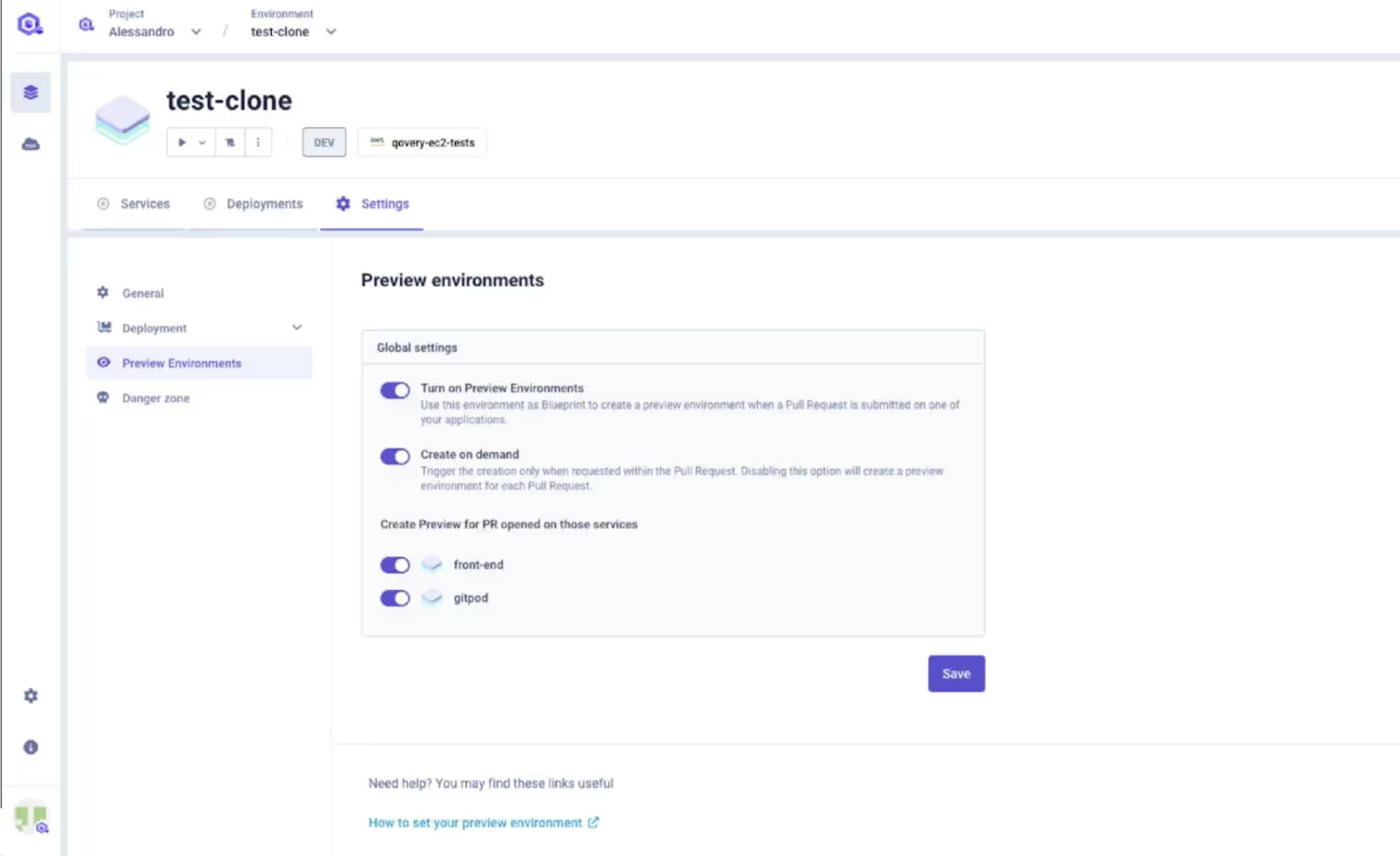
A blueprint environment. Usually a clone of production with smaller resources. You turn previews on with one deployment rule (auto_preview), and every pull request against the base branch gets a copy.
Data. Databases are cloned with the environment; lifecycle jobs seed them or run migrations on each deploy.
Cost rules. Deployment rules stop environments outside working hours (auto_stop, start_time, stop_time, weekdays), and on AWS, Karpenter can run previews on Spot capacity.
What Qovery runs, and where: Qovery builds the images from your Git repository, pushes them to a registry in your cloud account and deploys them on Kubernetes in your AWS, GCP, Azure or Scaleway account. If you already run a cluster (EKS, GKE, AKS, Kapsule, k3s or on-premise), you connect it instead by installing the Qovery Operator with Helm (BYOK docs). The environments, the data and the bill stay yours. Every action, including those taken by AI agents through scoped API tokens, lands in the audit log.
To start, the Free plan includes 3 users plus unlimited AI agents, one cluster of your own and 1,000 deployment minutes a month, with no credit card. You can try the whole flow on a laptop first: qovery demo up creates a local k3s cluster in Docker (quickstart).
Where Qovery is not the right fit: a frontend-only app with no backend of its own is better served by Vercel's previews, and a team that wants previews on someone else's infrastructure with no cloud account to manage will be happier on Render or Heroku.
How do I set up preview environments from Claude Code or Cursor?
Install the Qovery Agent Skills once, then ask your coding agent to create a preview environment for each pull request. The qovery-preview skill detects or creates a blueprint environment and configures cleanup, and the agent asks you to approve each step.
Install the skills globally for Claude Code, Cursor, Codex, OpenCode and Gemini CLI, or for one project:
Add the Qovery MCP Server to Claude Code to inspect environments that already exist (OAuth, read-only by default):
BASH
claude mcp add --transport http qovery https://mcp.qovery.com/mcp --callback-port 4242
Enable write access only when you want the agent to change things; it also has to be turned on in the Qovery Console:
BASH
claude mcp add --transport http qovery "https://mcp.qovery.com/mcp?read_write=true" --callback-port 4242
Then ask: "set up a preview environment for every pull request on this repository with Qovery, with a seeded PostgreSQL database, and stop previews outside working hours." Reference pages: the AI agent quickstart and the Claude Code integration.
Frequently asked questions
What is an ephemeral environment?
An ephemeral environment is a temporary, isolated copy of your application and its dependencies, created on demand for a specific purpose (usually a pull request or a test run) and destroyed when that purpose ends. Each change gets its own environment instead of queueing for a shared staging environment.
What is the difference between a preview environment and an ephemeral environment?
A preview environment is a type of ephemeral environment tied to a pull request: created when the PR opens, updated on every commit, shared through a URL, and deleted on merge or close. Ephemeral environment is the broader term and also covers environments created for test runs, load tests or personal development.
Do preview environments replace staging?
For most teams they replace staging as the place where changes are tested, because each change is tested in isolation. Many teams keep one long-lived pre-production environment for release rehearsals and integrations that cannot be duplicated per pull request, such as a third-party sandbox with a single callback URL.
Are preview environments expensive?
They cost what their resources cost for the hours they exist, so the bill depends on cleanup. Delete them on merge, expire idle ones, stop them outside working hours and run them on Spot capacity, and they usually cost less than an always-on staging environment. Without cleanup, they accumulate and cost more.
How do you handle databases in preview environments?
Seed a fresh database from fixtures, branch or clone an anonymized copy of production data, or share one database with a schema per environment. Run migrations inside the preview on every deploy so a bad migration fails the pull request. Qovery clones the databases defined in your blueprint environment and can run seed or migration jobs on each deploy.
Can Qovery create preview environments in my own AWS, GCP or Azure account?
Yes. Qovery clones a blueprint environment for every pull request on Kubernetes in your own AWS, GCP, Azure or Scaleway account, or on an existing cluster you connect with the Qovery Operator, and deletes it when the pull request is merged or closed. The Free plan covers one cluster of your own with no credit card.
Melanie leads content at Qovery. She covers platform engineering trends, Kubernetes operations, FinOps, and the tools that help engineering teams ship faster.
Next step
An ephemeral environment for every PR, including your agents'.
Turn on preview environments once and every pull request gets its own copy of your stack, deleted when the PR is merged or closed. Free on your own Kubernetes cluster: 3 users, unlimited agents, 1,000 deployment minutes a month. No time limit, no credit card.