> ## Documentation Index
> Fetch the complete documentation index at: https://www.qovery.com/docs/llms.txt
> Use this file to discover all available pages before exploring further.
# How to Setup IP and Header-Based Authorization
> Configure IP and HTTP header-based authorization on Qovery
This tutorial demonstrates configuring IP and HTTP header-based authorization for services on Qovery Managed Clusters, particularly useful for multi-tenant systems requiring access control based on combined IP address and HTTP header validation.
Changing NGINX snippets configuration is an advanced feature and can lead to misconfiguration. Please be careful when changing these settings as it might break the whole NGINX configuration.
## Goal
Establish these business requirements:
* Incoming requests must include custom HTTP header `X-QOVERY-SOURCE` with values: staging, production, or development
* IP ranges mapped to each source:
* **Staging**: `10.42.0.0/16`, `10.43.0.0/16`
* **Production**: `10.44.0.0/16`
* **Development**: `92.xxx.xx.171`
* Requests from unauthorized IP ranges for their source are rejected
* Requests lacking the `X-QOVERY-SOURCE` header are rejected
***
## Initial Setup
### Cluster Configuration
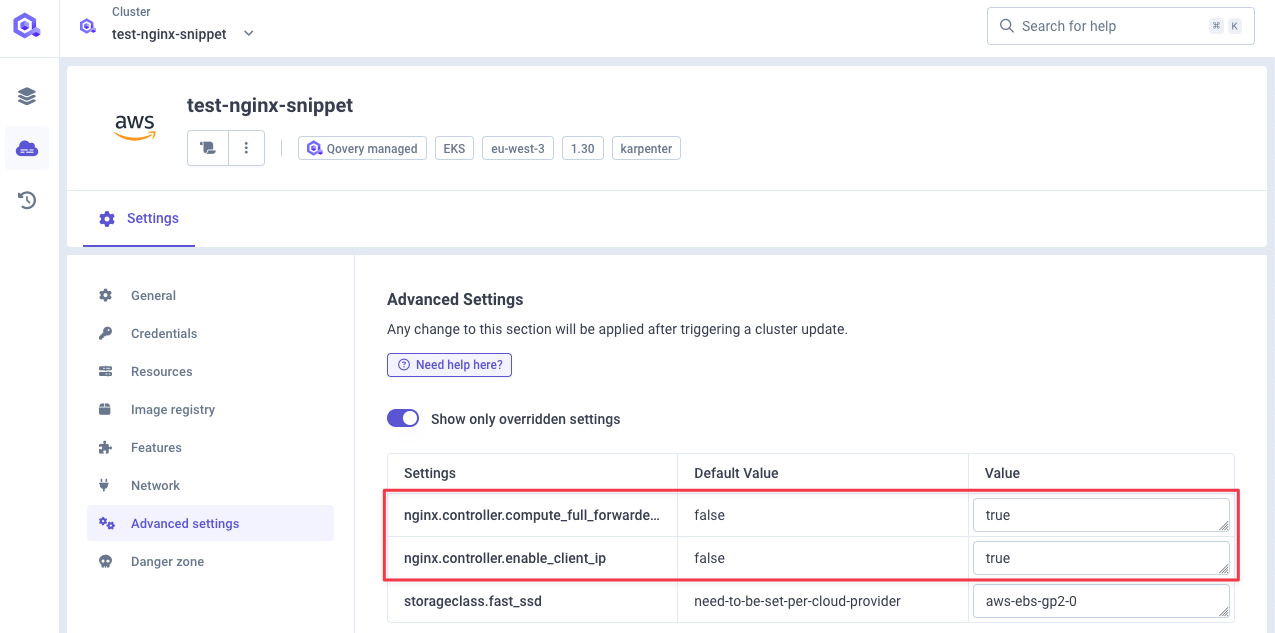
1. Go to **Cluster Settings** → **Advanced Settings**
2. Enable `nginx.controller.enable_client_ip`
3. Enable `nginx.controller.compute_full_forwarded_for`
 ### Deploy Test Service
Use echo-server container listening on port 80 for testing.
***
## Configuring Authorization
### Step 1: HTTP Snippet Declaration
Configure `nginx.controller.http_snippet` with geo and map directives:
```nginx theme={null}
geo $production {
default 0;
10.44.0.0/16 1;
}
geo $staging {
default 0;
10.42.0.0/16 1;
10.43.0.0/16 1;
}
geo $development {
default 0;
92.xxx.xx.171/32 1;
}
map $http_x_qovery_source $is_authorized_source {
default 0;
"production" $production;
"staging" $staging;
"development" $development;
}
```
### Deploy Test Service
Use echo-server container listening on port 80 for testing.
***
## Configuring Authorization
### Step 1: HTTP Snippet Declaration
Configure `nginx.controller.http_snippet` with geo and map directives:
```nginx theme={null}
geo $production {
default 0;
10.44.0.0/16 1;
}
geo $staging {
default 0;
10.42.0.0/16 1;
10.43.0.0/16 1;
}
geo $development {
default 0;
92.xxx.xx.171/32 1;
}
map $http_x_qovery_source $is_authorized_source {
default 0;
"production" $production;
"staging" $staging;
"development" $development;
}
```
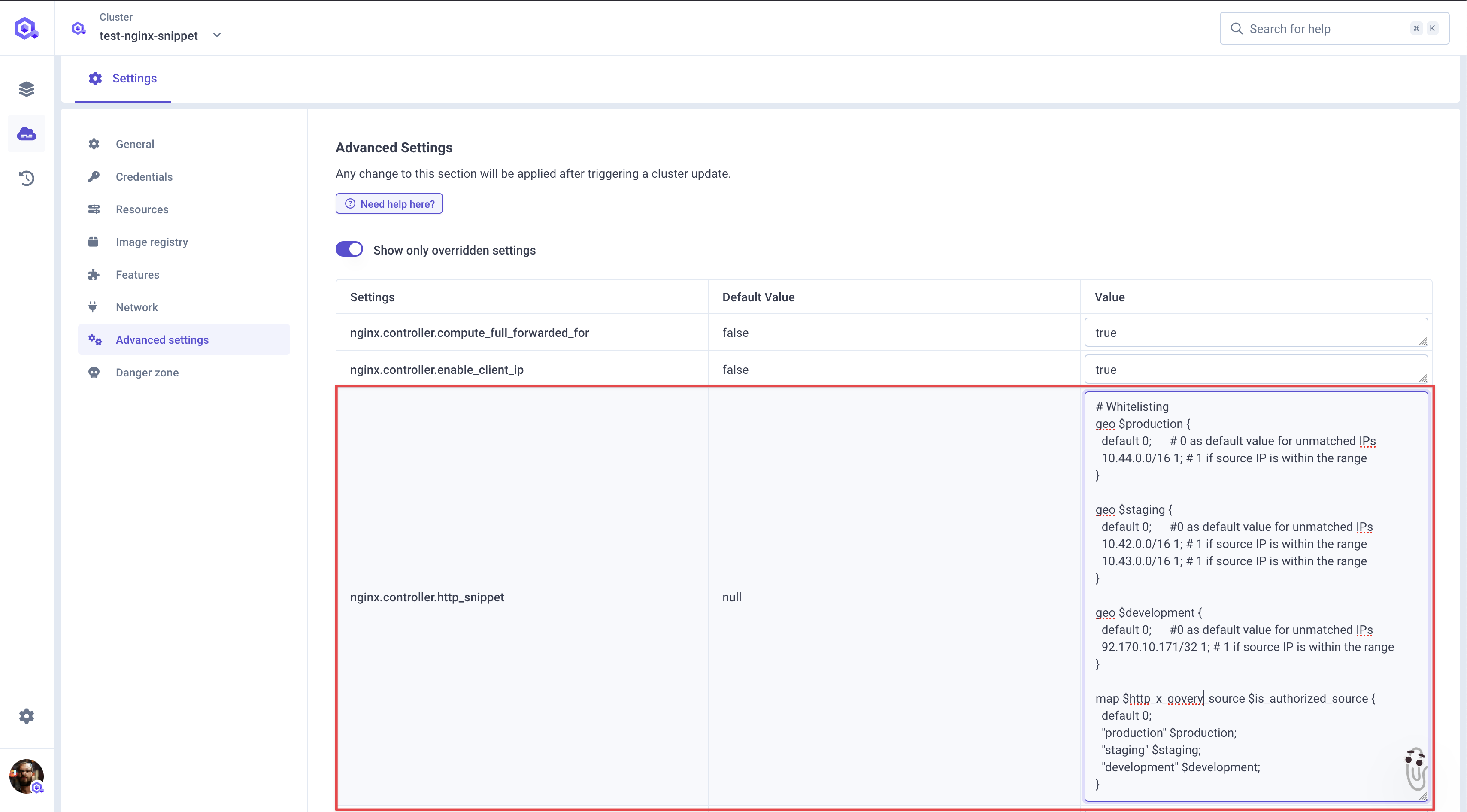 **How it works:**
* The `geo` directive classifies clients by IP address
* The `map` directive correlates the header value with authorization status
* Combined, they enforce both IP range validation and header presence requirements
***
### Step 2: Server Snippet Configuration
Configure `nginx.controller.server_snippet`:
```nginx theme={null}
add_header X-debug-source $http_x_qovery_source always;
add_header X-debug-ip $remote_addr always;
add_header X-debug-is-authorized $is_authorized_source always;
if ($is_authorized_source = 0) {
return 403;
}
```
**How it works:**
* The `geo` directive classifies clients by IP address
* The `map` directive correlates the header value with authorization status
* Combined, they enforce both IP range validation and header presence requirements
***
### Step 2: Server Snippet Configuration
Configure `nginx.controller.server_snippet`:
```nginx theme={null}
add_header X-debug-source $http_x_qovery_source always;
add_header X-debug-ip $remote_addr always;
add_header X-debug-is-authorized $is_authorized_source always;
if ($is_authorized_source = 0) {
return 403;
}
```
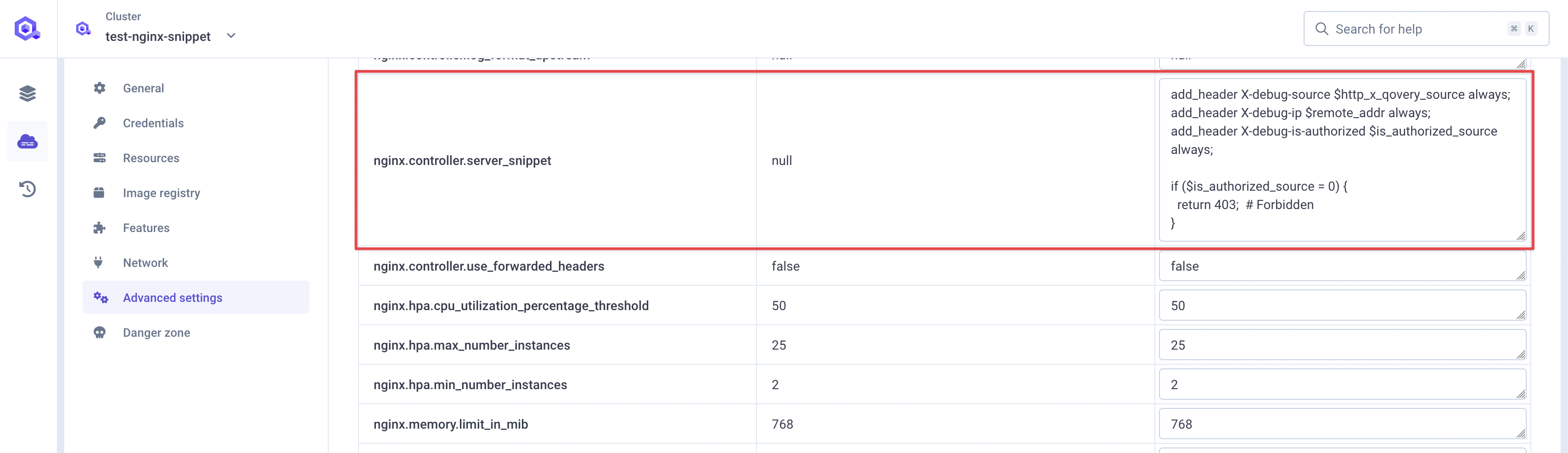 The debug headers help troubleshoot authorization issues by showing:
* `X-debug-source`: Value of the `X-QOVERY-SOURCE` header
* `X-debug-ip`: Client's IP address
* `X-debug-is-authorized`: Whether the request is authorized (0 or 1)
***
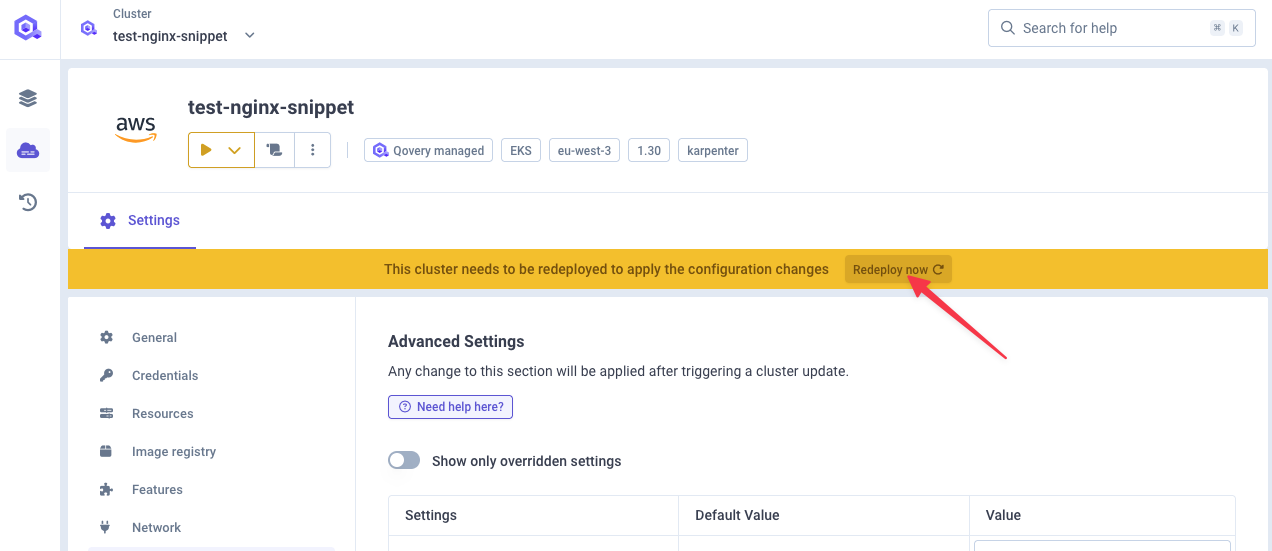
### Step 3: Deploy Configuration
Deploy the cluster to apply the changes:
The debug headers help troubleshoot authorization issues by showing:
* `X-debug-source`: Value of the `X-QOVERY-SOURCE` header
* `X-debug-ip`: Client's IP address
* `X-debug-is-authorized`: Whether the request is authorized (0 or 1)
***
### Step 3: Deploy Configuration
Deploy the cluster to apply the changes:
 ***
## Testing Results
### Test Case 1: No Header, IP Outside Range
**Request:**
```bash theme={null}
curl -I https://your-service.qovery.io
```
**Result:** HTTP 403 Forbidden
Debug headers show:
* `x-debug-source:` (empty)
* `x-debug-is-authorized: 0`
***
## Testing Results
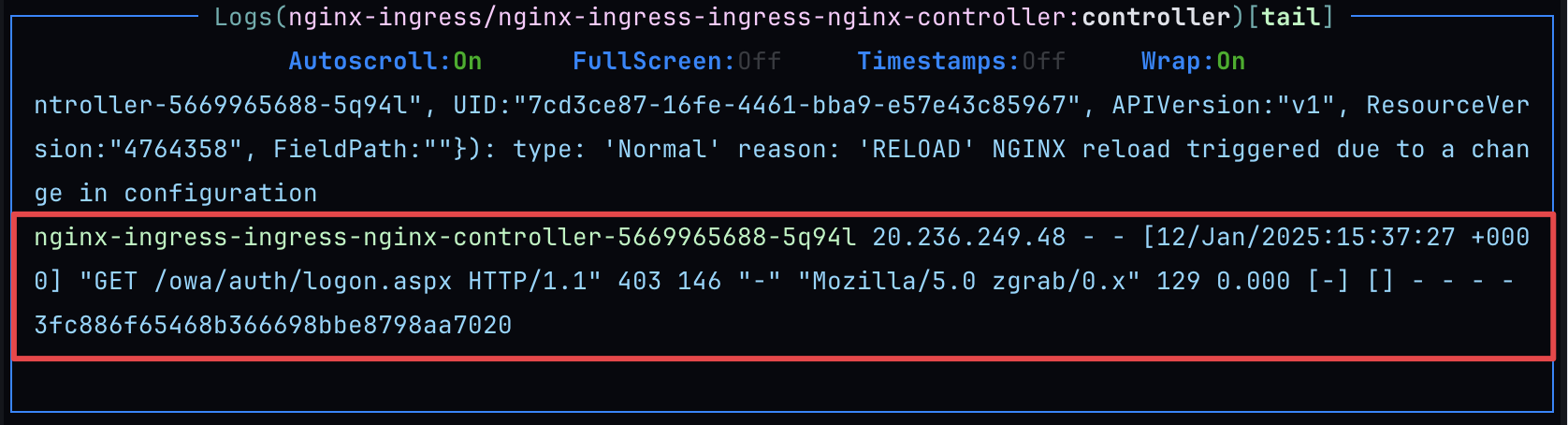
### Test Case 1: No Header, IP Outside Range
**Request:**
```bash theme={null}
curl -I https://your-service.qovery.io
```
**Result:** HTTP 403 Forbidden
Debug headers show:
* `x-debug-source:` (empty)
* `x-debug-is-authorized: 0`
 ***
### Test Case 2: Production Header, IP Outside Range
**Request:**
```bash theme={null}
curl -H "X-QOVERY-SOURCE: production" -I https://your-service.qovery.io
```
**Result:** HTTP 403 Forbidden
The request has the correct header but comes from an unauthorized IP for production.
***
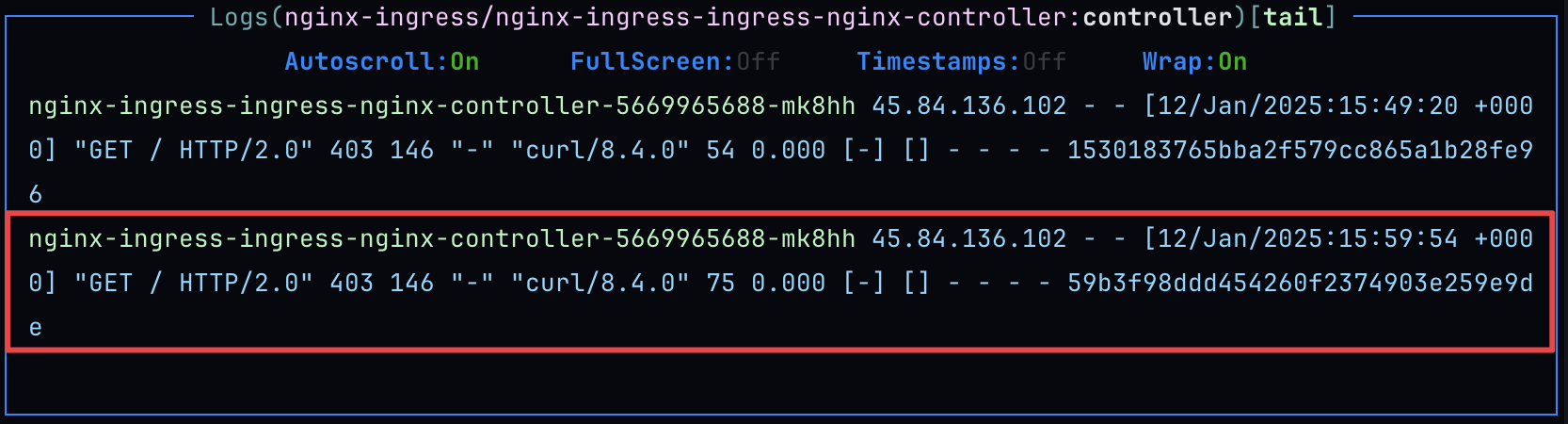
### Test Case 2: Production Header, IP Outside Range
**Request:**
```bash theme={null}
curl -H "X-QOVERY-SOURCE: production" -I https://your-service.qovery.io
```
**Result:** HTTP 403 Forbidden
The request has the correct header but comes from an unauthorized IP for production.
 ***
### Test Case 3: Development Header, IP Inside Range
**Request:**
```bash theme={null}
curl -H "X-QOVERY-SOURCE: development" -I https://your-service.qovery.io
# From IP: 92.xxx.xx.171
```
**Result:** HTTP 200 OK
Debug headers show:
* `x-debug-source: development`
* `x-debug-is-authorized: 1`
Request successfully reaches the service.
***
## Advanced Scenarios
### Multiple Headers
You can extend the configuration to support multiple headers:
```nginx theme={null}
map $http_x_api_key:$http_x_qovery_source $is_authorized {
default 0;
"key123:production" $production;
"key456:staging" $staging;
"key789:development" $development;
}
```
### Time-Based Access
Combine with NGINX time variables:
```nginx theme={null}
map $time_iso8601 $business_hours {
default 0;
"~T(09|1[0-7]):" 1; # 9 AM to 5 PM
}
if ($business_hours = 0) {
return 403;
}
```
### Rate Limiting per Source
Combine with rate limiting:
```nginx theme={null}
limit_req_zone $http_x_qovery_source zone=per_source:10m rate=10r/s;
location / {
limit_req zone=per_source burst=20 nodelay;
}
```
***
## Troubleshooting
* Check debug headers to see actual values
* Verify IP ranges match your environment
* Ensure header name matches exactly (case-sensitive)
* Check NGINX logs for syntax errors
* Verify `enable_client_ip` is enabled
* Verify `compute_full_forwarded_for` is enabled
* Check if you're behind a load balancer or CDN
* Review `X-Forwarded-For` header values
* Ensure cluster was deployed after changes
* Check cluster logs for NGINX configuration errors
* Verify no syntax errors in NGINX snippets
* Test NGINX configuration: `nginx -t`
***
## Security Considerations
Custom headers can be spoofed by clients. Always combine header validation with IP whitelisting for security-critical applications.
If clients use dynamic IPs, consider:
* Using broader IP ranges
* Implementing token-based authentication instead
* Using VPN connections with static exit IPs
Remove debug headers in production to avoid information disclosure:
```nginx theme={null}
# Remove these in production
add_header X-debug-source $http_x_qovery_source always;
add_header X-debug-ip $remote_addr always;
add_header X-debug-is-authorized $is_authorized_source always;
```
***
## Conclusion
The configuration demonstrates how `nginx.controller.http_snippet` and `nginx.controller.server_snippet` enable scalable, flexible access control rules combining IP restrictions and HTTP header validation for multi-tenant environments.
***
## Related Documentation
Implement rate limiting on services
Configure service advanced settings
Learn about NGINX ingress
Security best practices
***
### Test Case 3: Development Header, IP Inside Range
**Request:**
```bash theme={null}
curl -H "X-QOVERY-SOURCE: development" -I https://your-service.qovery.io
# From IP: 92.xxx.xx.171
```
**Result:** HTTP 200 OK
Debug headers show:
* `x-debug-source: development`
* `x-debug-is-authorized: 1`
Request successfully reaches the service.
***
## Advanced Scenarios
### Multiple Headers
You can extend the configuration to support multiple headers:
```nginx theme={null}
map $http_x_api_key:$http_x_qovery_source $is_authorized {
default 0;
"key123:production" $production;
"key456:staging" $staging;
"key789:development" $development;
}
```
### Time-Based Access
Combine with NGINX time variables:
```nginx theme={null}
map $time_iso8601 $business_hours {
default 0;
"~T(09|1[0-7]):" 1; # 9 AM to 5 PM
}
if ($business_hours = 0) {
return 403;
}
```
### Rate Limiting per Source
Combine with rate limiting:
```nginx theme={null}
limit_req_zone $http_x_qovery_source zone=per_source:10m rate=10r/s;
location / {
limit_req zone=per_source burst=20 nodelay;
}
```
***
## Troubleshooting
* Check debug headers to see actual values
* Verify IP ranges match your environment
* Ensure header name matches exactly (case-sensitive)
* Check NGINX logs for syntax errors
* Verify `enable_client_ip` is enabled
* Verify `compute_full_forwarded_for` is enabled
* Check if you're behind a load balancer or CDN
* Review `X-Forwarded-For` header values
* Ensure cluster was deployed after changes
* Check cluster logs for NGINX configuration errors
* Verify no syntax errors in NGINX snippets
* Test NGINX configuration: `nginx -t`
***
## Security Considerations
Custom headers can be spoofed by clients. Always combine header validation with IP whitelisting for security-critical applications.
If clients use dynamic IPs, consider:
* Using broader IP ranges
* Implementing token-based authentication instead
* Using VPN connections with static exit IPs
Remove debug headers in production to avoid information disclosure:
```nginx theme={null}
# Remove these in production
add_header X-debug-source $http_x_qovery_source always;
add_header X-debug-ip $remote_addr always;
add_header X-debug-is-authorized $is_authorized_source always;
```
***
## Conclusion
The configuration demonstrates how `nginx.controller.http_snippet` and `nginx.controller.server_snippet` enable scalable, flexible access control rules combining IP restrictions and HTTP header validation for multi-tenant environments.
***
## Related Documentation
Implement rate limiting on services
Configure service advanced settings
Learn about NGINX ingress
Security best practices