> ## Documentation Index
> Fetch the complete documentation index at: https://www.qovery.com/docs/llms.txt
> Use this file to discover all available pages before exploring further.
# Auto-Deploy
> Automatically deploy on Git commits
Qovery can automatically update your applications to the latest version of your Git branch. Each time a commit is done on your Git repository, Qovery will receive a webhook call with the commit information and will determine which applications should be automatically re-deployed.
## Activation
You can activate the auto-deploy flag either within the application settings or during the service creation flow.
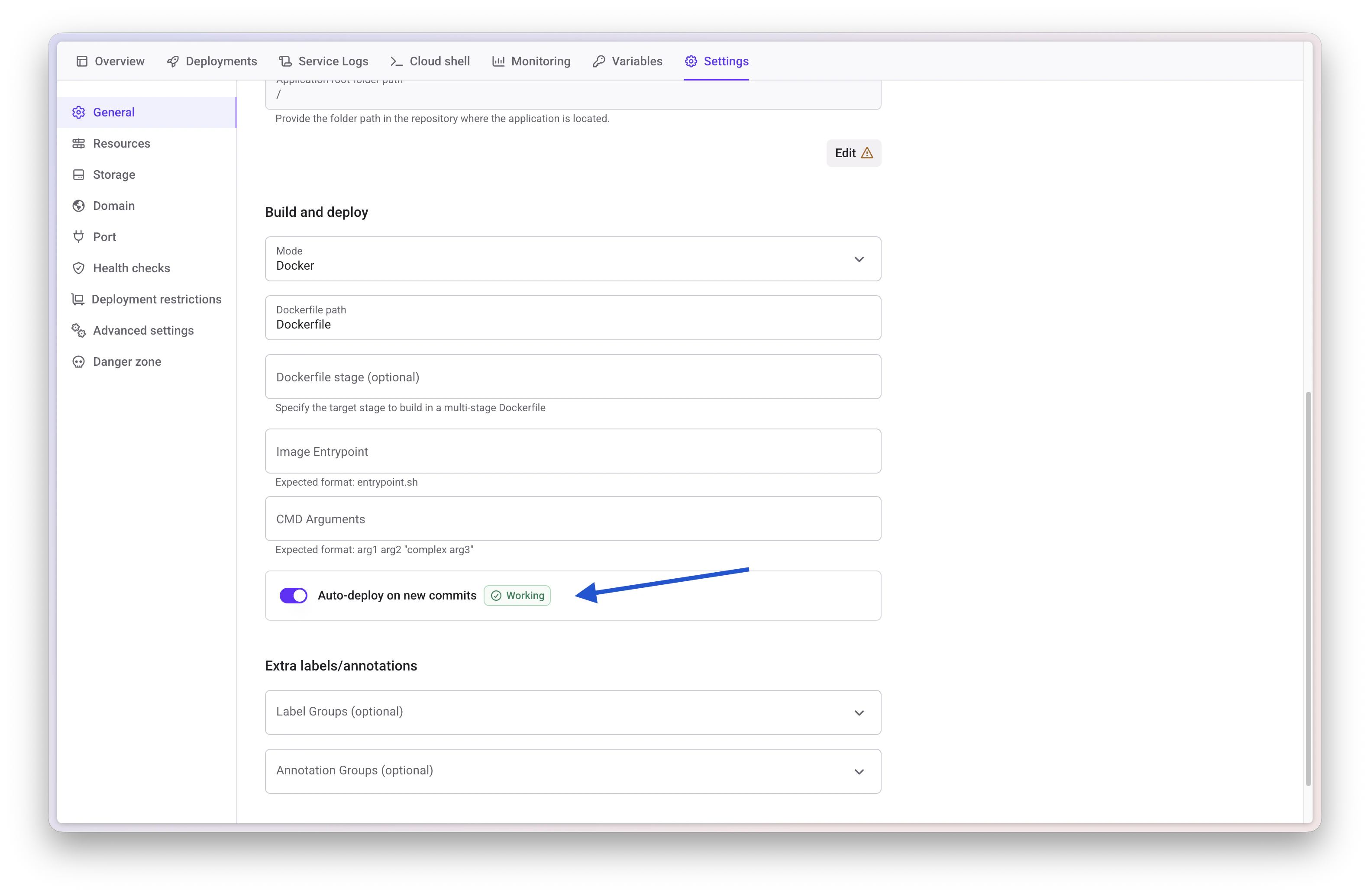
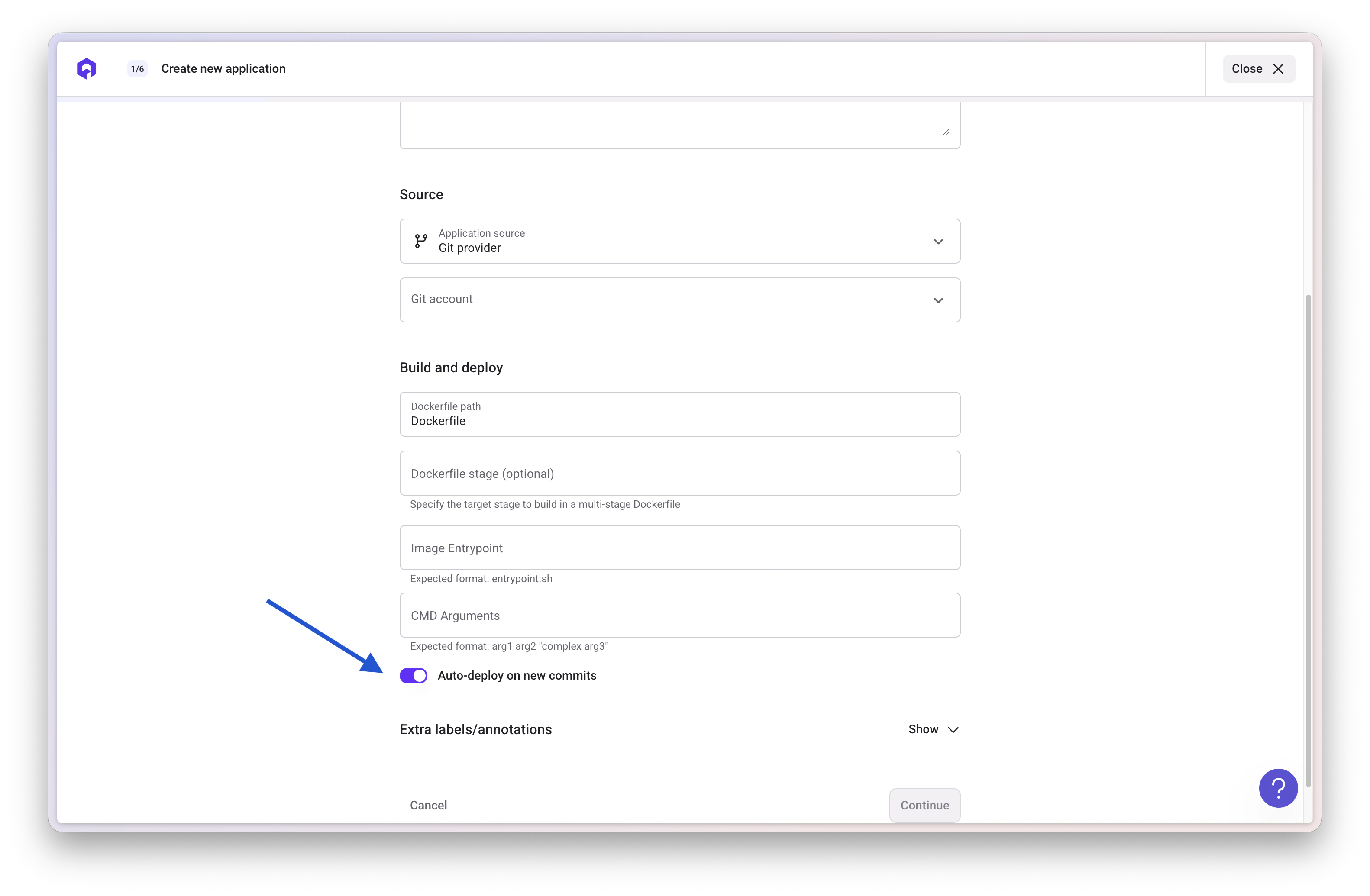 Once activated, each commit on the application branch will automatically trigger the deployment of the new version of your application.
## Filtering Commits
The "Deployment restrictions" feature allows you to better control which commits should trigger a new deployment and which should not.
Once activated, each commit on the application branch will automatically trigger the deployment of the new version of your application.
## Filtering Commits
The "Deployment restrictions" feature allows you to better control which commits should trigger a new deployment and which should not.
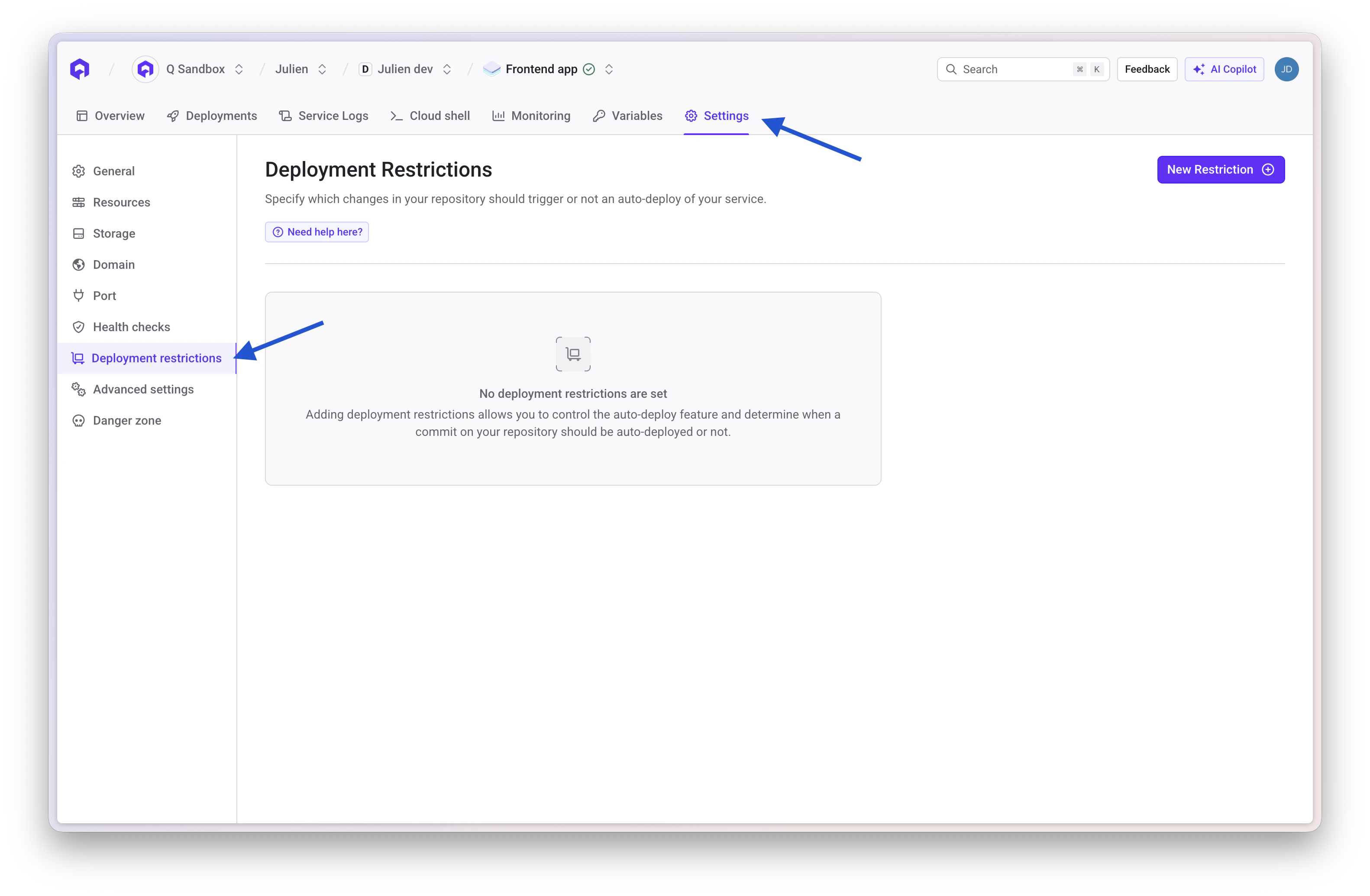 There are two modes:
* **EXCLUDE**: the deployment will be triggered for all commits EXCEPT the one that have changed ONLY the specified files/folders
* **MATCH**: the deployment will be triggered ONLY if the commit has changed the specified files/folders. If multiple MATCH conditions exist, only one of them has to be true to trigger the deployment.
Important notes:
* The value must be the complete path of the file/folder to be excluded/matched
* The path must NOT start with a forward slash `/`
* Wildcards (`*`) are not supported
* You can use path prefixes for partial matching (e.g., `docs/` will match any file within the docs folder)
## Container Image Auto-Deploy
For container images (not Git repositories), you need to configure your CI/CD pipeline to notify Qovery when a new image tag is available. This can be done through:
* The Qovery API using the `autoDeployContainerEnvironments` endpoint for containers
* The Qovery API using the `autoDeployJobEnvironments` endpoint for lifecycle jobs and cronjobs
See the [API documentation](https://api-doc.qovery.com/) for more details.
## FAQ
Yes, you can use the "Deployment restrictions" feature with EXCLUDE mode to specify files or folders that should not trigger deployments when they are the only changes in a commit.
No, auto-deploy will not restart a stopped service. The service must be running for auto-deploy to trigger a deployment.
Yes, mono-repositories are fully supported. You can have multiple services connected to the same Git repository. Use the "Deployment restrictions" feature with MATCH mode to limit auto-deploy triggers to specific subfolders for each service.
No, Qovery does not automatically monitor container registries. You must notify Qovery when a new image tag is available through:
* The Qovery Console
* The Qovery CLI using `qovery deploy --tag `
* The Qovery API endpoints (`autoDeployContainerEnvironments` or `autoDeployJobEnvironments`)
## Next Steps
Deploy with external CI/CD pipelines
Control your deployments
Review deployment history
Access deployment logs
There are two modes:
* **EXCLUDE**: the deployment will be triggered for all commits EXCEPT the one that have changed ONLY the specified files/folders
* **MATCH**: the deployment will be triggered ONLY if the commit has changed the specified files/folders. If multiple MATCH conditions exist, only one of them has to be true to trigger the deployment.
Important notes:
* The value must be the complete path of the file/folder to be excluded/matched
* The path must NOT start with a forward slash `/`
* Wildcards (`*`) are not supported
* You can use path prefixes for partial matching (e.g., `docs/` will match any file within the docs folder)
## Container Image Auto-Deploy
For container images (not Git repositories), you need to configure your CI/CD pipeline to notify Qovery when a new image tag is available. This can be done through:
* The Qovery API using the `autoDeployContainerEnvironments` endpoint for containers
* The Qovery API using the `autoDeployJobEnvironments` endpoint for lifecycle jobs and cronjobs
See the [API documentation](https://api-doc.qovery.com/) for more details.
## FAQ
Yes, you can use the "Deployment restrictions" feature with EXCLUDE mode to specify files or folders that should not trigger deployments when they are the only changes in a commit.
No, auto-deploy will not restart a stopped service. The service must be running for auto-deploy to trigger a deployment.
Yes, mono-repositories are fully supported. You can have multiple services connected to the same Git repository. Use the "Deployment restrictions" feature with MATCH mode to limit auto-deploy triggers to specific subfolders for each service.
No, Qovery does not automatically monitor container registries. You must notify Qovery when a new image tag is available through:
* The Qovery Console
* The Qovery CLI using `qovery deploy --tag `
* The Qovery API endpoints (`autoDeployContainerEnvironments` or `autoDeployJobEnvironments`)
## Next Steps
Deploy with external CI/CD pipelines
Control your deployments
Review deployment history
Access deployment logs